When will Starlight become more affordable for cloud rendering? I understand around $0.01 per token, but $0.1 is ridiculous.
Or lower prices for 4K rendering. Does anyone really pay $1,600 for two hours of rendering? I would gladly subscribe to Topaz Video AI, but with these prices, it’s unfortunately absurd.
How long can you expect to wait for these amounts?
Nobody pays that, because you can’t do a two hour Starlight render on the cloud. I think the current limit is about six minutes. Longer would have to be done locally, and the amount of time it would take to do a two hour local Starlight render on even the fastest workstation would be mind bogglingly long.
and the result upscaling FHD to 4k isn’t very impressive. Starlight model has his strength improving lowRes vids, or simply content that profits from heavy reconstructions the model does. focus on DVDs where no Blu-Ray exists, this makes more sense.
I am interested in upscaling low-quality SD (webdl) to QHD/4K—unfortunately, from what I have seen, SL FHD leaves artifacts, while 4K reconstructs these artifacts.
Yes I know what you mean, Topaz should really improve the model here when doing 2x. But artifacts are greatly minimized when I use a high amount of gpu RAM, which is why I still use the old beta 7.0.0.4.b with my 5090, which allows me to use 2x.
What bothers me in general are the fixed upscale factors via the GUI, and I would actually like to use my SLM result for SLS, but SLS only scales to FHD, and anything higher does SLS with NYX, crazy is, even SLS is a FHD trained model, they don’t give us a FHD resolution setting
Mine’s a bit long in the tooth also: 6 yr old hp z8g4/2X Xeon Gold 6132 (roughly equivalent to your i9, except that each CPU has 14 cores)/192Gb/RTX3070. I think the only viable upgrade path for this system would be an RTX3090. No point in putting any newer GPU in it because it’s only PCIe 3.
PCIe version does not always matter as much as people might think. Especially for other stuff than gaming… Quite sure a 4090 would work just fine, only with maybe about 5% loss in processing speed.
I don’t think it makes sense to spend money on new components for a six year old computer. With today’s prices, the cost of a new GPU is more than halfway to a whole new pre built PC.
Up to you. But that was not the point. Thing was you mentioned PCIe 3 being a reason to not upgrade higher than 3090… With RAM prices shooting up, at least going for a used 4090 for your Z8 would totally make sense. 192GB DDR5 would make a new station really expensive these days (not sure what happens in the future). Got a Dual-XEON Z840 myself with 256GB DDR4, and going for an upgrade from my 4070TiS to a used 4090 is probably the first thing I would do before anything else… But also has to do with my tight budget.
I did, but that was just the GPU-related reason. Everything else in the system is equally old. So Im not looking at CPU or RAM upgrades, either. Plus, it’s a workstation case so I’m limited to GPUs that will fit within the 111mm height envelope.
So I’m going to just putter along with this one and possibly prowl the lease returns for some bargains, until the AI bubble bursts next year and GPU and RAM prices start to regain some semblance of sanity.
With Comfy, it is possible to process the entire video without dividing it into minutes using the Starlight model, and it is cheaper, on average $100 for a 1-hour video.
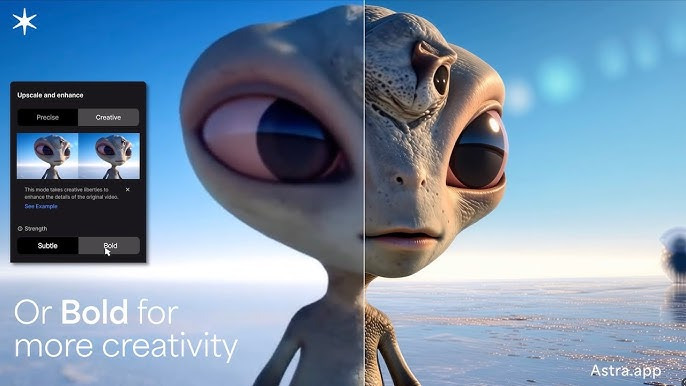
In the Creative model, artificial intelligence makes its own additions and changes some textures and objects, if you want it to remain faithful to the original, you should not select this.
So this is way more expensive than Topaz Cloud render.
But of course, you don’t need a Topaz subscription.
Also I have to tell that Starlight Fast is nowhere near the quality of Starlight (former mini)
I also had this video rendered in topaz cloud Starlight.
I’m also planning to do local render Starlight and Starlight Sharp.
You can find the current results on google drive here: