Hi Ihkjacky. Thank so much for this information. It’s really helpful!
You’re welcome
Yes! Just got it and I cannot tell the difference between the original photo and what Topaz has done for the blurriness.
Hi mrobins48, it turned out that I wasn’t using the orignal source image, but one that I had already altered in photoshop. Once I used the original source image, the program worked well.
andrewlankester, it turns out that there is still a piece of the puzzle that I am missing. Here are my steps:
First used Gigapixal on the orginal source image and it comes out clean.
Second took the clean image and did some tweaking in photoshop.
Third changed the file size so I can use the image on the blog site.
Forth loaded it onto the blog site but now the image is no longer crisp!
What is the correct way to resize the image so that I don’t lose the crispness? Or am I doing something else that is incorrect?
When I look at the image, in a file on my computer, after step two (so before I change the file size) it looks perfect.
Hi, maybe it’s simply the site where you sent the image that compresses it if your image is clear before sending it?
The strange thing is though, I’ve been using this site for years and never had this problem.
weird… after changing the size of the image it was still sharp? maybe the image format is not good? png or tiff are less destructive than jpeg for example
Hi jkrigs. Short answer - ssbroly - is correct it’s probably the blog site’s compression methods
Although you’re reduced the image size as you would normally, your actual file size could be still quite large.
That’s because although smaller the PPI (pixels per inch) could be for instance 300ppi instead of 72ppi, alternatively it could be the Bit Depth again your original image could have been an 8bit image where as Gigapixel always returns a 16 bit image to contain all that extra image data it’s created.
Perhaps you could compare this pixelated image with another image that worked before to see if there’s any differences between the two.
You could try decreasing the size of the image in Photoshoppy first then send this smaller image to Gigapixel for enhancing before posting.
I do hope that works for you
Did you know you can also reduce the size of an image in Gigapixel by half. Simply open an image in Gigapixel on the Control Panel under Scale you’ll see a button for 0.5X
Understanding Gigapixel:
Gigapixel’s Claim to Fame is not only will it for instance double or quadruple the image size, but also adds lots and lots of additional data information to the image more and more pixels that simply didn’t exist or won’t there before.
Yes I know Magical.
Did also you know that within Gigapixel when you select a scale 2X 4X 6X that’s an increase in resolution of 2X=200% 4X=400% 6X=600% simple yes.
BUT now you know there was a BUT coming but, the actual image size is much greater than that for instance 2X=400% increase, 4X=1’600% increase and 6X=a massive 3’600% increase in image size, hence much bigger file sizes.
Sorry to be so long winded about this
That’s just plain wrong. The PPI is just a text field in the metadata that tells a printer what size to print your image - it has no effect whatsoever on the size (or quality) of your image.
1 Like
Thanks for your reply. This is were it gets confusing for me, and you’ll quickly see by my response to you how little I know: I turned it into a jpg, from a photoshop file, because the website will only take that format and supposedly jpg files are small enough but still really clear so good for websites.
in fact I also thought about the ppi of the image but as PaulM said, I also think that the ppi is just related to the printing of the image, but I’ll let you debate because I don’t have not enough knowledge about ppi. on the other hand it is possible that it is linked to the bit depth of the image as you said
Here is the size information for the image that I loaded onto the site.
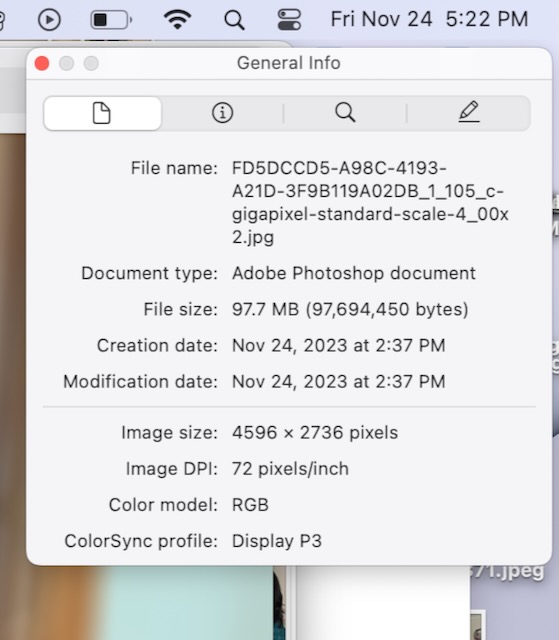
so if all your images from before are also jpegs, this does not come from the jpeg format I presume, probably the bit depth of the image, but on the other hand for me a 10 bit image (1 billion of colors) contains more color information than an 8 bit image (16 million colors), but your site is not supposed to blur the image compared to that because the sharpness remains the same in 8 bits or 10 bits. depending on the colors in the image, the difference is sometimes not even noticeable so I don’t have enough skills to tell you what the problem is
can we see the blur of your image compared to the original image sent to the site?
Ah, that makes sense. I canceled everything because $199 is way too much to spend for nothing. I’m thinking of purchasing just the sharpen software at $79 and try that. Baby steps.
Perhaps ask in this form, which one of the software programs is the best for what you want to do. It turned out the Gigapixal was better for me. Everyone here is extremely helpful.
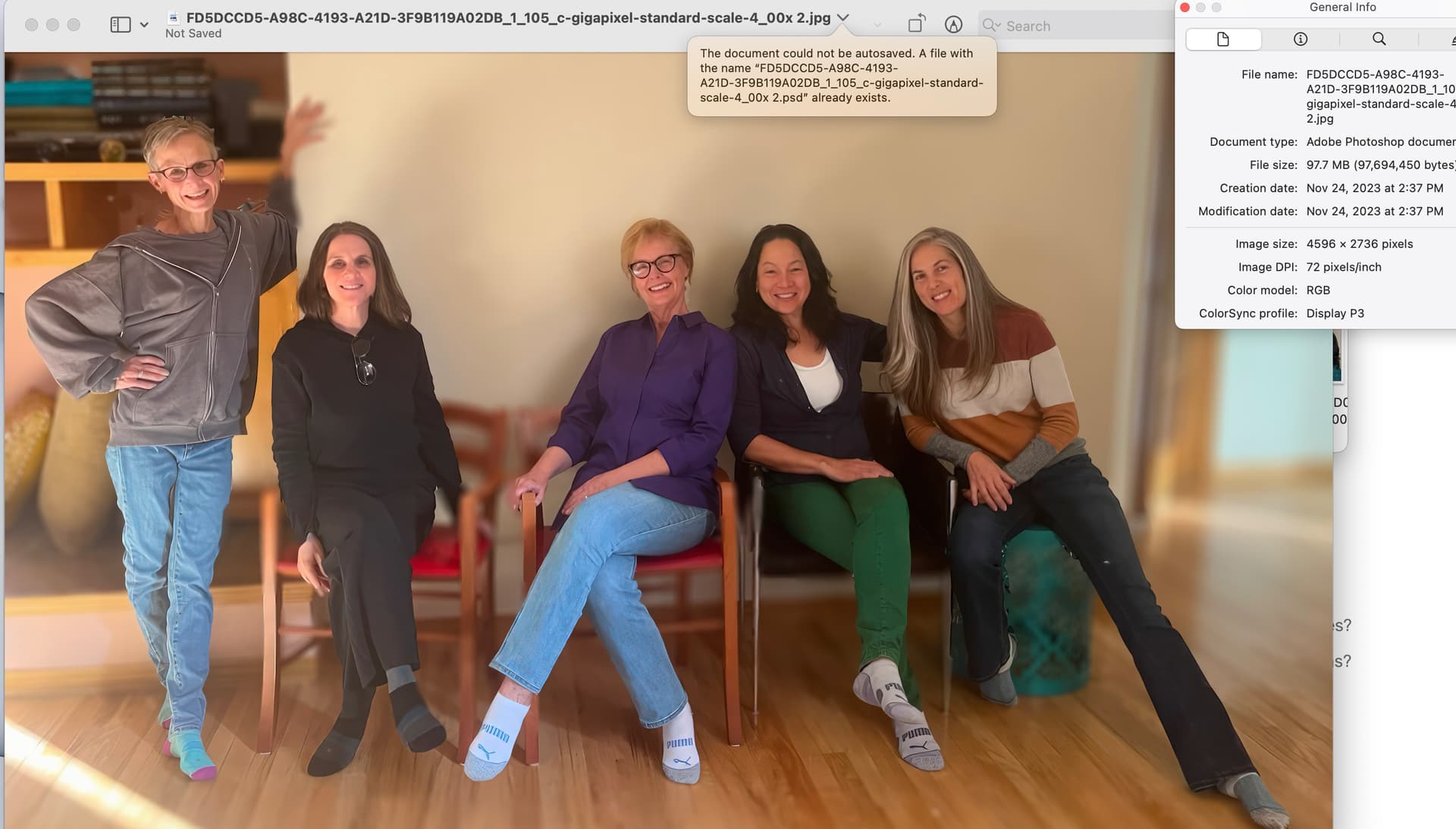

the top image is the one sitting on my computer and the bottom image is the one on the website.
the one you send is in 1920 x 1093 pixels, on your site it is lowered to 1421 x 888, I thought at first seeing that it is due to this drop in resolution, but it only changes by 11 kb, it is not huge compared to the difference in quality but we would still say that it is due to compression on the site.
ps: looking closely at the two images, I have the impression that there are more real details on the one which is not clear, the only thing I can see is that you sent your original photo on the site and not the one that is modified? I am wrong?
Hi - I sent the photo that is on my computer (the top one) to the website.
I’m going to contact the site and see if they can help, since it could be on their side.
Many thanks for all your help!
1 Like
