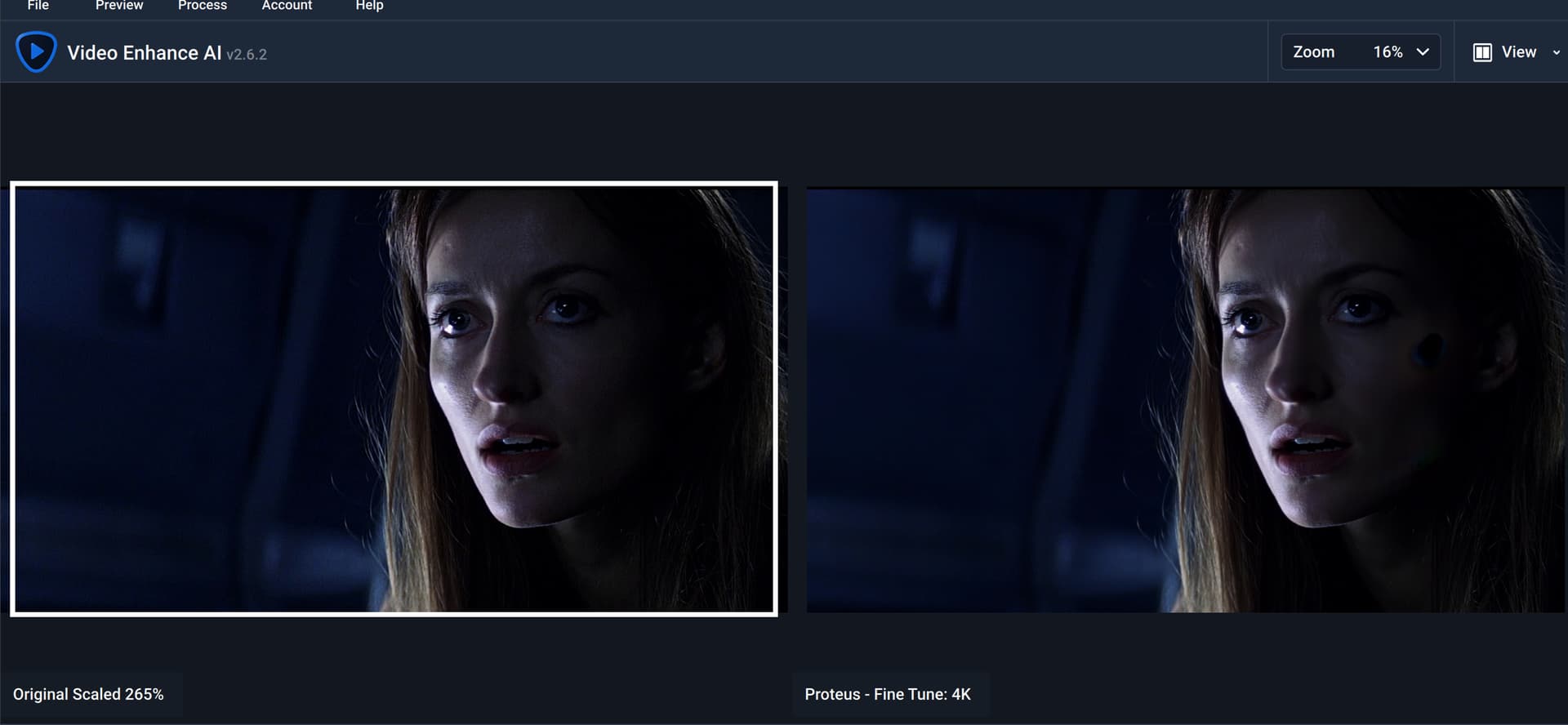
I was using VEAI, Proteus 3, and got some very severe blotting in my Solaris movie I’m trying to upscale. At first I thought I had denoised too much, but even at default, minimal denoising, I get these very erroneous blots all over the place:
I got the matter escalated to a developer, via support, who acknowledged the issue, and has put it on the list for investigation/resolution.
During the feedback I gave support, I noticed this bug only occurs when scaling beyond 200% (with Proteus v3). Like the 270% I used to get a panned view, to get rid of black borders.
I was able to bypass this issue by preprocessing with an avisynth script command, like:
Crop (248, 140, -248, -140)
An exact pre-crop, so a 200% scale will yield a perfect 4K.
Support also said “In the meantime, please use v2, you should not find any advantage to using v3.” So, v2 it is then, for now. Even though I may keep using the avisynth pre-cropping, as it will likely go faster (less raw material to process for VEAI).
This blotting artifact only seems to happen with 4k video which I believe is almost always broken with this program, it just leaves those ugly black spots.
I’ve had this upscaling my DV camera tapes to 4K. Mostly it was OK but in 2 scenes these strange blotches appear. Very odd. Always seems to be in dark areas.
Why has there been no follow-up to this case since then? It is July 2024 and the problem is still present.
That’s 2 videos that I converted and where I have this problem.
I don’t have these big black dots but I have the same thing that a member posted here i.e. big black lines that appear in the output when using Proteus.
My source video is 1080p 25fps SDR.
I have carried out some tests and they seem to come when I upscale to 3840x2160 in Proteus Manual with these parameters: 40-18-22-22-0-0-0-20.
When I don’t process the grain, these black lines seem not to be created in the output, which gives us these parameters: 40-18-22-0-0-0-0-20.
Proteus being the mode used by most topaz users, would it be possible to resolve this problem once and for all please?
Can you reach out via email to our support team with a sample of the input video and the exported video out of the app with the black dots for testing? help@topazlabs.com