Hello,
We are using a PRO license of Topaz Video AI on the following system:
- CPU: Intel i9-14900K
- GPU 0: NVIDIA GeForce RTX 3080 Ti
- GPU 1: NVIDIA GeForce RTX 3080
- RAM: 64 GB
- Storage: NVMe SSD 4 TB
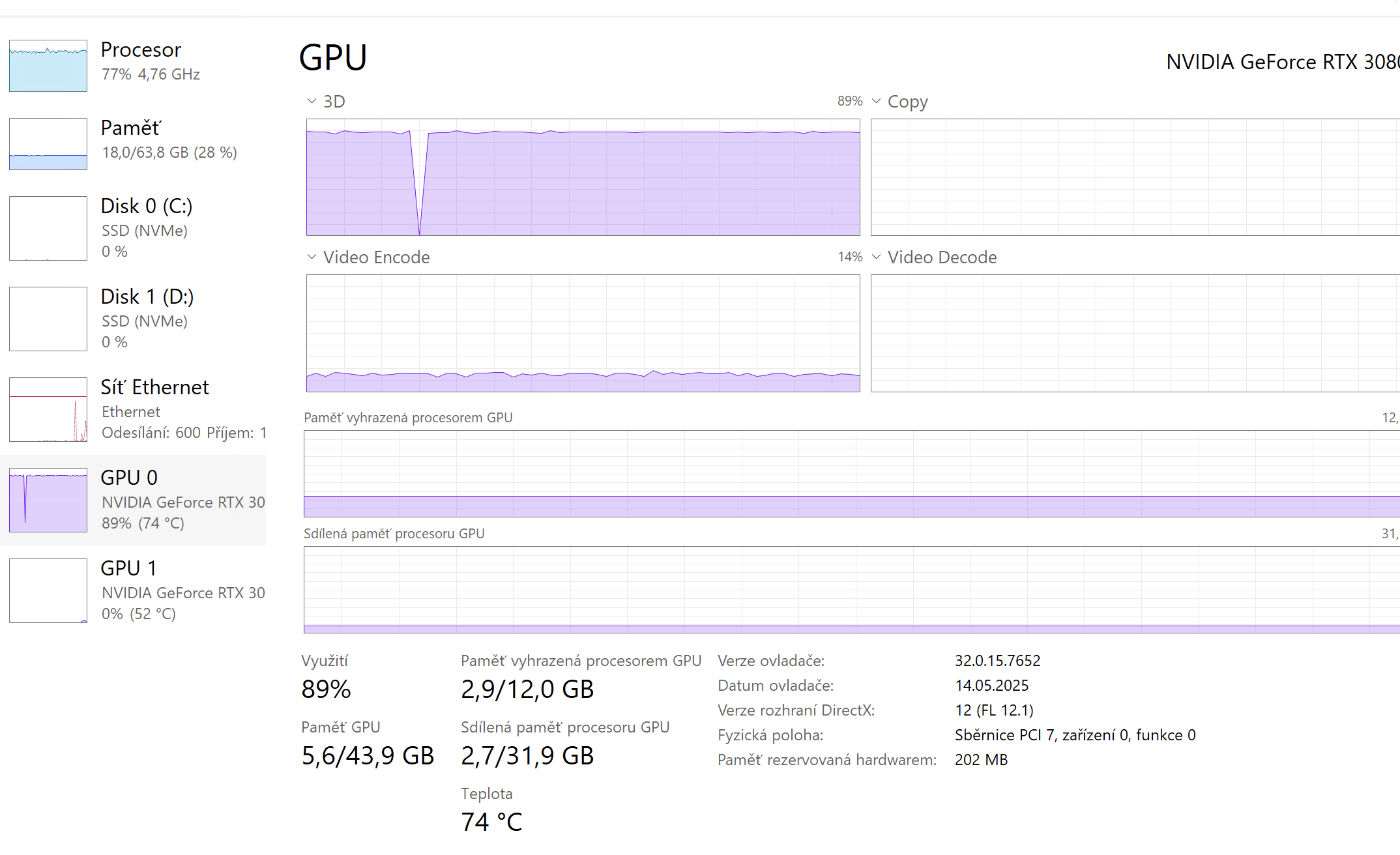
When rendering with the AUTO or ALL GPUs setting, it appears that only one GPU is being fully utilized. According to Windows Task Manager, GPU 0 (3080 Ti) runs at ~90% utilization, while GPU 1 (3080) remains mostly idle (0–5%). Please see the attached screenshot for reference.
I would like to ask:
- Is this behavior expected?
- Should Topaz Video AI be distributing the load across both GPUs when set to “ALL GPUs”?
- Are there any recommendations to better utilize both GPUs?
Thank you in advance for your help.
Best regards,
1 Like
One of the main reasons we opted for the more expensive PRO license was precisely to take advantage of dual GPU processing — so it’s a bit disappointing to see only one GPU doing all the heavy lifting.
Check what “Processing Optimization” is set to. I would also experiment with the “Max Processes” setting. Try first with it set to 1, and then increase it to see what difference it makes.
Your cpu is under heavy load, so improvements from where you are now might be limited. Alot will depend on the processing you are carrying out (single video with single process versus single video with multiple processes versus batch processing).
1 Like
Hello,
Could you share the app’s logs and your system profile? Feel free to upload to our Dropbox if preferred to keep those off the forum.
You can securely submit your file(s) to our Dropbox using the link below. Please be sure to send me a note to let me know you sent something and include the file name.
Submit File to Dropbox