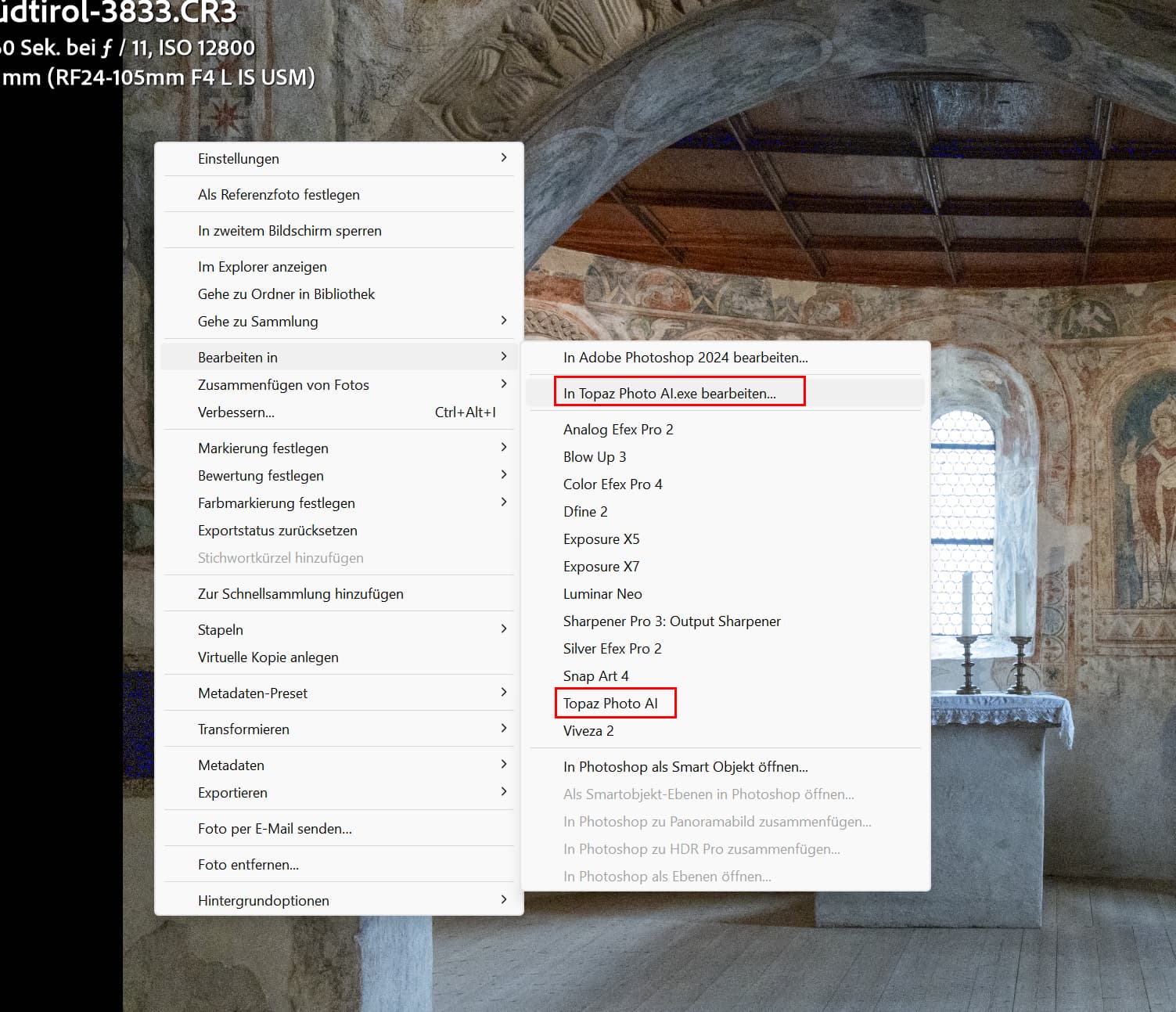
FYI, it seems On1 does already support the files. Folks who use multiple products can leverage that work around.
Yeah Lightroom seems to be OK from what I’ve seen. Maybe they will tweak it, but at least opens ok. Mainly Topaz now and maybe DXO/other apps.
When I open R5 ii raw files, whole image is pink in color
Steps to reproduce issue:
- Step 1
- Step 2
- Step 3
Topaz Photo AI [v1.x.x] on [Windows/Mac]
Hello, I have been having the same problem. The workaround I have been using is to convert the files to DNG and then edit them until the update comes. I am using the Adobe DNG converter.
When using the Photo AI plug-in with Lightroom Classic, my .CR3 image turns pink, preventing you from seeing any noise reduction results. This happens immediately upon starting the plug-in from within Lightroom Classic.
Steps to reproduce issue:
- Step 1- Crop and adjust whites, blacks of .CR3 image in Lightroom Classic.
- Step 2 Within Lightroom Classic, select File>Plug-in Extras>Process with Topaz Photo AI
- Step 3 Topaz Photo AI opens and reveals the image which is now pink.
Topaz Photo AI 3.2 on MacOS Sonoma 14.6.1

Hello, I’m new to Topaz Photo AI so please bear with me 
I have the new Canon R5 Mark II camera body and have been shooting in CRAW. I’m trying to denoise my RAW image files before the rest of my editing workflow. When I upload the images to Topaz (in LrC, File > Plug-In Extras > Process with Topaz Photo AI), the images appear purple which makes it difficult to see (attaching an example image here)
R52_1917.CR3 (22.2 MB)
and when I try to export the changes as DNG back to LrC, I get this error “DNG Write Error” and the program creates a bunch of small, nothing files.
Could this be because CRAW isn’t supported, or the R5 Mark II is not yet supported? Please let me know if I can share anything else for more context. Thanks for your help!
Best,
Alex
Topaz Photo AI v3.2.0 on Windows 11 Pro
Saw this issue was already mentioned and addressed: Canon R5 Mark II Currently Not Supported | v3.2.0 and below - #2 by john.topazlabs
Last week I installed version 3.2.0. The results were fine, as long as I didn’t apply " Adjust all lighting" nor “Balance all color”: these destroy these rock concert pictures as some of them have color spot lights. That was with Canon EOS 90D (RAW) pictures.
Today I noticed a color cast on newest pictures: as soon as I process any picture from within Lightroom Classic, it has a pink film all over it, the original sharpness and the noise are not visible. As I was not able to visualize the changes, I did apply the default Face Recovery, Sharpness and or Denoise to save it back to LrC. Saving (RAW → DNG file) can’t be done as I get the following error: Error DNG write error. When I open the pictures in Photo AI directly, I can save the result as a TIFF file, but it is saved with the color cast, making Photo AI worthless. These pictures are RAW files, made with the Canon EOS R5 Mark II. (see attachments)
2024-09-04-17-01-56.tzlog (111.5 KB)
_T8A0313.CR3 (30.0 MB)
_T8A0285.CR3 (32.7 MB)
The picture’s colors have no influence on the color cast.
I hope this will be fixed soon.
When will there be an update from Topaz for my new camera Canon R5 Mark 2 ??? I have a new camera from Canon R6 mark 2 to Canon R5 mark 2 and have extended my subscription
Yeah, I just got the latest update, but still is not supported…
I also did that update yesterday and it still doesn’t work
I don’t want to put pressure on the developers, but DXO recently released PureRAW 4.4 WITH support for the Canon R5 Mark II and others. And it works flawlessly. I am still a Topaz and not a DXO customer. But if this continues and Topaz seems to care more about new contract models (see EULA update) than about product updates for paying customers, I will soon switch.
BTW: I also read somewhere in the forum that all Topaz products (for photos) rely on LibRAW for RAW development. The FastRawViewer from LibRaw, LLC also supports (in the beta versions) the R5 Mark II !
Cannot open Canon R5 Mk 2 raw files correctly. Although they open they have a pink cast. Same for Gigapixel.
[Please describe your issue here. Try to include logs (Help → Logging) and add screenshots if necessary.]
Steps to reproduce issue:
- Step 1 open LRC
- Step 2 select edit in Topaz Photo AI from “file” menu
- Step 3 Photo AI opens and produces pink image
Topaz Photo AI [v1.x.x] on [Windows/Mac]
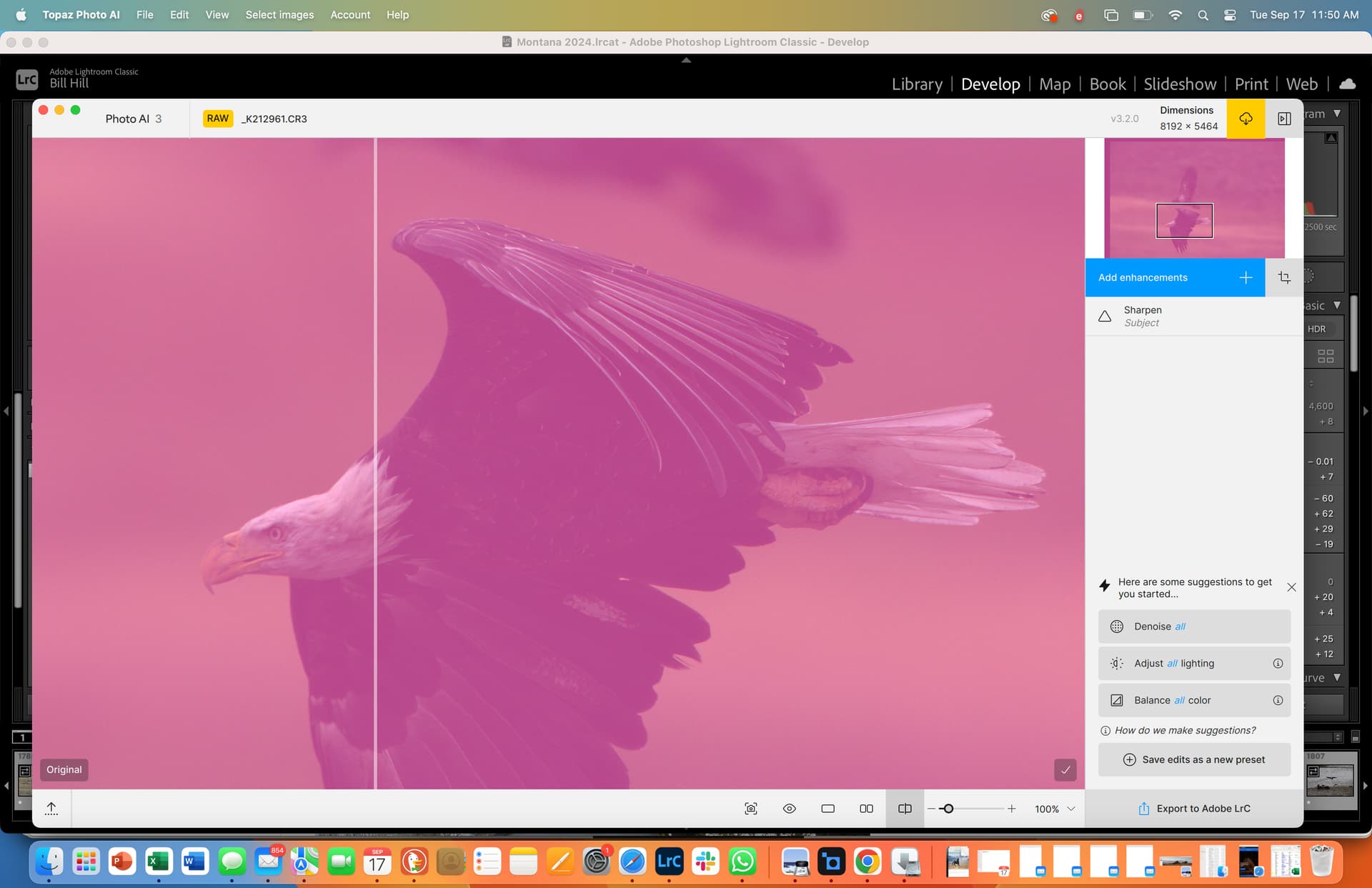
So Adobe and DXO have the updates for the new Canon R5 MkII and R1 loaded in the software and recently released.
Topaz ¯_(ツ)_/¯ ?
Yes, a major inconvenience that forces me to consider moving away from Topaz. Why is it taking so lond to have Topaz recognize RAW file from a very popular camera that is now a month old when other have been able to manage this? Not a good sign for Topaz!
That nudges some closer to change.
DxO supports the latest cameras from Canon and Nikon, and an exciting range of new lenses
With this update, DxO offers modules for 97,639 camera and lens combinations
TTT it’s been over a month now.