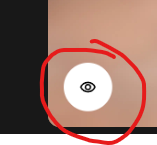
Hello, did you know that for a little while now, the “compare” button for your images on your web pages in general has stopped working?
I can click the button as many times as I want, but nothing happens.
And it’s like that on all your images with the comparison button.
Thanks for reporting this. Could you let us know which Topaz app or website you’re referring to? The screenshot doesn’t look familiar to me, and we’d like to make sure we’re looking into the correct product.
If possible, could you also share the URL of the page where you’re seeing this issue?
For example, here:
Topaz Gigapixel - Super-size & Upscale Image & Photo Resolution
here:
Topaz Photo - Sharpen, Denoise, Unblur & Enhance Images & Photos
here:
Topaz Video - Cinematic-Grade Video Quality Enhancement Software
I think it’s on all the pages with the option to click on a comparison. When I click the button, I get a sort of flashing light, but the comparison doesn’t open.
@alexandre.topazlabs
@johnrei.topazlabs
You’re welcome. Yeah, it was a pretty subtle bug; you could easily miss it if you forgot to test for it.
And I can confirm that it’s working again.