I just noticed that when in “Low Resolution” with Face Recovery deselected, it still is constantly scanning to detect faces. Is this intended?
Gigapixel is constantly scanning for faces not allowing me to go any further. I cannot export.

Hello Tyler,
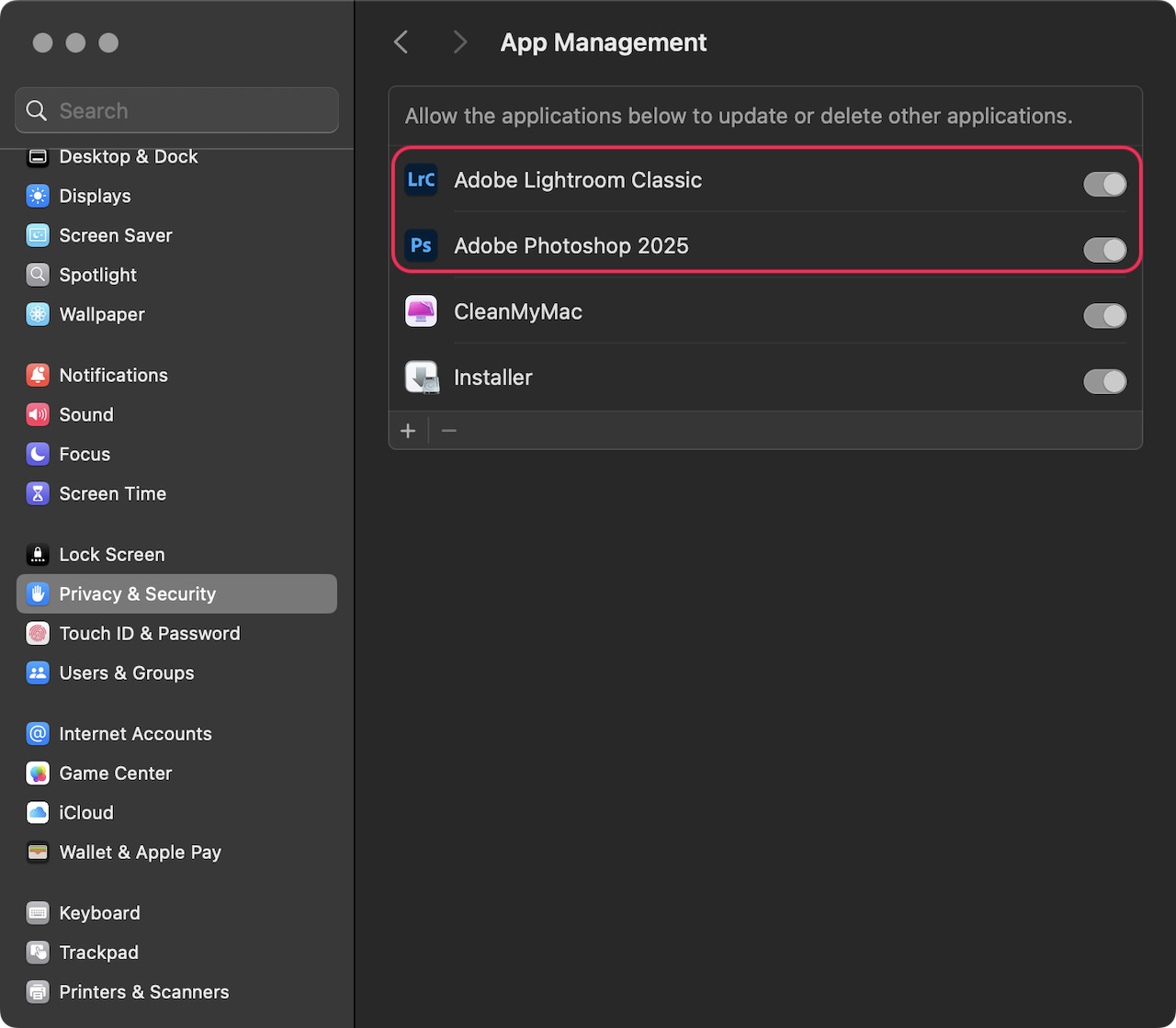
Thank you. For some reason, it will not allow me to install Photoshop 2025. It allows Adobe Photoshop (Beta) and Adobe Lightroom, but not the 2025 version.
Greg
Hi Greg.
I assume you’re asking about Lightroom Classic
This is a Lightroom issue which can be triggered by either having Photoshop Beta open before launching Lightroom in which case Lightroom will default to the open Application.
Alternatively, you or the resent Lightroom Classic update inadvertently changed the External Editing option within Lightroom’s Preferences options.
Simply, goto the Lightroom Classic Preferences Menu or press and hold the Commands key plus the Comma key ,
The Preferences window will appear next, select the External Editing Tap and a new set of options will appear.
Under, Edit in Adobe Photoshop you’ll see Photoshop version and a drop-down window simply Click on the down arrow and select Adobe Photoshop 2025 and either press Enter or Click on OK
Hope this helps
New version will not load from within photoshop.
Produces error message, ‘Could not gather image information.’
I opened Gigapixel from photoshop to enlarge an image and it worked fine - noticed there was an update – so I updated. Now Gixapixel will not open from photoshop. Really? Again with update issues? I am on a Mac running Sequoia 15.6.1 and The elatest Photoshop and hte latest Giga pixel (1.0.1) as of Sept 20 2025. PLEASE tell me what needs to be done on my end so this update will work from photoshop once again. Please.
Hi. Can’t help you I’m afraid but, if it’s any consolation I believe, Topaz are aware of the issue and are investigating it
OK, thanks, I’ve gone back to the old version.
Same thing happened on my Mac Studio and MacBook Pro. 1.0.1 disabled Automate. Very frustrating.
Same for me. Since updating to Gigapixel 1.0.1 it runs perfectly in the standalone Gigapixel.app but not from the Photoshop plugin via Automate. It produces a Topaz Gigapixel layer in Photoshop but there is no window to control Gigapixel. It has also broken the Gigapixel AI plugin which did work perfectly before installing 1.0.1. My system is iMAC M1 Tahoe26.0, Photoshop2025 26.10.0, Topaz Gigapixel AI, and Topaz Gigapixel 1.0.1
@malcolmjennings-9777 malcolmjennings-9777 , exactly.
I have been informed by Topaz that they are aware of the plugin break and are working to release a fix/update. It may be a little while, but I am told they are on it.
on another topic @malcolmjennings-9777 malcolmjennings-9777 , How does Tahoe work with Photoshop (and all the Adobe products if you work across the bridged Adobe products and their respective plugins). I know, big ask… I always hesitate updating OSX until I know for sure all professional software I need to work plays nice together. I am still running Sequoia. Always hoping to avoid breaks in the chain like the Gigapixel update. Next check is to see if the Canon Print Studio for the Prograf printers works with the new OSX - I kept an older version of Photoshop because Canon’s software originally didn’t work for months on the newer version. It always leaves me wondering why am I so quick to update when I have everything working well. One year with the help of Apple I rolled back my entire system due to OSX incompatibilities with Adobe in particular (slow to update to the new platform) and then reload all my software - it ran clean again… and updated the OSX once compatibility issues were resolved. But a setback to production for sure.
Thanks for the information. If it is going to take Topaz some time, maybe we should ask for our money back.
I understand your trepidation when updating, particularly if it is a fairly major update. I’ve only recently updated to Tahoe and so far everything Adobe is working as usual. My domestic Canon A3 printer is quite happy.
Gigapixel 1.0.2 is available as of this morning when I checked. Seems to have solved the problems.
Thankjs @len-7504 Logan. And thank you Topaz for the fix. I confirm, it works again.
Gigapixel and Gigapixel AI plugins have both stopped working since the big update that forked it into Gigapixel vs Gigapixel AI. Now it’s useless. It launches and I get the same before and after left/right panels, but the after side just says error processing.
Replying to myself here, but my friendly neighborhood ChatGPT and I resolved this one. If you’ve got this problem, go into your Privacy & Security settings, Full Disk Access, and give Adobe Photoshop full disk access. This was actually a Photoshop problem!
thank you it works.

