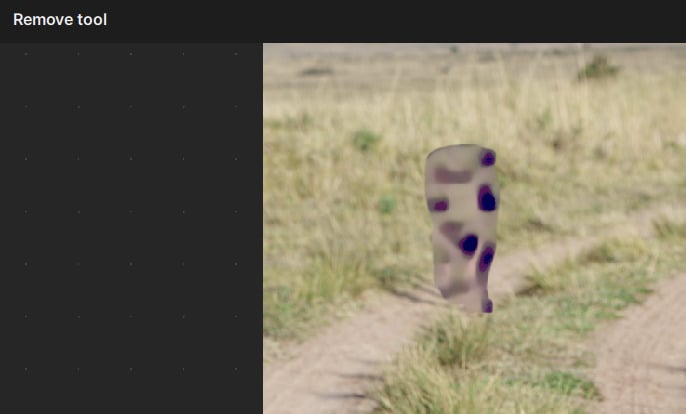
A little bit of clarity on the grey area. It is like a patch of grey texture (think tv static) that is added wherever the spot healing tool was used. It shows in the preview screen and stays after you click done in the spot healing screen.
@jean.scott-5093
I added you to the thread related to your issue. Workaround is posted at the top 
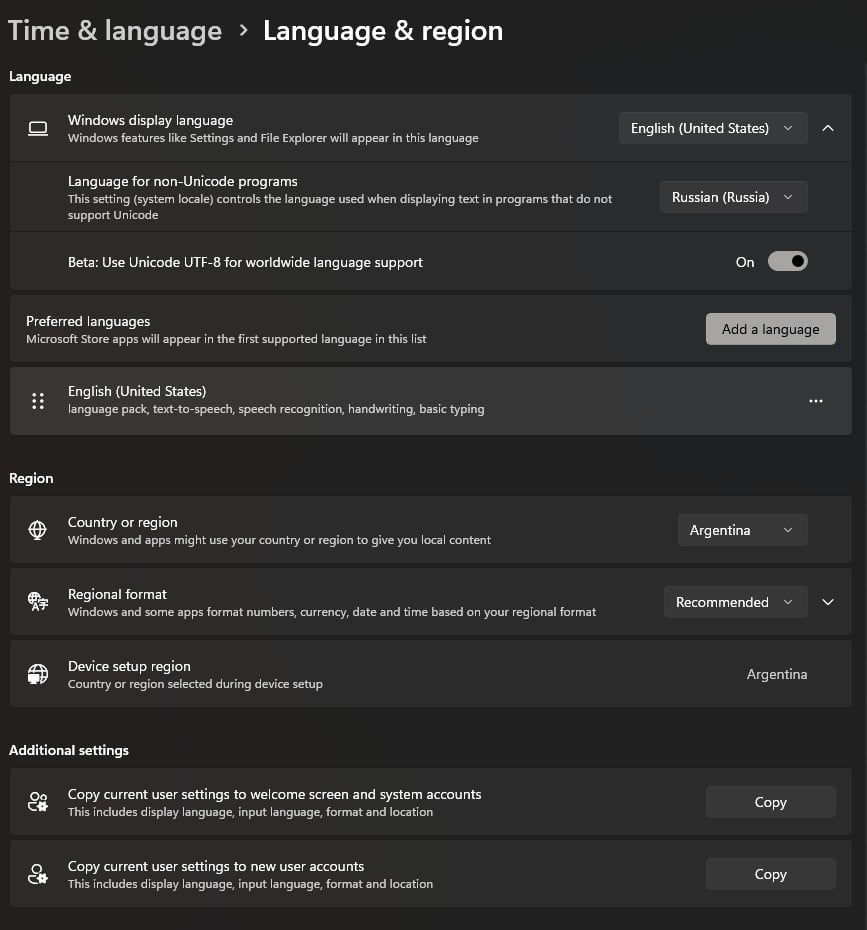
Hey guys, sorry for my language (I’m using a translator). I stumbled upon this by accident. I’m using the Russian interface in Windows. When I uninstalled the Russian language pack, then left the system and interface language set to English, after rebooting the system, the Uninstall tool started working on my video card again. To test this, I reinstalled the Russian language pack and set the system language to Russian, but everything broke again. I uninstalled the Russian language pack again, leaving only English, and everything worked again. Can anyone verify this?
Correct, this non-English is the root of a few different issues. We are looking on fixing this so that users can stay in their desired language and for it to work. We will update here once a fix released.
2 Likes
@justintime added you here, see above for workarounds until we fix issue
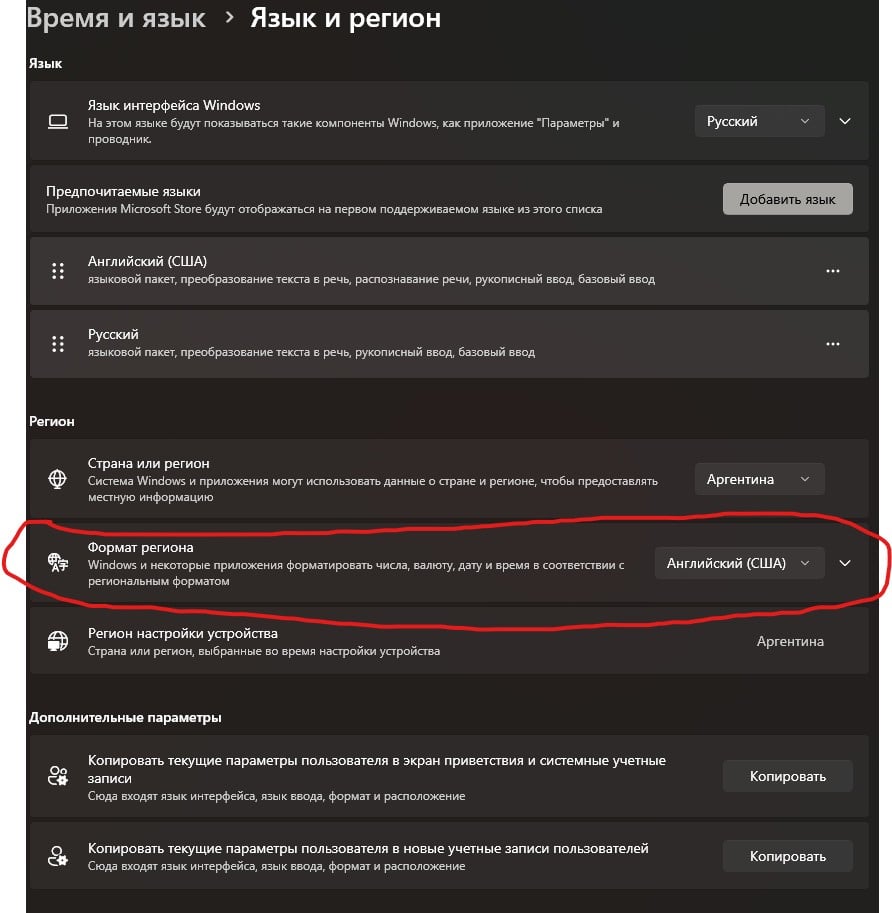
If you set the Region Format to English in the system settings, the tool will work again. I previously found that a system language other than English had this problem, but this is not true. Simply setting the Region Format to English is sufficient. A system restart is not required.
It works, thank you
Hi Ange! Has there been any advances with the “remove” issue? Or are we still directed to use the workaround?
We do not currently have a timeline for when this issue will be addressed. Tickets are prioritized based on the number of affected users and whether workarounds are available.
In the meantime, you can use the CPU workaround or switch your system language to Windows English, as both have helped in similar cases.
We’ll update you here as soon as a fix is released here!
2 Likes

Hi,
the language trick does not work for me. Only switch to CPU instead of GPU works.
Even worse: after updating to version 1.5.0 the removal tool stopped working at all.
When clicking “remove v2” an error message appears “error loading model”. A fresh install did not solve the problem. My system: AMD Ryzen7 7800X3D; RAM 64 GB; NVIDIA GeForce RTX 4070 Ti (12 GB)
Hoping for a quick solution or workaround
Greetings Ka_De
Exactly the same, just installed it today, reinstalled again, repaired… nothing helped. I can’t use the remove tool at all with this version.
Some settings/models are also loading only once I call it up. Hopefully it’s a one-time only (didn’t try in deep).
But, it might be the faster version I ever tried. Worth it? Maybe, I could live w/out the remove tool if everything else works but…ideally, it should be working as a single pack…
Did you try this :
Thanks for the suggestion. I’m on v.5.0 now, never had a problem with loading pictures, my issues are different, mostly related to the subject of this topic: Remove tool not working.
Hi Ange,
I did a super-clean installation (1.5.0), this time installing ALL the optional models and still the same message appears “Error Loading Model” when trying to use the Remove model.
I followed the instructions found here: Fixing Error LOADING Model in Topaz Photo - Topaz Labs
But nothing helps. I did use the “repair” option as well, nothing seems to work on this version.
Seems like a bug of some sort that prevents this model to be installed/loaded?
@Ange.topazlabs It works now, I’ve emailed you and support about this. It was an easy fix for me: I changed everything on the W11 settings to English/US region, and it started working flawlessly.
For EU users: it needs some trimming within the “time and language” to show our usual keyboard, time, date & currency but at least we know the Remove V2 can work with the latest program V 1.5.1
I don’t think I will accept this solution. Living in Germany, I am convinced, some of my numerous other programs on the machine (speech recognition, dictionaries, other image processing, flight simulation + addons, maybe even Excel) will go haywire.
Michael, I believe that if you trim it accordingly, you’ll find out that everything can work as you intend it to work. I’m not finding any hindrances to keep working but hey, it’s me and my own settings, may not work for all…give it a try! You can always go back to the original settings and heck, it might be that once changed and reversed, the Topaz will keep working!
