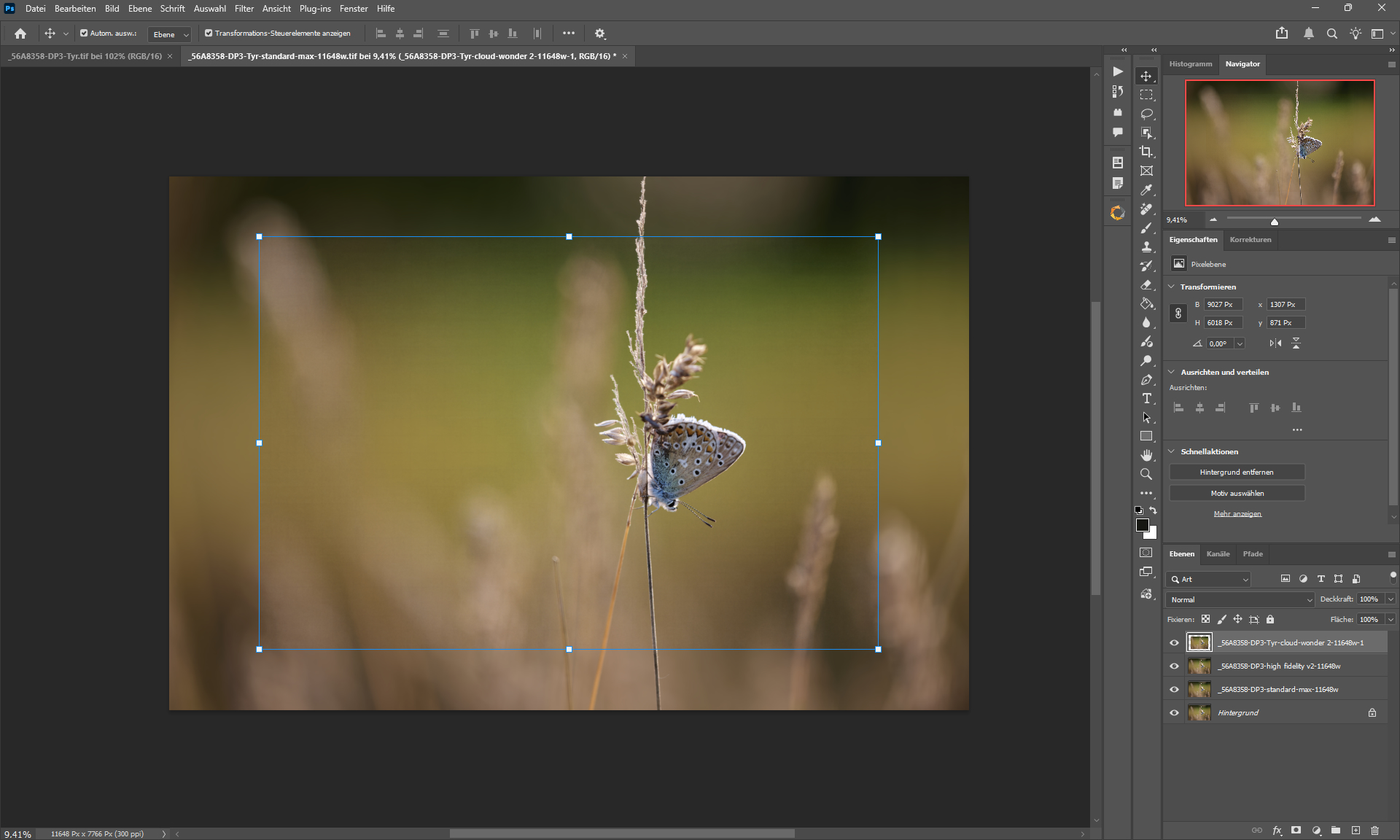
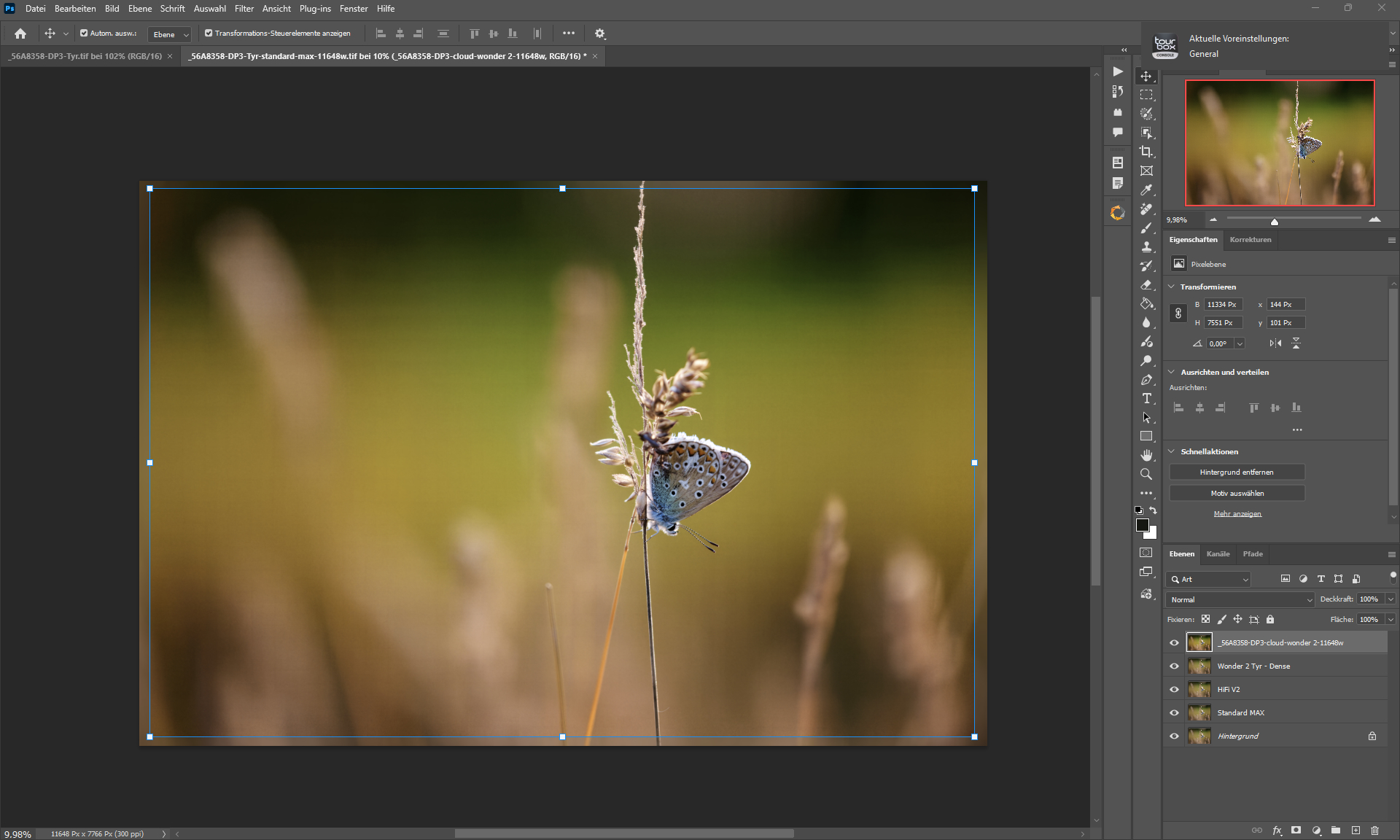
I would love to put the new models to the test but for now, everything I feed into the cloud will come out cropped:
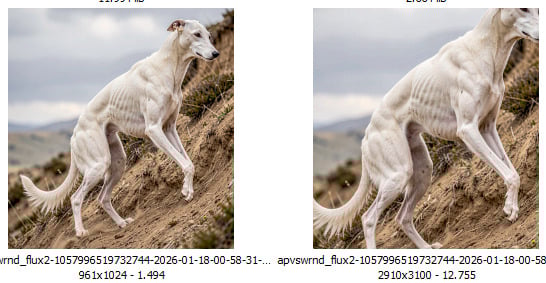
Did I overlook a setting or run into a bug?
I would love to put the new models to the test but for now, everything I feed into the cloud will come out cropped:
Did I overlook a setting or run into a bug?
We haven’t seen any other reports of cropping occurring like this.
Please review our troubleshooting article to see if a simple fix is available:
If you’re unable to find a solution, please reach out to us using the instructions in that article and include your logs:
I’ve had the cropping happen too, seems like it happens when I try and manually set a resolution or set a scale with a decimal in it. I tried the images again and it doesn’t do it if I keep the scale at exactly 1x,2x,3x,4x, etc.
That is very likely the case, I always use custom resolution. If it turns out true that cloud rendering cannot properly process images out of fixed scales, it would be another show stopper in addition to my perception that neither Wonder nor Standard Max do better with animal fur than the non-generative models already present in older versions including the last versions before the rollout of the subscription stuff. I’d love to do more comparisons but not before cloud processing allows to use custom sizes and scale factors without the results being cropped.
I was able to reproduce with decimal scale factors like 3.21x and it was reported.
As a temporary workaround I recommend upscaling and exporting at 4x, then adjusting the image size after.
Thanks for reporting and sharing examples to point us in the right direction.
Adding you to the bug page for what you are experiencing. You can use Wonder 1 when you have that issue while we look at this.
But i did press render with the whole image.
Did render the image two times to ensure that i did nothing wrong, but even closing the app in between those two renders the image was cropped.
I am currently testing reducing the image to the pixel density of a medium format camera with 100 MP in order to achieve the pixel size of the medium format camera, in the hope that the models will be able to handle it better.
This is a known issue we are investigating. If you avoid using decimals in the scale factor it should prevent the crop.
We will reach out here once we release a fix
I just hit this when testing Wonder 2. My workflow requires images to be rendered to a specific pixel height from input originals of arbitrary heights, so the scale will most often be a decimal. Testing with a round number scale factor confirms that the crop error doesn’t occur. I look forward to a fix!
Hello,
We are reaching back to let you know that the issue you were having, where Topaz Gigapixel was unexpectedly cropping the image when sending it to the cloud, has been resolved.
You can download the new version with the fix directly from inside the app, or with this link:
Topaz Gigapixel v1.1.2 - Windows: [Download]
Mac: [Download]
Snapdragon: [Download]
If you have any issues with updating or with the new version, please reach out to help@topazlabs.com