Resolved Cloud Queue Issue | Refresh Button Breaks Metadata

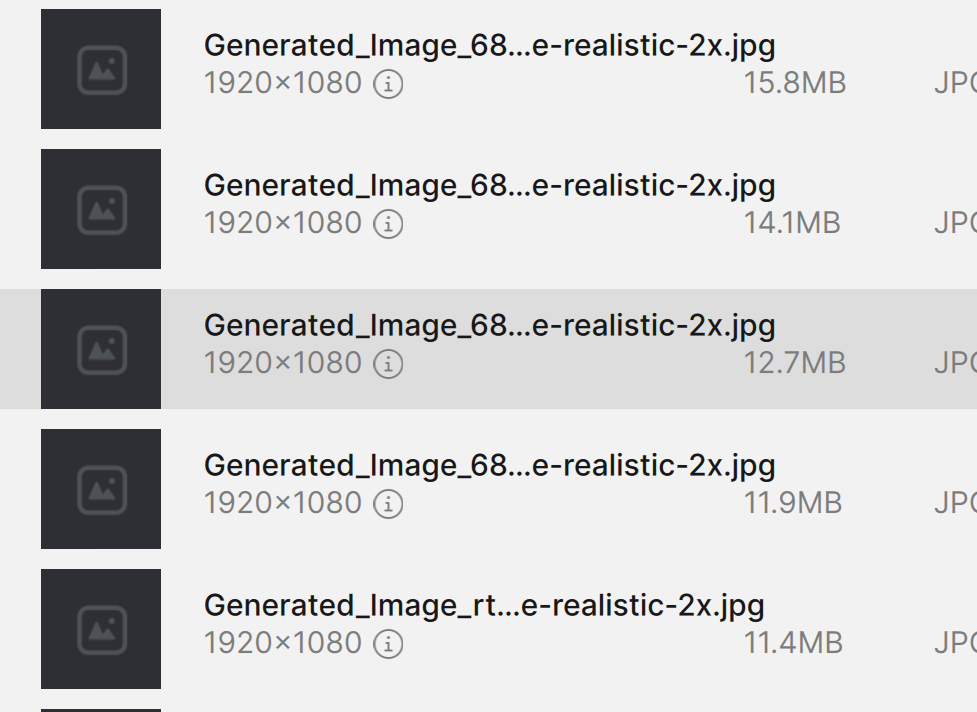
as soon as you refresh the cloud que, it deletes all the image icons i nthe que and just shoes redefine realistic, 1080 x pixels?

and all show redefine realistic, and also deletes each image icon

also sometimes it even completely clears the queued images

seems the cloud que refresh button is extremely buggy

Hello!

Thanks for reporting this.

We’re able to reproduce and have created a report for the developers to work on a fix for it.

Thanks :folded_hands:

as soon as I close the gigapixel if the cloud renders are in a que, as I’m not going to wait until they are all done, when I reopen gigapixel, the thumbnail for each image disappears which i find confusing, and also the name changes as well so it cant be identified and same as the pixel resolution as you can see in my upload

1 Like

as soon as I close the gigapixel if the cloud renders are in a que, as I’m not going to wait until they are all done, when I reopen gigapixel, the thumbnail for each image disappears which i find confusing, and also the name changes as well so it cant be identified and same as the pixel resolution as you can see in my upload

1 Like

@richardT

Your post was merged here, where we track this issue. We will write when we release a fix for this.

1 Like

Topaz Gigapixel v1.1.0 was released. It includes fixes for Cloud render & cloud queue.

Check it out!

2 Likes