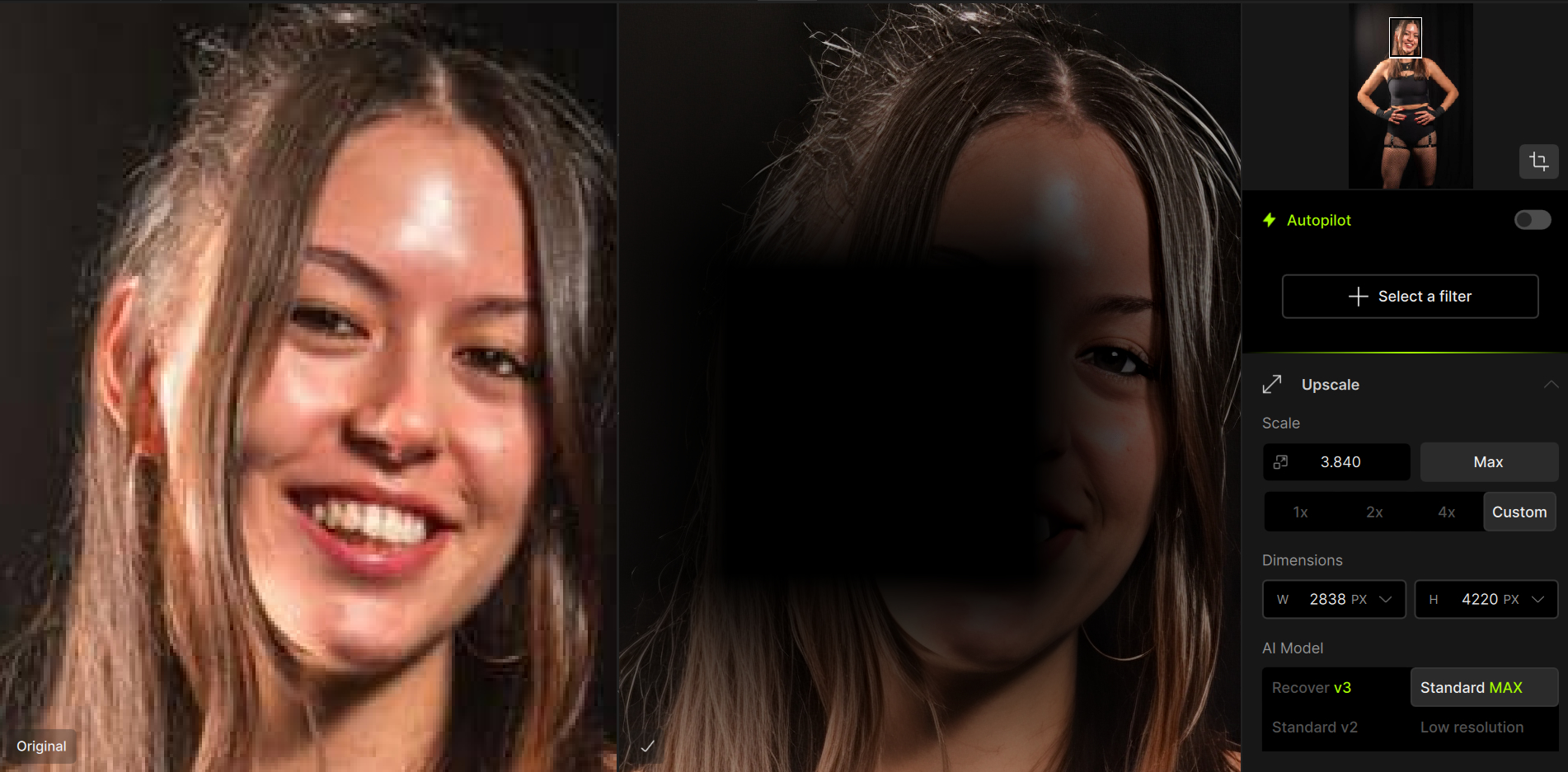
I am getting a strange visual bug when using the Standard MAX option in the Upscale option. Only seems to have started following the most recent update, and only seems to be with that option in particular which works the best for me with the images I use. Anyone had this or know how to fix it?
Can you confirm if this is happening on the cloud or locally?
If Cloud, the development team is looking into a fix that affects Cloud only for this specific model. You can render locally for now or use other models, and I will update when resolved.
Just used the local processing and that has worked, thankyou. Obviously the cloud gives a better result, so if you could update when you know it’s fixed that would be great!
Having the same issues. With nothing being resolved. My PC can not handle local so everything I do is through cloud. Only happens when using standard max. Have uninstalled and reinstalled 3 different times trying to figure this out. Renamed my pictures. Nothing working.
Hello! In the last few days using Upscale stander max the images show a dark spot sometimes a lot covering most of the image and its not working anymore now all the images show those marks will send a proof here. I have bought this program a lot of time ago so I would love it works good again.
@josecarlosnn13
I added you to this group. What Andy shared above is right. We are investigating an issue with Standard Max on Cloud.
The workaround while we work on a fix for the issue is to render locally if your computer meets the minimum requirements, or use another generative model. We will update here once we release a fix
The issue is affecting both Topaz Photo and Topaz Gigapixel
Same for me with Gigapixel, I’m glad it was reported and you’re working on a fix. I can’t render locally, so I switched to Redefine and Wonder for now. For the work I do, Standard Max gives the best results. Cheers, Bill