In Topaz video (both 1.00 and 1.01) ,720x480(AVI) => 1440x960(Pro Res) and 1440x960(Pro Res) => 2880x1920(h265) , Resize not applied change.This phenomenon was confirmed in Gain , Nyx XL , and Starlight sharp. Regarding other AI models , I haven’t tried the others so I don’t know. Confirmed with
“i5-12600k+RTX5070Ti” , “Ryzen9 5900x+RTX5070Ti” , “i5-13400+RTX5070” and “Ryzen5 5700x+RX9070xt” conditions.
Can you share the logs from these processes so we can take a look at what is going on?
To gather logs, please select Help > Logging > Get Logs for Support and attach the zip file to your reply.
Hi thank you for your support.
pls refer to attached.
2025年10月17日(金) 6:07 kyle.topazlabs via Topaz Community <noreply@topazlabs.com>:
(attachments)
logsForSupport.zip (2.52 MB)
this is other PC log data.
2025年10月17日(金) 20:07 笹本basio <basio73judas@gmail.com>:
(attachments)
logsForSupport.zip (11.1 MB)
In these logs, I am only seeing one instance where there resolution of a video is changed and it was set to 600x400 from the input of 720x480 using Nyx XL and Chronos for frame interpolation.
All the other exports are showing as the output resolution is set to the input scale.
The second set of logs do show upscales being applied in the command line and exports. The logs are not showing error issues or processes failing though.
Is this system the one that is not exporting the upscales for you?
I retried to get log data.
SEtting : 720x480(AVI) => 1440x960(ProRes) , but the result is 720x480..
2025年10月18日(土) 3:31 kyle.topazlabs via Topaz Community <noreply@topazlabs.com>:
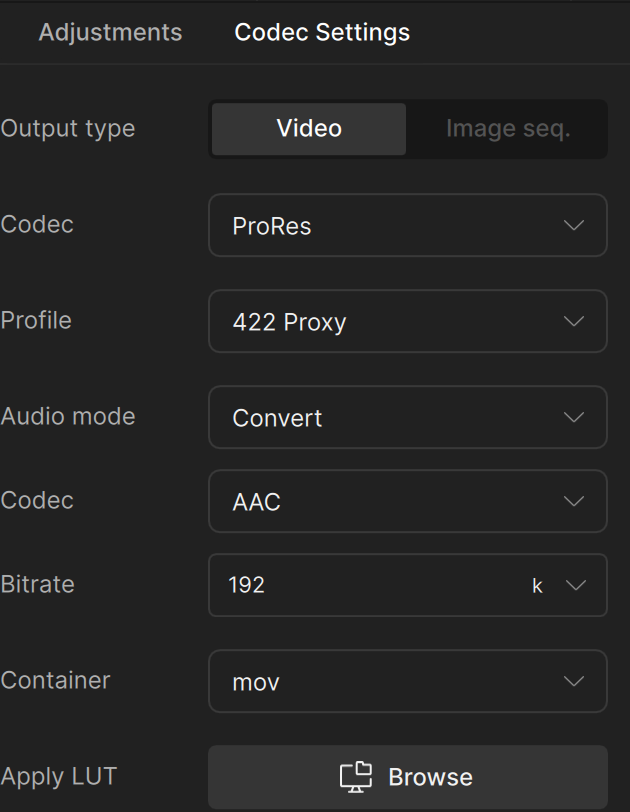
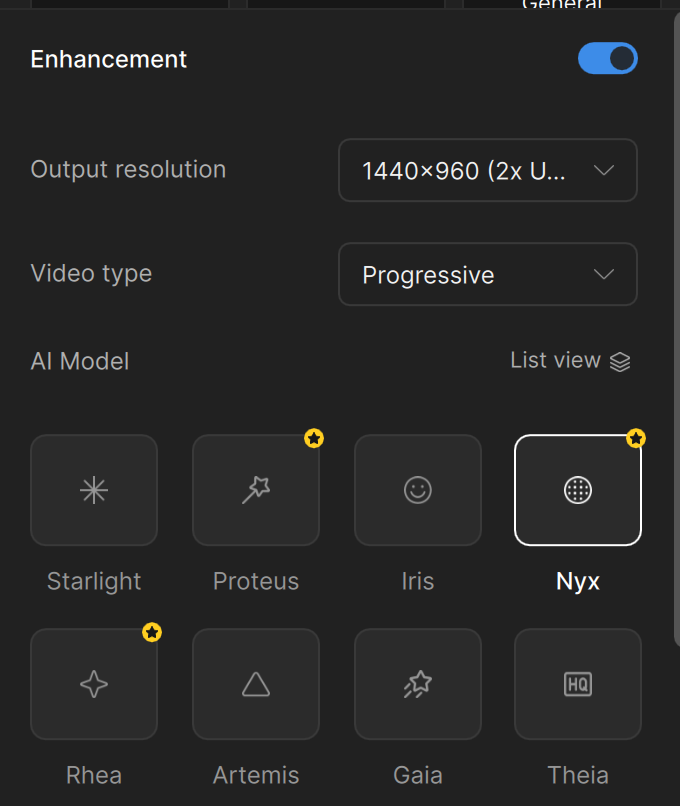
Thank you for the updated logs, sending them to the devs now for further review.
This topic was automatically closed 60 days after the last reply. New replies are no longer allowed.
