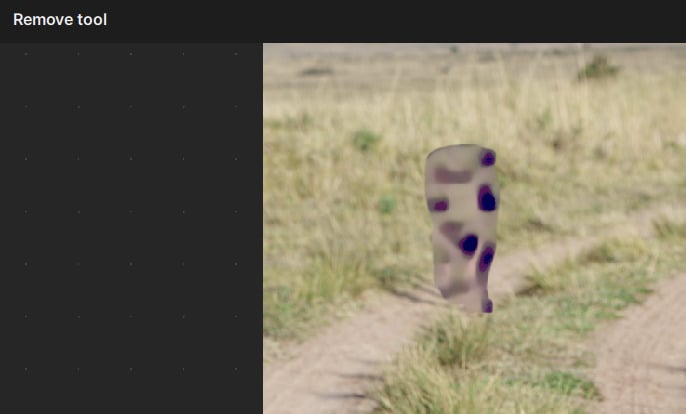
A little bit of clarity on the grey area. It is like a patch of grey texture (think tv static) that is added wherever the spot healing tool was used. It shows in the preview screen and stays after you click done in the spot healing screen.
@jean.scott-5093
I added you to the thread related to your issue. Workaround is posted at the top 
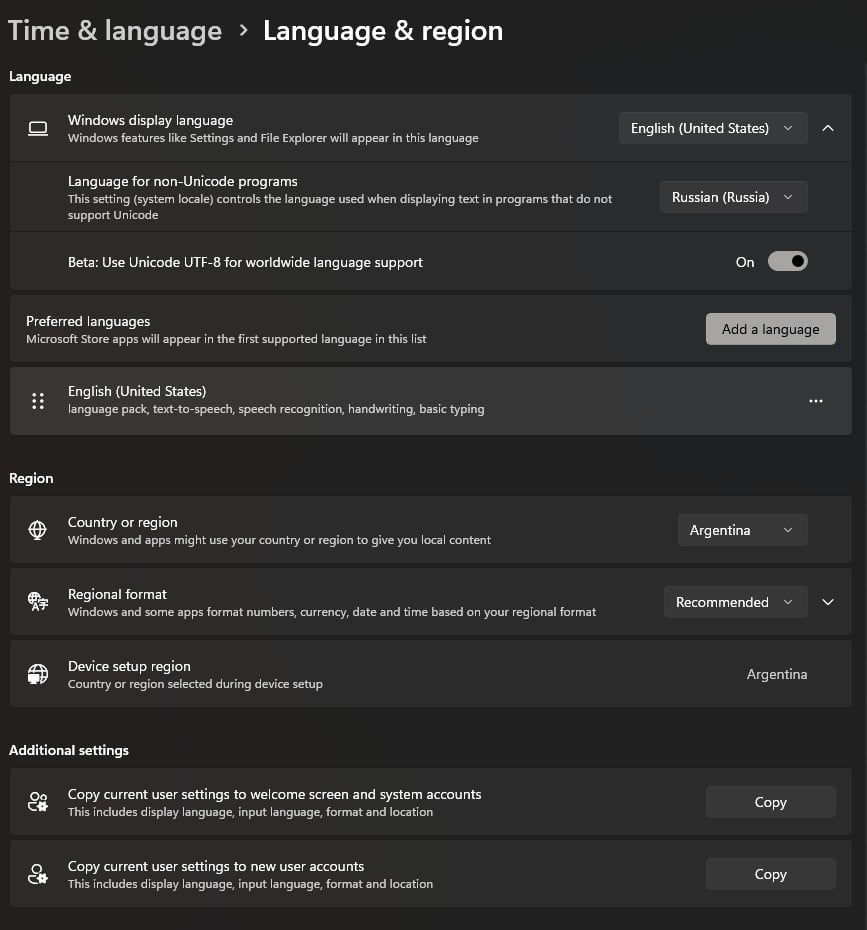
Hey guys, sorry for my language (I’m using a translator). I stumbled upon this by accident. I’m using the Russian interface in Windows. When I uninstalled the Russian language pack, then left the system and interface language set to English, after rebooting the system, the Uninstall tool started working on my video card again. To test this, I reinstalled the Russian language pack and set the system language to Russian, but everything broke again. I uninstalled the Russian language pack again, leaving only English, and everything worked again. Can anyone verify this?
Correct, this non-English is the root of a few different issues. We are looking on fixing this so that users can stay in their desired language and for it to work. We will update here once a fix released.
1 Like
@justintime added you here, see above for workarounds until we fix issue
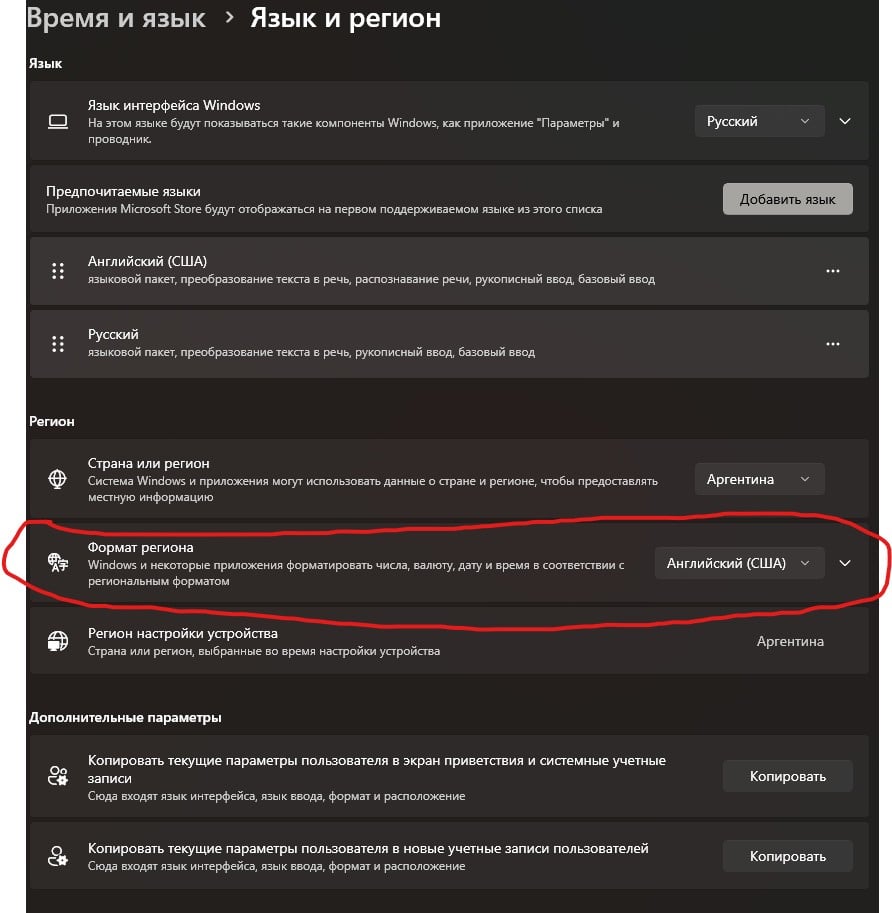
If you set the Region Format to English in the system settings, the tool will work again. I previously found that a system language other than English had this problem, but this is not true. Simply setting the Region Format to English is sufficient. A system restart is not required.
1 Like
If you set the Region Format to English in the system settings, the tool will work again. I previously found that a system language other than English had this problem, but this is not true. Simply setting the Region Format to English is sufficient. A system restart is not required.
2 Likes
It works, thank you
1 Like
