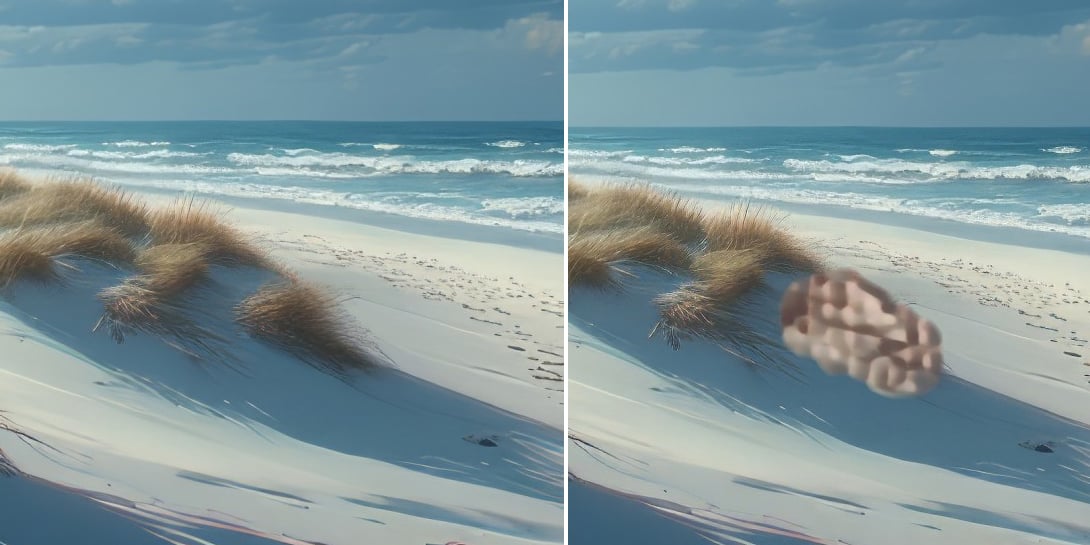
We have noticed an issue with the Remove v2 model where there are gray markings on the spaces where objects have been removed and this leaves a stain on the image.
The only workaround is to change the AI Processor to CPU. You can effect that change by following these steps:
Open the app, and before importing any files, go to Topaz Photo menu > Preferences > General
In the AI Processor drop-down, change the AI Processor to CPU.
Import a file and process it.
Another workaround is to revert to v1.1.1 which you can access by using the direct installer link:
Thank you, just checking out. I reverted to 1.1.1 instead, much easier to deal with than with the slowish CPU setting. Standing by for the fix, thanks!
it seems that the removal tool is not working properly in version 1.2.1
After marking an object and executing “remove” only some kind of noise pattern is created, which has nothing to do with the background of the image. Filetype JPEG. Also the quality/speed slider has disappeared. Everything worked fine in version 1.1.1 I use the stanalone version of Topaz Photo
Hi @ka_de_eh , I have merged your ticket to an ongoing one we have to track this issue. The workaround is to either change your AI Processor to CPU or revert to v1.1.1.
Here is the process to change your AI processor to CPU:
Open the app, and before importing any files, go to Topaz Photo menu > Preferences > General
In the AI Processor drop-down, select CPU.
Import a file and process it.
Here is the direct installer link to revert to v1.1.1:
Hi, I’m having the following problem with Topaz Photo 1.21. The “Remove” feature isn’t working. I’ve already reinstalled the program twice, but without success. All other functions in Topaz Photo work. I’m using Topaz on Windows 11 Pro 25H2 with an NVIDIA GeForce RTX 5070. Is this a software bug, or am I doing something wrong? What can I do?
@tetri6ix - There is noo guarantee a fix will make it in a set timeline. A fix is still in progress for the Remove 2 issue happening on some Windows machines. If you are not using the woarkaund yet, see steps above. We are testing a fix with some users and while it is fixed for some, still have issues happening on some setups. Once we have a fix that is fully ready, we will update the thread for the issue.