I can barely use this model due to something causing issues with how it renders the quality, It will make trees look messed up along with making it look totally messed up. I wonder if anyone has ran into this issue before and if theres a fix. In the picture its just a more enhanced version to show the problem.
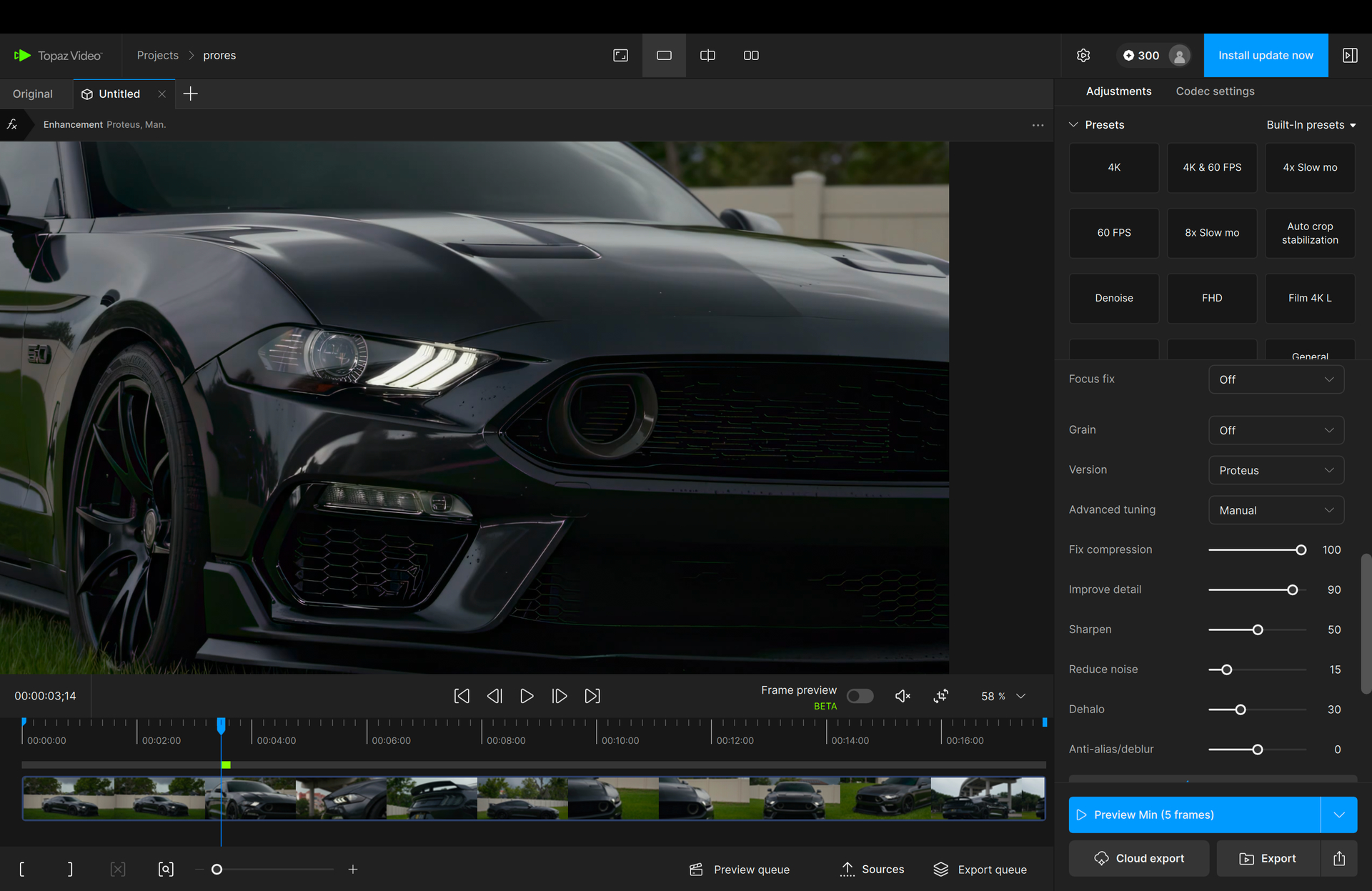
What is the original condition of the source video? I see that Fix Compression and Improve detail sliders are both set very high, doing this on a video that was not originally a low bitrate file can introduce artifacts and distortions on the output.
Try lowering those sliders a bit and see how that looks. A starting place most of the time is to find the worst frame in the video and click the Estimate option at the bottom of those sliders and see what the model thinks is needed, then adjust from there.
I typically use a sony a7iv and colorgrade in davinci resolve. I do usually do the estimate portion and enhance it from there but its a very slight change from the original footage . Whereas I see other creators with similar rigs that are able to do higher settings without the risk of creating artifacts and way better quality than mine. for example creators like @dissolveemedia on instagram has none of those issues. I set it to those settings just to show the issue I was having, it starts to appear even with low settings.
Do you have a sample you can send over and I can run some tests to try and see what options there are? Might be a hardware situation where the model is running into issues being applied, as not all GPU’s and system hardware will output the exact same results.
You can securely submit your file(s) to our Dropbox using the link below. Please be sure to send me a note to let me know you sent something and include the file name.
Sounds good kyle, thank you for the response.. I submitted the same video to you, let me know if you run into the same issues.
Thank you
Downloading that video now and will get it into the testing queue today. Ill follow up as soon as I know more.
Your settings on the left, the settings shown on the right. Looks like the Fix Compression slider is pulling the purple colorization out of the shadows when trying to interpret the pixels.
Try lowering that down a bit since you are filming within a newer camera that should not have a lot of compression applied to the video that the model needs to remove or restore.

