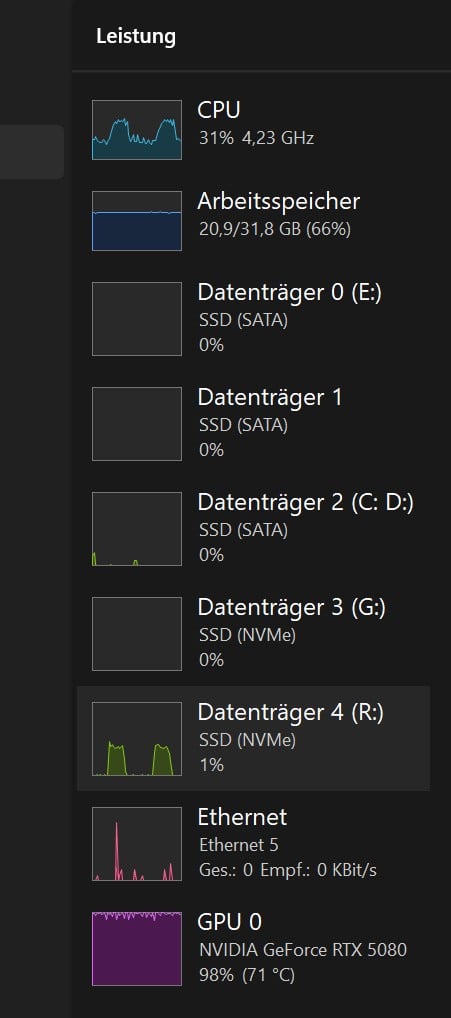
Prompted by user SkyDude, I’ve now tested FFV1 as well.
In principle, Topaz behaves the same way here.
That is, the more data-intensive the selected codec variant, the sooner the error appears:
BUT THERE IS A VERY INTERESTING DIFFERENCE!
(which can be seen in the screenshots)
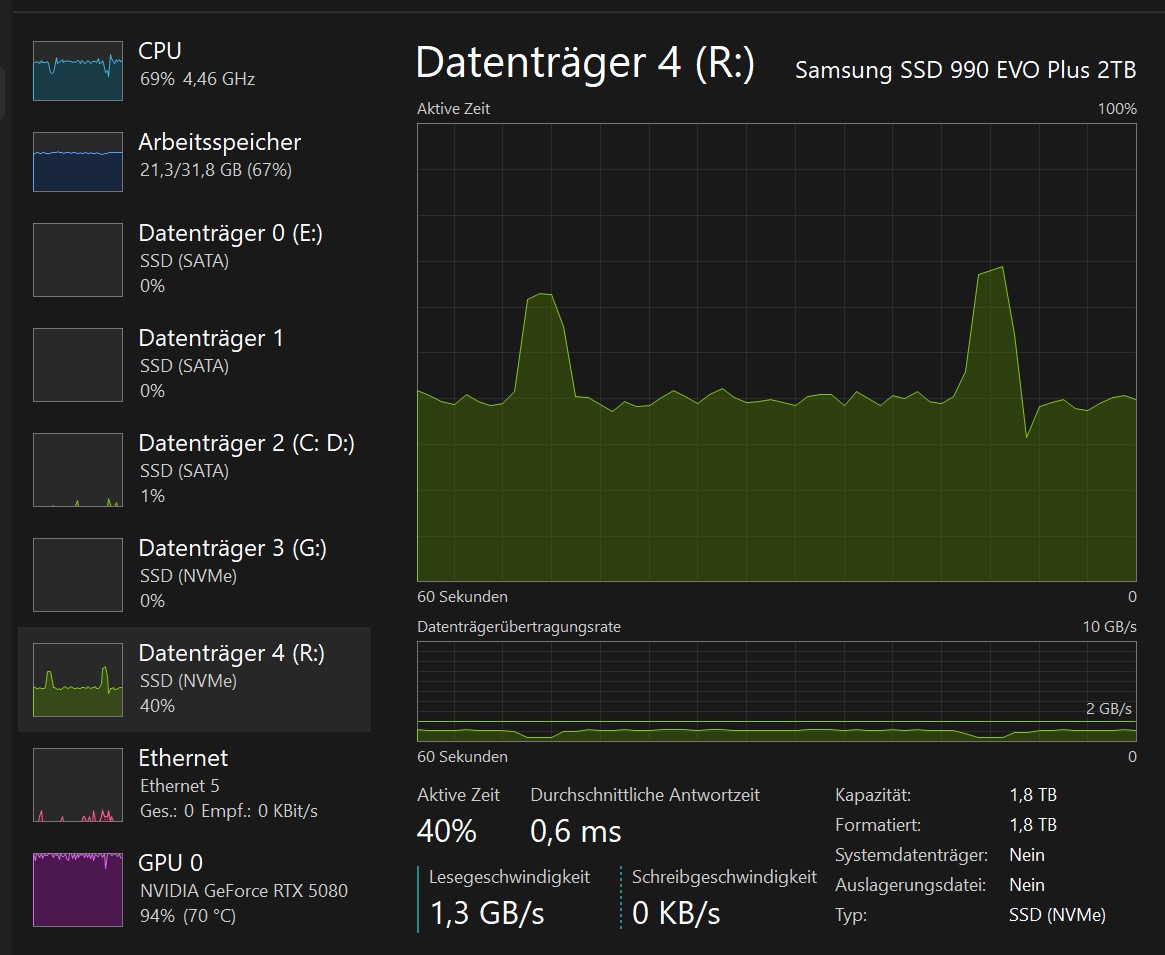
While with ProRes and AVID (JPEG-based/intraframe-compressed codecs), the error is accompanied by a drop in GPU performance (see screenshots above),
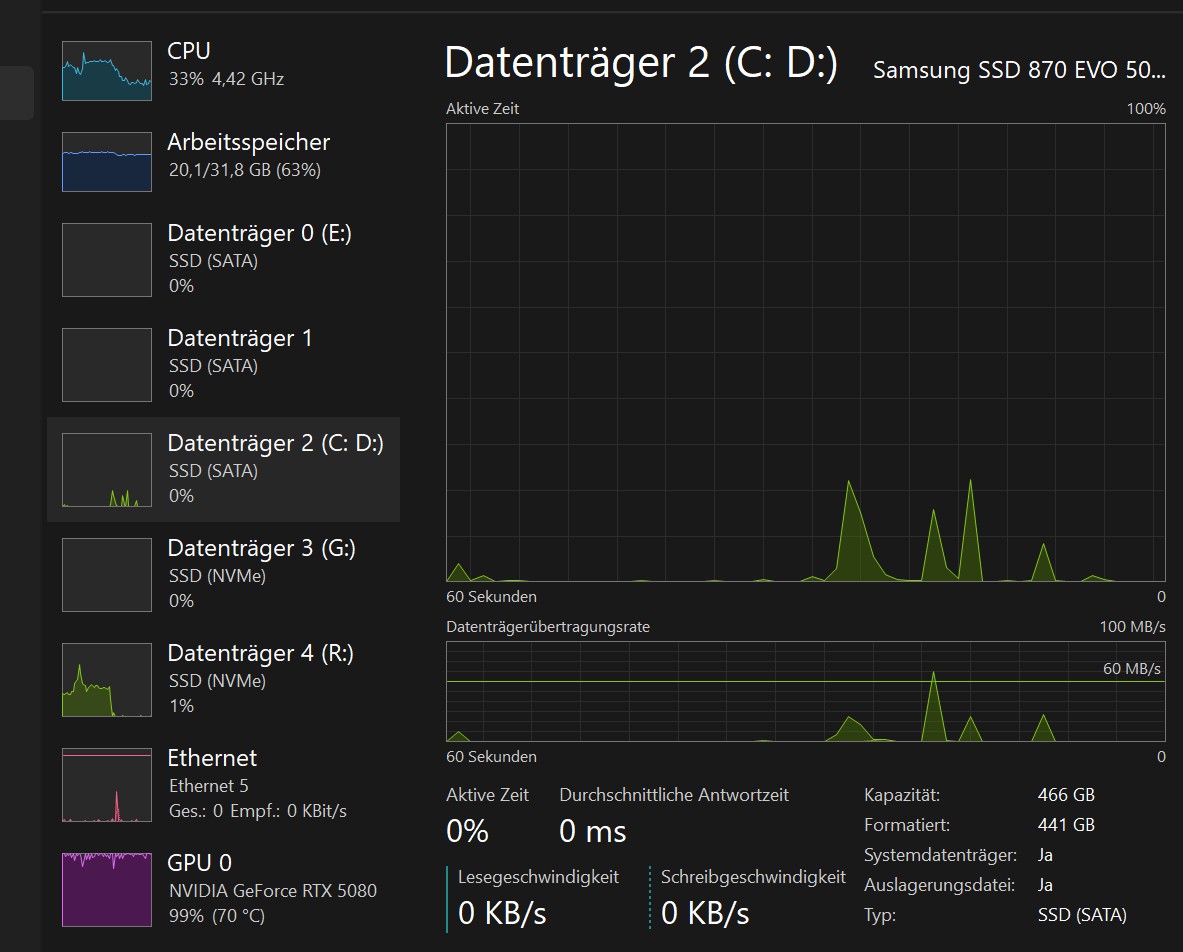
with FFV1, on the other hand, there is an increased demand on the CPU!
The GPU continues to operate at around 100%.
In my opinion, this is an interesting clue that might show the programmers where they need to look?
utilization and start of problem after 24 min from start:
I have the ‘SamsungMagician’ tool, and it says everything is fine
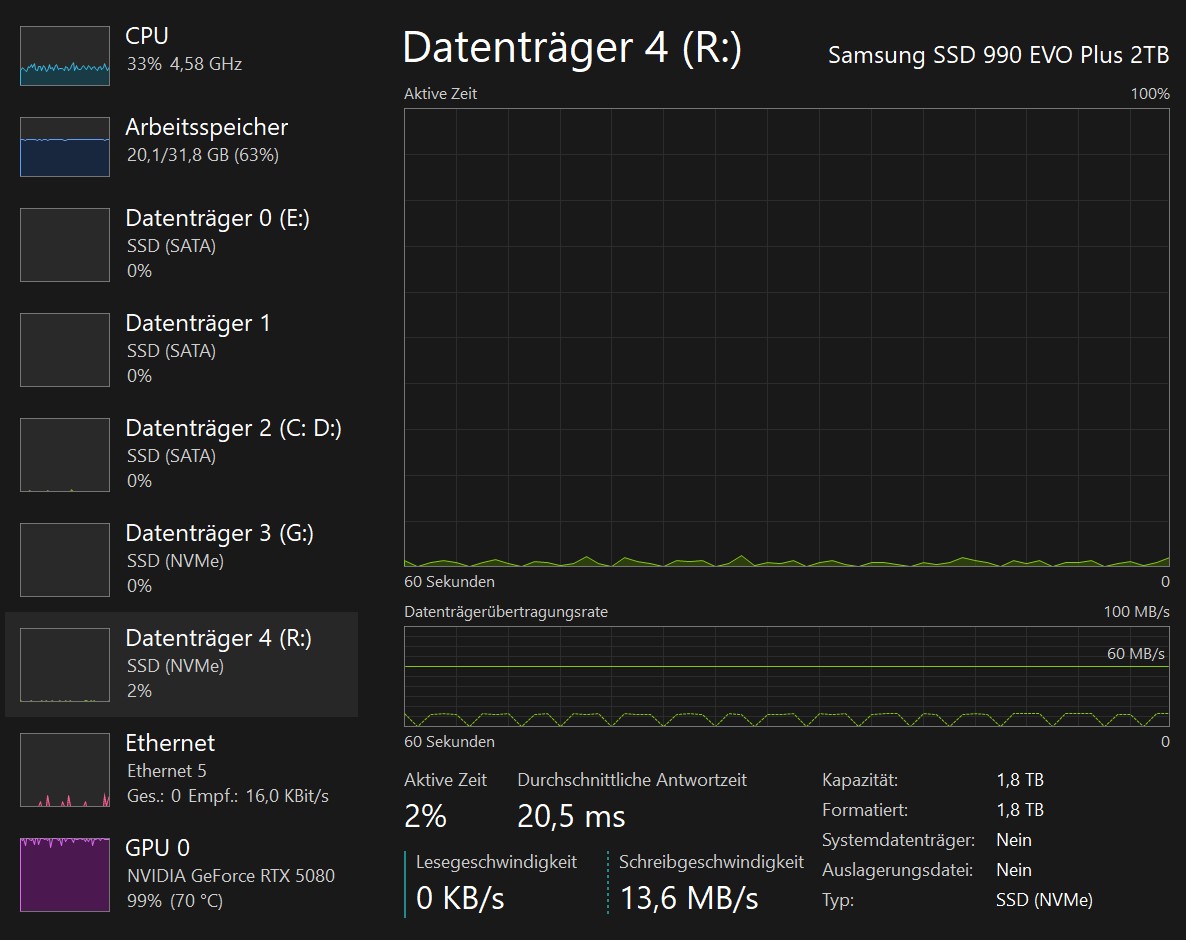
Well, the hours of READ operations caused by Topaz could potentially become a problem, but as described above, I just shut down Topaz in Task Manager after starting the task, and then everything runs smoothly …
see the last screenshot!
… but I’ll never make FFV1 my default, unless I work for Hollywood and earn $50,000 or more for it…
… I just tried it → 200 gigabytes for an 18-minute file (4K at 60 fps via AION)
… but it runs well in DaVinci …
… the VLC Player can’t play it smoothly; the data rate goes from about 1.2 Gbit/sec to briefly almost 2 Gbit/sec … a disaster
I like to MAX it all out, even if I work for myself on hobby projects… 4:4:4 can have a minor impact on clarity, especially if doing additional scaling in post…. And if running Starlight Mini for days, or even weeks, it is a waste (in my eyes) to not go for the best lossless format.
MPV can probably play it back smoothly for you (if Resolve does).
When running a long job—3 or 5 hours or more—does Topaz maintain a constant frame rate from start to finish?
Or does it start off faster, but by the end of the job, the frame rate drops to between 10 and 20% lower of what it was at the beginning?
Example: Starts with 7 fps and Ends with 5.8 fps …
Has anyone noticed when this drop in speed occurs?
The high ssd utilization seems to be related to the crash recovery features. When I disabled them it solved the high ssd utilization and problems with the program not wanting to close.
As far as differing performance throughout rendering the video that could be caused entirely by the video you are trying to work on. Segments with simple 2d graphics will render much faster than full sceen live action material. Usually logos or opening credits with simple text at the start of the video could explain the performance difference you see.
The difference between ffv1 performance and ProRes is hard to say because we don’t know what ffv1 paramters you are using. You can adjust the slices and keyframe spacing to significantly change encoding performance of it.
That’s a lot to take in, okay, let’s take it one step at a time.
But I see you’ve at least identified the exact same problem as I have …
… Well, that puts my mind at ease—I was starting to think no one here understood my problem
That said, I really appreciate these “crash recovery features,” because it’s just unbearable that Topaz ends up deleting a 10- or 30-hour job itself because it’s too clueless to write the final file.
This has happened multiple times with Apollo—and not just to me:
But we should tell TOPAZ that it would be enough to read every 30 or 60 minutes to create this crash backup file, and not every 30 seconds !!
(After all, this error is nothing more than a reading terror attack)
Nevertheless, I have to say that I don’t understand why it has to be read over and over again in such a completely stupid way; it would be enough for me if TOPAZ were smart enough, in the event of a crash, not to drag the file written by FFMPEG.exe (with all the numbers, without a file header) down with it !
→ You can create the file header yourself in Bandicut, for example…
Haha, funny—I was wondering about that too… so I always ended up closing the app in the Task Manager
Yes, and as I documented earlier (with a screenshot), the “reading terror” continues for several minutes—even half an hour—after the job has finished!
So the app isn’t finished yet, but it doesn’t even know what it’s still missing…
That’s why it won’t close normally…
Okay, here’s an attempt at a comprehensive assessment:
The Reading Terror occur with all file types.
(I ran a separate H.264 test and can upload the screenshots, but that probably doesn’t interest anyone.)
1. The time it takes from the start of the job until the error occurs simply varies.
2. The more data-intensive the selected format is, the sooner it happens. Time span ranges from about 20 minutes to well over an hour until the error behavior begins
3. The most important difference is that any format using MPEG or JPEG (meaning interframe or intraframe compression) causes an additional load on the GPU when the error occurs, resulting in a performance drop for the actual AI job!
(up to 1/3 of the performance is lost! !)
4. Only with FFV1 (since there is no MPEG/JPEG compression) does the read-intensive process also occur, but it does not cause a performance drop for the actual ‘Topaz processing’—only a significantly increased CPU load visible in the Task Manager
Maybe this reading issue is also related to the “Live export” feature - have you tried to disable this in any of your tests? (It might be worth a try, but it’s just a guess)
…
I’ve now used stabilization several times (e.g., in conjunction with IRIS), and strangely enough, even with ProRes, the “read terror” doesn’t occur there… ?
… who’s supposed to make sense of all this…
… But even here, TOPAZ wouldn’t shut down properly after finishing the task; I had to use the Task Manager…
"
(*) If “Live Export” is enabled in Step C, the application window freezes when you try to close it at the end. This does not seem to happen when the “Live Export” feature is disabled. Don’t confuse the two:
This refers to the “Live Export” setting, not “Live Rendering in Preview”
"
You’re the man—I’ll buy you a drink!
It worked for me right away.
Ran several passes with ProRes.
No more ReadTerror, and the app closes “normally” now.
→ Absolutely constant speed from start to finish!
Okay, you don’t have the preview anymore where you could check—is the result okay, or should I quickly change something…
But at least this way I can do batch processing.
→ I disabled all features in the app…
The app now runs with virtually no load on the computer.
(Only FFMPEG.exe is using resources, of course…)
… the AI says: in hindsight, this makes sense…
… but we didn’t figure it out on our own…
My setup is pretty similar to yours. I didn’t re-enable the “Live Export” feature after I noticed that it causes the app’s interface to freeze when you try to close it. However, I didn’t notice the high disk usage you described, so I can’t comment on that.