Hi Topaz labs,
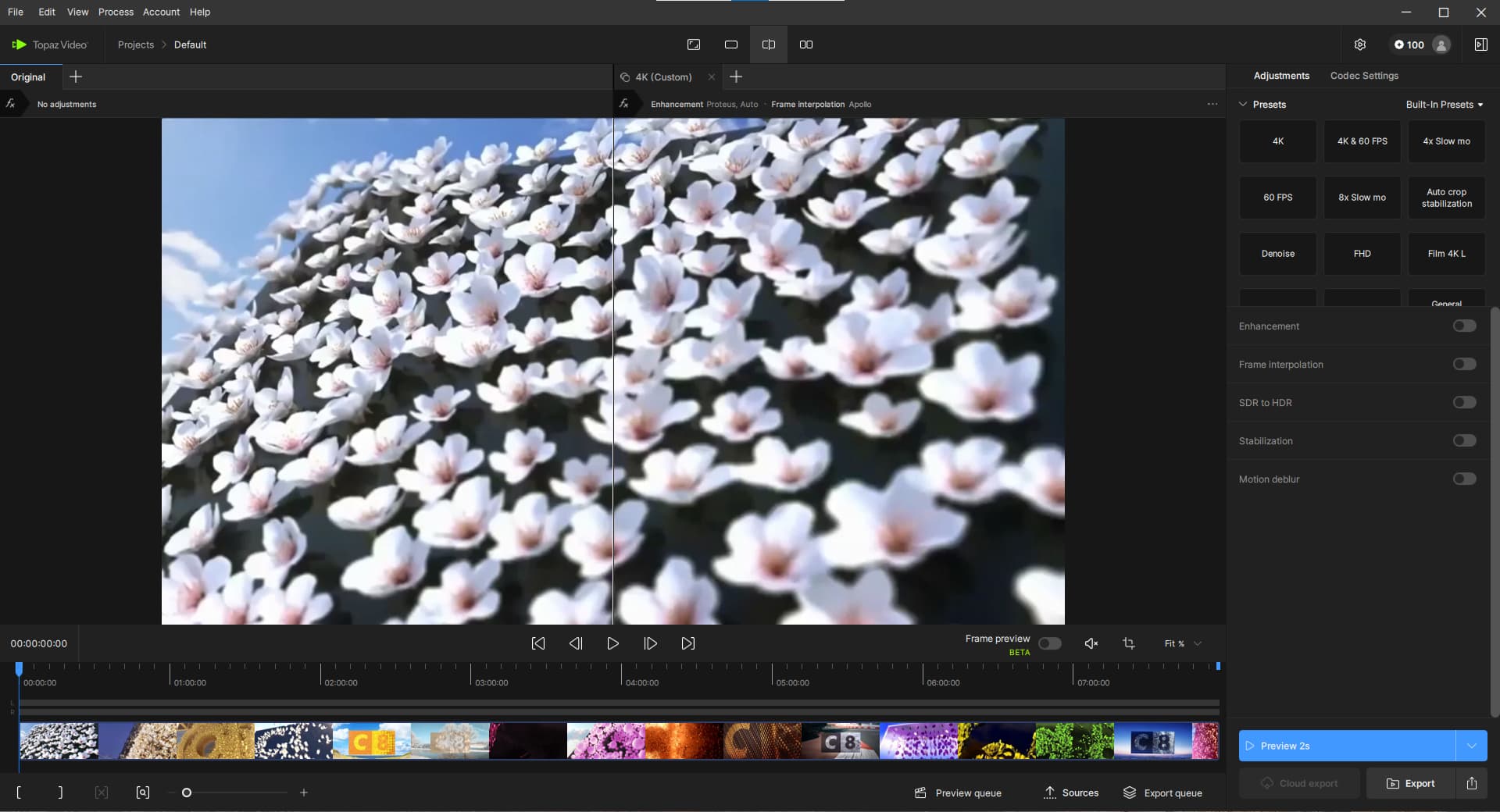
I experience an UI issue with the presets viewport without a scrolling function ! See this screen capture :
On the right side at the top, the presets viewport has not scroll bar and some presets are hidden !
Please let me know what I did wrong as usual !
Thanks a lot for your help or fixing this issue…
Best regards.
Vincent.
1 Like
You will need to use your scroll wheel to scroll within the presets window.
Here is a screen recording on how to do this
ap_evans
November 7, 2025, 11:07am
3
I don’t know about Vincent’s situation, but I don’t have a scroll wheel, I use a trackball because of a wrist injury. I’m also using a Mac Studio, not a laptop, so there’s no scrolling option on presets whatsoever.
If you have a trackball, you will scroll the ball.
system
February 14, 2026, 11:59pm
5
This topic was automatically closed 60 days after the last reply. New replies are no longer allowed.