Hi Topaz Labs,
I noticed in Video AI 1.2.x that we can not edit the end users’ presets if there is not any video imported.
You have first to import a video, then you can change the preset name, modify things.
Also there is a strange behaviour about presets.
When I import a video, discard the splash screen, then in the main UI I apply one of my presets, it is stated in the view tab : My Preset (Custom), even if I did not modified it.
When I import the same video and I select one of presets in the splash screen, in the view tab, it is stated as : My Preset.
Thus creating total confusion between home-made presets, one modified in the GUI.
Could it be possible to fix this issue?
Best regards, Vincent.
Can you share a screenshot of what you are seeing with the naming issues? Going to push this over to the team for further review and investigation.
Hi Kyle,
Sorry for the delay. I am going to publish more informations, screenshots, to help you locate the issue.
Sequence:
- Start a fresh new session;
- Import one video;
- Activate Interpolation > Chronos > Scene detection;
- Create a preset using the appropriate panel and give “Chronos D” name;
- Deactivate Interpolation;
- Activate Enhancement > Proteus + Focal fix;
- Create a preset using the appropriate panel and give “Proteus Focal fix” name;
- Close the current video;
- Import several videos;
- A splash panel prompts you to select a preset or start editing > Use the preset “Chronos D” you created at step #4;
- At this point, you may notice that the tab label is “Chronos D” for the video selected;
- Go to Source viewport and select another video;
- A splash panel prompts you to select a preset or start editing > Use the preset you created at step #4;
- At this point, you may notice that the tab label is “Chronos D” for the video selected;
- Using the appropriate panel, apply the “Proteus Focal fix” preset you created at step #7;
- At this point, you may notice that the tab label is “Proteus Focal fix (Custom)” for the video selected.
Custom means you have edited the preset and it is not anymore the exact settings saved as the preset.
The consequence is the wrong label “(Custom”) creates a confusion as you may think you are not using the original preset but a modified one!
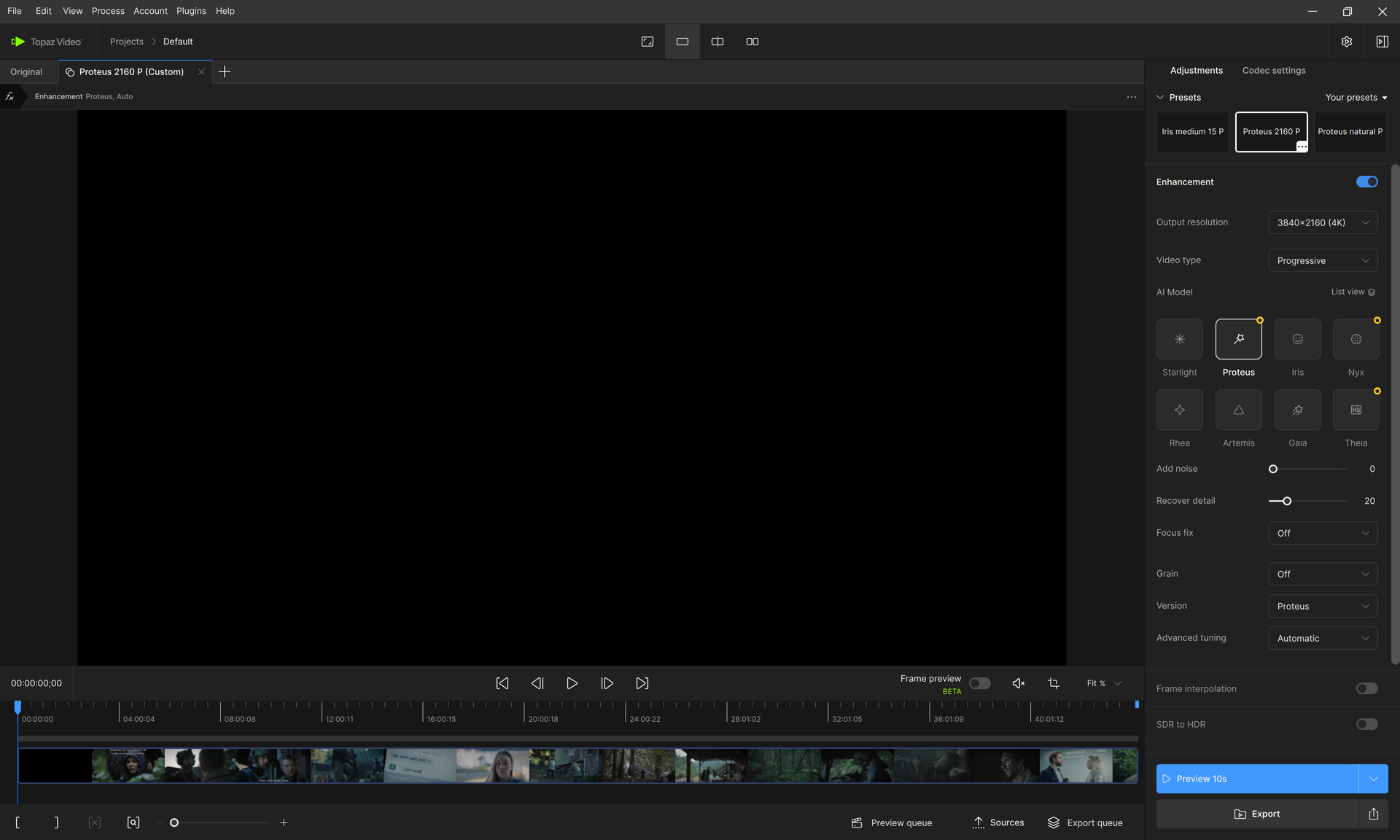
Take a look at this screenshot:
As you may discover by yourself:
- The preset “Proteus 2160 P” I created previously is selected as shown in the top right part of this screenshot, in the Presets viewport;
- Nevertheless, the video label tab is displayed as “Proteus 2160 P (Custom)”, given you the information that this preset has been edited and is not anymore the original one.
The two pieces of information are contradictory and cause significant confusion.
As usual, do not hesitate to ask for additional explanations if necessary.
I do apologize for the delay to answer to you.
Best regards, Vincent.