Bloom is great for fixing AI generated people, but a big problem - it brightens the image overall, overexposing faces. The detail adjustments are great, but why does it increase the overall exposure? It doesn’t respond to prompts at all, even when I type „Preserve original brightness and contrast, reduce highlight size“
Thanks for the feedback! Bloom is still evolving, and we’re actively working on issues like exposure shifts and prompt responsiveness. Feel free to email us at help@topazlabs.com if you’d like to share specific examples — we’d love to take a closer look.
1 Like
Hi John, thank you for reply. I send to you two printscreens, where is visible problem with a brightnes.
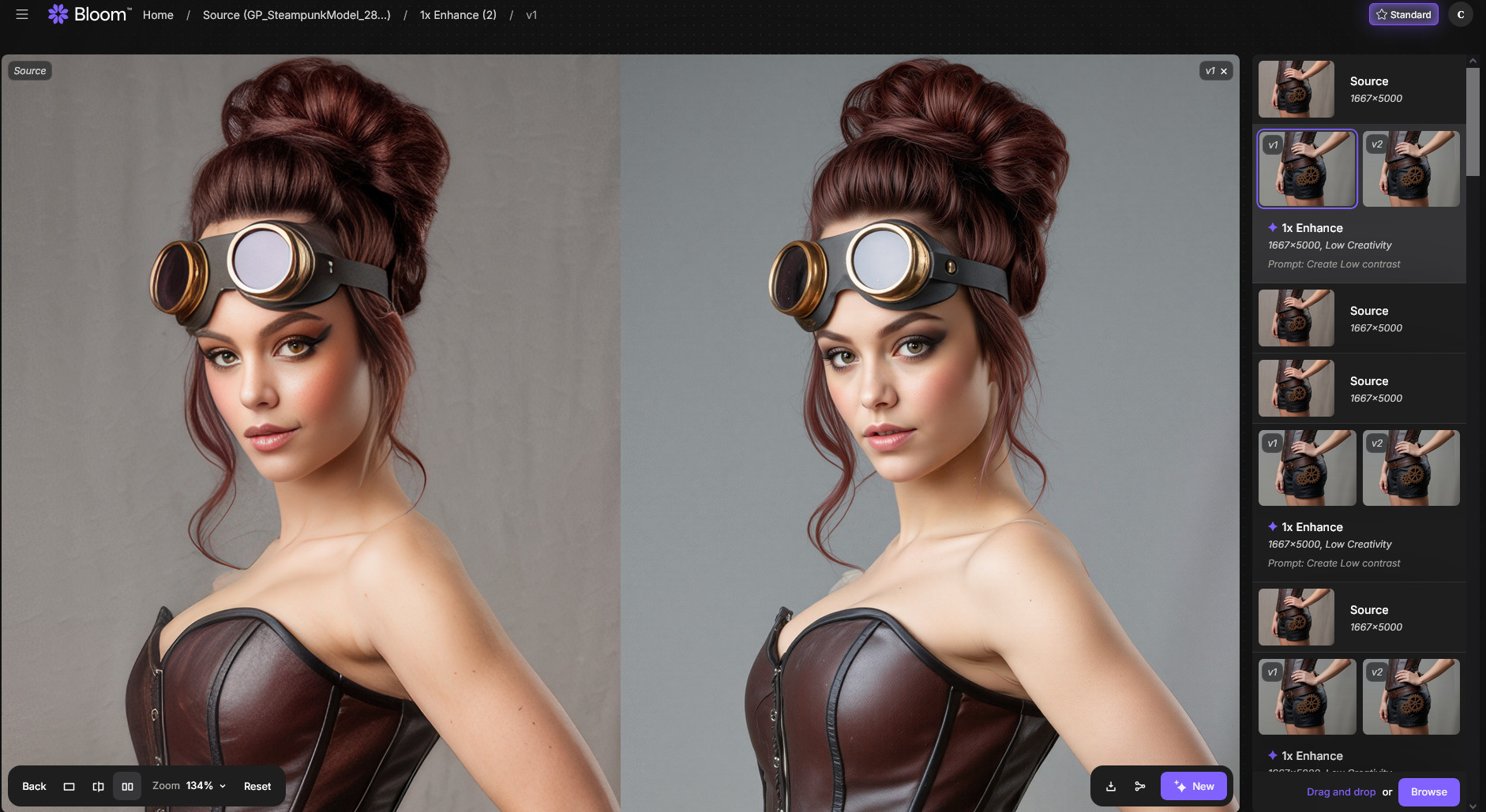
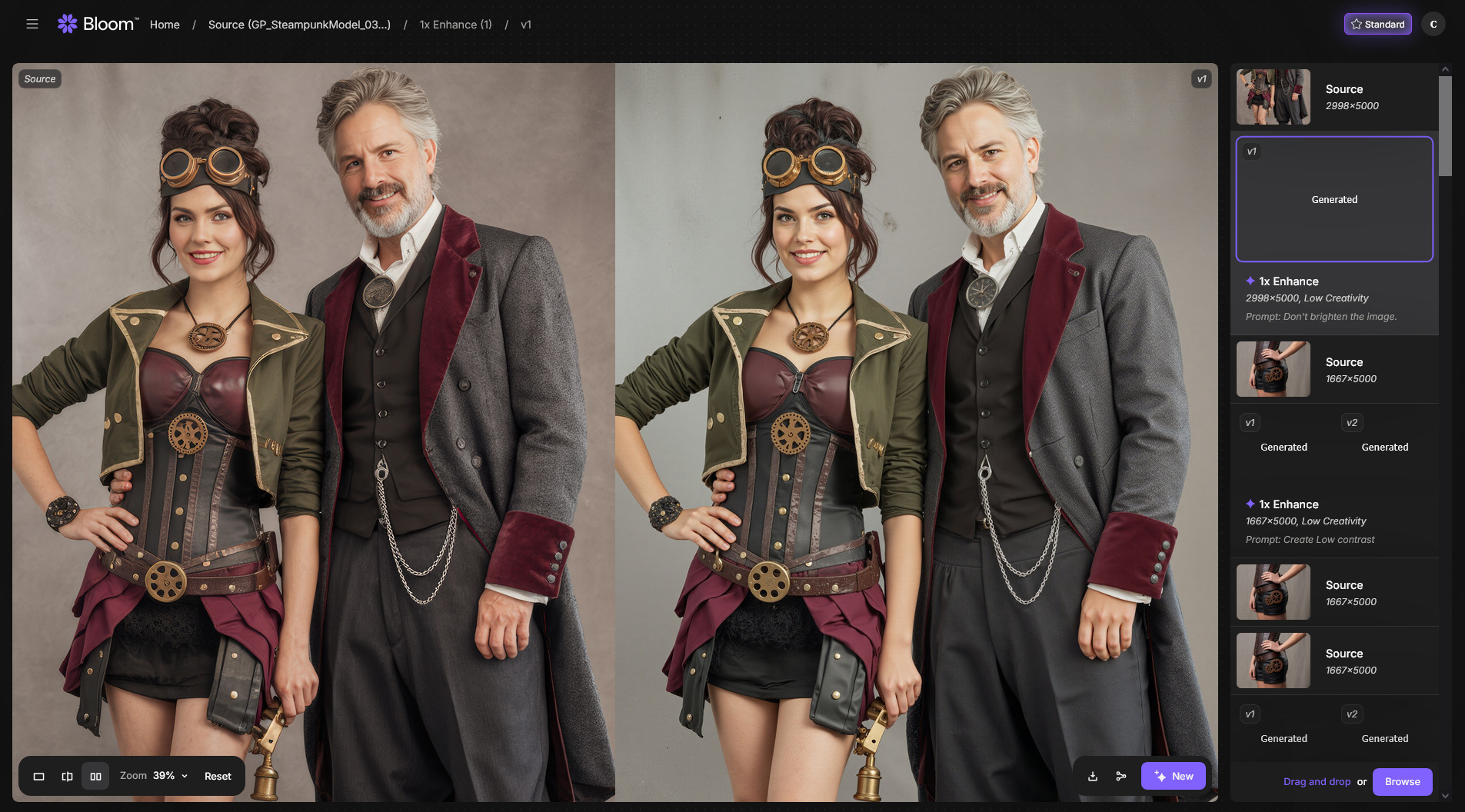
Thanks so much for sharing the screenshots — I’ve gone ahead and forwarded this to our development team for review and improvement.
In the meantime, just a quick tip: when using prompts in Bloom, try using descriptive language to guide the AI, such as “a softly lit portrait with natural skin tones” or “a bright image of XYZ”. Avoid negative or instructive prompts like “don’t overexpose” or “avoid brightness”, as they can lead to unpredictable results.
Appreciate your patience while we continue improving Bloom — and please feel free to share any other feedback!
1 Like
