Version: Topaz Video AI v7.x
OS: Windows 11 Pro
Source: Captured with I-O DATA video capture (NTSC 720×480 MPEG-2)
Expected Behavior:
Topaz should respect SAR=8:9 (non-square pixels) and display/output as 720×480 with 4:3 DAR.
Actual Behavior:
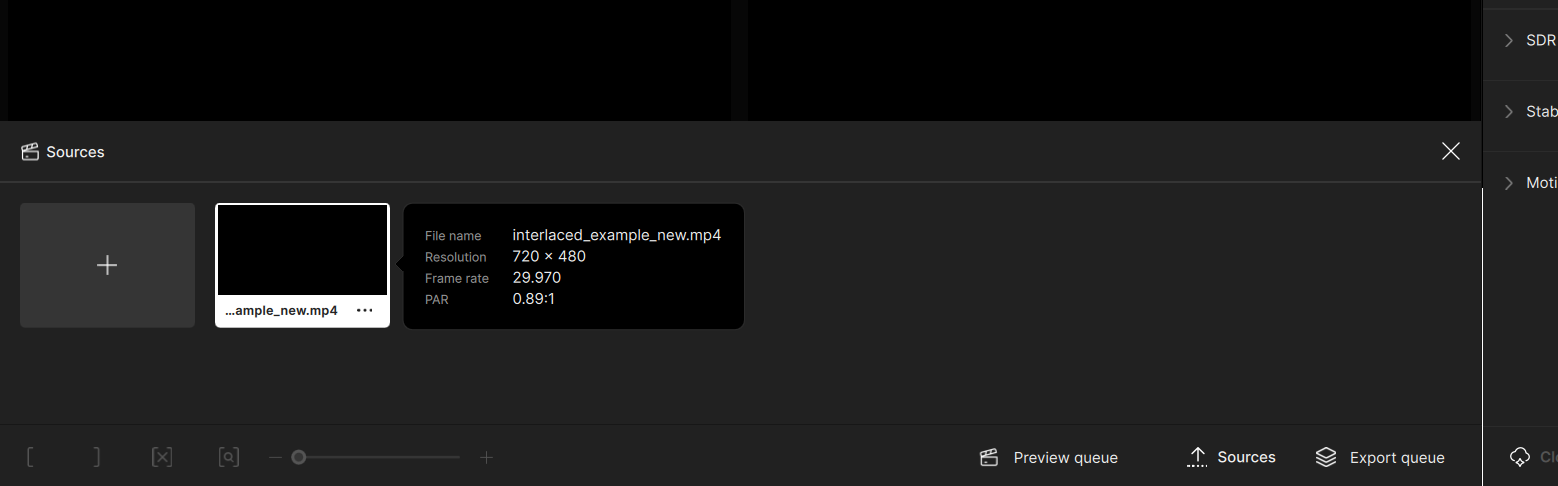
Even though ffprobe shows SAR=8:9 and DAR=4:3, Topaz Video AI converts the source to 640×480, ignoring the correct aspect ratio. This results in image distortion and unintended cropping.
Steps to Reproduce:
- Capture NTSC video with an I-O DATA device (MPEG-2, 720×480).
- Verify with ffprobe:
sample_aspect_ratio=8:9
display_aspect_ratio=4:3 - Import the file into Topaz Video AI 7.x.
→ It is interpreted as 640×480 instead of 720×480.
Additional Notes:
- Other editors/players (DaVinci Resolve, Premiere, VLC) honor the aspect ratio correctly.
- This strongly suggests Topaz Video AI is ignoring the SAR field in the MPEG header for NTSC sources.
- Workaround: pre-convert to square pixels (e.g., scale=720:540, setsar=1) before importing into Topaz. Please confirm whether proper SAR/DAR handling is planned.