Hello everyone, I am new to the entire Topaz suite. I purchased Topaz to enhance all of my old videos taken on various video cameras over the last 25 years.
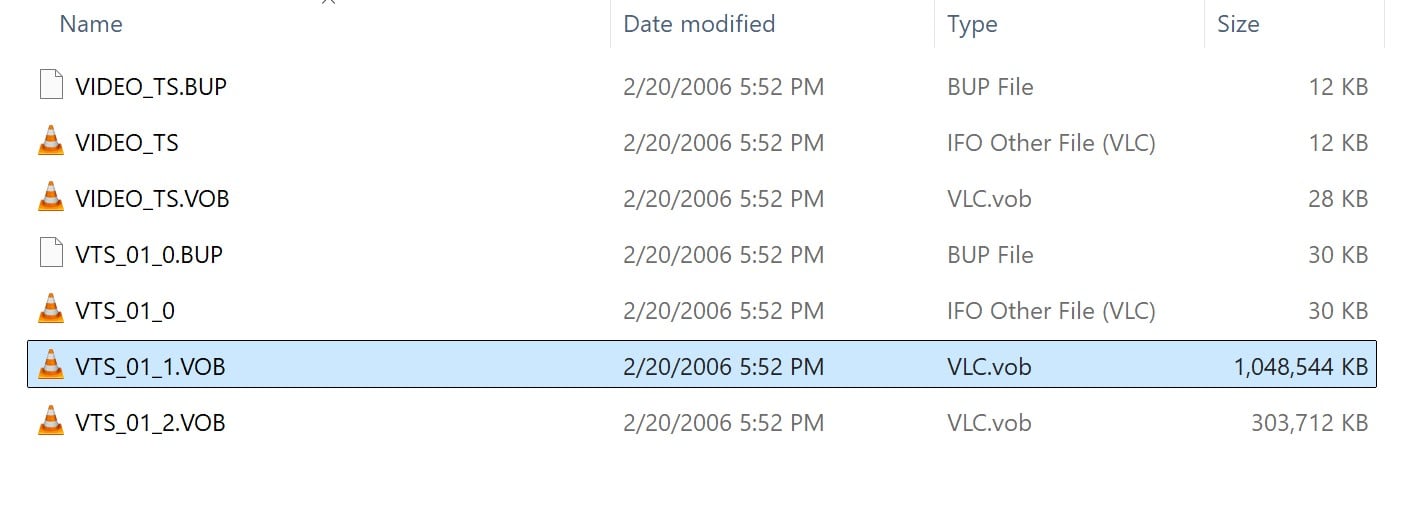
The first files that I have come from a Sony DCR-DVD300 and are in the file format of .VOB. I think the .VOB is just a container from looking on the internet. Description below:
Understanding the Format
-
VOB (Video Object): This is the container format for DVD-Video, holding multiplexed MPEG-2 video, audio (AC3, DTS, PCM), subtitles, and menus.
-
MPEG-2: The compression standard used for standard-definition DVDs, which is a lower quality than modern HD formats but preserves DVD compatibility.
-
VIDEO_TS Folder: The directory structure on a DVD where VOB files are stored, along with other index files.
Opening the file in Topaz Video or Topaz Video AI (not sure which one I should use). I see the videos across the bottom of the screen. All of the different videos that were written to the mini-DVD are concatenated together in the video preview bar. The video resolution in both the file properties and in Topaz Video shows 704x480, but I don’t know what the original pixel type is or if the video was Progressive, Interlaced, etc. The video looks interlaced when I step to a frame.
Could someone walk me through the steps to process one of these files to break the multiple videos out into individual files and how to properly use the tool to enhance, clean, and scale up to 4K if possible?
I know this is a big ask, so I appreciate any help as it will probably require multiple steps to either break into individual videos or process and then break into individual. Thanks you in advance !!!
Steve
Your camera saves everything like a standard DVD. It will be NTSC and interlaced. Ideally process it through something else first and then load into Topaz. VOBs had a maximum file size of 1Gb so you might find that one video is actually split between two VOBs or you might have multiple clips in one VOB.
Do you have any editing software? That might be able to load the VOBs and split them for you.
My preferred option is to load the VOB into something like Virtual DUB, extract them as interlaced AVI files, then load to my chosen editing program, which happens to be EDIUS, split them into indiidual clips and deinterlace using QTMGC. Then I load into Topaz, use Starlight to upscale and then do a second pass with Iris. In Topaz I save this as a ProRes file. Then I load these back into the editing program for grading, cleaning up the sound and making the final file.
This is obviously quite time consuming and has a lot of steps but for me gives the best results.
Unless you have the Pro version of Topaz you will not have Starlight. Also if you have only just got Topaz and are, therefore, a subscriber you need to use Topaz Video not Topaz Video AI.
A simpler option would be Handbrake, which is free, as it can load the contents of the disc and let you choose titles from the disc. It also has deinterlacing built in. You could extract each title as an MP4 file and then load it to Topaz.
For upscaling you would do the same as above or, if using the non Pro version, I would suggest using Iris (but try others and see which you perfer). You could make an MP4 straight out of Topaz or make a ProRes file to take into an editing program. There should be guides on line as to how to use Handbrake.
Based on that screenshot, it does appear that the videos are stored in interlaced format, so you will need to deinterlace them. You can do this within Topaz Video or in other apps as some users prefer for speed and control options that are not offered within our app.
If you are loading in a longer video that has multiple clips and scenes stitched together that you would prefer to be exported as individual files, you can use the In/Out markers to set a segment to export and then move through the file accordingly.
Here is a video that goes over how to do this.
For the general basics in the app you can refer to this video here.
If you run into any specific questions or issues, you can email the support team directly at help@topazlabs.com for assistance.
Thank you David, I actually purchased the Topaz suite about in November of 2023 and just got a new computer that can actually crank through this type of work, so I have Video AI.
I will check into all of the pre-processing programs that you recommend and try that work flow. I will also check out the Handbrake option, but would need to get a DVD reader for my PC.
As my son was growing up I would upgrade to the latest video cameras, so once I get past this DVD VOB format, the bulk of my videos will be the Sony formats AVCHD and then 4K which should be easier to work with. I greatly appreciate your help. Thanks, Steve
Thank you Kyle, I will check out the videos that you provided links to to ramp up. I appreciate your help !!! Thanks, Steve
You are welcome, if you have any other issues or questions feel free to reach out to me at help@topazlabs.com and I can assist further.
If you already have the VOB files on a hard drive you can load those into handbrake, it does not need to come directly from the DVD.
Ah, good to know. I have them on my hard drive. Thanks David !!!
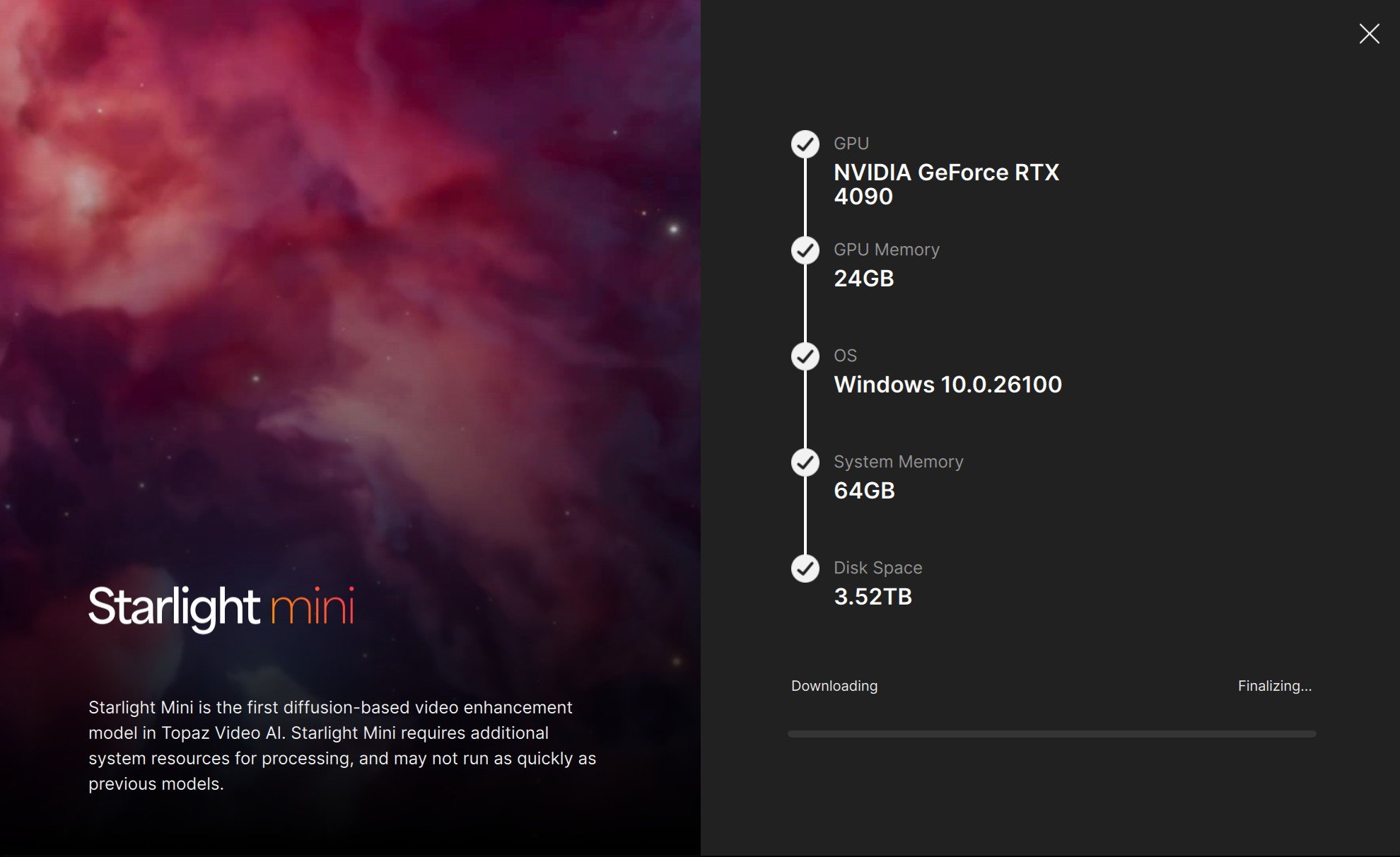
Hello David, just an update and a couple of questions for you. I was able to use Handbrake to create a MP4 file. I ran some tests like upscaling to 4K just to start experimenting and learning. Video AI then recommended Starlight Mini and ran a check on my machine to determine if it was capable. It is, so I tried to download it which did not work and got hung up. I pinged Topaz help and looking at my logs recommended to uninstall and reinstall from 7.1.5 back to 7.1.0 as there was a known issue. That fixed it and I was able to download Starlight Mini and ran a small test file through it with good results.
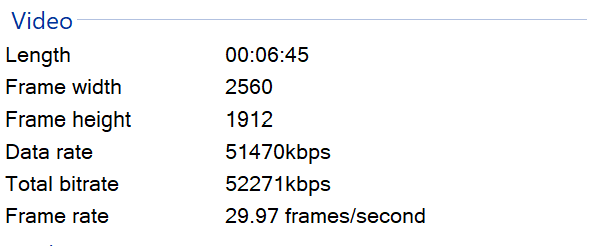
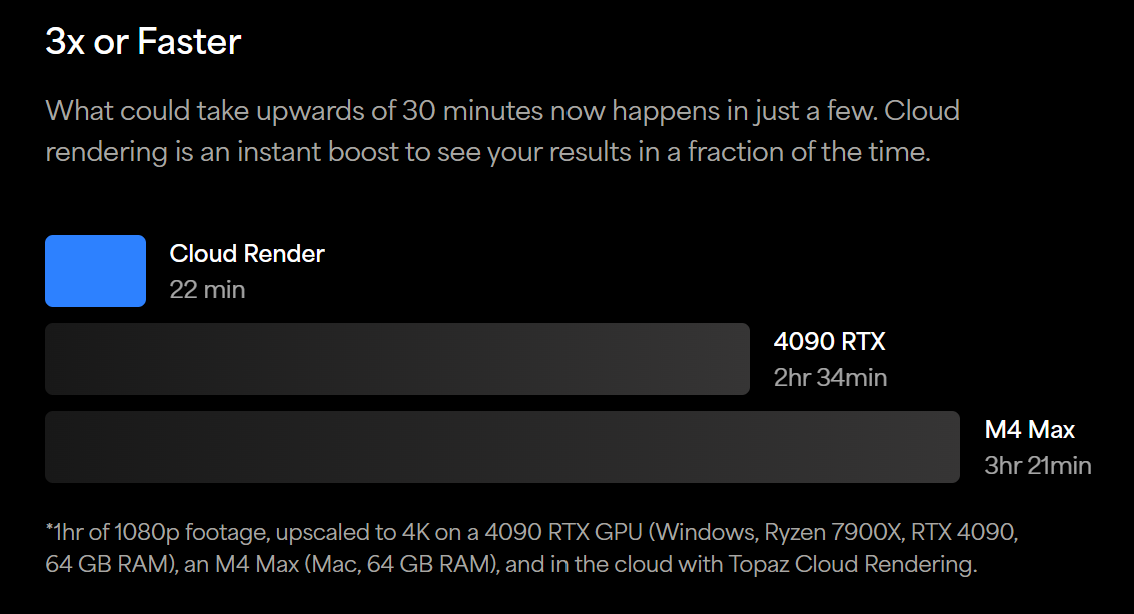
Per your message above it looks like Starlight is the way to go to upscale and have these old format videos cleaned up quite a bit. I then ran a 6 minute 45 second video local to my machine with Starlight Mini with a 4X upscale and it finished up tonight with 2 days of processing time. I am running another video that is 23 minutes long with no upscale and it is progressing much faster as expected at 0.7fps. I don’t mind letting my machine crank through all of these videos, but reading about Cloud rendering speeds it looks like this may be the better way to crank through the quantity of videos I have for the Starlight step.
My machine has an Intel i9-13900K 3.00GHz processor with 64GB of RAM and a NVIDIA GeForce RTX4090 with
It looks like if I have Video AI, I would need to purchase a monthly or annual subscription and then also purchase credits. Can you confirm that I would need both and also an estimate of how much it costs when you Cloud render for Starlight per X length of video?
Thank you in advance for all of your guidance and advice. Best, Steve