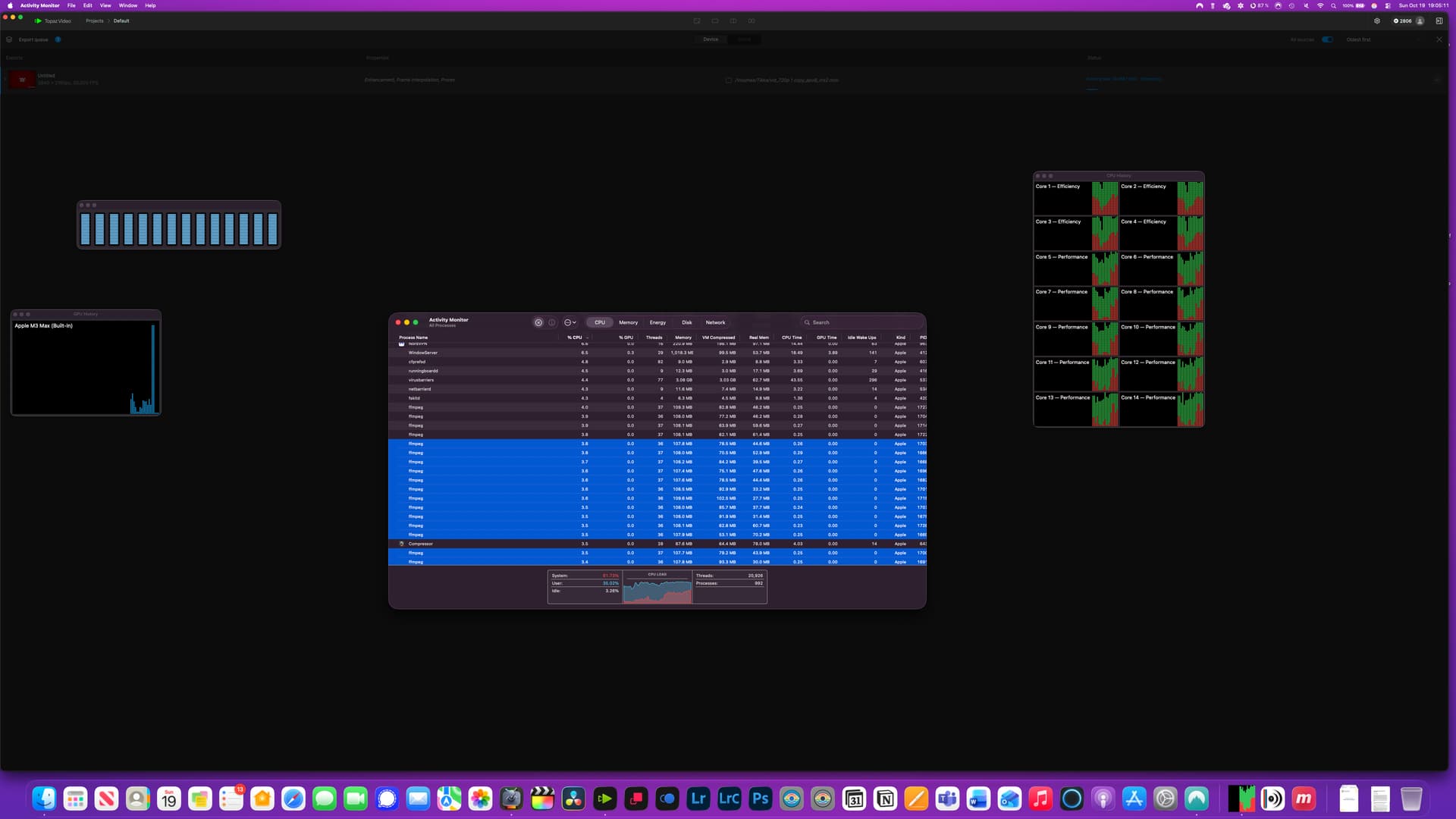
Ok, so it was working before I updated, and now….not so much.
I’m running this on a MacBook Pro M3 Max, 30 Core GPU with 36GB of RAM.
Mac OS Tahoe 26.0.1
First Issue;
If I try and stop processing a scene detection video, it crashes and then multiple instances of FFMPEG just keep opening until my system crashes all together. I can’t quit them faster then they open and I have to hold down the power button and reboot the computer.
Then when I open Topaz again, the same thing happens unless I move the source file out of the directory and cause the application to not be able to find it. Then I am able to try again.
So If I don’t move the source file - it will open, keep opening multiple instances of FFMPEG until my system crashes.
Second Issue;
I’ve never had it before, but I have it set so my screen turns off after 5 minutes, the computer doesn’t go to sleep. I’ve had 0 issues previously, but now once the display turns off, Topaz Crashes. So I can’t render more than a minute or two of video before the application itself crashes. I uninstalled and reinstalled it, it worked…for a bit, then it began crashing.
So I changed it to never turn off the monitor, however now when it goes to my lock screen after a period of time - it crashes. So the app is useless since I can’t render a single video unless I stay there and move the mouse every couple minutes. Here’s some screenshots and logs.
"May the Force be with your support team! My Video AI 7 batch keeps freezing, and I think I need a Jedi Master’s touch to banish this ‘Dark Side’ of software bugs
I would start with doing a clean install of the app and see if that helps, but I will point out that neither of the apps are updated to run completely with OS 26 just yet. The team is still working on a few compatibility issues and some errors that have been reported.
Since the last update, the frequency of crashes has increased significantly.
MacStudio M4, macOS 26.0
See Log file and Apple Crash Report. Log and Apple Rport.zip (768.5 KB)
on my computer, it causes a lot more sluggishness when using Topaz Video now. Mouse freezes for long periods of time, etc. Intel® Core™ Ultra 7 series 2, Processor 265KF. 96 GB RAM; RTX 5060 TI 16 GB; I wasn’t having any problems like freezing and slow computer before this new Studio version.
I did that…multiple times. Including using my MacCleaner - App Updater and Uninstaller to ensure it was completely removed. No bueno. Still encountering the same behaviour.
Also, I can’t get starlight to work. At all.
Nyx XL does work, albeit at a plate tectonic speed (0.7fps) however it does work.
Sorry this issue is happening to you, Must be an issue overall with the software vs Mac specific bugs. Random question, but with your setup, what are your benchmarks? Don’t want to get too off topic, but I’m wondering if building a PC similar to yours would be worth it if the performance gain is significant.
I’m sorry, I am just now seeing your post. What is your current system?
I just did a Windows Reset 2 days ago. FFMPEG seems to be the main slow-down for me whenever running Topaz Video and causes system freezes and also Topaz to crash at times. Description
Faulting application name: ffmpeg.exe, version: 0.0.0.0, time stamp: 0x68c0c171
Faulting module name: ucrtbase.dll, version: 10.0.26100.7019, time stamp: 0x55eee9bf
Exception code: 0xc0000409
Fault offset: 0x00000000000a4ace
Faulting process id: 0x85D4
Faulting application start time: 0x1DC585F2D4C1C82
Faulting application path: C:\Program Files\Topaz Labs LLC\Topaz Video\ffmpeg.exe
Faulting module path: C:\WINDOWS\System32\ucrtbase.dll
Report Id: 5cf72d13-0830-4c73-a4bf-f8168a500a14
Faulting package full name:
Faulting package-relative application ID: