Oh my, that made me giggle! Does this happen with all Iris setting with the file you shared? Do you have any other screenshots of this occurring?
3 Likes
I’ve only tested it with default progressive settings for Iris, upscaling to somewhere around the 576p
1 Like
Not sure if this is apropos but one direction could be a model which addresses completed sequences. For example, I shot a TB’s worth of HDR footage that I’m combining with found footage-downloaded from various sites like Youtube, FB, and Vimeo - to make a short film for broadcast and web. The HDR footage is good for the most part but unfortunately I used digital zooms, as opposed to switching lenses, on some shots and they are blocky and noisy. So that combined with the found footage could reduce the quality of the final product. I could in the end do atmedia consolidation and run that all through Topaz once picture is locked, but that would take too much time. And I can’t run the footage through Topaz prior to edit-there’s just too much of it. So I would like to see a model that would address a completed film and it’s varying degrees of clip quality. So in my case pristine HDR, +HDR artifacting because of digital zooms + found footage of varying degrees of quality. This would involve taking a exported 422 HQ file post finishing and running it through Topaz for the fine tuning. The model I’m thinking of would have an algorithm that could account for the degrees of original source quality. The model would have to in some sense actually see the film in its individual parts along with their different perceptual qualities relative to each other. This may be a pipe dream and for this film I may have to do a consolidation and run each clip through Topaz then re-conform with the exported files. If I do it that way I would need each clip picture perfect to the frame so that I could simply re-link the resultant footage to the original edit without having to re-edit it in for the final film. Speaking about picture perfect, using Iris in Beta v3.3.4.0.b there is a very perceptual increase in luminance (perhaps a contrast issue?) and chroma values plus some loss of detail (a setting?). In Proteus the same thing. This is unacceptable especially in the white values where they are trying to blow out beyond legal limits. Plus, when I lock picture with client approval I don’t want surprises from the final product.
I hope this all makes sense. Photos is with Iris the other Proteus which is doing the same thing re: Luminance Values but loss of details as well. Notice the band of light blowing out at the top right on the chair with pillow. And the top left round object whit as well.
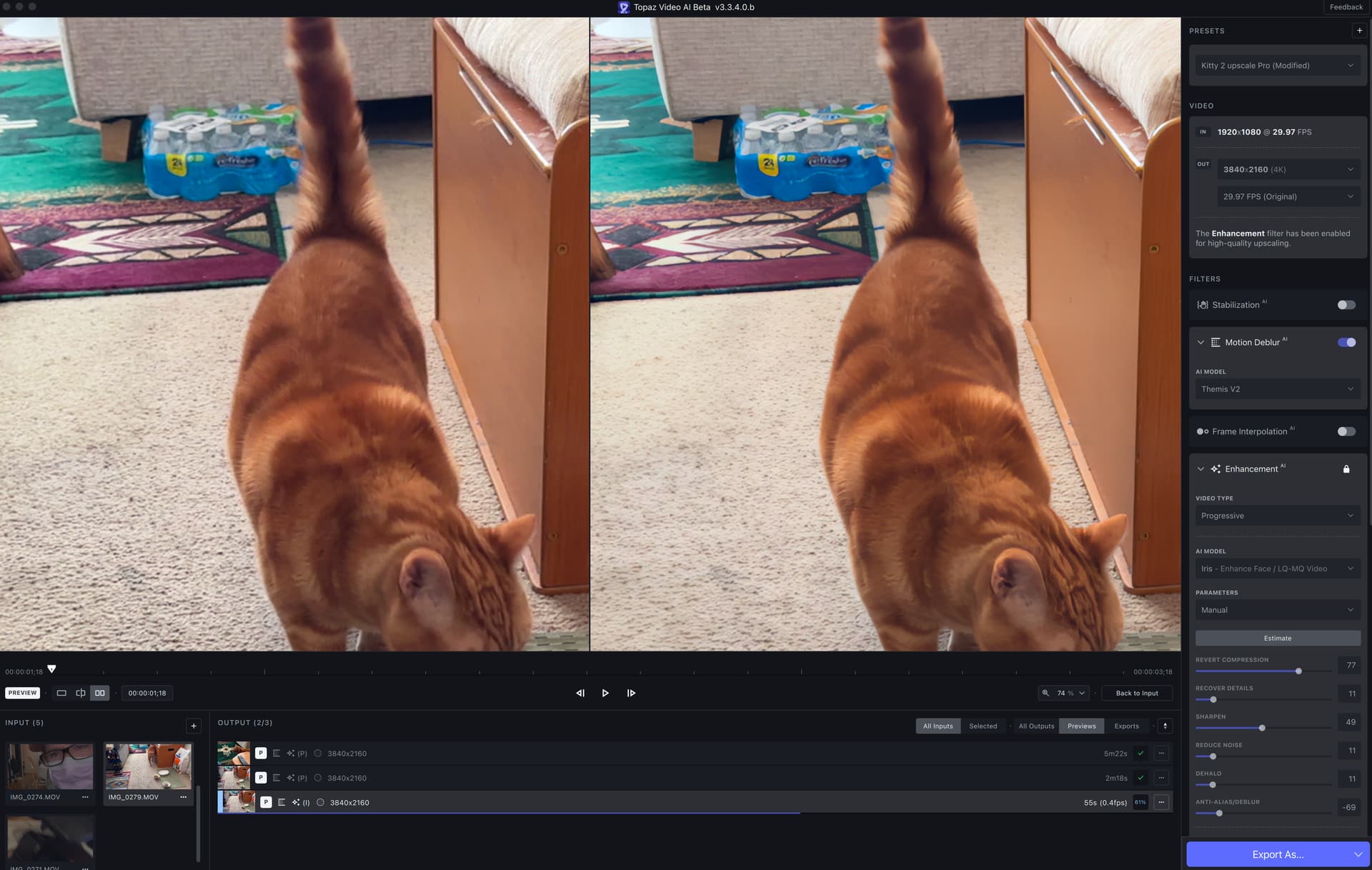
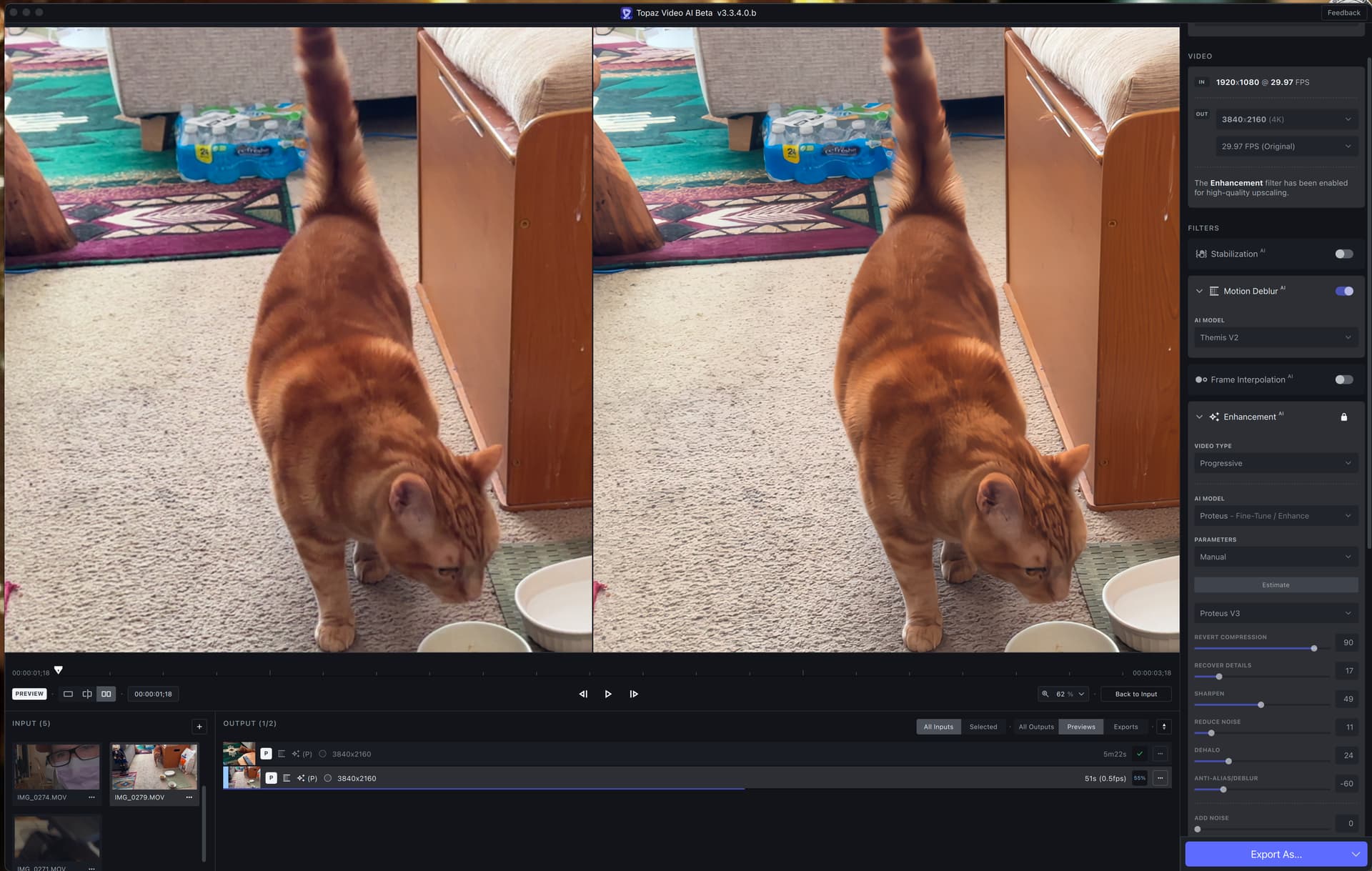
Snap I got the power.
Wow, truly blown away by Iris on first test. Way to go Topaz Team! You really knocked it out of the park
3 Likes
Hi Eric,
Are there any plans for the Video AI new stabilization model use the Sony recent cameras gyroscope metadata to improve stabilization correction?
Sony Catalyst Browse and Gyroflow software’s already has this feature and works like a charm. This could be a touch refinement to the new Video AI stability model.
As far as I get, the Sony software reads a separate file that the camera generates with the video file. I imagine there is no tech obstacle from Sony side to Topaz labs use this camera gyro metadata. Just an idea.
Keep ip the good work!
4 Likes
I’m just wait for Pause and Resume function on new version 
4 Likes
