Hi everyone,
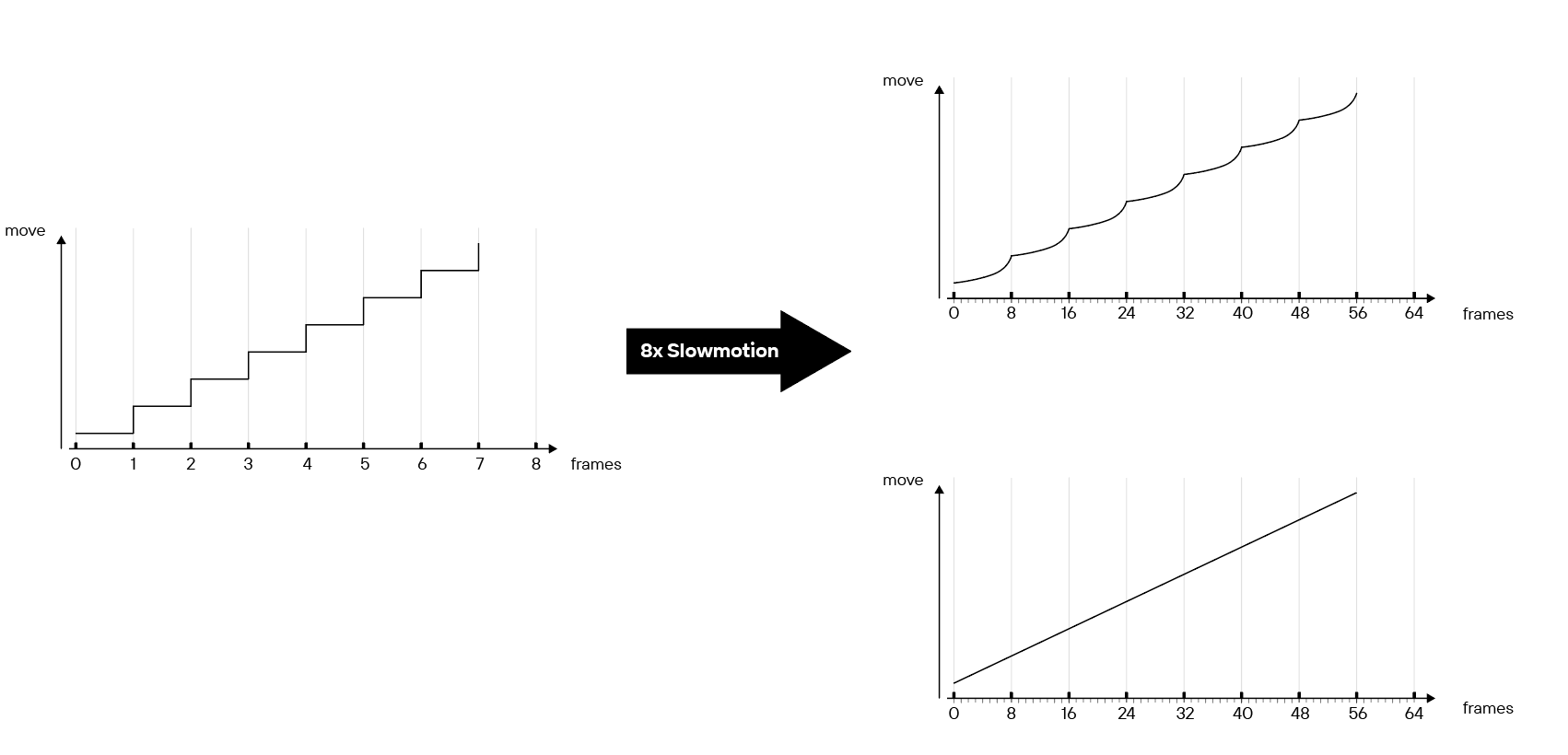
I’m running into an issue that creates the following effect:
I’ve been working with a batch of several generic AI-generated videos, similar to this example:
Example Link: https://de.freepik.com/premium-video/buntes-stoffstueck-mit-einem-wellenmuster-farben-sind-orange-rosa-gelb_5035247#fromView=resource_detail&position=1&from_element=cross_selling__video
(Unfortunately, I can’t share a sample clip.)
These clips were enhanced, upscaled, and slowed down to 8x slow motion. However, with very smooth gradients and uniform movements, I occasionally see an issue where frames are generated unevenly. For example, 7 frames play smoothly and very slowly, and then the 8th frame makes a slightly larger jump.
Technically, the playback is smooth, but the motion feels inconsistent. I suspect this is related to very linear movements.
The AI model Aion seems to perform slightly better than Apollo, but both models show the same behavior. If I increase Duplicate Frames Sensitivity to a higher value (e.g., 50), the problem gets worse. When I set it to 1 or disable it, the results improve, but the issue doesn’t completely disappear.
Interestingly, some clips don’t have this problem at all, while two of them still show it—even after multiple attempts. I’d say I’ve reached about 85–90% consistency so far, but not 100%.
Video AI seems capable of solving this because I’ve seen perfect results on similar clips. Does anyone have a good tip to tackle this? Or maybe you’ve experienced the same issue?
I’ve already tried different workflows. So far, the most promising approach is to enhance the quality first and then apply slow motion. Still, I’d love to know how to get to 96–98% perfection.
Any helpful input would be greatly appreciated!
Thanks in advance!
Jurij