I have a lot of clips to process. My workflow is to cut long videos to short segments for reliable processing and multiple instances of processing software.
As a result, 100-minute video could be cut to 100 one-minute pieces.
When I process clip in TVAI, there is no visual indication which file I’m working with:
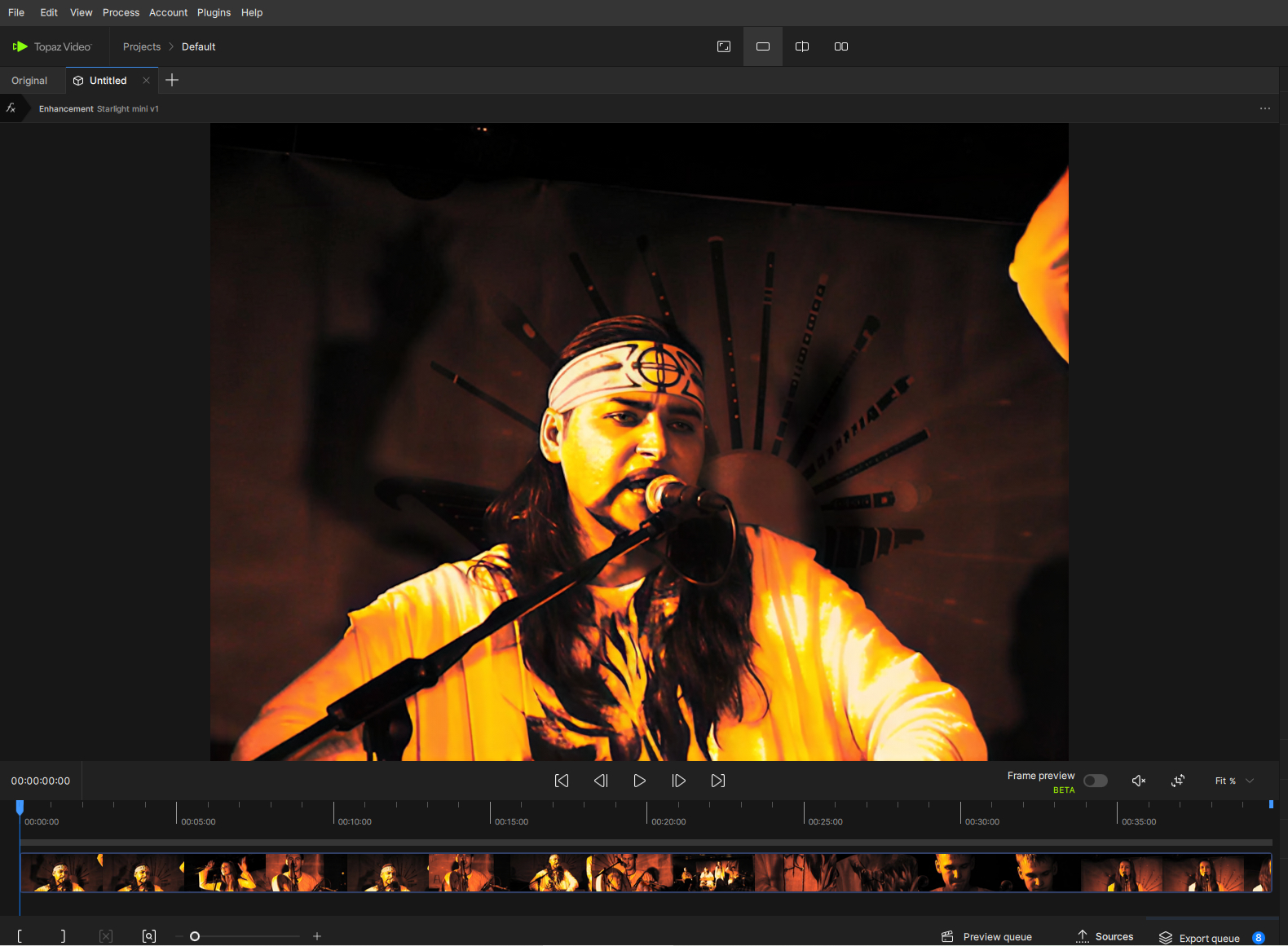
There’s project name, preset name in the Tab title, and that’s all.
It’ll be great to have file name right next to the project name, like breadcrumbs:
Projects > default > filename.ext
There’s a lot of screen space even on FullHD displays.
Next, Sources panel. The same thing: I can see only the last n symbols of the filename because of hardcoded thumbnails view.
Maybe we could introduce a List view without thumbnails, but with a full file paths and names and metadata - resolution, codec? It’s already there, in the hover popup.
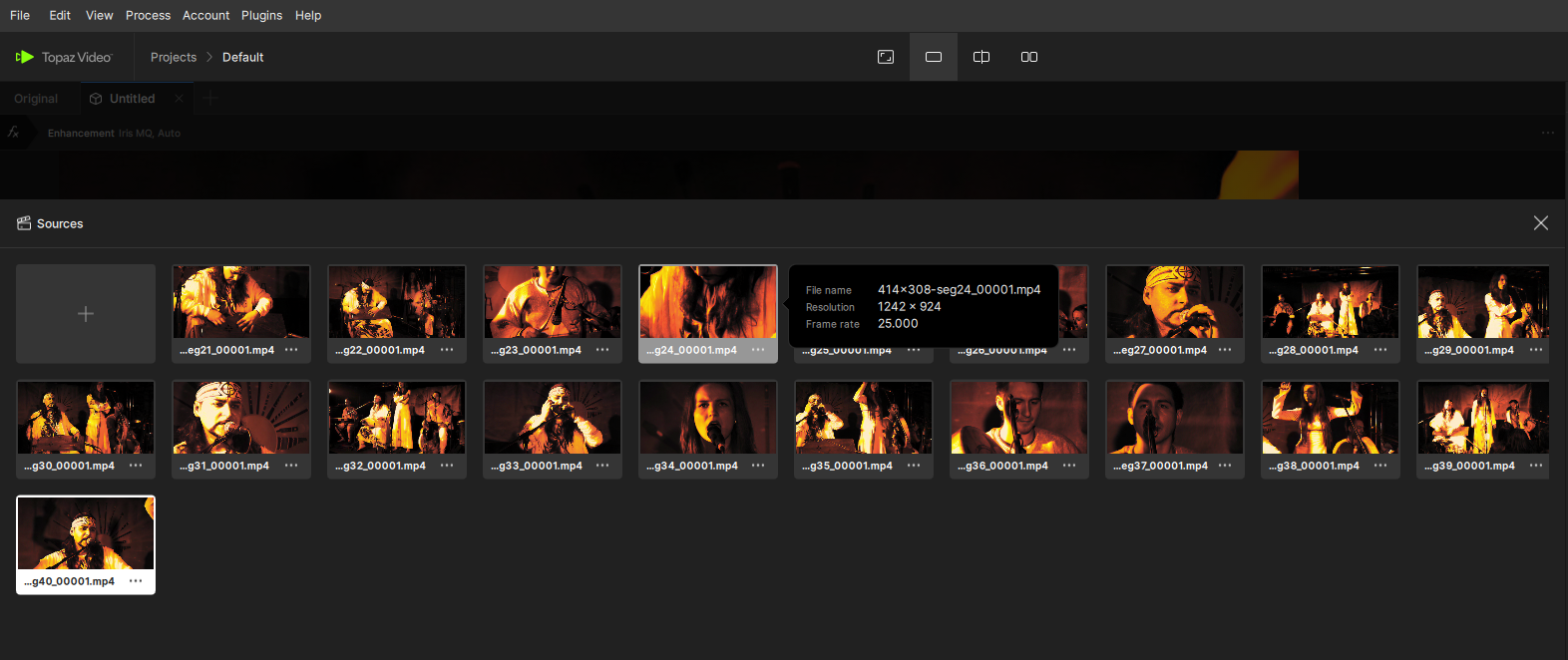
Or a List view like an Output panel - with a smaller thumbnails, and let the users switch between view modes as they used to in any file explorer or NLE.

The last one significant interface request: make a menu item for applying current settings to all sources. It took me a lot of time to find out that this command resides exclusively behind the three dots in the top right corner:
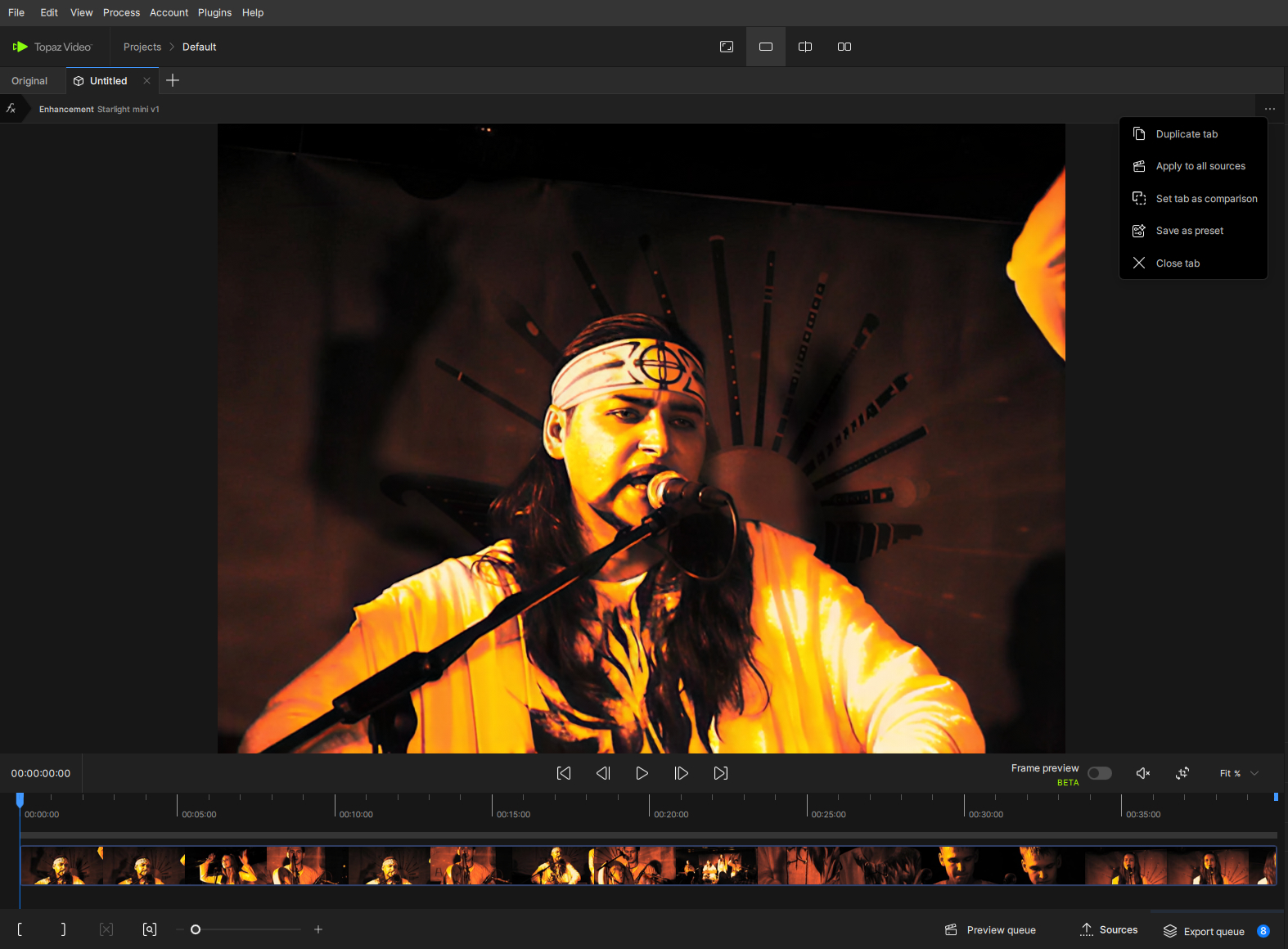
If there’s a user that like me doesn’t know about this command, there will be time-consuming process to Ctrl-C and then 100 times*(2 mouse clicks, Ctrl-V) to apply current settings to all sources.
Maybe we can add Edit → Paste settings to all sources menu item?
And I know I can create preset, but I’ll flood my Presets with different settings unique for each input and useless for another.
