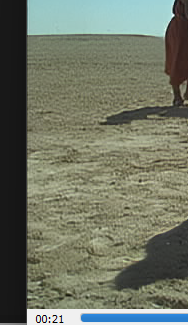
This sand/grain texture on my ground is causing the Topaz Starlight (Mini) to look really poor.
The noise in the sky, Topaz dealt with really well, and the faces and the outlines of people, but the ground’s grain texture is made to look even worse in an upscale (upscaling to 2x and 3x).
Any ideas on how I can deal with this kind of awful texture?
I’m a ‘founder’ account holder, and version 7.1.0 was doing an OK job for me, but then I moved to 1.0.2, the latest version, and that’s when Starlight (Mini local render) got faster - I was getting 1.0fps compared to 0.4fps in 7.1.0 - but the output was not as good, - it especially handled this ground texture poorly.
I guess I need to wait for 1.0.3 when they fix the bugs. 1.0.2 won’t give me 4x upscale 480p > 1920p. It says on the export screen its giving me 1920p but actually renders 960p (2x).
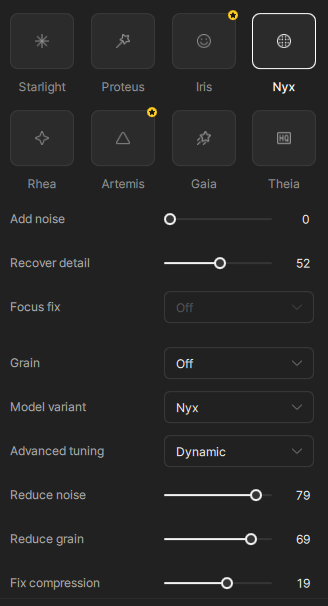
Those spots are created by ‘Reduce grain’ and possibly ‘Fix compression’. Change ‘Advanced tuning to ‘Manual’ and set everything to 0 except ‘Reduce noise’. Try 40 at first and turn it up or down from there.
Also looking for a solution to this. the scenes where this occurs looks awful while everything else is great. i have had some success with other models and adding noise layers to hide it a bit but if used too much it lowers the quality of the parts starlight handles well. for now it seems like you’d have to handle each scene separately and stitch them together. hopefully they tune the model a bit for this because almost any outdoors scene is ruined right now when using starlight but the model is very very good everywhere else.