I am a coder and can tell you that I only usually test what I expect. Part of that is laziness, but most of it is logic bias.
Like if I’m asked to make a something that adds two numbers together, I expect the users to only ever use numbers as the inputs. It’s usually the testing team that tells me how bad it fails when someone tries to use it on letters or something else not unrealistically possible to input.
2 Likes
I can confirm. White is (once again) far too overexposed.
Not quite as bad as in version 4, but much worse than in version 5.
Oh Topaz Team, why again?
‘Untainting’ input is often a beatch to deal with (as essentially all input should be treated as tainted). Fortunately, there’s not a lof of that needed in TVAI.
My real gripe with TVAI is the ever-deteriorating UI functionality (yes, going off on this tangent again). Most notably, horrifically inferior Preview capability compared to the ‘golden standard’, which was the 2.6.4 version. When I code stuff, and decide to make like a new UI, for instance, I always work from Hippocratic Oath: ‘Above all, do not harm.’ Which is to say, like I get people want a more modern UI, but I will then either abandon the idea, or postpone it, when the result is worse than what I had. Maybe that’s a luxury Topaz cannot afford, but why purposely break Preview in horrendeous ways, when you had a perfectly smooth Preview working in 2.6.4?! (One that I could just click on any point in the processed timeline, and see what had been done).
See, to me, if I were working in QA, I would send stuff back, and say “No, your new Preview is hopelessly broken, put the old one back in until your new one is at least on par with what we had.” Apparently, things don’t work that way at Topaz. 
Various (quite serious) issues with cropping – also mentioned by other people – are problematic to me too as well – much of which is very much UI related too.
I get that it’s thrilling to train new models – that is, after all, the core business. But some seats at the QA department should remain occupied; and currently it looks like they all left the building.
1 Like
There was a silent update to 5.4.0.8.a?
Not totally silent. There’s a change log near the bottom of the first post.
99% stealth let be honest
At least it has been quick fixed which contrasts highly with common uses.
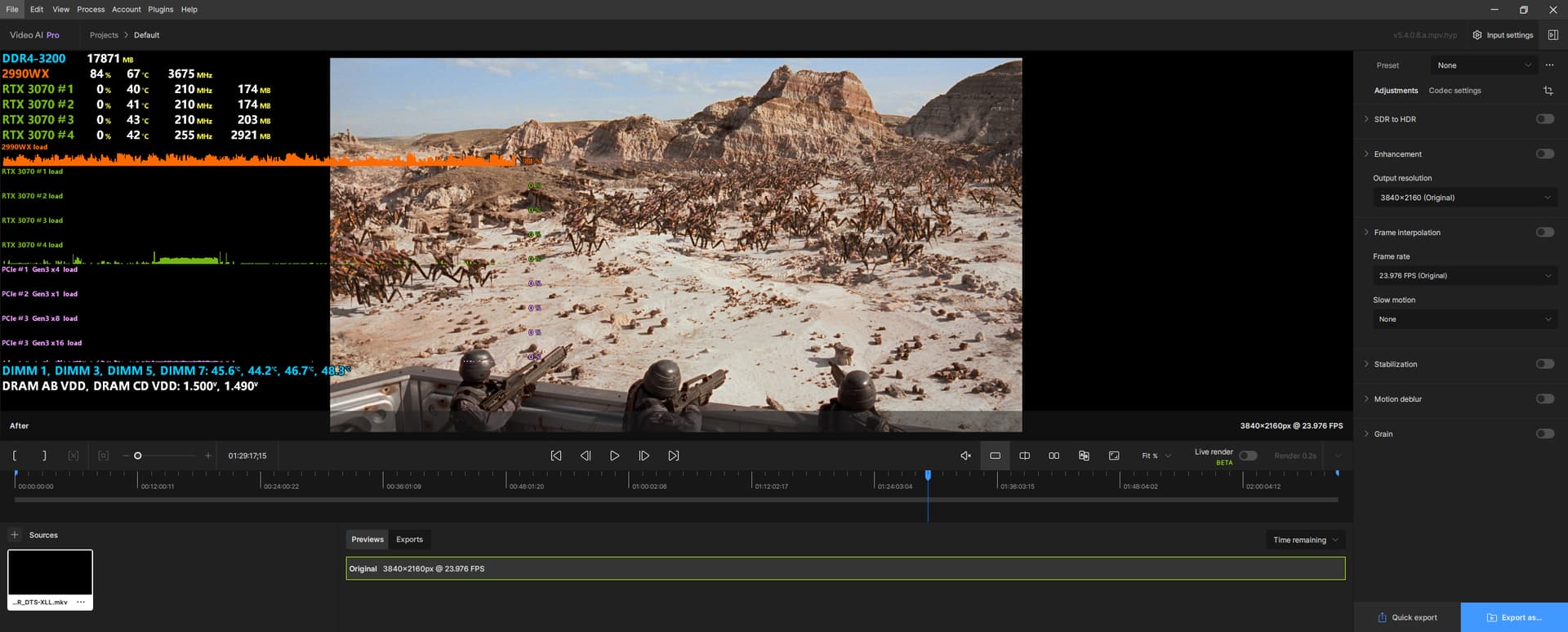
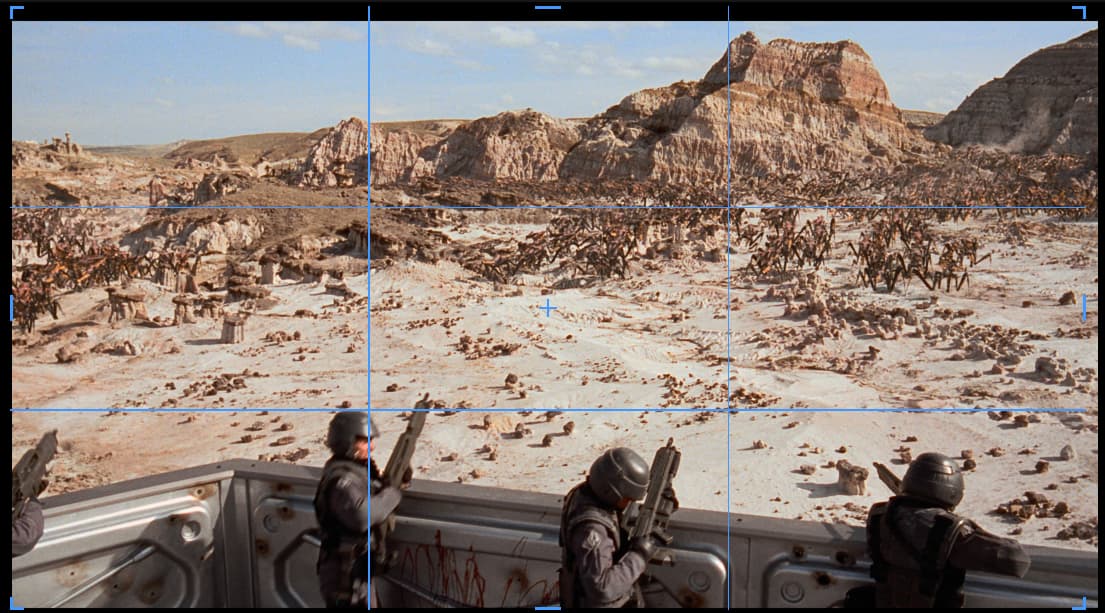
Not sure that the full black background is a good idea anyway …
Grey background was fine
→ We can’t see black borders anymore which is a regression
Should be fixed to my mind

7 Likes
I agree. That’s a deal-breaker.
1 Like
I’ve noticed, there’s a ‘multiplication’ bug in the queue part of VEAI, where 2nd preview in a group also instantly becomes a 3rd one (and then is processed), this happens in this alpha since beginning.

Clicking on either of them invokes that preview at start frame (VEAI doesn’t seem to show any reaction to the onMouseOver event with these two, when they’re selected, other, than Looping part). This bug, however, didn’t occur, when I had a second preview in 14th group running.
And there’s still no ‘duplicate frames replacement’ being applied to the frame interpolation part. 
With many groups of previews with various models/settings present (14 in my testing), the ‘Looping’ functionality still breaks, too.
1 Like
Agree - @henry.z please change the workspace canvas colour back to grey so when black bars are present, we can see them.
Or indeed make the black bars green.
not sure if this is the right place to post this or not.
just downloaded v5.4.0.8.a
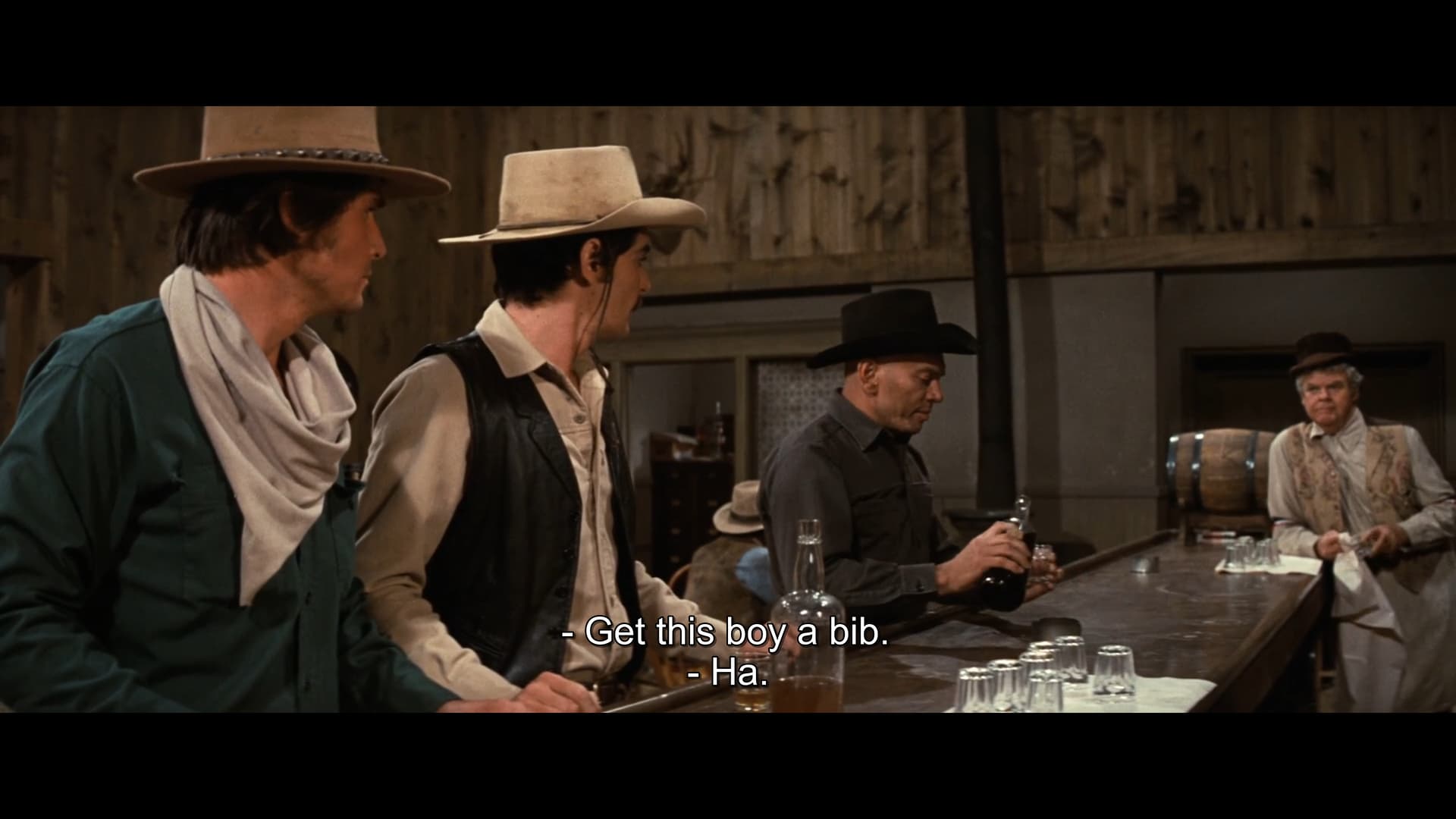
Original above.
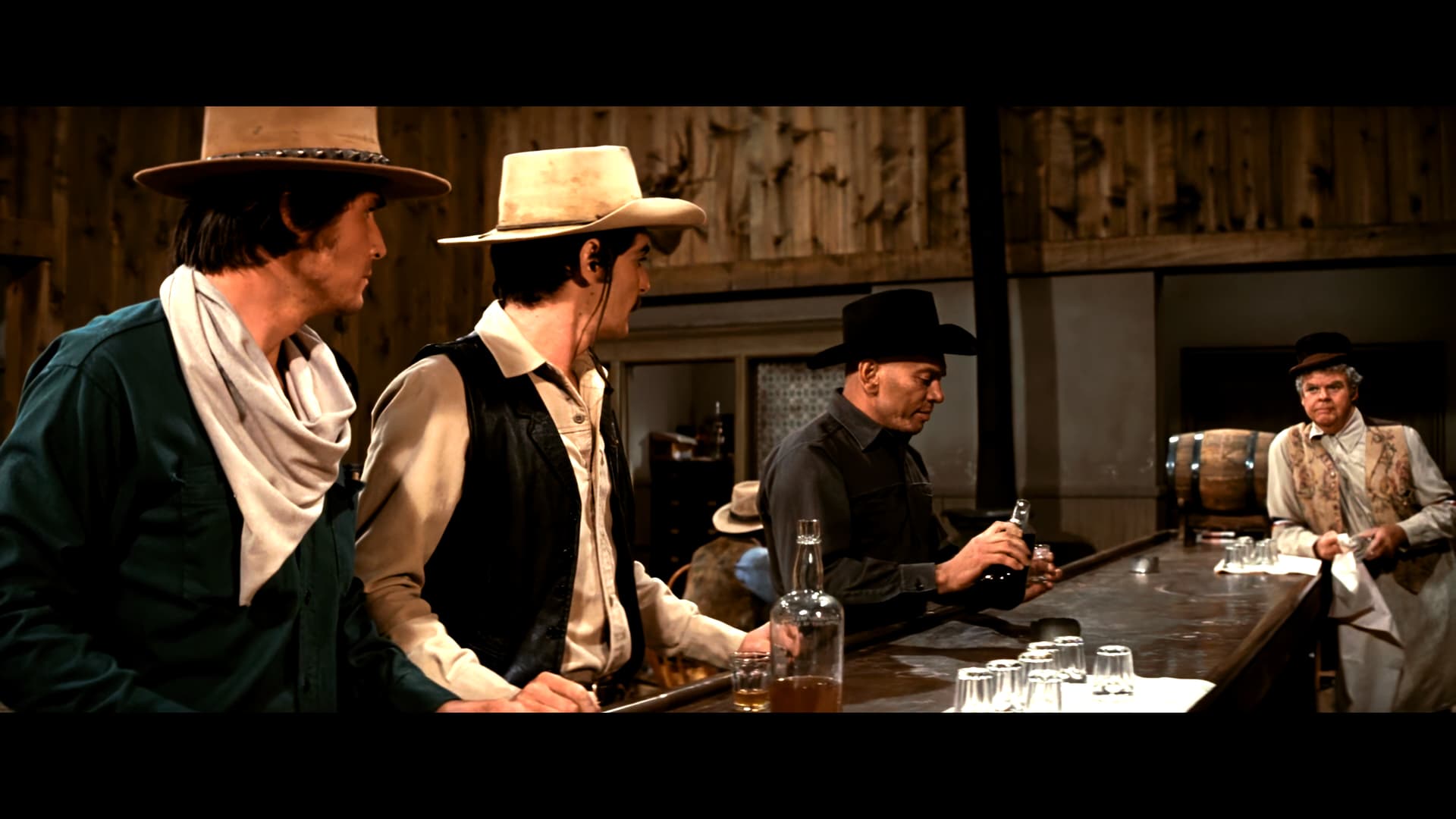
Hyperion v5.4.0.8 SDR>HDR above.
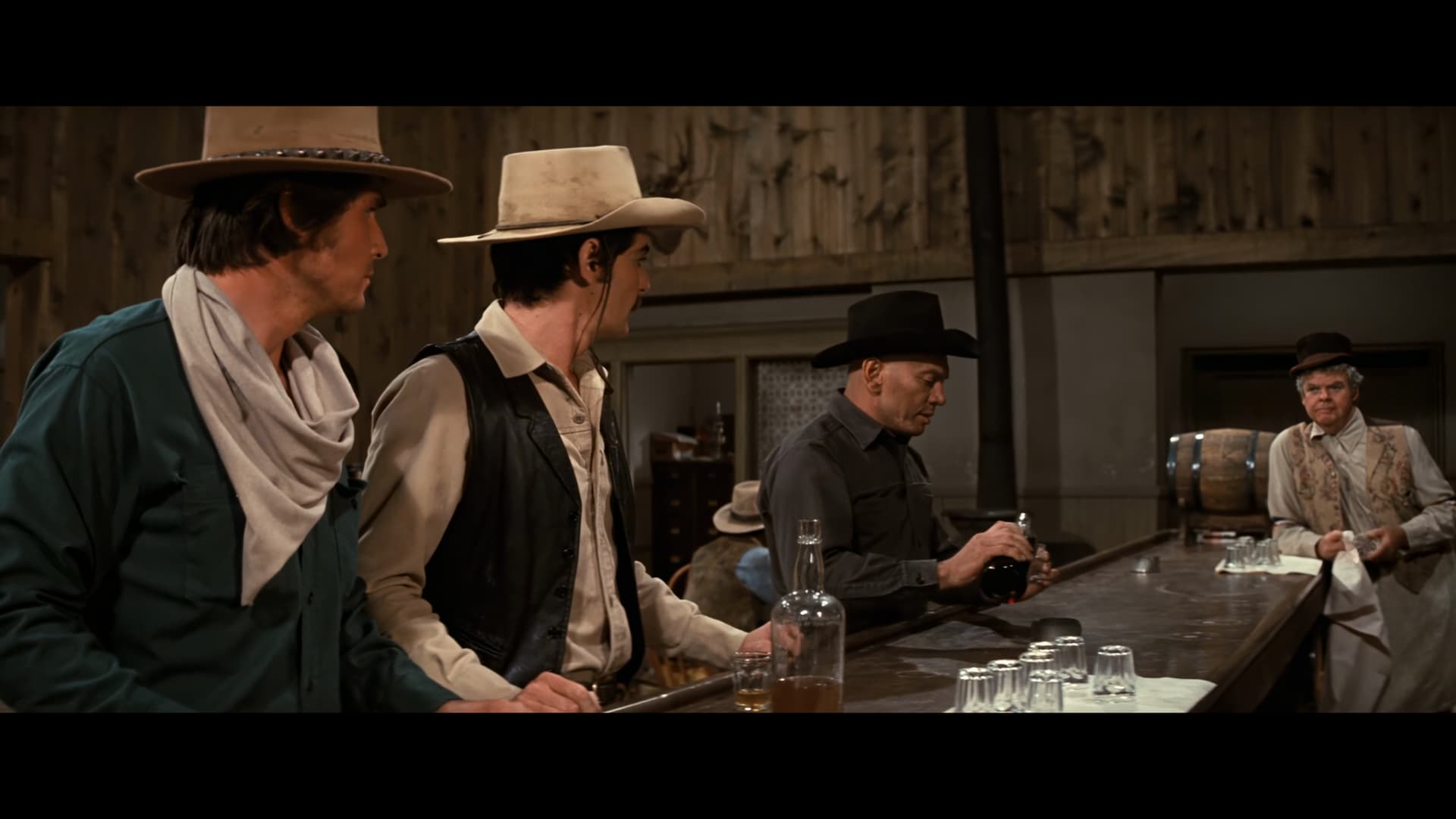
Video AI v5.3.6 proteus-auto above
using vlc to screen cap as close to the same scene, orig vs hdr re-encode.
colors seem to be close to what a possible hdr version of this 1973 video may have looked like.
colors are more vibrant, but i cannot do the whole video at this time, the audio/video sync is way off.
This is using sdr>hdr, enhance fhd 1080, h.265 - main10 - mp4 w/proteus
looks pretty good but would not mind doing a full video with audio/video sync not compromised.
also, this clip does not say hdr as it does with normal hdr/hdr10/hdr10+ videos would show in media info. (maybe no hdr metadata)???
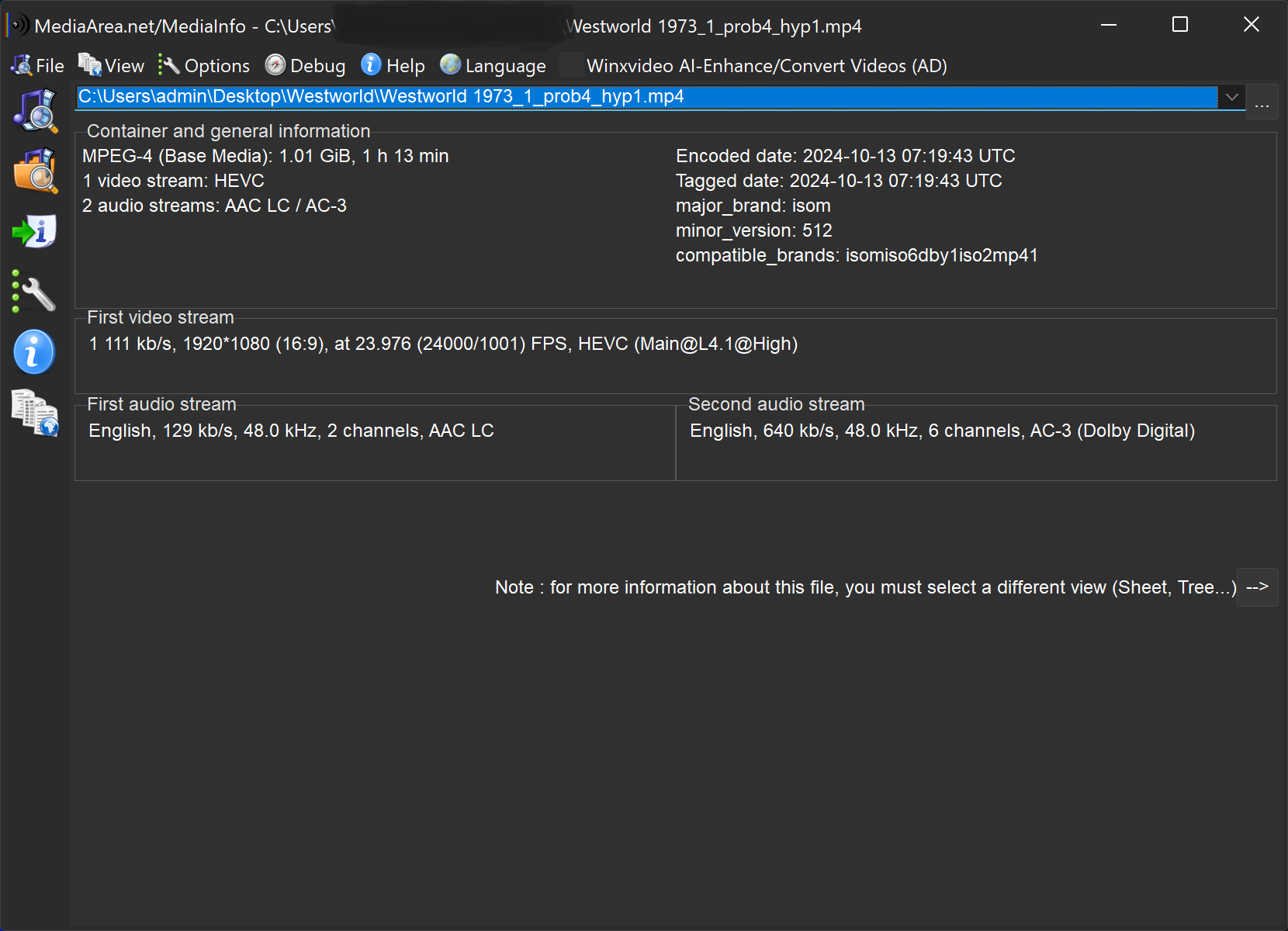
Note: Normal Video AI 5.3.6 will no longer work properly, audio/video sync and playback in vlc is totally unusable.
Not sure what is going on, tried another run, alot closer but still off, will try and uninstall hyperion to see if it fixed the issue
(Findings - just copy a small short clip with either standard video ai or Hyperion separately installed will not have the audio/video synced. Need to export the whole video then the audio/video is in sync). have tried 2 videos with just a short export, non-useable audio. exported whole video with just tvai settings, nothing checked and audio/video is synced.
not sure if this can be fixed or not, sometimes maybe you won’t want the whole video but just a short clip of it.
2 Likes
And this is a bloody shame, really. I never let TVAI process audio (why bother? I just mix it in later), but the fact is a bit of a sad commentary on the state of TVAI, that every subsequent version seems to break more.
HDR10 means PQ 10-bit, while I presume TVAI is encoding in HLG 10bit. It’s still HDR, though.
No TVAI output SMPTE 2086 (Static Metadatas for Color Volume Transformation)
HLG is 99% of time used for streaming, and to be honest is on the way to be deserted
Read my topic about it, it is always relative to missing metadatas either in container either in stream.
That can be pushed (need to be tested, and I’m encoding it) to
SMPTE 2094-40 (HDR Dynamic Meta. for HDR10+)
with injection of MaxFALL and MaxCLL
Also, and I repeat, do not blindly believe in MediaInfo, it works with internal tables. As soon as bits of this or that are missing in metadata, we start with uncertainties of result
3 Likes
I find the audio sync problems mainly happen when you try and cut up .mkv source files. Like you said, with these ones you have to process entire file otherwise the audio is screwed.
Can you link to that post, please? Not seeing it any more, and now I’m intrigued again.
Damned you “liked” it 
1 Like
i think there is a mis-understanding…
the clips processed with hyperion-proteus and normal video ai v5.3.6 that exported only partial for those screen shots the audio is messed up. only used tvai for the short clip for fast output to verify if it was a normal thing for the audio to be messed up by not being the full video. i normally output a whole video so never really see the audio sync being messed up.
thanks for the reply tho…
1 Like
Got ya…
Thanks
1 Like
It does seem to show a full exported sdr>hdr as HDR when played on a tv’s media player. it toggles the HDR notification on the playback screen. meanwhile media info will not show any hdr info on it but it is obviously there.
thanks for the post…
