You could try rolling back to a previous version
Here’s the link to previous versions
Here’s the link to contact Topaz Support directly
Topazlabs Support
support@topazlabs.com
Hope this helps
You could try rolling back to a previous version
Here’s the link to previous versions
Here’s the link to contact Topaz Support directly
Topazlabs Support
support@topazlabs.com
Hope this helps
Starlight is a similar architecture, and we are working on optimizing Starlight 
Nice - yeah we’re aware of the issue with high creativity values. Working on it!
Stay tuned, there were some other device fixes which couldn’t make the release but we are rushing to get them ready for a patch
Going to turn it into an “Add Hair” filter for Photo AI
Yeah, absolutely. We’re still digging here to improve the blending on these types of models with Face Recovery. The good news is the generative models are better at faces out of the box, but I’ve still found FR useful on some Recovery images
Interesting! This is one of the images that would benefit from pre-downscaling prior to running it through Gigapixel from the look of it.
Thanks - we’re going to look into this. Runs fine on the machines I’ve tested so hopefully this helps us narrow down the fix with your logs.
@josh.yoo any insight to this?
we think this may be an isolated issue. could you send some additional logs so that we could investigate?
Thank you for letting us know about this.
Could you send us logs?
Also can you delete coremlcache files and then get the log if issue persists?
Redefine is working for Creativity 1-2 but anything higher is still broken.
Too bad. Another new version I can not use.  (I’ve bought Gigapixel mainly for Redefine.)
You are right. Still broken for M3 users. 
Reverting back to 8.0.2 since I like using creativity to higher than 2 on some images I work and play with. I don’t want to use an app that is broken.
Topaz is having a flash sale on Gigapixel AI right now! Save 15%
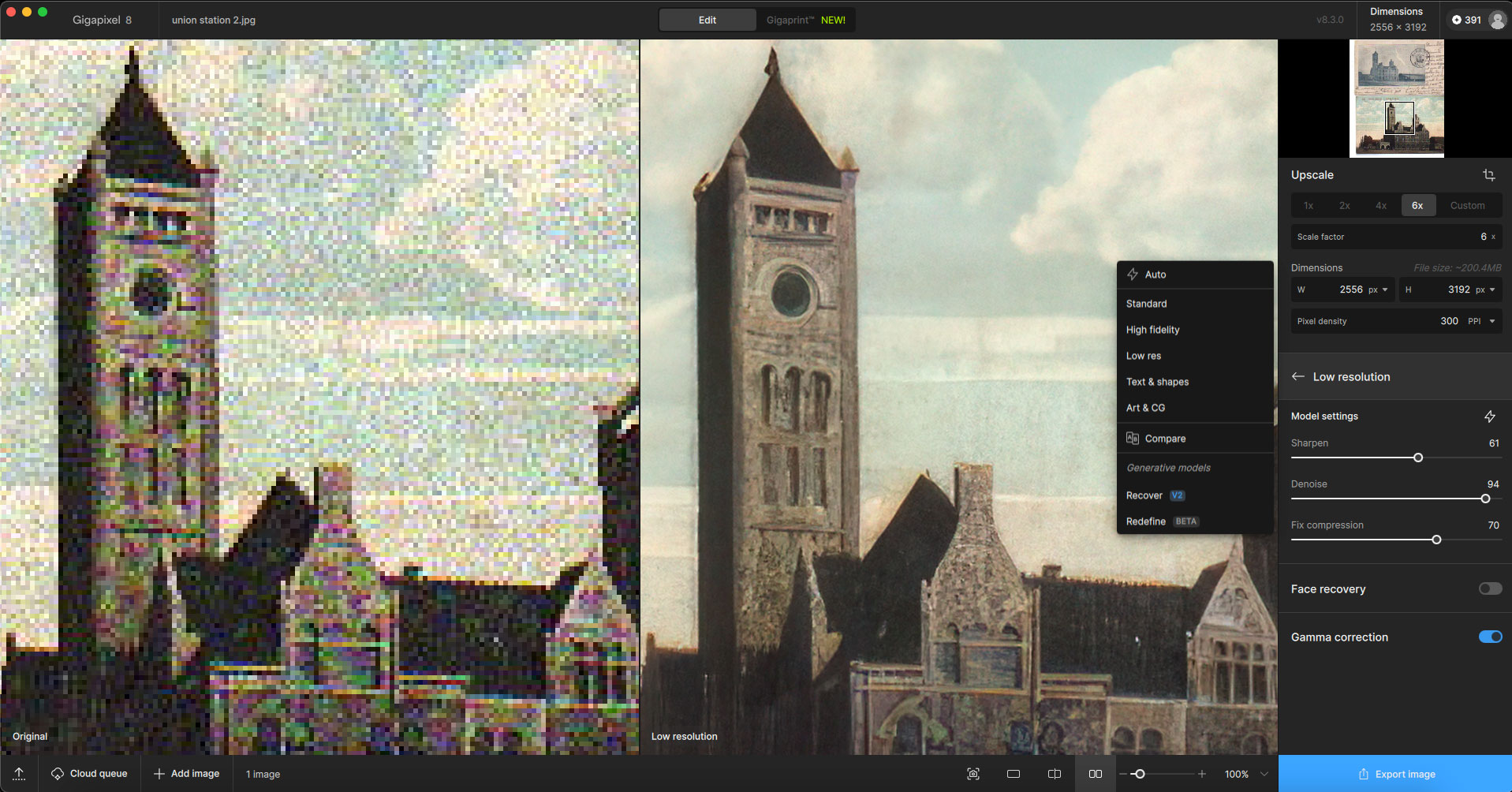
My first example with the new build is of an extreme salvage job of an old postcard at 6X.
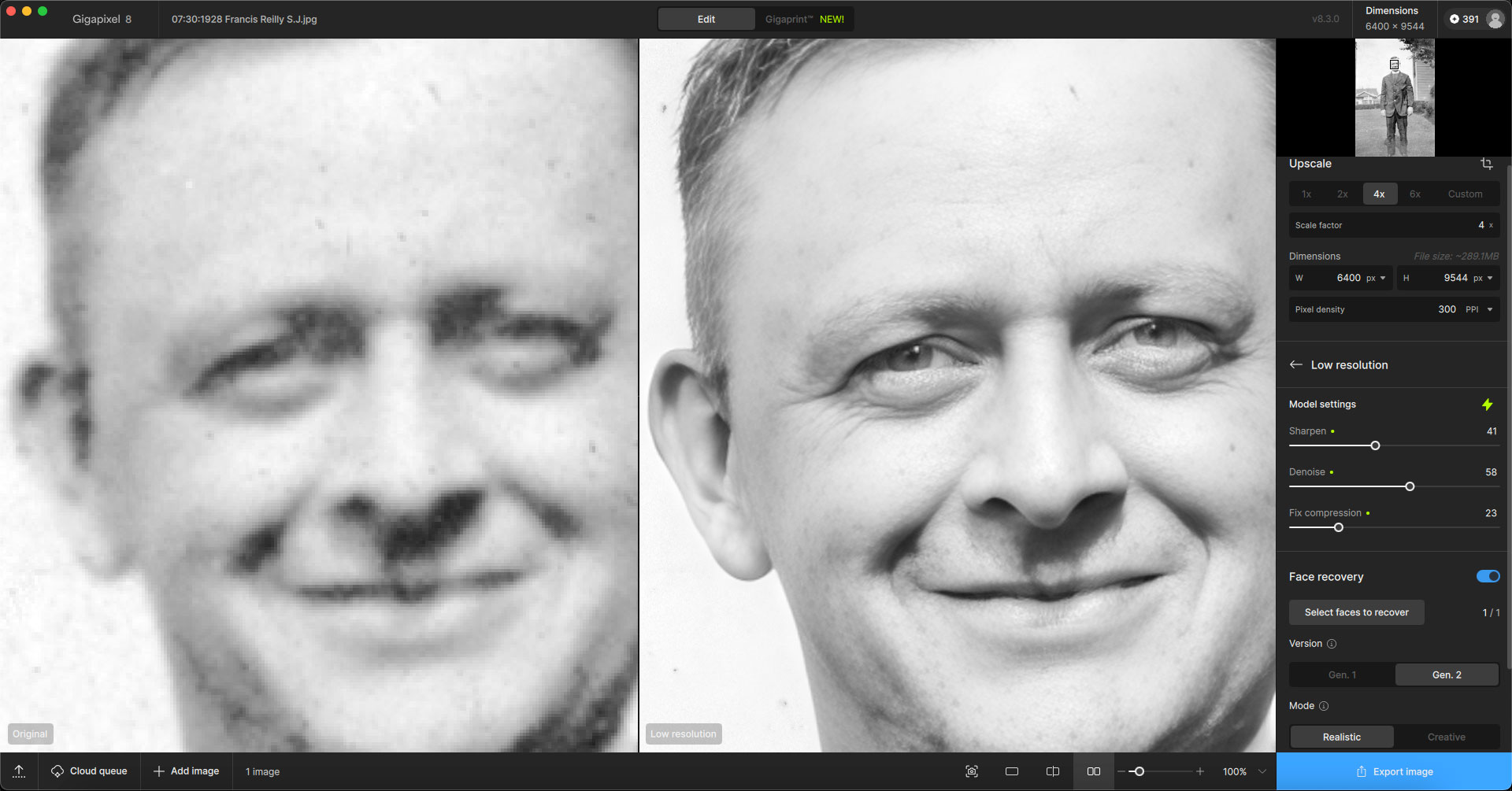
Next is a 4X recovery of a relative’s face from 1928.
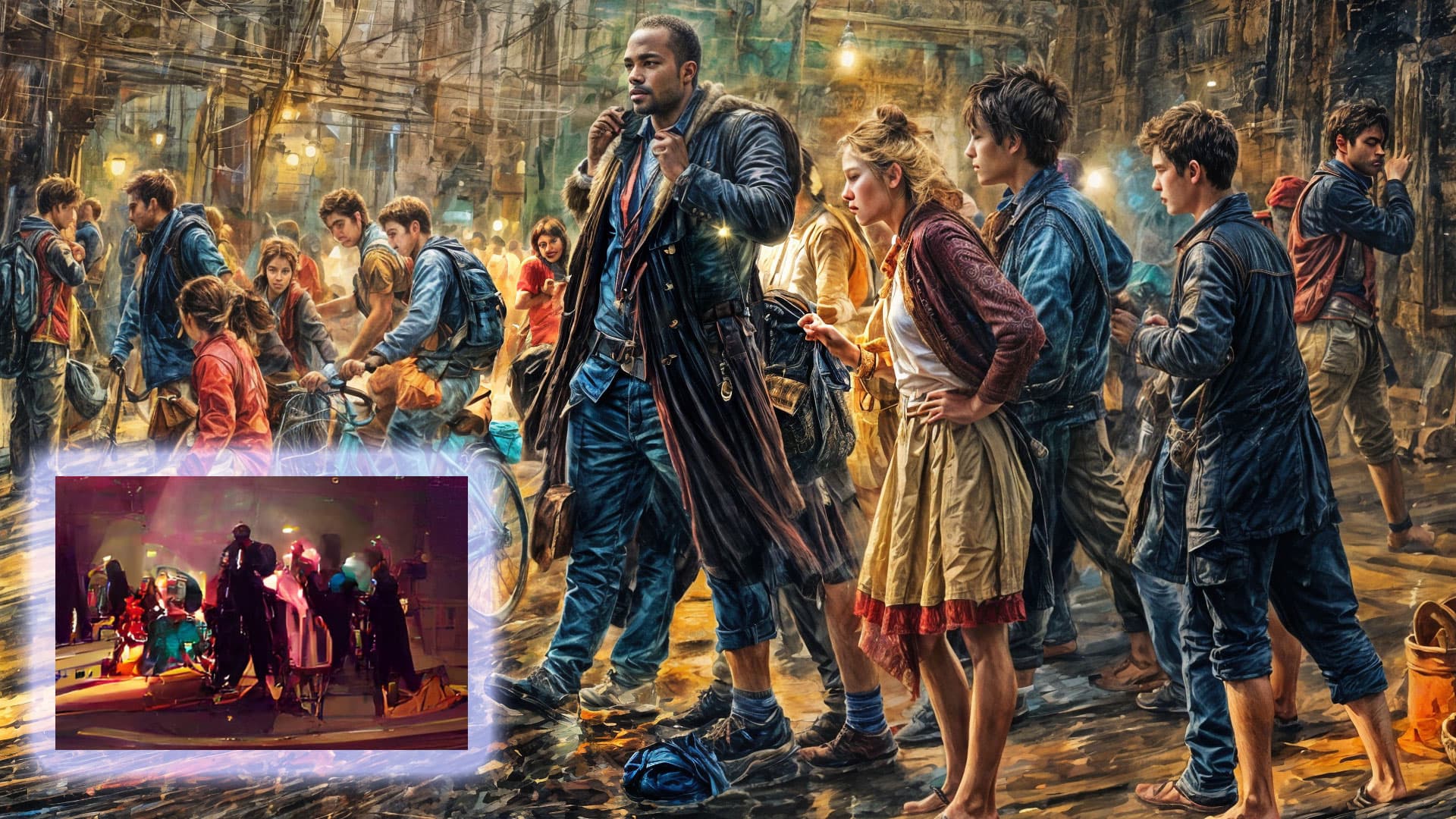
Finally, an example of generative AI where Gigapixel created amazing detail out of abstract mush at 4X.
Yeah, I didn’t think of that this time. But I’d tested it on an image about as degraded, and the result wasn’t great on the output. There was nothing I could do. I had to go back to a previous non-zoomed image already enhanced by GAI to make a copy with the same framing and redefine with upscale, and there I got a good result.
I updated to the latest version 8.3.0.
I’m using the most recent version of Photoshop.
I have a strange issue: after resizing through Photoshop, I get an enlarged, transparent dark layer, as if the image darkness was reduced by about 70% and the layer transparency set to 50%.
I tried uninstalling and reinstalling, and also restarted my computer, but nothing helped. Eventually, I reverted to version 8.2.2.
Hi Dvd!
thanks for reporting this - we are currently working on a fix for this.
In the meantime, i hope the standalone version is usable for your workflow.
I’m not a fan of Recover v2 at all. The speed is great, yes, but the creativity level seems to be way too high based on the results of the images I’ve tested so far.
Are there any plans of improving the speed of Recover v1?