I just updated my copy (M2 Mac Mini), and based on previous experience and the comments here, I first manually uninstalled both v6.3.3 and the beta.
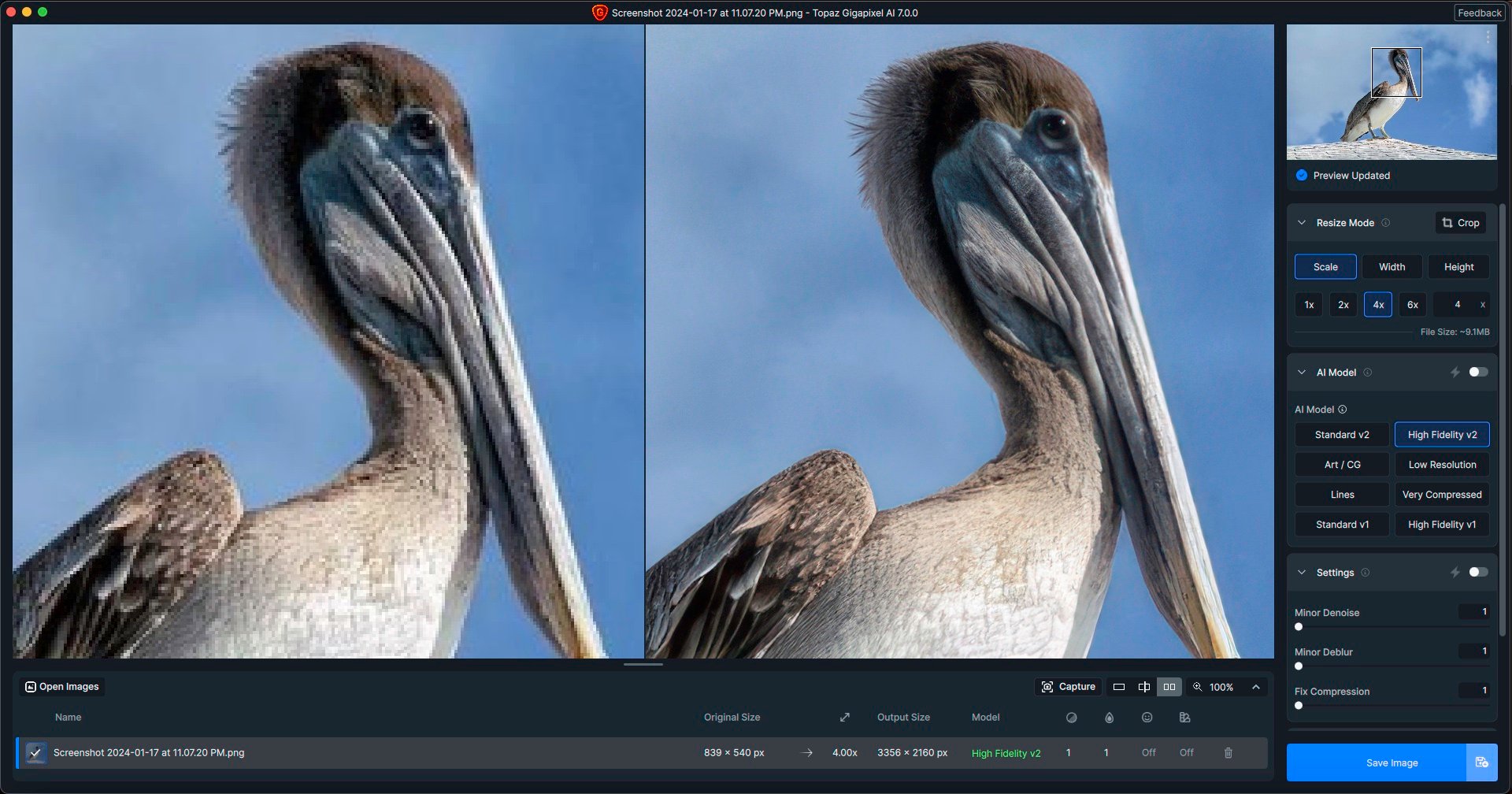
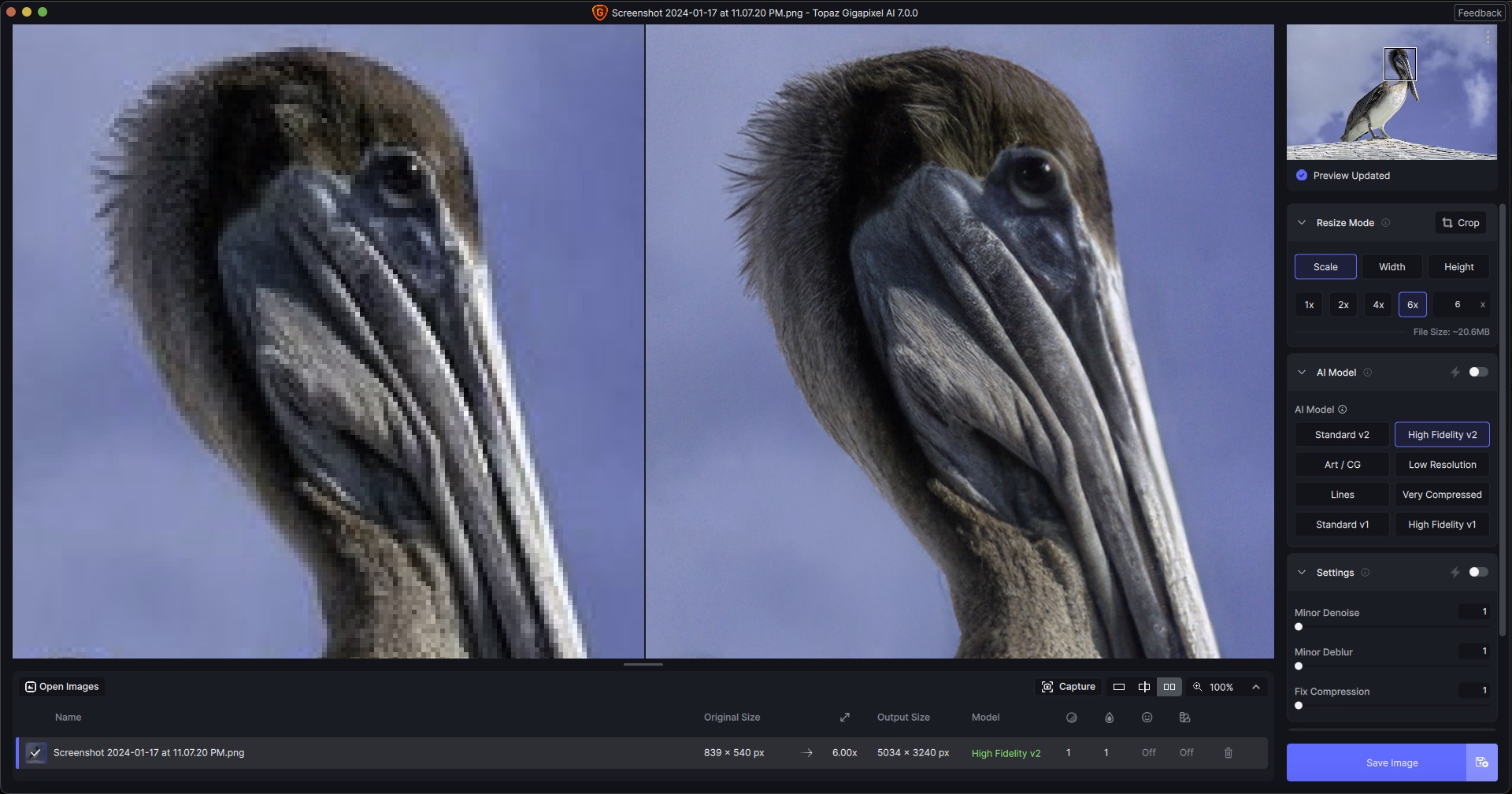
Here are a couple of quick results at 4X and 6X from a screenshot of one of my Instagram photos (because it’s bedtime and my external drive with my photo archive is not mounted ):
The only effort I made was to choose magnification sizes and experiment with different AI Models. No other settings were adjusted.
Installation (after deinstalling Gigapixel 6) was no problem.
First Test with 14 different Photos (including 360-Panoramas).
Everything set to auto:
Gigapixel 6: 1:45 min.
Gigiapixel 7: 5:05 min.
Why so slow???
New V2 models are good and better than the standard/fidelity V1. But I was hoping more for this major GAI update. It’s just a question of weeks before the V2 models will also be available in Photo AI.
When we will have a better and high res face restoration model ? or better a model that don’t need FR. Why can’t at least two files can be processed at once, there’s so much room in GPU usage with high end cards.
There should be a discount on GPAI7 for those who renewed update subscription, say, in the last two years (such as me ) because there were almost no significant updates in that time frame compared to earlier years.
While we’re at it, will GPAI7 install on a machine that does not support “AVX instructions”?
I have a machine with plenty of RAM and a good GPU but the processor is not exactly new and threw said error when I tried to test-install a newer version of Video AI. Would GPAI7 come up with the same error or is it less picky as to AVX support?
Hi, Apple M1 Max here. After updating there is always “error loading model”. No matter I choose in the preference “auto”, “Cpu” or “M1 max”… it shows always “error loading model”. How could I fix this? many thanks please help
On Windows, try looking in the application folder (on mine it is) for the uninstaller:
C:ProgramFiles:TopazLabsLLC:TopazGigapixelAI
Scroll to the bottom of the folder and the Uninstall file should be there. Double click to activate it.
The app does show in the list of installed apps on my Win 11 machine, but it is listed under ‘T for Topaz’. Initially I thought it wasn’t there because I instinctively looked under ‘G’. This was a fresh install of 6.3.3. I hadn’t upgraded from any previous version, so I can’t comment if upgrading could have caused issues with uninstalling.
Hi, the topaz gigapixel ai version 7.0 does not start after the installation on a windows 11 system
Comment:
I had a very old installation still on the computer even though I already had the V 6.3.3.
Discovered and deleted this old version directly on the drive, because it could no longer be uninstalled. In the registry I have deleted all the gigapixel ai entries as well.
I had the same issue on my desktop, my lap top did not have an issue! I was getting an error when it tried to uninstall v6.3.2 telling me it could not find the uninstaller. I did not find the application registered as an installed app, I had installed the beta and it was registered and working but there was no short cut for the production version . I had stopped using gigapixel for the most part because it became slow and cumbersome. I tried to load v6.3.3 and I ran into the same problem. I loaded v7.0.0 on my lap top without issue so I went to the program directory and found three missing files in the number of files; Uninstall Topaz Gigapixel AI, uninstall.dat, and uninstall.exe. I copied them to my laptop into the gigapixel program file, voila v 7.0.0 loaded Apparently one of the upgrades had corruption and using the beta and photoshop for upsizing I missed the occurrence. I am trying out v7.0.0 the upgrade is dramatic and I may go back to using in bulk and interfacing in Photoshop. It is now a usable work flow. I have a significant number of edits to do and this will be a good test. Time will tell!
In this case, it is alright to do so. We normally suggest not to, since it’s rather easy to remove or change something the installer expects to be present when it thinks it is doing an upgrade rather than a new installation. However, the uninstaller.exe program that’s missing would just do the same steps we’re asking for here (+ a few others, like removing desktop shortcuts).
 ):
):

 ) because there were almost no significant updates in that time frame compared to earlier years.