This is the bottom right corner of an image, enlarged approx 2.6x from an original video frame.
Left: enlarged with Photoshop (bicubic, smooth)
Right: enlarged with Wonder
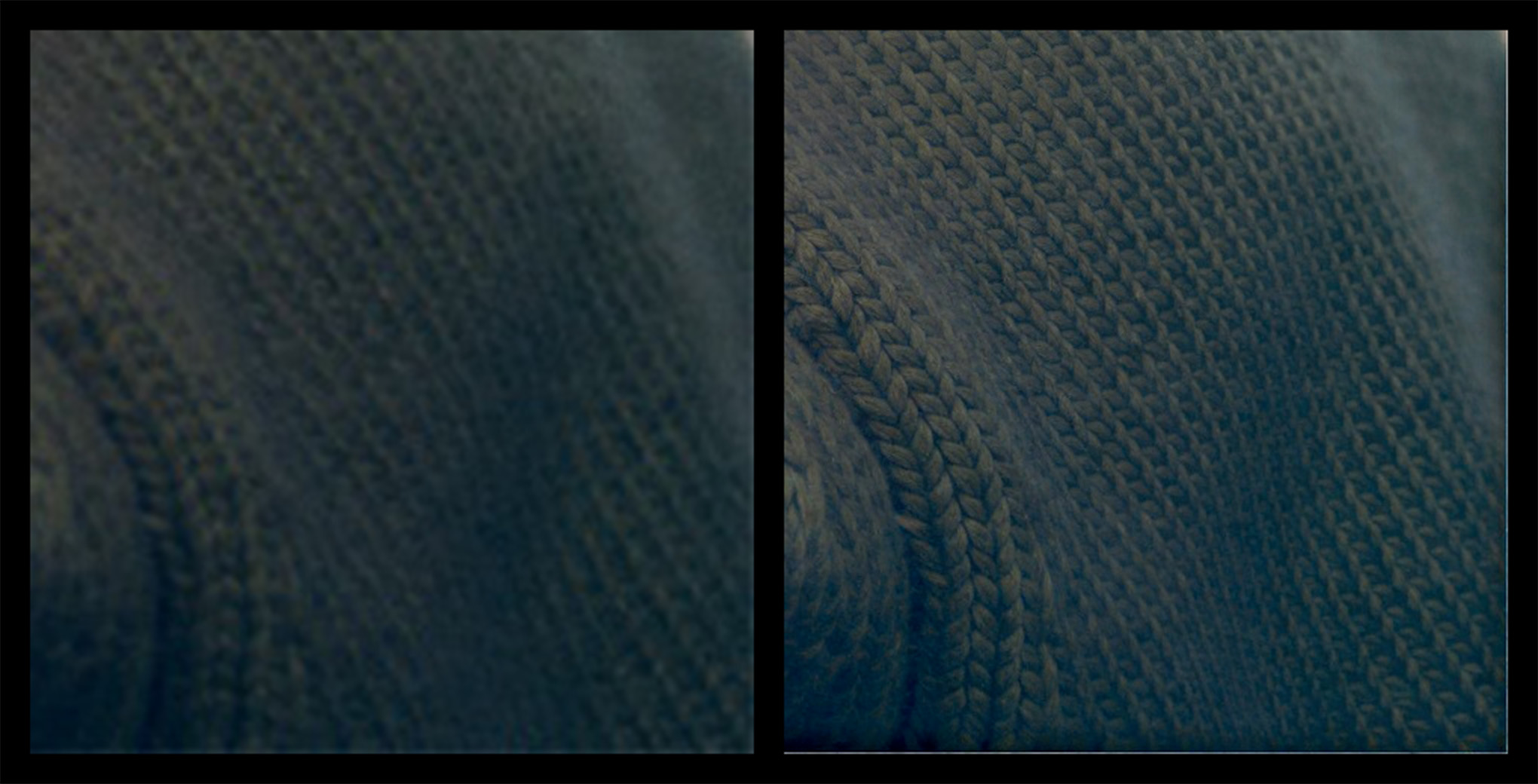
The frame boundary of the original clearly has untidy pixels from some unknown processing before arriving at my desk. A more careful human eye would have spotted the fault, but in this case I didn’t see it until Wonder had treated it as a feature to be enhanced.
Wonder has done a great job with the knitted texture, but it also enhanced the untidy edge to the point that it becomes a thin border.
I’m not sure that Wonder should do anything different, I’m just presenting this as a real-world example of a problem encountered.
In this case, my solution is to crop a few pixels off the edges.
