Same improvement technique as the previous two.
sparrow pecking at a table photo 1
A sparrow pecking at a table photo 2
Same improvement technique as the previous two.
sparrow pecking at a table photo 1
A sparrow pecking at a table photo 2
Yes, I’ll start with Photo; it has a pretty good masking tool. It’s a shame that feature isn’t in Gigapixel (since that program has AI-generative tools, and the idea of applying both to the same image using layers doesn’t exactly thrill me).
The tiger is beautiful, of course, and you did a great job improving its coat (it looks like my ginger tomcat now).
And those sparrows—I really like them; they’re adorable pictures. I suppose they aren’t residents of your favorite Super Zoo, though? 
Thanks 
Thanks 
Well, let’s just say they roam freely around the park. Among the various restaurants there, there’s one in particular where you find lots of little sparrows. They aren’t very shy you could almost feed them right out of your hand. Actually, my mom and I were eating when they showed up—clearly starving, haha. We were having tabbouleh, and whenever we put down a portion the size of a large walnut, a flock of sparrows would swoop in to peck at it. It would all be gone in less than ten seconds  . It was funny to see. They would come as close as 20–30 cm to me.
Here are some new photo comparisons of a tiger, enhanced using Topaz Photo’s Wonder 3.5 + Super Focus v3, and finally “Redefine Subtle” with a prompt.
Siberian Tiger Photo 1
Siberian Tiger photo 2
I have a few enhanced photos of sparrows. I primarily used Wonder 3.5, and then I switched to Topaz Photo to apply “Super Focus v3” and “Sharpen Wildlife.”
By combining Topaz Gigapixel Wonder 3.5, Topaz Photo Super Focus V3, and Flux2 Klein 9B on each sparrow separately, and rescaling each part with Wonder 3.5, here is the result:
For each instance, I cropped the sparrows individually to process them with Flux2 Klein 9B, then applied Wonder 3.5 (at double concentration) before reintegrating them into the overall image.
Same improvement technique as the previous two.
sparrow pecking at a table photo 1
A sparrow pecking at a table photo 2
It is very convenient to crop copies in order to make significant improvements before placing them back onto the original photo.
Nice plumage. And those poses with en-face views of the sparrows turned out well, too.
Thanks 
The Cincinnati Zoo currently has three Red Pandas.
Olympus E-P5 with 45mm at f/2, I/125 sec, ISO 200
Wonder 3.5 + Superfocus 3 in Topaz Photo at 4x
Nice photo. I absolutely love red pandas; they’re so cute they remind me of living stuffed animals! At Pairi Daiza, in addition to the four red pandas already there, one of the two pairs had two babies about a month or two ago. I haven’t had a chance to see them yet, but judging by the photos taken by visitors who did get to see them, they are just incredibly adorable simply irresistible! 
The cat that once gained fame here has returned. We met again; this time it didn’t run away, but instead watched me with a wary eye. This allowed me to take a photo from a much closer range.
Unfortunately, a blade of grass appeared right across the cat’s face in the shot. I tried various object-removal tools, but the results were poor. In desperation  , I checked Topaz Photo and discovered a removal tool Remove v2 there. It worked perfectly—I simply selected the piece of grass on the cat’s head, and Topaz handled the rest automatically
 . A very pleasant surprise; somehow, I had completely overlooked this possibility
 .
The first image Remove a blade of grass is a screenshot showing only the result from the removal tool. The second image Final improvements is the final enhancement, processed using Wonder 3.5 (with a 4x upscale).
And here is a similar image of the cat, this time showing a comparison between the original and the result (Remove, Wonder 3.5 4x): Beautiful cat.
That Remove worked well! And, the cat is very cat-like in its attitude toward you. Did it demand a model release??? It is a pretty critter.
BTW, in the After improved full image of the cat did you experiment trying to remove the blurry diagonal blade of grass at the middle lower part of its body? At least for me, that: brighter, softer, angled direction grass is pulling my attention. I think if it wasn’t blurred it might behave more like an “arrow” pointing toward the cat’s head. Just an impression…
Nice shot!
The last one doesn’t have the same pose, but the photo is much improved. Even the grain has been removed and cleaned up. And indeed, it is a pretty cat.
Thanks for the positive feedback—I’m really pleased. As for that blurry plant, it has bothered me from the very start. The trouble is that there aren’t any clean, sharp edges, so I’ve only managed to improve it slightly, and only with a great deal of tedious, painstaking work 
 . I need to try a different approach, and if it works out, I’ll be sure to show you the result. Cats
 have very firm ideas about when and how they’ll allow themselves to be photographed, and there’s simply no reasoning with them; they are well aware of their own worth and uniqueness.

The details are quite good. It’s very clean.
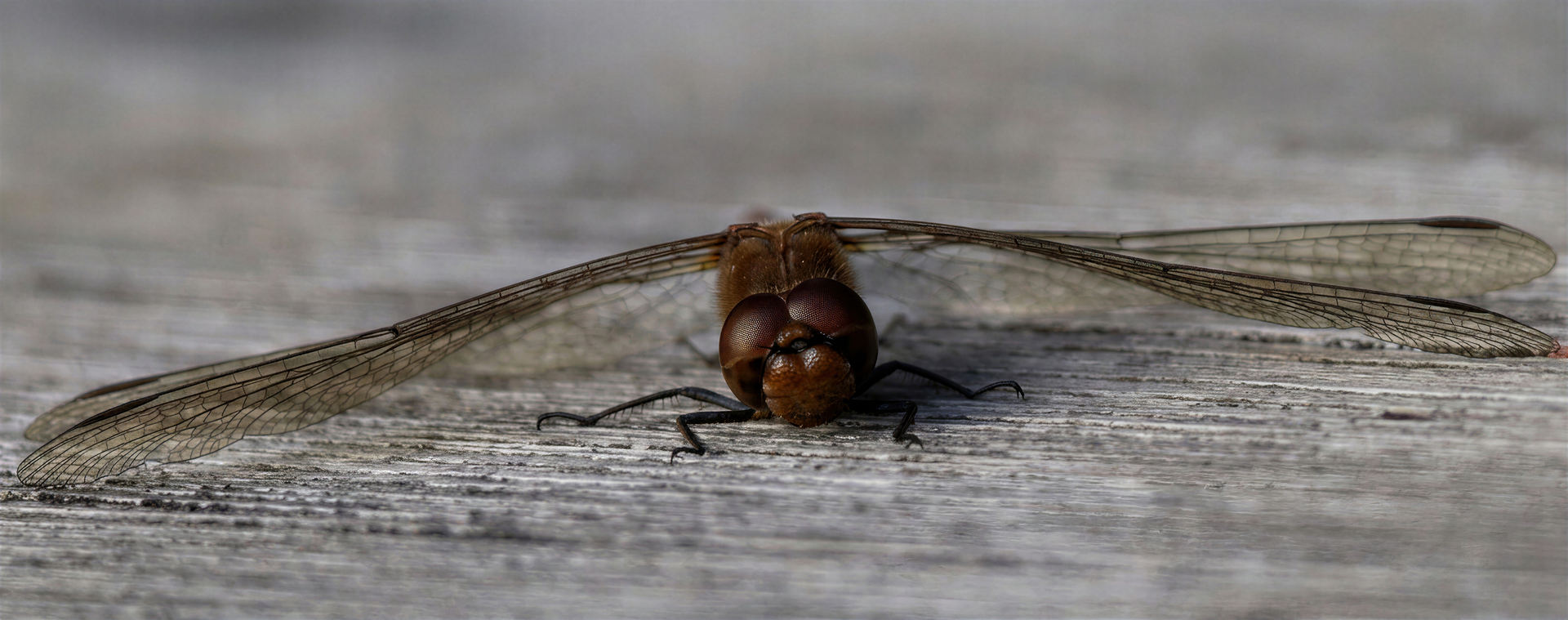
A red dragonfly — a different perspective. My main goal was to capture its head. However, I only had a 100–400mm telephoto lens with me (brought for a different purpose), so I couldn’t get closer than 2 meters. Consequently, the surroundings further away from the head are progressively blurred due to the lens optics (personally, I don’t mind this effect here). The dragonfly didn’t fly away immediately, likely because of the cold weather. 

Processing involved cropping, Nano Banana 2, Gigapixel Wonder 3.5 (2x), and Standard Max 4x. Finally, I used ACDSee for “de-blue” (to reduce blue tones on certain small parts of the body) and slightly downscaled the image to 89% to meet storage limit requirements. And that’s it: