Hi and thanks for your effort, but if the off-line processing time stays so slow, I’m gone. And I don’t want a cloud model. Best, Martin
Hello!
Could you provide context to the process that is perceived as taking a long time?
Please provide us with details about the upscale dimensions , which AI model is applied , and the settings used for exporting.
The most common “long processes” are usually when users have hardware specs that do not meet our recommendations, or through the unintended use of generative models with medium-large images.
Keep me posted on your progress sharing that info 
Hello Tyler,
Cheers for the reply!
Sometimes I’m doing spherical panoramas with Comfy, 1408 x 704 px each
with a magnification factor of 2 or 4 and tried different upscalers,
from Comfy to Luminar to ChaiNNer. All of them take use of the 19
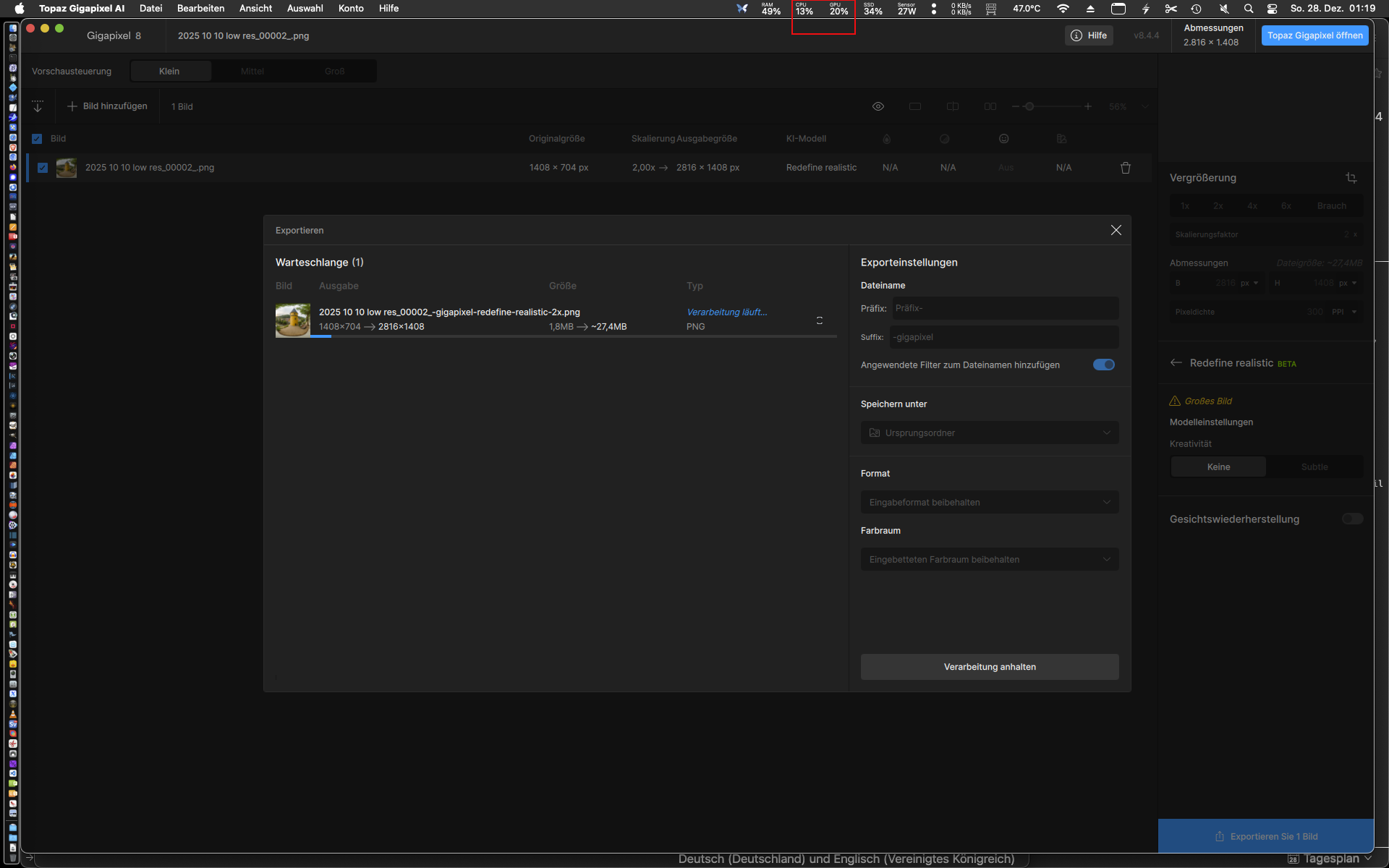
graphic cores of my mini M2 @100 %, only Topaz stucks @ about 30% as
seen in the attached screenshot. Result is an unnecessary delay in
processing time.
Redefine realistic and creative are my most used settings if I use
Topaz. Interesting that Topaz seems to use 100% GPU for preview
rendering but not for exporting. In other words: Topaz seems IMHO
artificially slowed down in order not to compete with the web
application. It looks more like a marketing decision than a technical
limitation.
Best
Martin
PS.: also attached the list of the upscaling libraries I compared with
Topaz in ChaiNNer, DrawThigs and in Comfy.

The processing will always be faster when using the cloud, because it will use many machines, all a lot more powerful than an M2.
We are not slowing down the local processing; cloud processing is free, and we are not making money with that. Can you send us the file so we can test on our side?
Thanks
1 Like
A preview that is rendered is cached. Then on export should only require the CPU to write a new file from that cached preview and would not require further GPU rendering.
With Apple Silicon, ensure your AI processor setting is AUTO.
In Preferences, under Settings > General > AI processor, choose AUTO.
A mix of the CPU & GPU will be utilized for initialization, analysis, rendering, and writing files.

2 Likes
Hi Tyler,
A happy new year to you and a big Cheers for the hints regarding the Topaz preferences!
Have you ever been tried ComfyUI? Even the most compute-intensive upscalers like 4xNomos2_hq_drct-I or Real_HAT_GAN_SRx4 run so much faster than Topaz, with comparable results, and Comfy is way not too fast on a mac… 
Kind regards
Martin
ComfyUI is not user friendly. I agree that you can configure it to be more powerful but you really need to know what you are doing. Our apps are designed to be user friendly, and sometimes that requires sacrifying processing time for stability on all machines.
1 Like
