Hello;
I’m running Photo AI 4.0.3 on a Mac OS 15.6.1 (24G90), on a M3 Max 30 Core GPU, 36GB Ram.
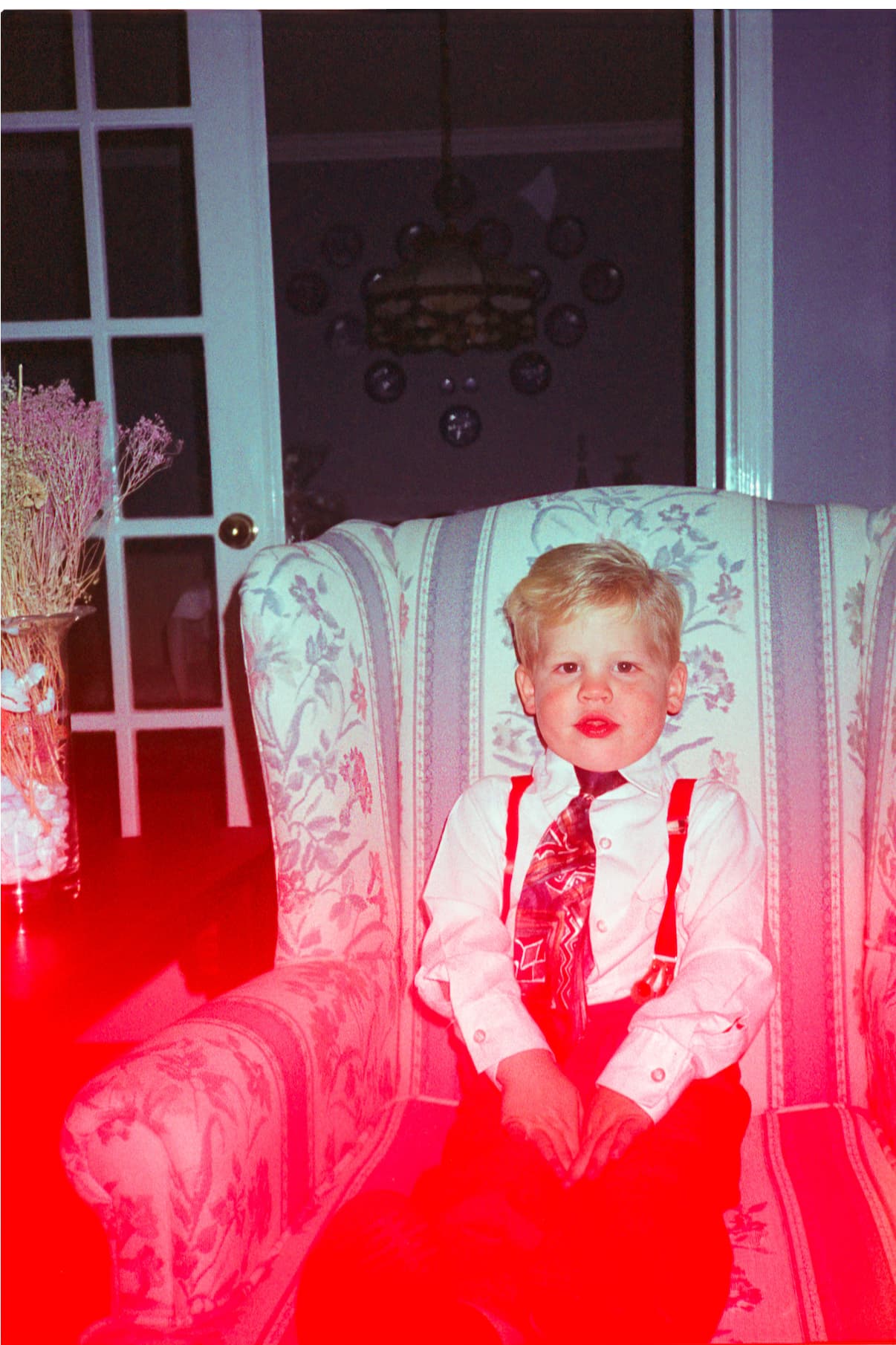
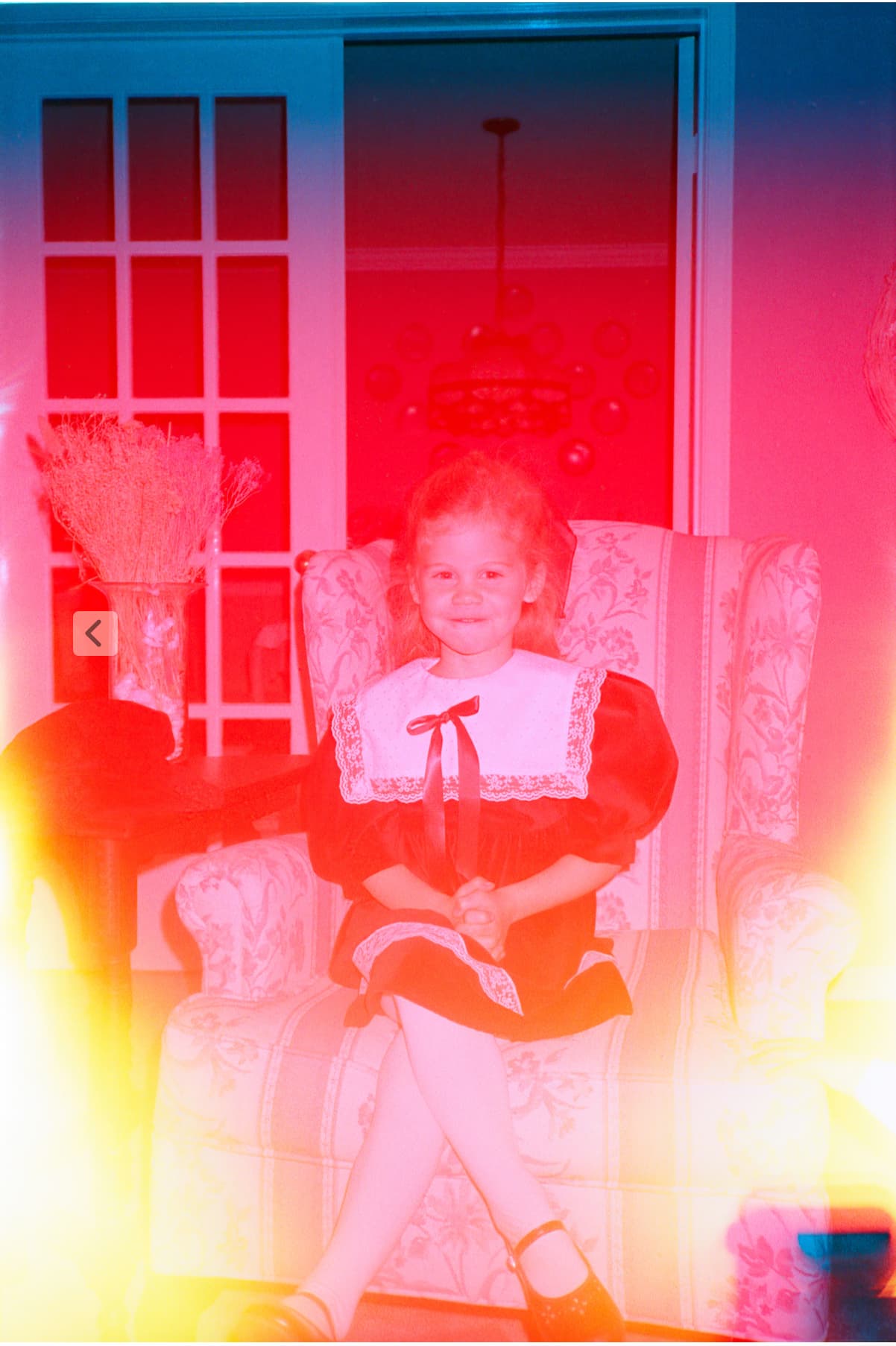
I’d make a suggestion for fixing light leaks in old film scans. I’m using a Plustek 8300 Ai scanner at 7200 Dpi. I scan 64 bit HDRi files, and export them with Silverfast HDR 9.
One thing that I’ve noticed with some old photos is the light leaks. Fixing it in photoshop is time consuming.
It would be amazing to have AI colour correct the image. Basically to remove the magenta/cyan colour cast from the light leaks to balance the colour in the rest of the image.
I’ve attached some photos I’m working on so you can see what I’m on about. am willing to also donate some of the digital masters for training the AI if requested.
Thanks so much for the detailed feedback and for sharing your workflow; this is a great use case.
We actually have an ongoing idea task with our development team related to improving how Photo AI handles issues like color casts from light leaks. We’ve added this thread to that internal discussion so the team can review your example and suggestion directly.
If you haven’t already, be sure to vote for your idea at the top of this thread, it helps our team track interest and prioritize future improvements. Your offer to share digital masters is especially appreciated, and we may reach out if the team explores training options in that area 
1 Like
Awesome, send me an email and I’ll be happy to help, noticed that some of the dust isn’t being removed in some of my files. I made another post giving feedback on an error that happened. I appreciate it, I know Silverfast has Negafix, and allows you to put the correct colour interpretation to a scanned negative so the film colours are rendered properly. Also fixes colour casts from old photos. This would be an added benefit to the AI to make it more accurate.
1 Like