Hello! I just purchased gigapixel and I’m trying to figure out how to use wonder 2. So far I’ve not had much luck and I don’t know if it’s because of the images I’m trying to upscale or if there is something in the settings I’m supposed to check that I’m unaware of. This is one of the images I’m trying to upscale:
It comes from an old tv special and I believe it is interlaced. I’d really appreciate if someone could help me who might know how to get better results.
Hello!
This image suffers from false resolution.
If an image came from online, was scanned, or a screen captures; it may suffer from false resolution. False resolution happens when an image is upsampled, boosting pixel count without adding real detail. The extra pixels don’t reflect unique detail from the original image.
The solution is downscaling which removes excess pixels and condenses real detail, restoring clarity by eliminating false resolution.
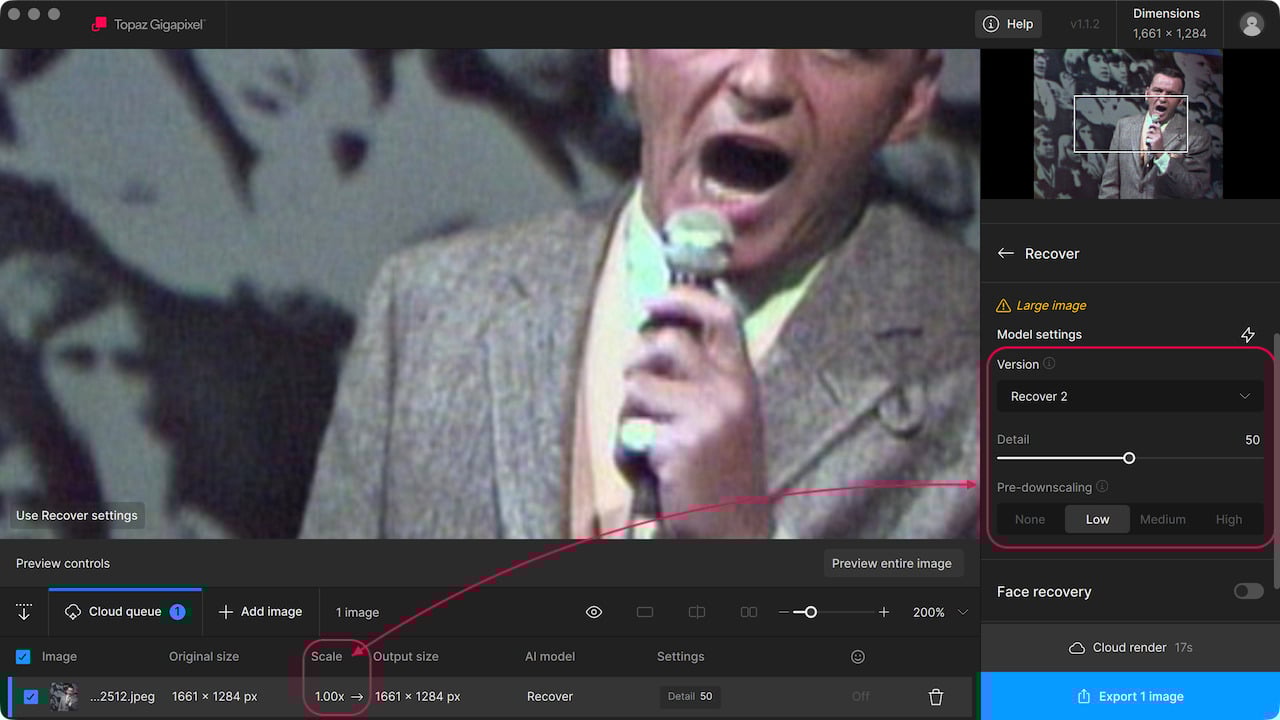
Tip: process a 1x scale factor to the image using Recover v2 and either Low, Medium, or High pre-downscaling applied. After, use that result with another model to upscale. Here is the result with Wonder 2 after that workflow:


1 Like
Thank you so much for taking time to explain it  I appreciate it
1 Like
