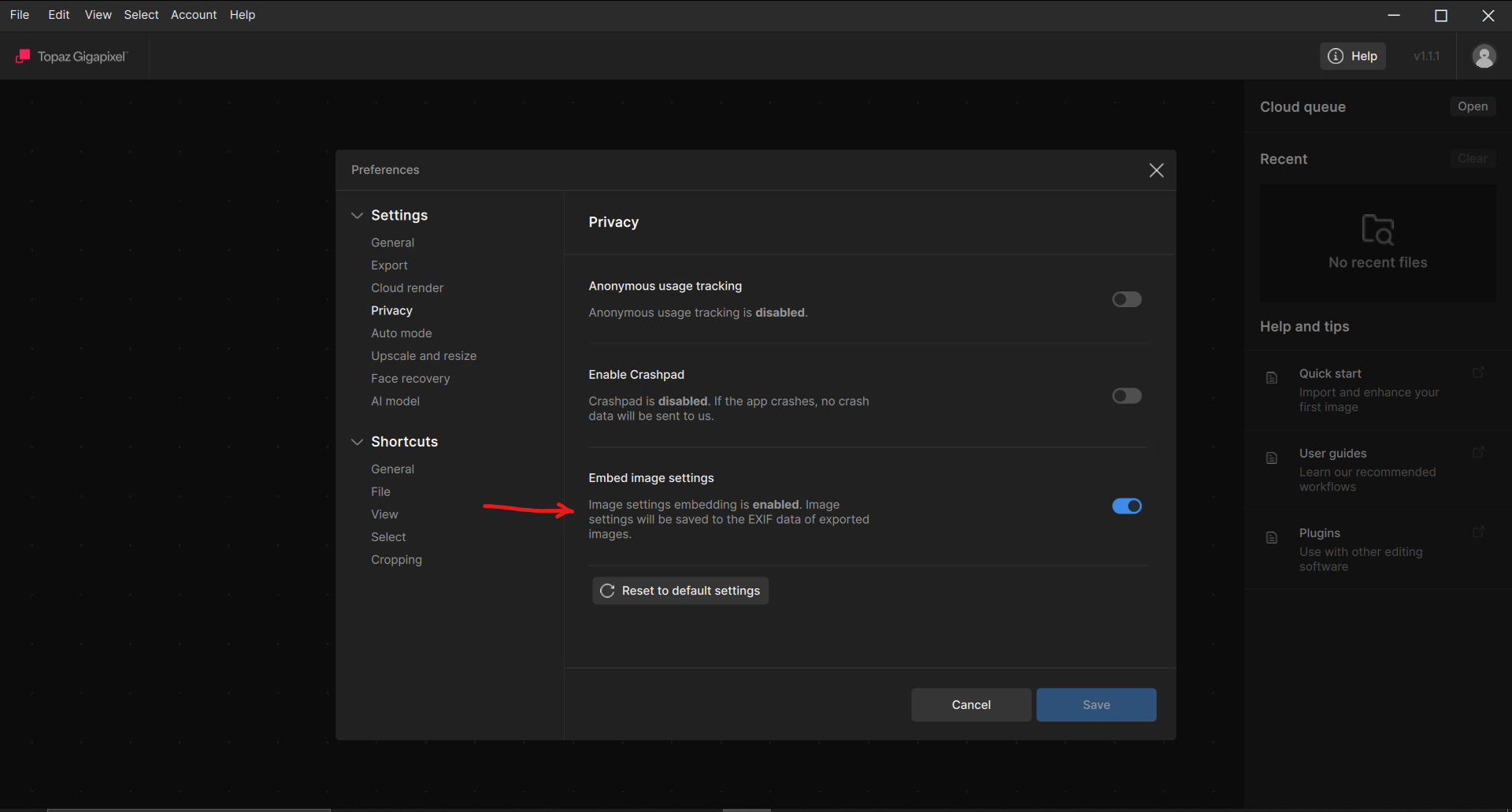
Please tell me how to stop my Standalone Version of Topaz Gigapixel from putting a Description in my File Info automatically. My photos are used for competitions. It’s nobody’s business what software and categories I use to edit my photos. I have to go into every File Info to eliminate it. Please tell me there is a way to stop it from happening.
Edit: It is just dawning on me that maybe Topaz isn’t the culprit but some company named XMP who controls File Data. Perhaps they have just done an update but let me tell you, the data in Description of the File Info (first page) even included such intricate data of long numbers beyond the decimal point to say just how much you sharpened and/or denoised your photo. That’s crazy. I just went into their Preferences menu and unchecked every box there. Came back to let you know in case someone else reports the same problem. Here’s what they put in the DESCRIPTION box under the Author’s Name in the BASIC submenu: “Upscaled with Gigapixel v1.0.7. 1200x593 => 2400x1186 (2x) Model: High Compression, denoise: 0.2585995509541035, sharpen: 0.41282109356999397.”
I think I resolved my problem with a preferences change in XMP but I have to tell you, while I have seen the name of other software in my File Info, before, I have never seen such detail like I used Sharpen and Denoise in Topaz Gigapixel under Very Compressed plus numbers values (after the decimal point) for how much I sharpened and denoised it in File Info Description (first page).
I have also never seen the Software name and company used in the Description box under the photographer’s name. I never checked or unchecked Preferences in XMP before so I’m thinking they did an update to their software and made the checkbox check in My Preferences Description box a default.
Photography competitions almost always ask the Photographer to fill in the Photo Title and Photographer’s name under Basic in the File Info and some of them pick up the Camera and Lens Used when the photos are published (not on the first page not from first page of File Info) on a website but that’s all.
I love Topaz Gigapixel and use it more than Topaz Photo. I miss the old Topaz Studio, though, for Creative entries.