Hi Topaz Labs,
Since the latest big Windows Update, Topaz Photo is not working anymore.
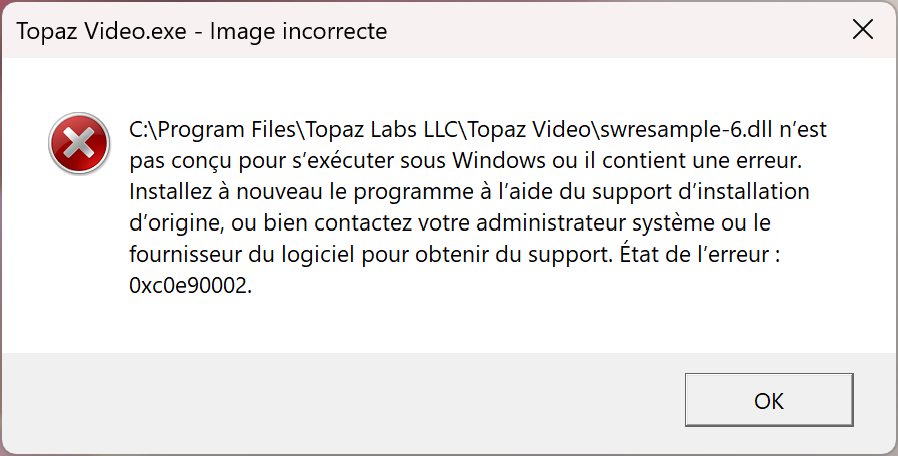
I have a message telling that this application uses components not properly signed.
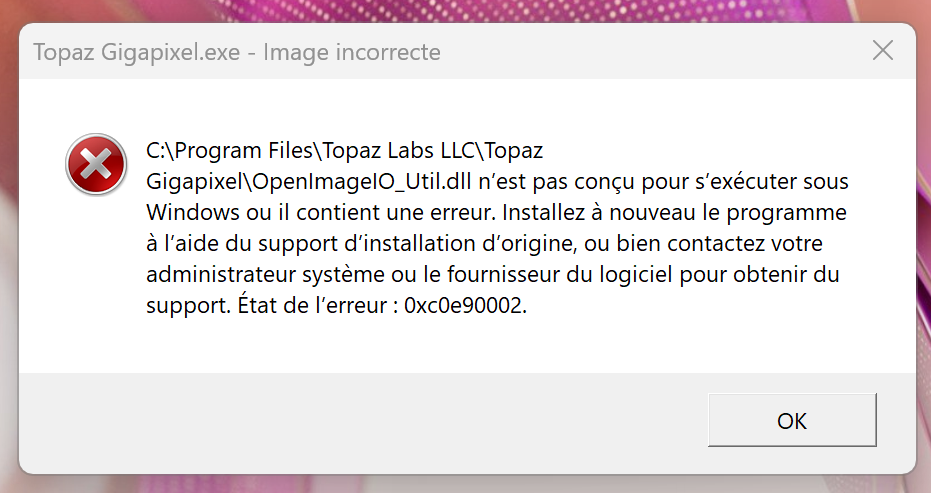
For instance: Neuroserver is not properly signed.
Kind regards, Vincent.
The development team confirmed that all is signed on our side.
This can be solved by updating a Windows C++ component:
You can also turn off Smart app control to bypass this.
Hi Ange,
I do not know why but now it works, even “Recover faces 3” function!
I did nothing. It’s really too unfair!
Sometimes it simply doesn’t want to work and suddenly, it just works.
Windows 11 and its mysteries…
Best regards, Vincent.
If the behavior is not consistent, it’s most likely the Smart App control that is “learning” and blocking the app. I’ve seen that a few times where this was turned on and causing issues. Check if it’s turned on next time you have issues.
Hi Alexandre,
It is coming back !
I can not use Topaz Video.
I tried to reinstall it but after final installation and starting it, I have this stupid panel.
Also Windows Smart App says this app is not properly signed.
I already uninstalled and installed back the app in version 1.7.0.
Nothing works.
Best regards, Vincent.
Ok so I applied the pending Windows Updates and the patch for Microsoft Visual C++ (MSVC).
Now it works!
Thanks.
Vincent.
You will have to turn off Smart App Control.
Windows currently does not support digitally signing MST files required by Topaz apps. If Smart App Control continues to interfere with these files during normal app use, it must remain disabled while using the app. This does not mean the Topaz installer is unsigned. This is a current Windows limitation specific to MST files.
Hi Alexandre,
I followed explanations and it seems working now!
Yes sometimes, I have warnings from Windows Screen Apps stopping your applications, not just Topaz Video but also Topaz Gigapixel or Topaz Photo for instance.
As we say in french: Why making things simple when you can make them complex?


Kind regars, Vincent.
That’s a good question for Microsoft. This is their limitation 
Great to hear that it works now!
Hi Alexandre,
My issue comes back and now I found why!
As soon as I do an update of my Intel audio drivers for instance, the issue comes back.
Solution is simple: applies VC_redist.x64 repair mode and everything is okay.
So I think it is more than MST sign issue.
Best regards, Vincent.
We are looking into that issue. The main culprit is Microsoft Smart App Control. If we find a more permanent solution it will be posted here 
Hi Alexandre,
It happened again after the latest big Windows security update of today!
So I applied again VC_redist.x64 repair mode but is not a true solution.
Maybe you should use another application packager!
Best regards, Vincent.
The best solution for that issue is to turn off Smart App Control. Once you do that the issue won’t come back.
Adding hard data, because I think the “everything is signed / it’s only MST files” explanation doesn’t match what Windows actually logs.
Environment: Topaz Gigapixel v1.3.6, Windows 11 Pro 25H2 (build 26200.9445), Smart App Control On.
Same intermittent behaviour as described above. The Windows CodeIntegrity log (Microsoft-Windows-CodeIntegrity/Operational, events 3077 and 3033, Smart App Control policy {0283ac0f-fff1-49ae-ada1-8a933130cad6}) shows these files being blocked. None of them are MST files:
Get-AuthenticodeSignature on the install folder:
So the main executables are signed, but most of the modules they load are not. Unsigned files fall back to Smart App Control’s cloud reputation check, and that check can give a different result each time. That would explain why it works one day and fails the next, and why reinstalling or repairing VC++ only helps temporarily.
Could the dev team Authenticode-sign all shipped binaries (.dll, .pyd, and the CLI exe) with the same Topaz Labs LLC certificate? “Turn off Smart App Control” works, but it shouldn’t be a requirement for a paid app.
Happy to share the raw event log entries.
We are looking into that issue. As mentioned before, when a fix is released, we will write here. If you want to share the log entries, please write to help@topazlabs.com
Thank you for your input
Hi crugerok2005,
Thank you very much for your feedback!
Exactly same issue on my computer.
I feel less alone
Cheers.
Vincent.
The latest Windows version would not launch because of a bad OpenImageIO.dll file. The issue may be that it is not digitally signed. The temporary fix was to overwrite it with an older version, but we need a good version included with the update package.
Hi there.
I had a similar problem with Gigapixel after the latest Windows update and I did a repair running the installation again fixed the issue
Hope this helps
@dwelch60
I added you to the thread where this is discussed. Usually turning off Smart App Control is fixing the error