All of a sudden today when in lightroom classic when I choose “edit in Topaz” it imports to Topaz but everything is HUGE and supersized and I can’t shrink it to look like normal. I had zero issues yesterday when using it. I haven’t changed anything
Hi Tracy.
I don’t work for Topaz Support but here’s a few things to try
Firstly your email address is on display is that something you want because, anyone or thing can contact you
Just to be clear you mentioned everything is super sized is it only the Preview Screen or does that also include the Menus.
If it’s the Preview Screen then, simply pressing Control plus the Zero key will fit the image to screen.
Also, you mentioned it wasn’t like it yesterday and you haven’t done anything
Did you buy any chance, update Windows yesterday and somehow your Display Resolution has been rescaled then, either Rebooting your Computer should help or simply Right Click on the Desktop and choosing Display Settings and changing the Screen Resolution
Here’s a link to contact Topaz Support directly
Topaz Support
1 Like
It includes everything. Control 0 is not working either.
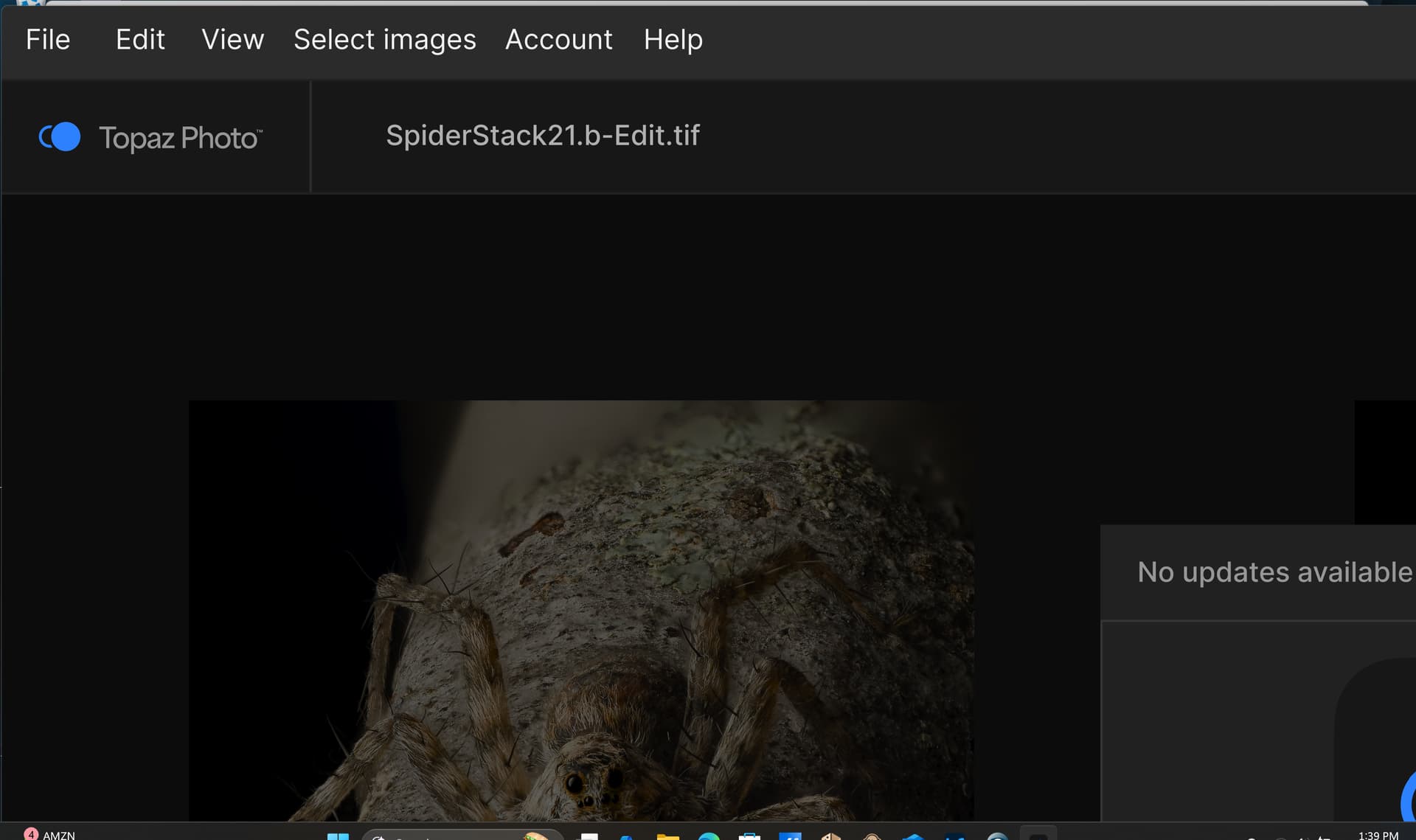
Certainly strange open Topaz Photo once more then, hold down the Control Key and roll the scroll wheel on the mouse back and forth to see if that has an affect
One more thing is it just Topaz Photo or is it your whole Display if it’s the whole Display try holding the Windows Key and press the Minus Key once or twice
Hope this helps
This wouldn’t be a bug with Topaz Photo, but we can help investigate.
Can you reset the display resolution settings and ensure that the Zoom option is not changed?
You can also try to delete the registry for the app:
- Delete the registry files for Topaz Photo using the instructions here.
2 Likes
This topic was automatically closed after 60 days. New replies are no longer allowed.
