Hi Cindy!
This should be resolved with 8.3.3 - please update to this version and let me know if you’re still having issues. You can submit a ticket with our Support team and we can communicate with you more directly to help troubleshoot.
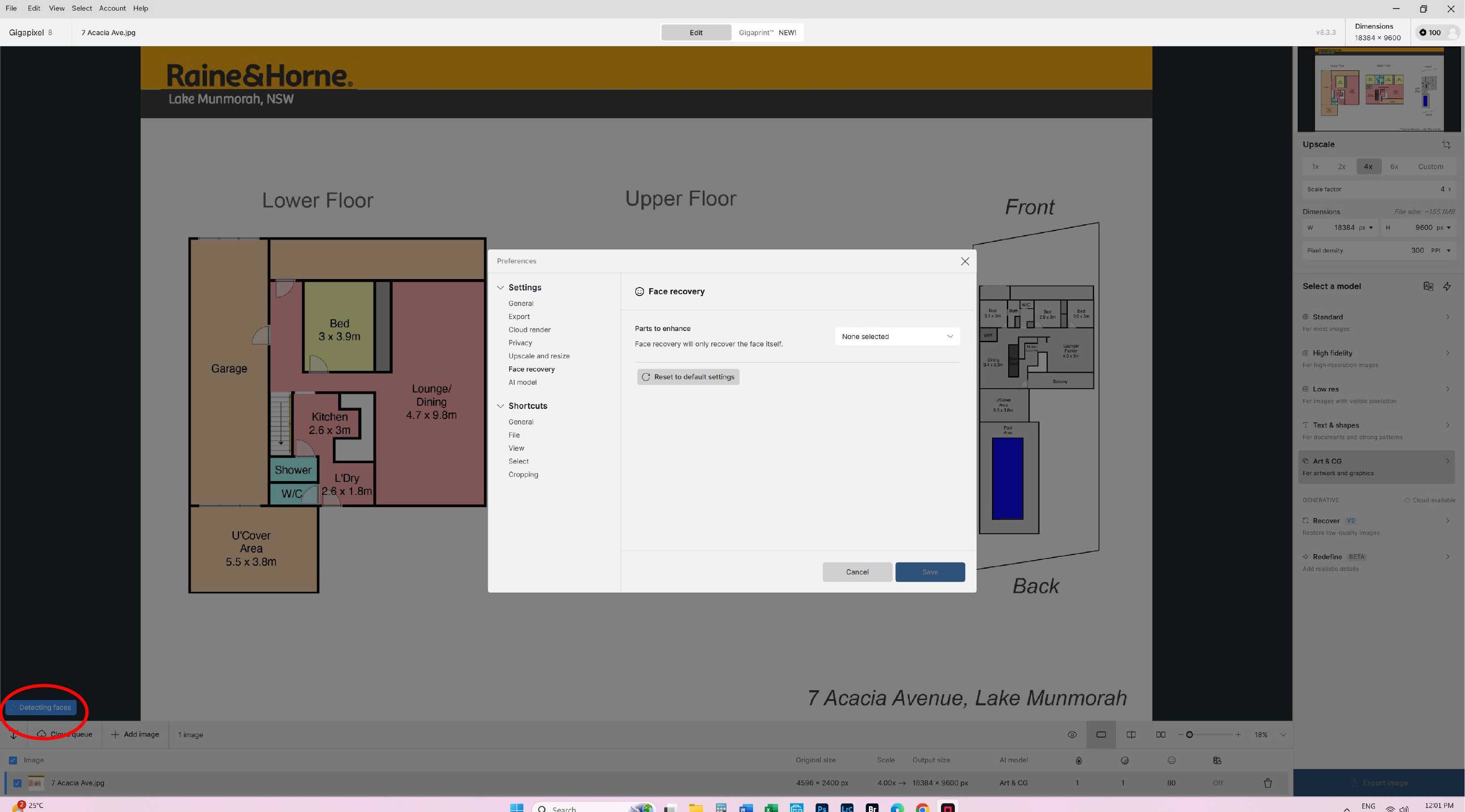
Why does it take like forever detecting faces after the New Update? [8.3.3]
Did not do this prior to this update. It now takes longer to analyse an image where there are no FACES at all. Not happy!!!
Gigapixel remembers the previous settings you applied whenever you reopen the application
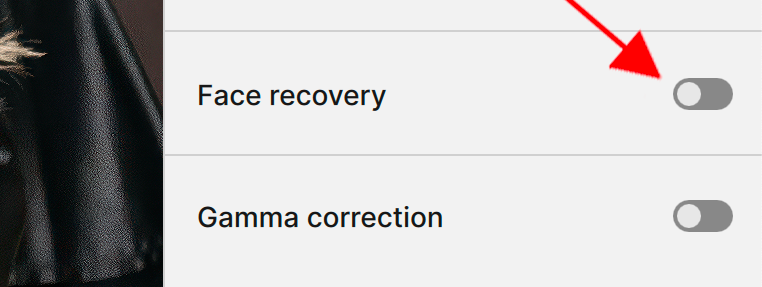
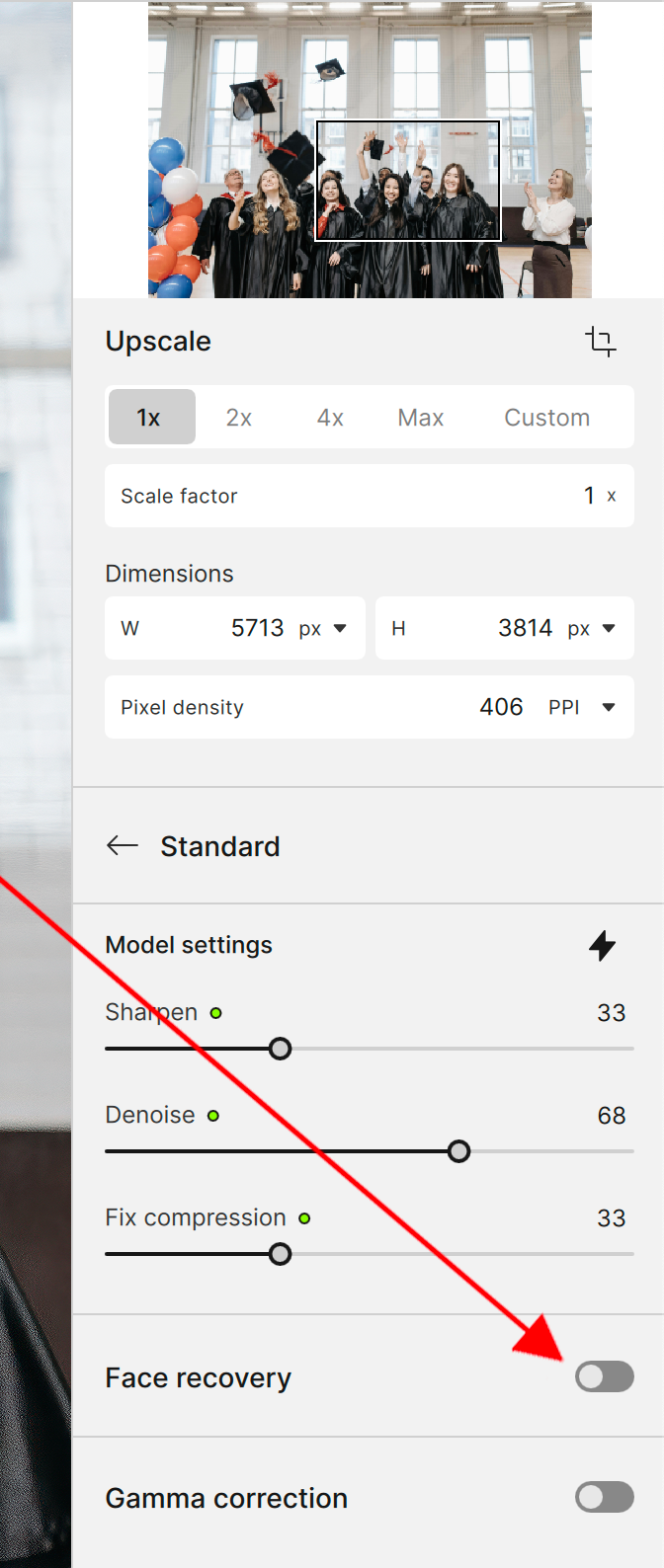
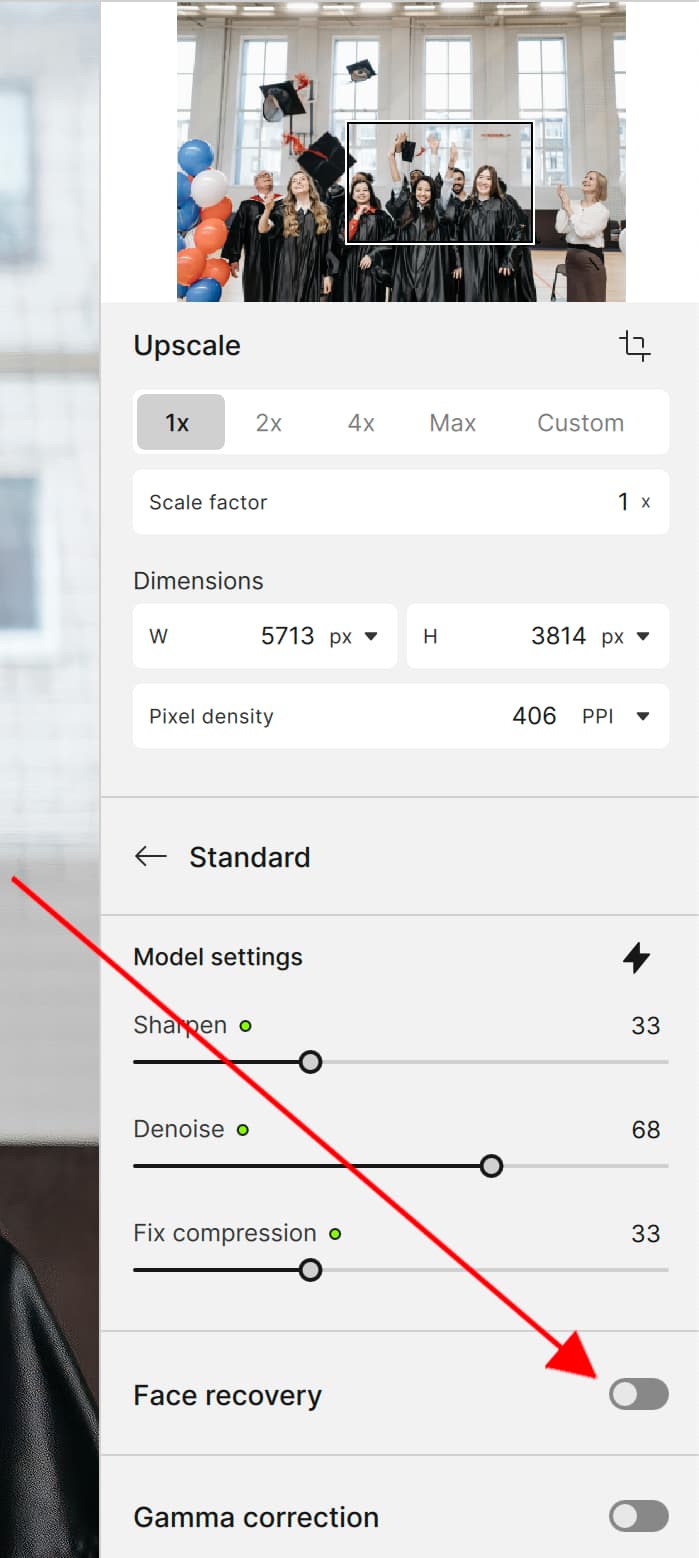
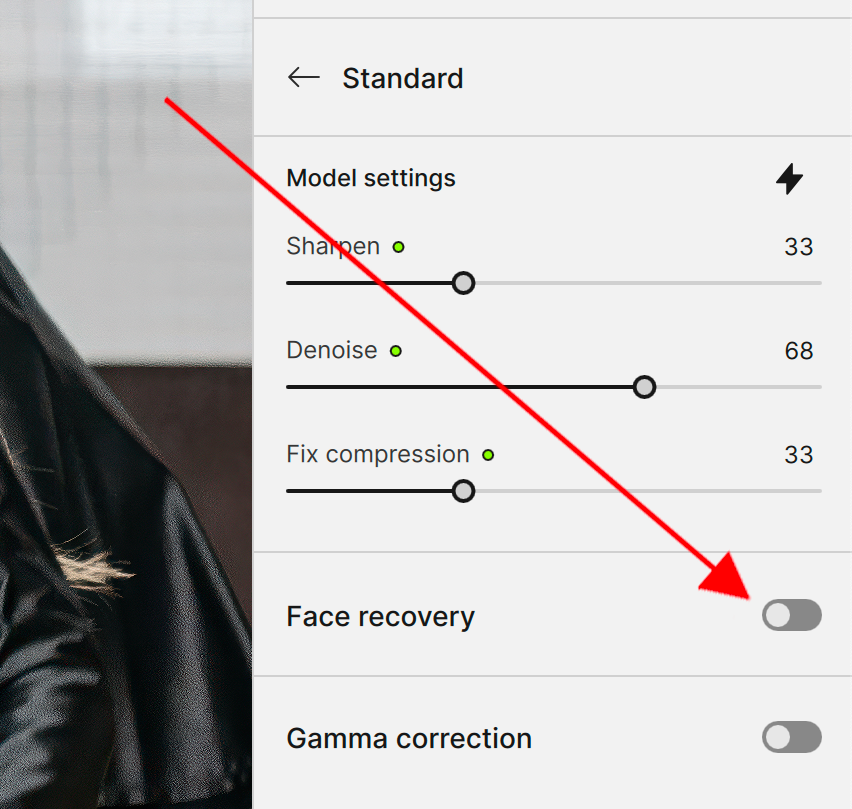
Basically if you click the blue toggle switch so it turns grey within the Face Recovery section then, the next time you open Gigapixel the application won’t look for faces
Apologies for the confusion I said in my previous reply the Face Recovery Section and You fault I meant the Face Recovery options within the Preferences Menu.
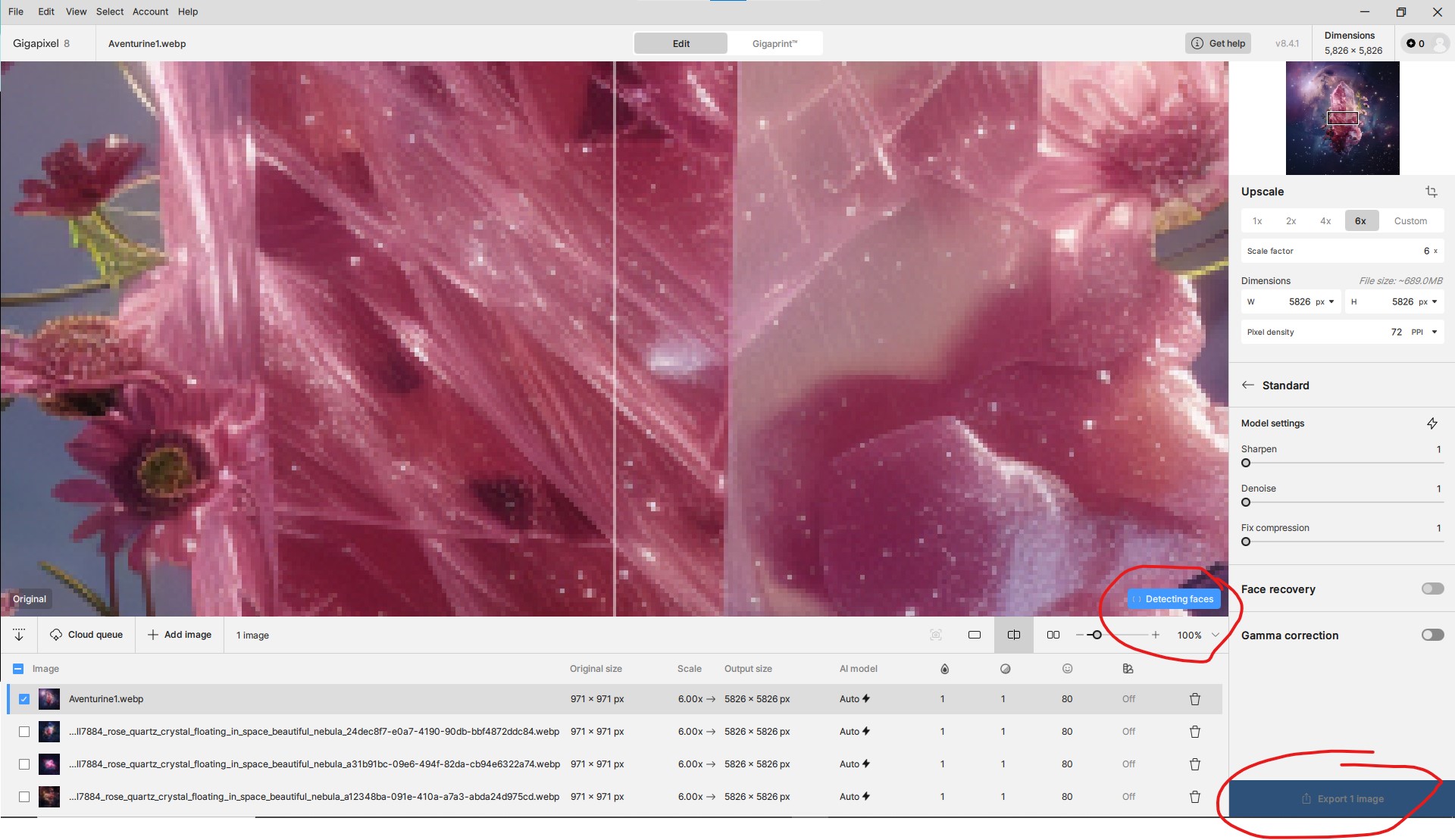
I really meant the Face Recovery part of the main interface panel to the right side of the preview area here are a couple of screenshots
on any of my settings its constantly spinning “detecting faces” but doesn’t do anything. Only started with the latest update. Have tried uninstalling and installing an older version, didn’t help.
update: I have uninstalled, deleted all topaz folders and updated my graphics card drivers and reinstalled (took forever) the latest version. Same problem. Detecting faces spins forever and nothing is available to actually do. I’ll need this fixed soon or I’ll be asking for a full refund as I use this product for my business.
Gigapixel remembers the settings you used from the previous time you opened it so, if you had the Face Recovery toggle switch set to the ON position BLUE then, the next time you open Gigapixel the application will try to detect faces first simply, switch the toggle switch to the OFF position GRAY to stop this behaviour from happening
so i updated my software and face detecting continuously keeps detecting without stopping. I’ve looked in the preferences to see if i could turn it off but had no success. And also, I can’t export anything I’m not sure if its due to the face detection issue or something else.
You can turn off Face Recovery from the main interface simply, locate the Face Recovery within the side Control Panel to the right of the Preview Area and toggle the switch so that, it appears Gray for Disabled and Blue is for enabled.
Toggle Face Recovery off even if it’s already off, try turning it on and back off again.
I see from your image, you used automatic settings try using manual settings Instead of relying on automatic enhancements, manually adjust the settings to hopefully avoid unnecessary face detection.
For instance, as your image is very pixelated you, might be better selecting a more specific AI Model for example, the Low-Resolution Enhancement instead of the Standard AI Model which is really for general overall enhanceing you know, Jack off all trades, master of none.
As Gigapixel is an AI application it, may be getting confused by the actual image because, I can see the original image is very low resolution and unusual to say the least and these two factors alone as well as, others can effect the way Gigapixel is interpolating the image information and therefore, believing there are indeed faces within the image but, is unable to detect any defining faces so, basically face detection is stuck in an endless loop.
Hopefully one of these ideas will resolve the issue for you,
if you wish to contact Topaz Support directly then here’s the link
so i tried to do the steps provided and had no success.
Gigapixel actual says there are no faces and i can’t even turn it on and off due to that. but the detecting face icon is still there.
and yes my images are a bit unique but i actually have used the same style of visuals when i first purchased the program (i think about half a year ago) and had no issues. so maybe the updated factors are what’s causing this
I also took it off auto and edited it manually but still no luck.
I have reached out to topaz support before coming here thank you.
any other suggestions im open to. and thank you for you current assistance btw
You can disable face detection by editing face-parse-…json, as noted earlier.
The question is - why is this done at all?
Why is face detection on images enabled by default, and not started after turning on face recovery mode? This is an obvious solution that saves a lot of time for those who do not often have faces in their images or who do not turn on face recovery. face-parse.zip (2.5 KB)