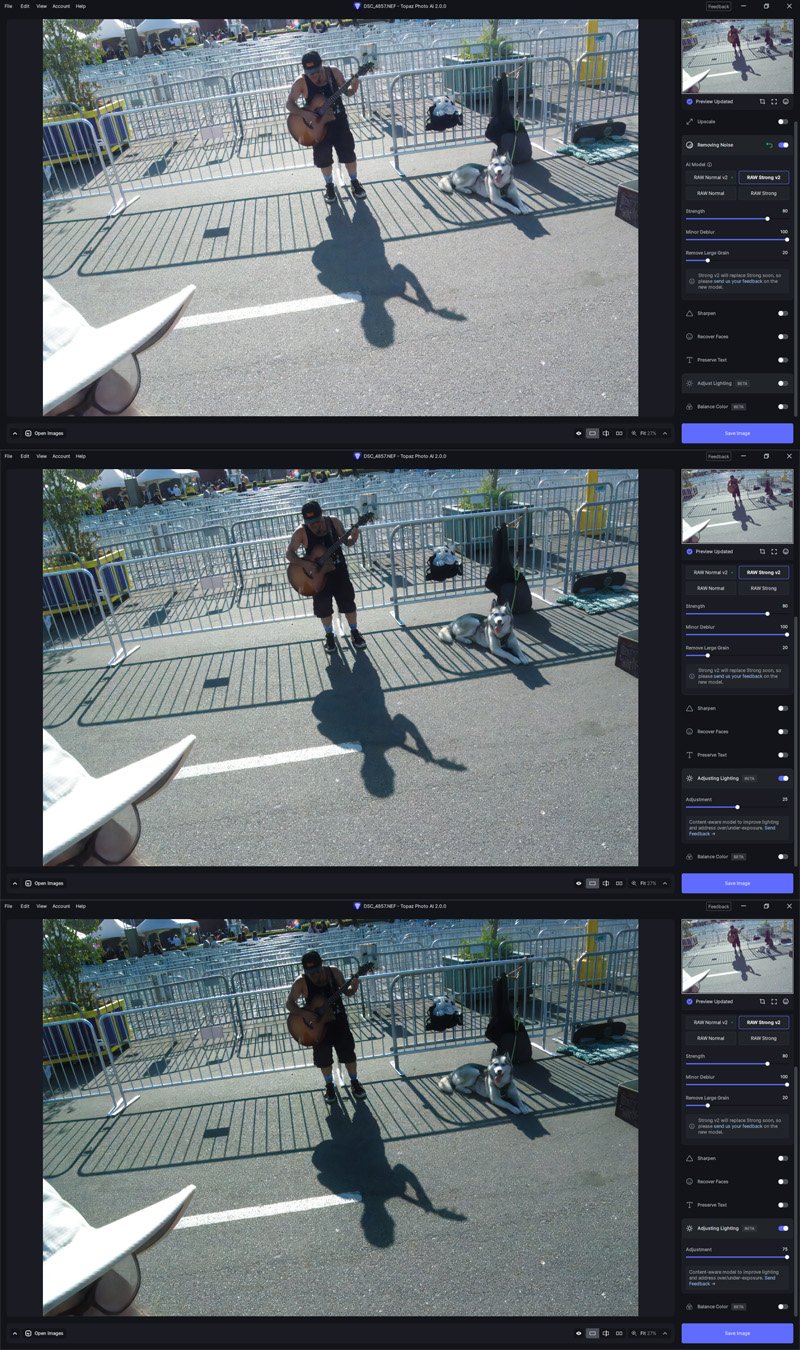
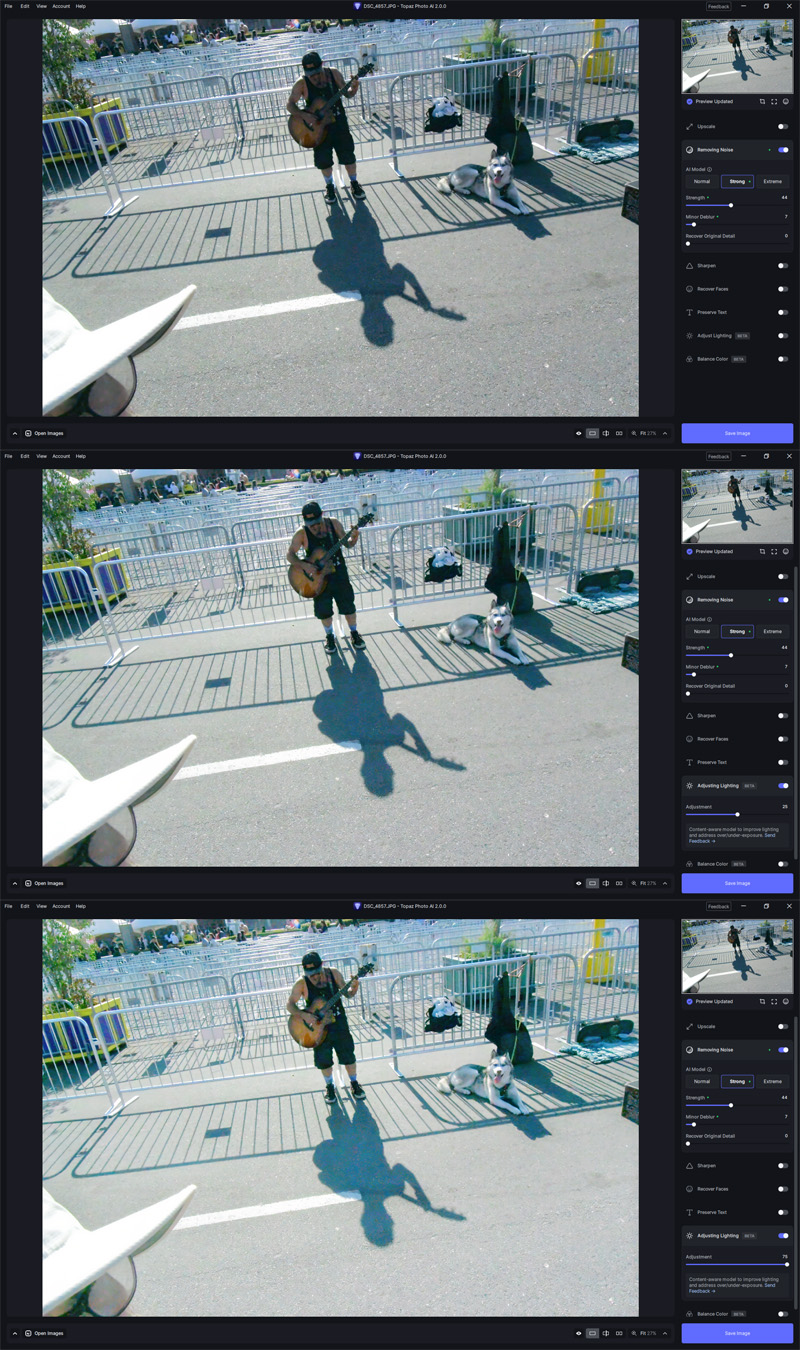
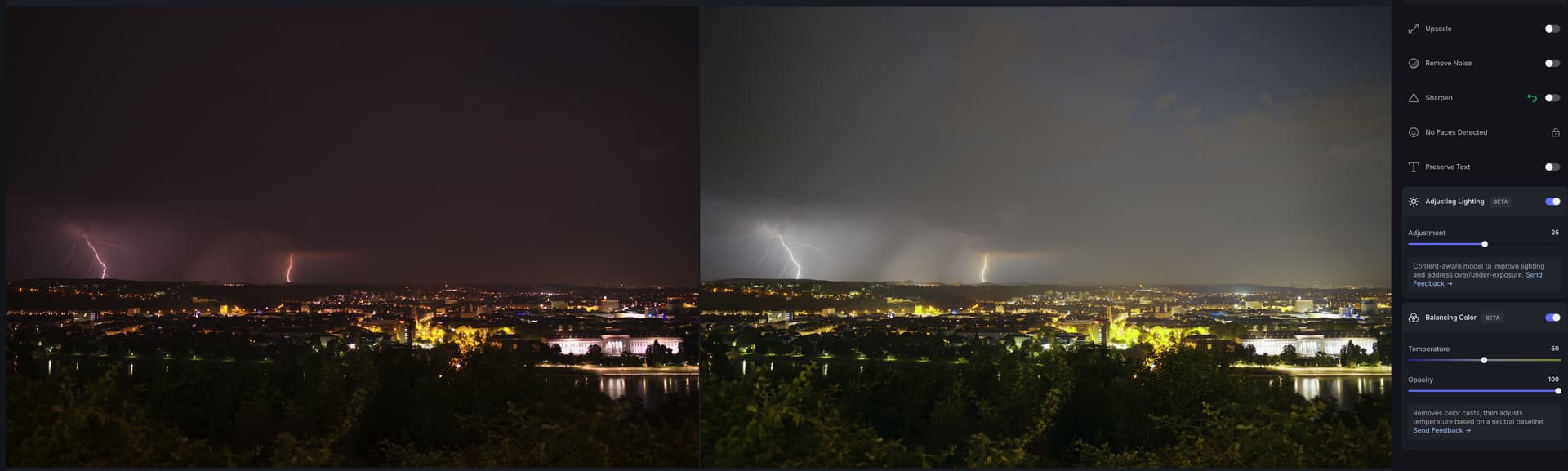
The Adjust Lighting feature says it’s content-aware. But all it does with this strongly backlit subject is darken everything other than the blown highlights (and add a green tint). That doesn’t seem content-aware to me.
Disabled, slider at default (25), and slider set to maximum (75):
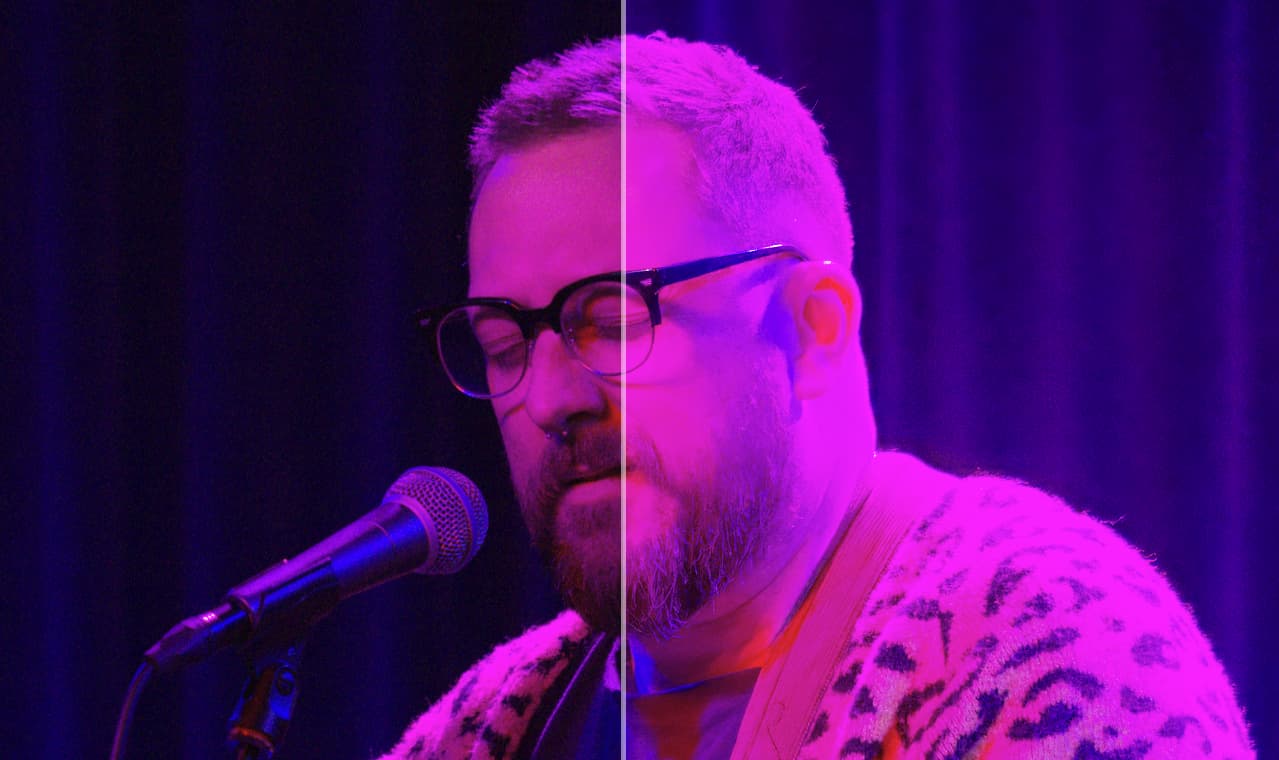
It’s having a lot of problems with live concert images - poorly lit, weirdly coloured subject against a dark background results in very overexposed lighting adjustments . To be fair this type of images challenges a lot of software.
Can not backspace to delete all values in the adjustment edit dialog.
You have to select all, then enter your number if using keyboard to adjust value.
Can’t say that I found it worked very well on a few of my significantly underexposed images. And when I apply that filter some of the other improvements go away - the image becomes more grainy again and the recovering faces seems to be ineffective.
Saturation adjustment is adding improvement but 70% of the time it seems to be adding a bit to much saturation. I can change the tint slider but then my balance is off. So balance looks close but maybe 20-25% to much saturation. I’ve been able to use the opacity slider to back some of that off.
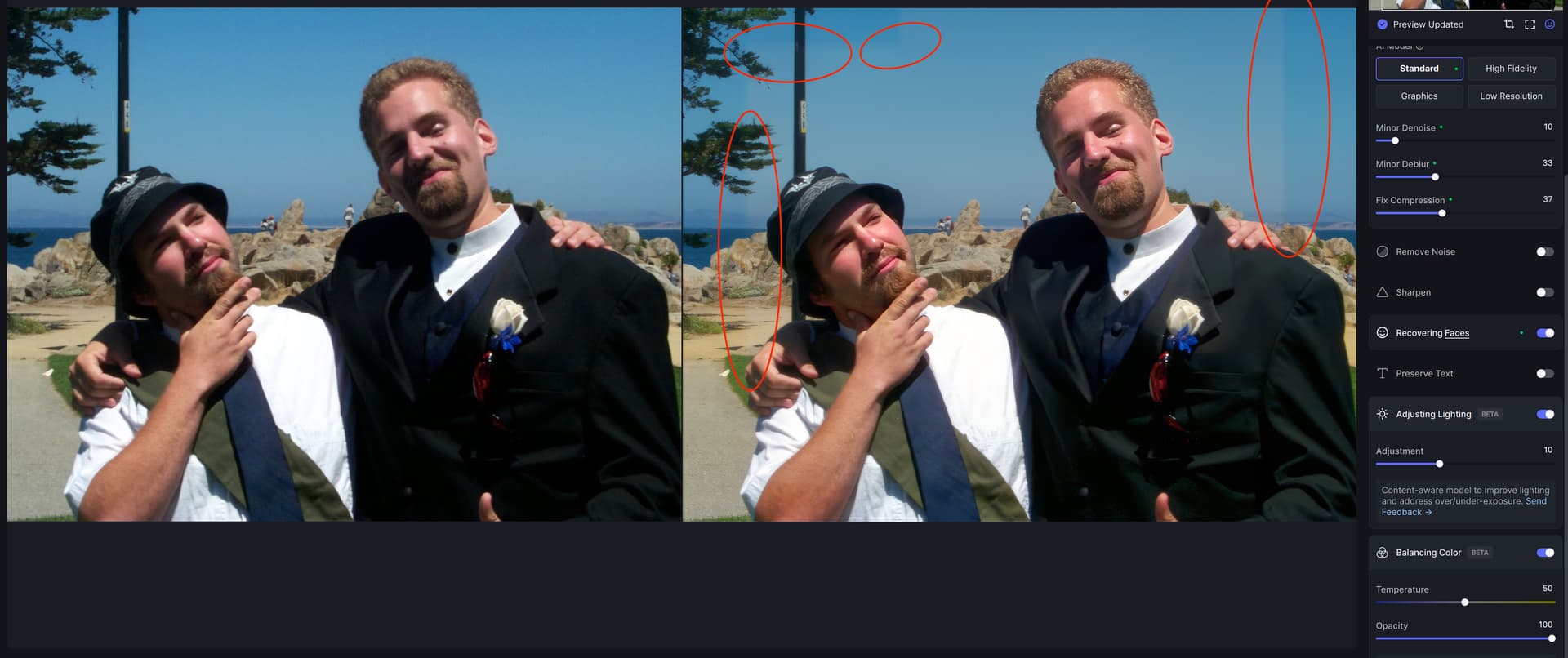
Balance Color worked well for one image, but had an odd masking area on another. For example some of the area showed the balancing color applied while other areas didn’t.
Toggling off and on or adjusting the temperature seemed to fix the bug.
As I mentioned earlier the Saturation seems to be about 20-25% high. The areas of most notice are in the red and magenta area and are usually seen most unbalanced in the darker tones.
This is a great addition in the making for sure! Would love to have some presets that focus on skin specifically. Often times when setting WB for specific scenes skin sometimes comes out a little washed. This would be very helpful especially when working with untanned models/clients who want warmer more natural skin without effecting the entire image.
Hi,
a good update - but as for the automatic color balance - there is still a lot of room for improvement. Skin tones should be rendered correctly and it would be nice if the color balance, unlike the white balance, would judge and correct the whole image. With white balance, you have the problem in mixed light situations that one area is too warm and the other too cold - or the toning shifts. That would actually have been the feature I would have liked to see here.
But it’s still a beta and so I’m optimistic that you’ll get it right - there’s so much promise in the field of AI-assisted image processing right now.
The automatic exposure compensation has unfortunately not brought so much in my sample images - here, too, a weighting by image content would be very good and important but that should be with better object recognition and access to a database with comparable images well possible.
All in all - thanks for the good update - but please don’t get tired to develop the software further!
These updates are interesting. They could speed up my workflow if done right. So, I brought up a particularly difficult backlit photo. Here are my observations:
The slider for “Adjusting Lighting” is backwards. Left should make the photo darker and right should make the photo lighter.
Since this is (I presume) AI, the module should have models for such things as “severe backlighting” and others that you can think of.
For “Balancing color”. This is good. It works well. However, your model does not do as good a job on the faces of black people as it should. The tested situation is a combination of artificial light and strong window light and one of the backlit black people has a green tint. Others are fine. There appears to be no problem with white people. Note that this is not unique, Photoshop struggles with this. All legacy color processing (and color spaces such as sRGB) are tuned for white people and must be controlled very carefully to do justice to black people. Your model seems to work well with people who are in between.
Lighting turn my images green (positive) or magenta (negative), and while I can adjust it with balance, the response is just too slow to be remotely useful (it’s not awful if I adjust with noise reduction and sharpening off, but it’s still not as fast as any other software I use). Also, lighting seems to interact a lot with temperature, and for me behaves more like tint than exposure or brightness.
Many thanks for adding this feature. I was told that exposure may affect denoising. Therefore, this would even improve the overall performance of Topaz AI?
I noticed that denoising and sharpening runs again after “Adjusting Lighting”. This is very good, since both effects have to be reassessed once the lighting is adjusted.
Hopefully, the option to save in non TIFF formats will come soon. My Proposal: Add the option to apply “Lighting Adjustment” to Subject Only, with brushing option, as in sharpening. This would be so useful.
I tried one picture, and the exposure adjustment was nice, but the shadows in the subject (head of a bird) were hardly lifted, if at all.
Many thanks again for all the work you invest in improving this much liked software.
Best regards, Thomas