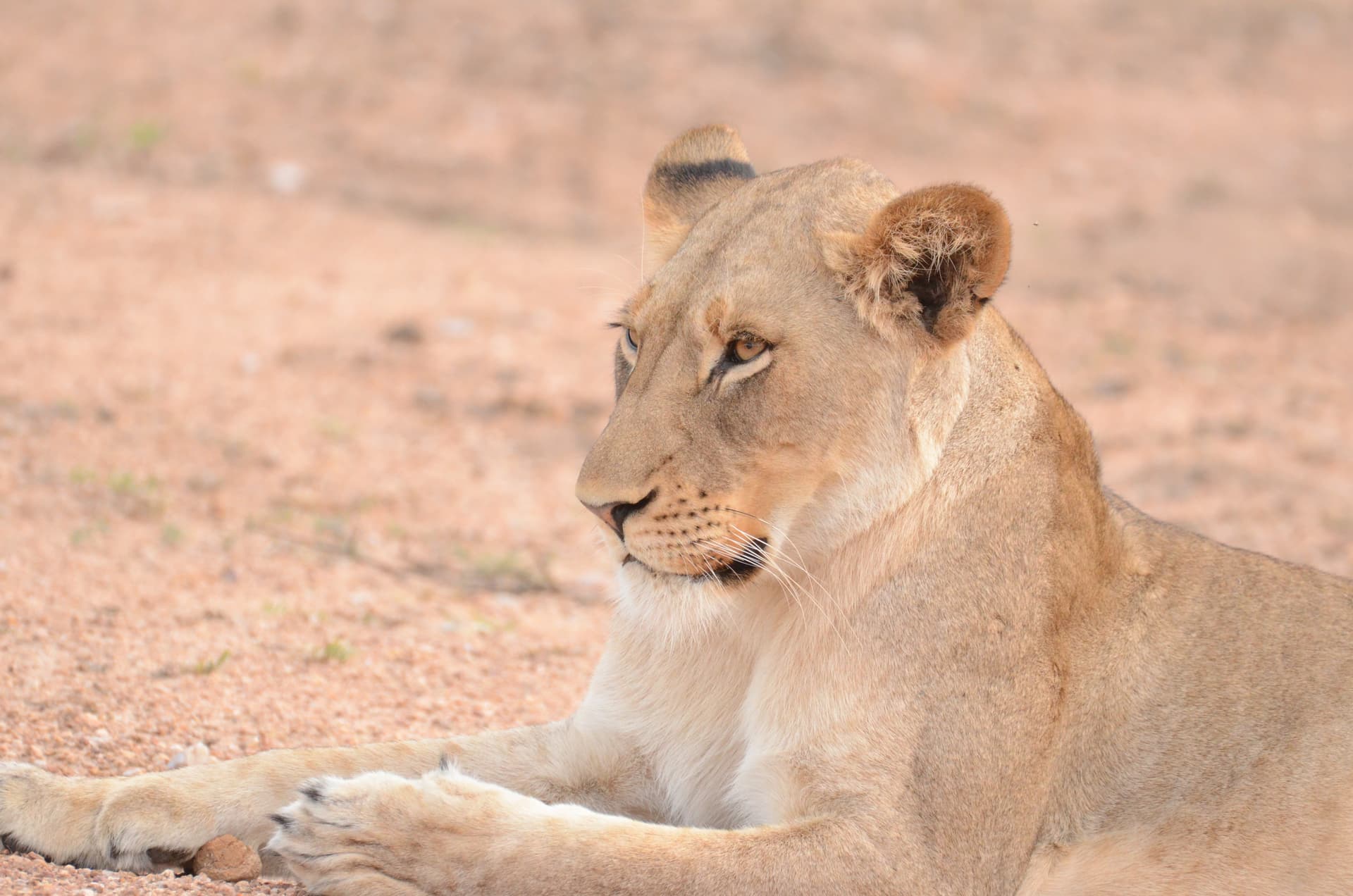
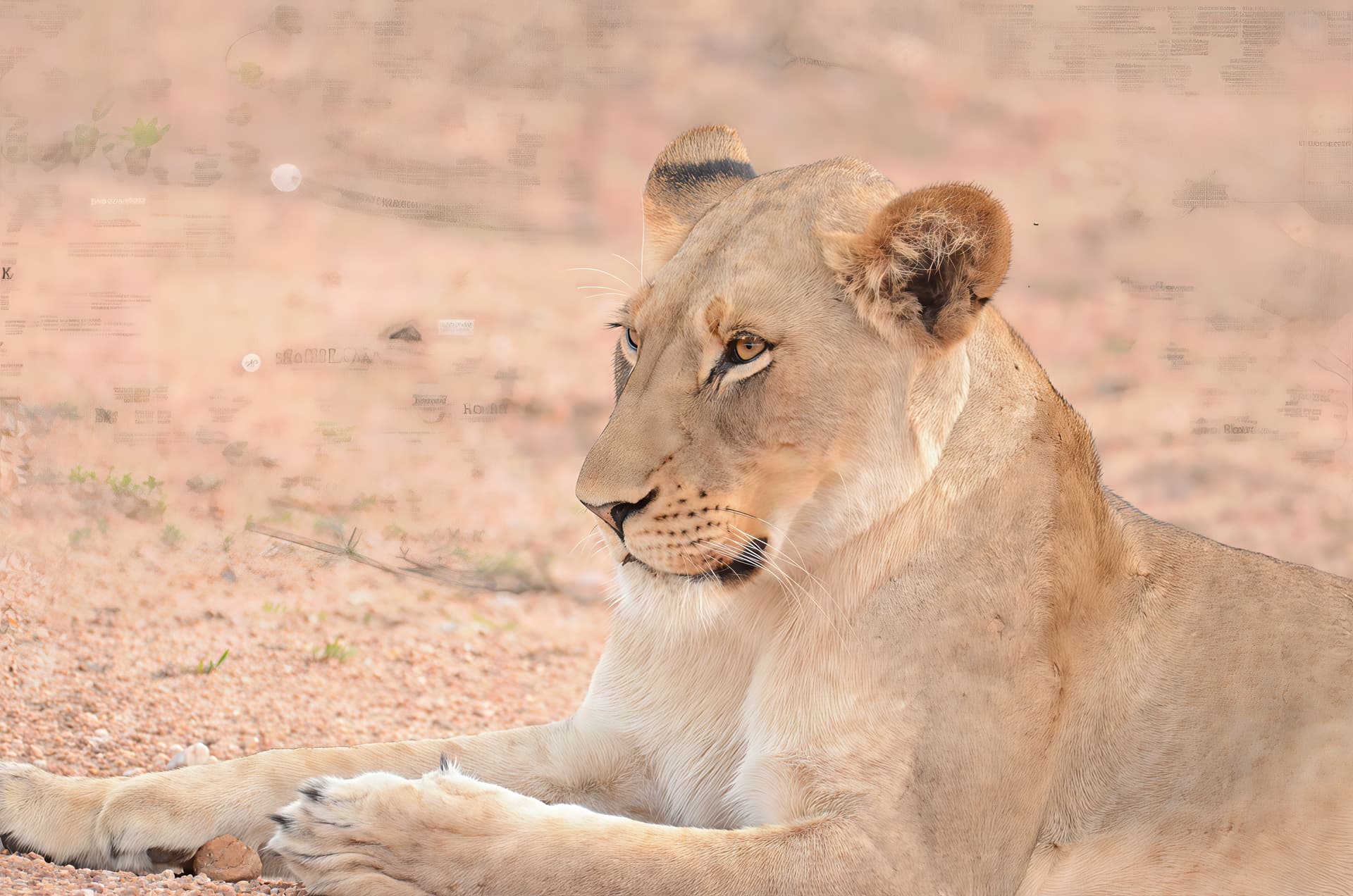
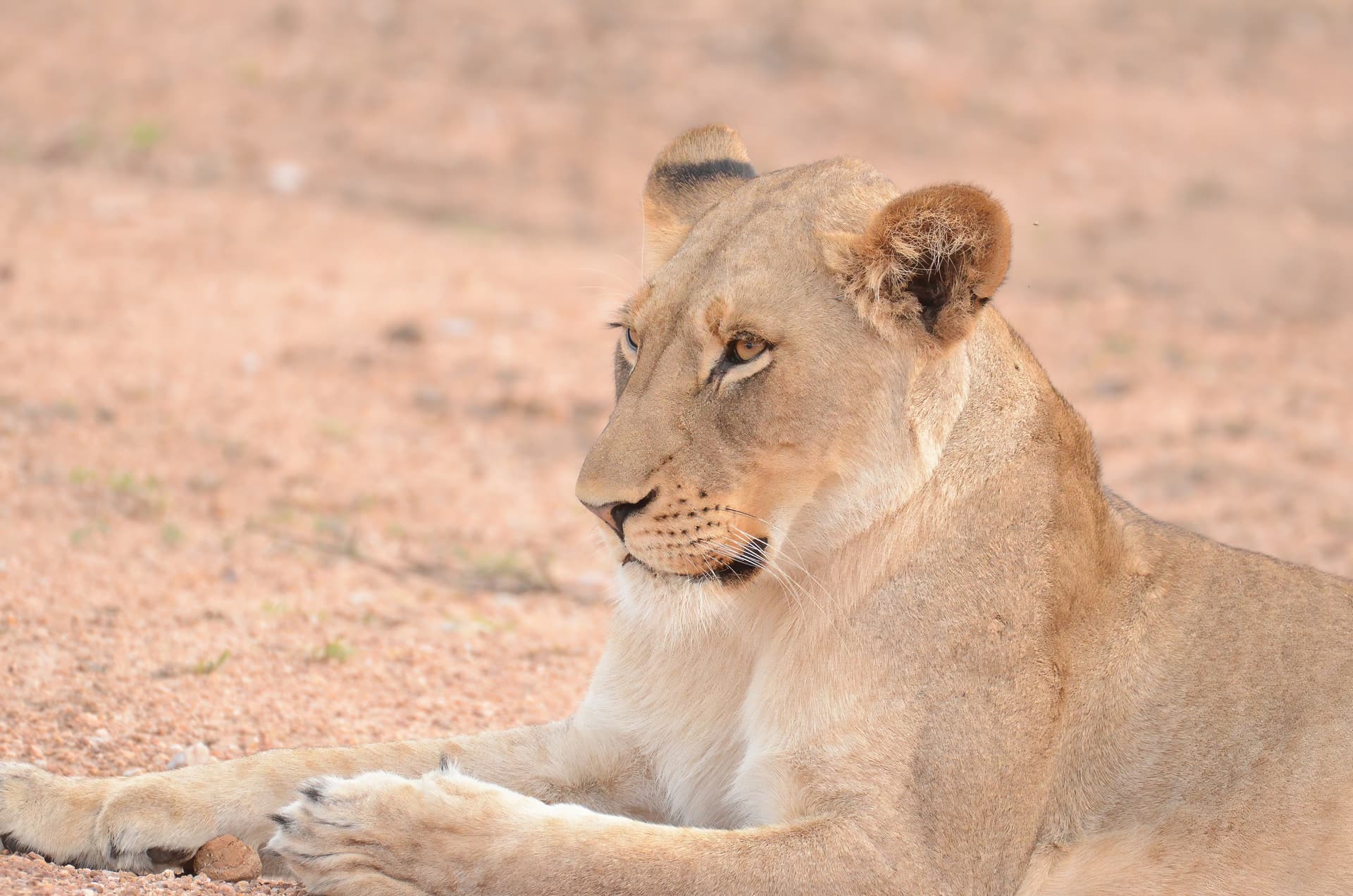
Hi there. I’ve not long had Topaz Photo AI. I’ve tried out on a few photos and been pleased. But this photo had artefacts “added” in the export following a Denoise-Sharpen-Super Focus-Upscale. There were no artefacts when I had exported following the Denoise-Sharpen stages. I have uploaded the photo stage below. First the original, 2nd the one with artefacts, 3rd the one following Denoise-Sharpen with no visible artefacts.
Super Focus as the name suggests is for Super Blurry images and it isn’t recommended using it on images that are already sharp especially combined with other Sharpening Enhancements and Denoising so, basically, you’re sharpened the image twice hence, the artifacts,
Here’s some information from Topaz about Super Focus
Super Focus
Super Focus is a generative AI tool that has the ability to fix blur and extract detail. This tool acts as an alternative solution for those stubborn and more difficult images that cannot be enhanced through Topaz Photo’s other sharpening models.
Super Focus is good to help recuperate files that the Sharpen enhancement cannot recover. It is recommended to try the Sharpen filter first, as it’s much faster and can be implemented in batch processing, whereas Super Focus cannot.
Here’s a link for the full Topaz information about Super Focus