Great… thanks a lot!
@skv89 Sorry I failed to mention that in the other thread. I had already tried updating the dependencies, but forgot to mention it. That didn’t help either.
Here is a link (DV Source File) to download the file and test it yourself. Hope you are able to figure out the cause.
This is a reply to @Dilson 's reported issue of this app in the Topaz Video v1.7.0 release thread.
Download the updated Deinterlace Studio that will have no issues repairing these kinds of file errors with source metadata value “unknown”. Here is a before and after for the deinterlacing with QTGMC.

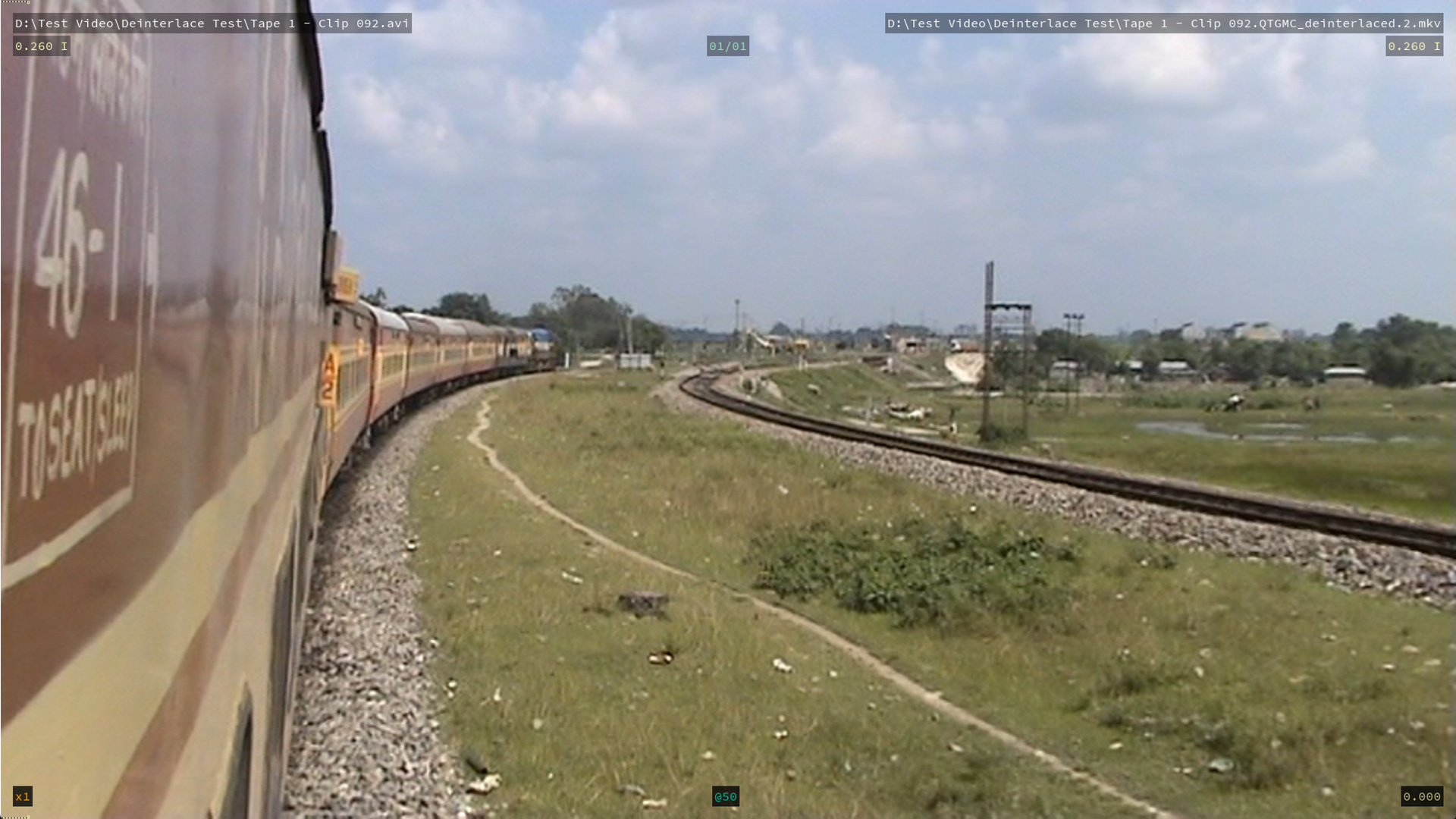
Btw, I mentioned BWDIF is very close to QTGMC in terms of quality, which is only true for the BWDIF CPU version. The BWDIF CUDA version drastically reduced quality from a tests I did. So you can use BWDIF CPU for speed and QTGMC for absolute quality. The difference in quality is almost unnoticeable.
EDIT: I don’t know why some sneaky individual is keep flagging all my posts and causing them to be hidden. If you have an issue with what I’m saying, please have the courage to explain yourself openly instead of hiding behind anonymous reports. If there genuinely is a problem with something I’ve said, I’m completely willing to listen and will gladly modify or remove the message as appropriate. I just don’t understand the point of repeatedly flagging posts without explaining what the actual issue is.
1 Like
@skv89 Thank you for all your efforts. That seems to have resolved the issue. Will have to try batch de-interlace and de-interlace all of my footage.
If I come across anything will notify you. thank you for a great tool.
What would be your suggestion to get great upscale quality with SLP 2.6, what settings for de-interlacing would work great?
I can confirm that the update now works with no errors, but I cannot get the output to scale to 640x480. The only option that seems to give me that option is the manual one and if I put in 640:480 it does not do it right at all, the other two options lock the horizontal at 720 which in all my testing locking in 720 requires me to scale vertical to 540 and it actually looks worse than scaling the horizonal and locking the 480 which always looks cleaner with less noise. But in the square pixels section, there is no way to do this that I can tell and I like to do that during the deinterlacing phase (like you can do in Hybrid.
Someone have been flagging my posts one after another so I’m not sure if this thread is still accessible. Can you share that original video with me and I will investigate it?
QTGMC is the best by a very minor but often unnoticeable margin over the much faster BWDIF CPU mode. Deinterlacing with Preserve Every Temporal Field is ALWAYS noticeably better for SLP processing from my experience because it gives more temporal context for diffusion enhancers like SLP to work with, but it will take twice as long for SLP to run due to double the number of frames to process. However denoising might or might not be better. It depends on the specific video so you need to do some comparisons on short segments before processing the full video. Generally pre-processing is not recommended for SLP with a few exceptions from my extensive testing. But with that said, I normally do do some level of preprocessing but that is video specific.
1 Like
