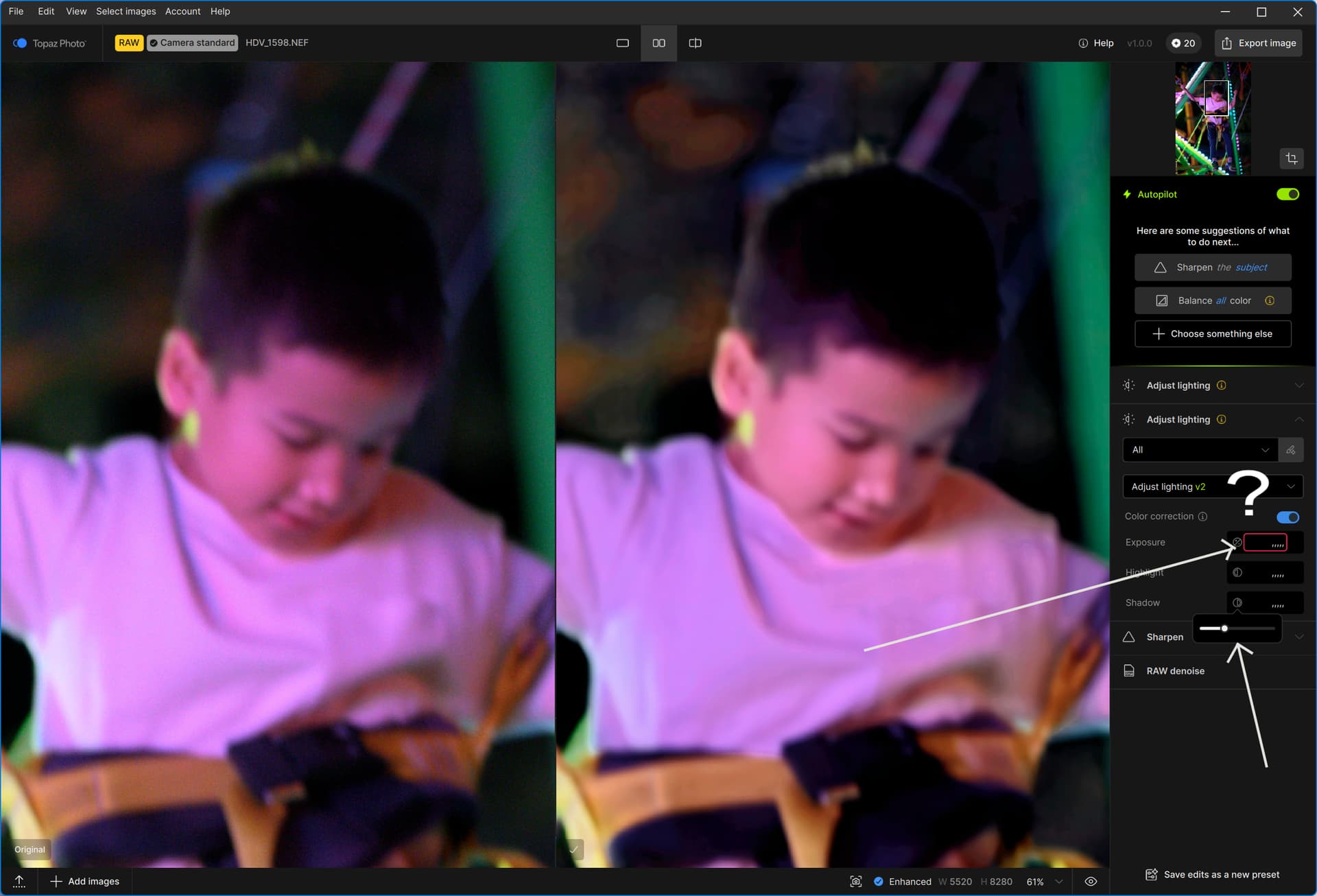
I do not like the way controls has to be set in the new Topaz Photo. The hidden slider bars are less clear to be used than in versions of Topaz Photo AI.
For the lighting controls there are no numbers indicating which strength is being used for that specific control. So how can I verify the effect between two pictures?
In my opinion this is a bug.
I also had/have this problem in Photo AI 4.0.1-4.04.
And also if work with 16bit tif files(dia positive scans) they can not even be shown in the film-strip.
I switched over from Photo AI v4.0.4 to Photo 1.0.1 this weekend. Echoing other comments: the changes to some of the controls are, well, to put it kindly: sub-optimal (if you are a software developer, as I was for over 40 years, you’ll appreciate what I’m really trying to say). The slider bars have been shrunk to hardly usable, and they hang around hiding other controls even when the cursor focus has moved on. These are things that are obvious to even the first-time user of the new product — it’s like no one ever alpha/beta tested this product. And the Quick Export button has been removed: one simple button-click previously is now either a left-hand control sequence or a File menu pulldown, or a multi-step Export process. And the Dismiss button on Raw image processing is memory-less: it just keeps coming back — unlike in Photo AI when you dismissed the comment it stayed dismissed. I don’t do much: crop, adjust lighting, sharpen. Trying to do even these simple things with this first release of Photo makes me want to go back to Photo AI. It feels as if this product was never tested by anyone, at least anyone who previously ever used Photo AI. Improvements under the hood (performance, efficiency, better models) are appreciated. But when you make me work much harder to apply those through a poor UI you make me want to toss the product entirely.