I’m planning to upgrade my PC from AM4 to AM5. My graphics card (RTX 4090) will be carried over to the new system.
I definitely want to use an AMD CPU.
Which CPU would make the most sense for this setup?
Specifically, I’m wondering:
How many cores does Topaz Video AI actually utilize?
Does a 3D CPU (e.g., Ryzen 7 9800X3D or 9900X3D) make sense because of the additional cache?
Does faster RAM have a noticeable impact on Topaz Video AI performance?
Hi, In my new system the purchased Ryzen7 7700X is completely sufficient for SLm and my 5090 card I’m sure faster CPU brings nothing more here becaus my CPU never goes to 100%. But some other models are more CPU-intensive, I’ not sure check Apollo & Proteus cpu cores usage first before buy. If a model runs on CPU you will get more fps when the CPU is faster.
However, I notice that at least four cores on my other PC which has 16-core are always underutilized! So a 12-core CPU would also do it, or 8-cores fow lower budget. 3DVCache bring no big impact into TVAI so better buy normal x-Model.
System memory clock is overhyped and has low impact. But I still bought 6000Mhz Corsair Vegance because price was ok and my Asus B850 Board recognized it immediately with Expo1 runs stable at 6000Mhz. I had first the Gigabyte B850M DS3H and the same RAM did not work there with Expo1 setting, and other things I don’t liked the board, I will return it or sell it.
I’m currently still using the 5800X3D and noticed that in Proteus3, the CPU is fully utilized while the GPU only reaches about 40–50% usage. I suspect that in this case, having more than 8 cores and a higher CPU clock speed would help utilize the GPU much more effectively.
In contrast, with Apollo8, the CPU wasn’t a bottleneck and the GPU was fully utilized – so I don’t expect any improvement from switching to a different CPU there.
On my 9950X3D (the X3D cache has minimal impact for TVAI) I only use the first CCD with 8 cores for Proteus because it’s faster than using all 16 cores. It’s paired with a 5090.
That said, there are some settings which can influence this:
The choice of export format/codec. For example, if export is using TIFF format, CPU utilization will be much higher compared to using a codec on GPU.
Use of manual vs automatic parameters. Automatic parameters utilize CPU more than manual.
Is there any scaling involved ? 2X and 4X scaling uses the CPU/RAM. Here not only the CPU but the RAM speed becomes more important.
Is the ‘recover detail’ option used. If yes, that will also use more CPU and RAM speed will have some influence.
I always use manual parameters, almost never use ‘recover detail’ and usually use a GPU based export format. In this case, 8 cores are faster than 16 cores (because 16 cores use both groups of 8 cores which adds performance penalty due to communication overhead between those CCDs)
When using 2X - 4X scaling, there is a performance advantage between 10% - 20% by using manually tuned RAM vs standard EXPO speed.
I pretty much suspected that the CCD would have an impact — but it’s really unfortunate that 16 cores are actually slower than 8 cores in Proteus. In that case, the 9800X3D seems like the best choice for both Topaz and gaming.
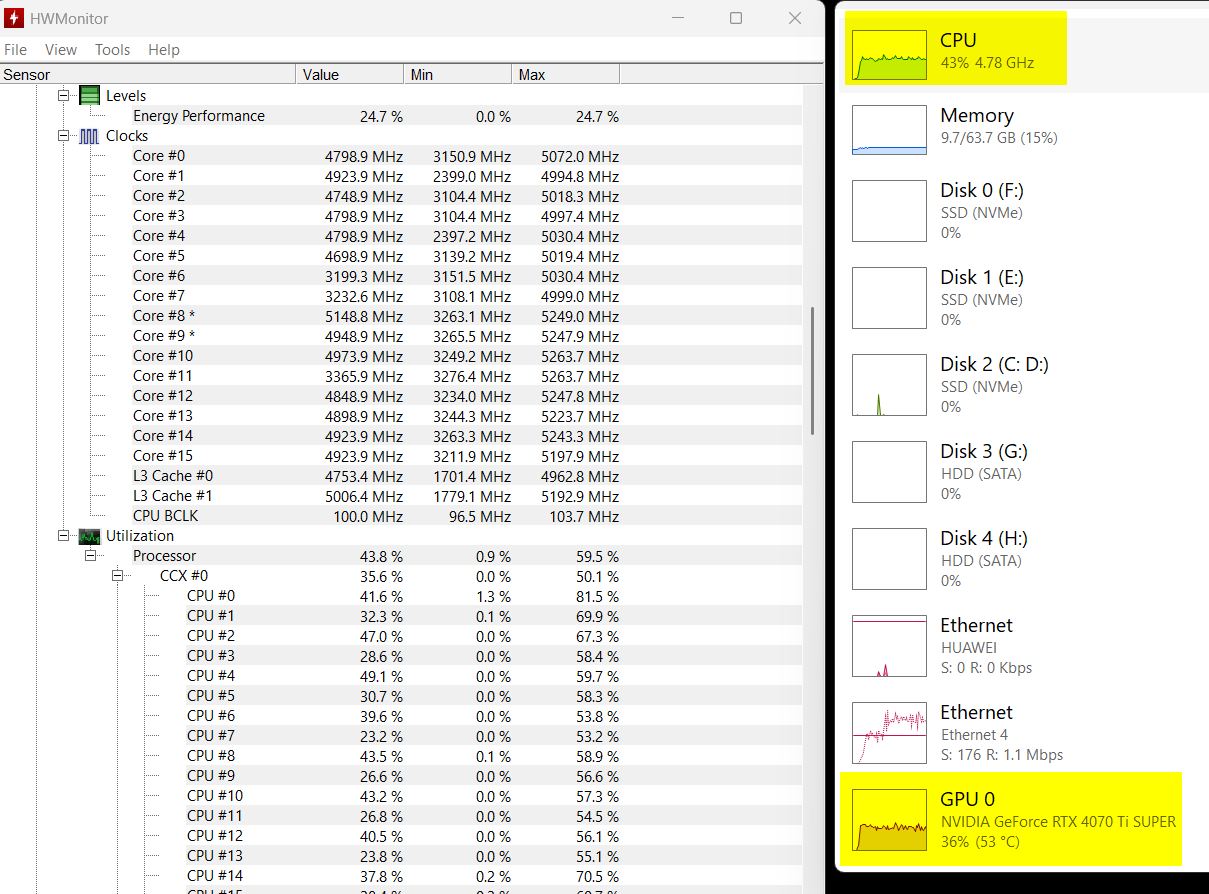
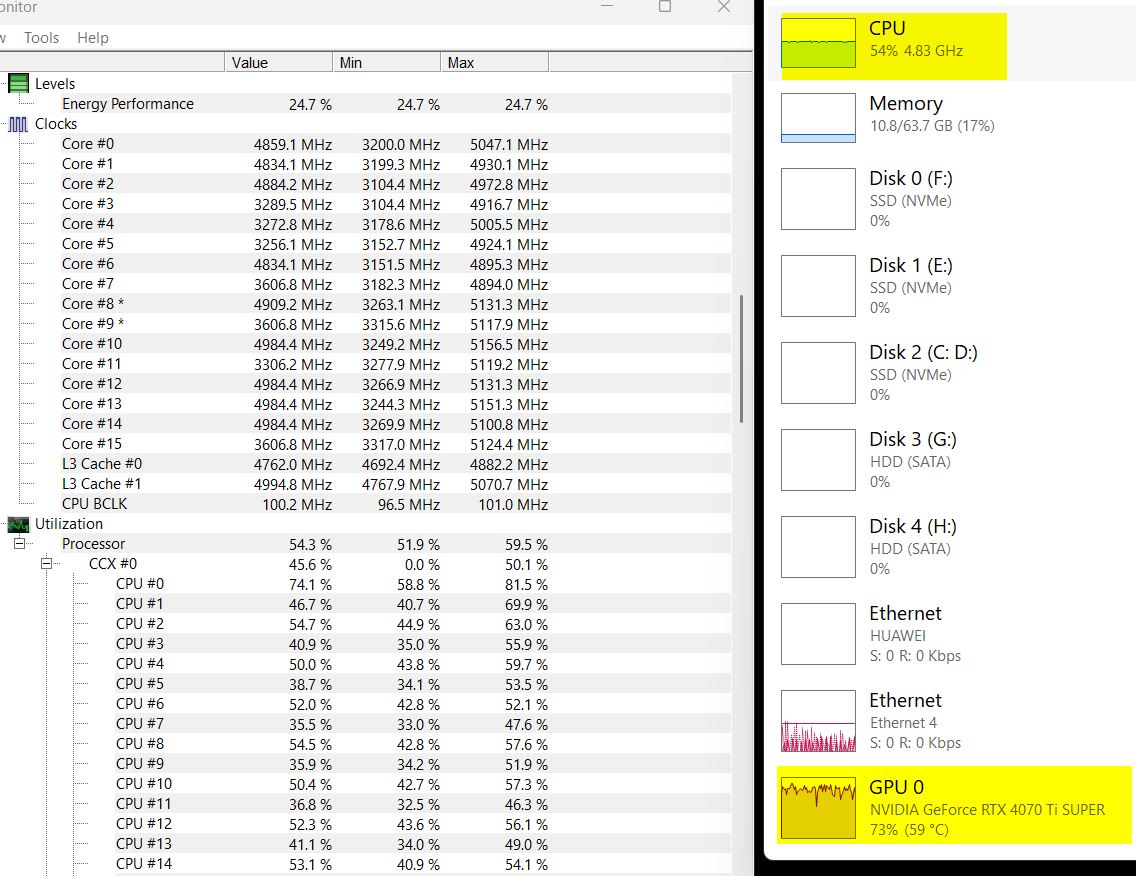
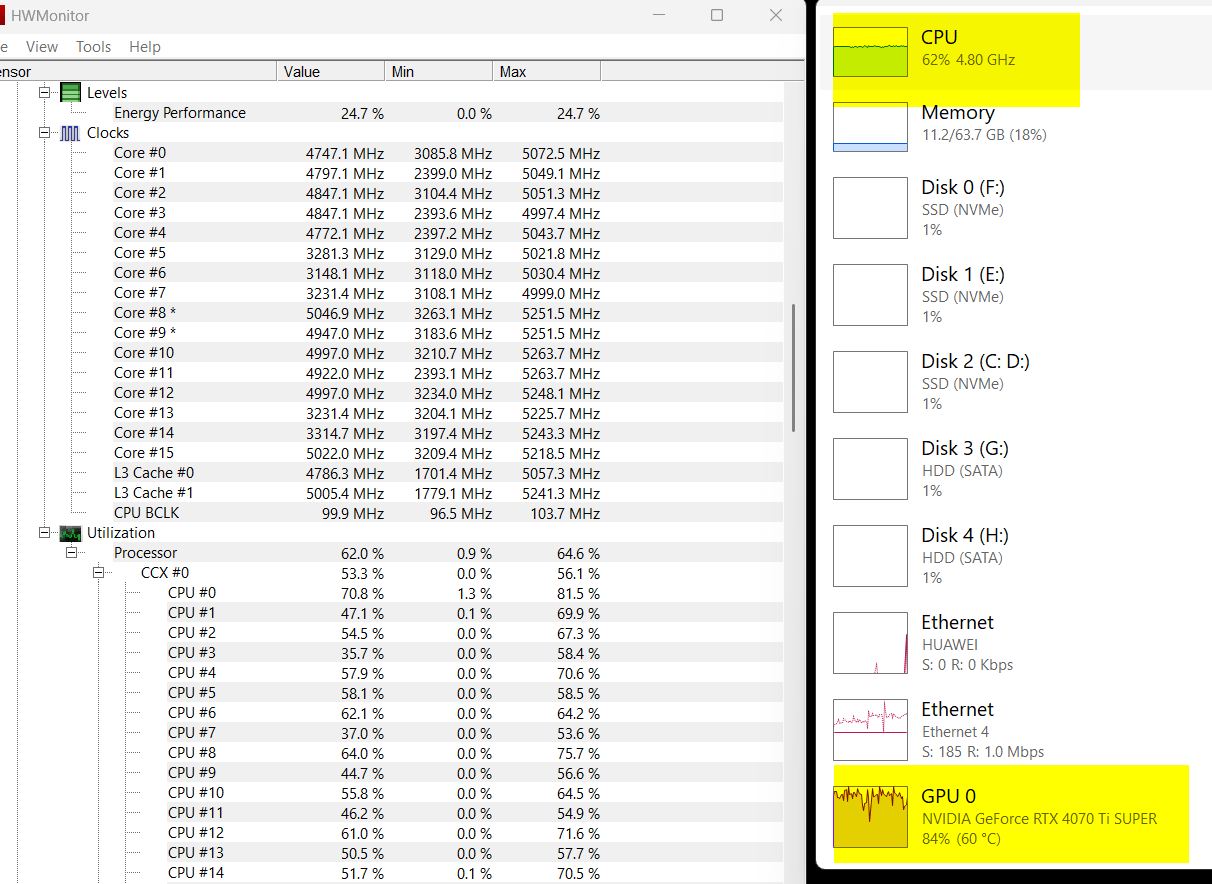
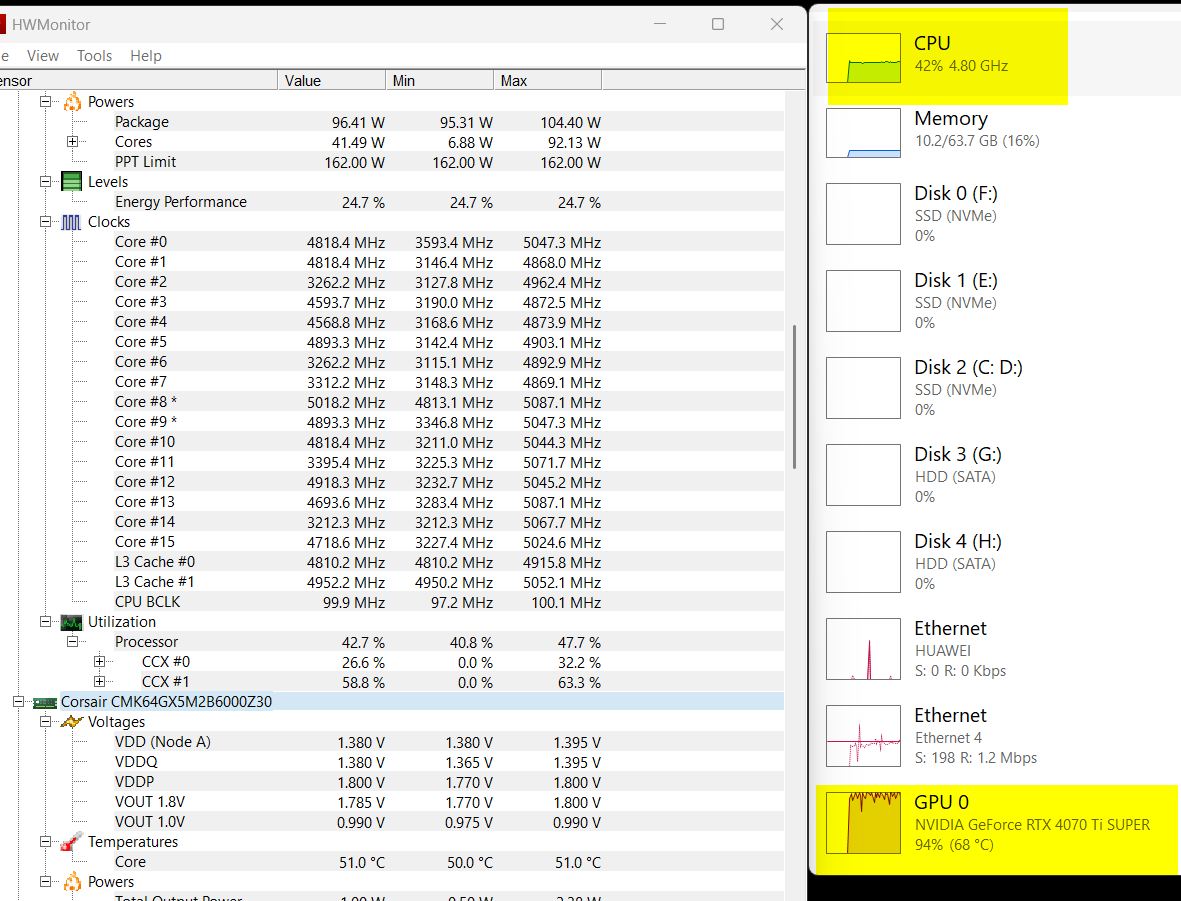
And to add my side of what @topaz257 said, I have a 9900X and use mainly Proteus manual with a slight scaling to get to FHD (So like DVD x2 plus whatever is left to go to FHD) with tiff output. 10 of the cores get heavily used. When we compared times, I got the fastest time letting all of my cores run, where @topaz257 got the fastest time using one CCD.
I have heard that RAM at 6000MHz and CL30 should be the most optimal for the 9000 series CPUs in gaming… I currently have CL34 in my computer but I could swap it out for some CL30 and see if it makes any difference for TVAI.
Yes, your TIFF output makes the biggest difference, since it’s using the CPU and I usually use GPU encoding. I checked TIFF output impact and with it 16 cores on 2 CCDs perform better than 8 cores on 1 CCD.
So depending on the factors I described above, 6 or 8 CPU cores might give max performance or if more CPU dependent features are used, more CPU cores will give better performance.
As far as I can see, with “Proteus3: Upscale, export FFV1,” the GPU is not particularly utilized. Couldn’t you just run two instances simultaneously, each assigned 8 cores? That way, both CPU and especially GPU utilization should increase.
I know this is about what CPU to get, but I did a RAM test because it was easy at the moment.
7 Minute DVD to FHD with Proteus manual settings, tiff output (RTX 4070 ti).
CPU 9900X with 6000MHz CL36 RAM
49fps
0:03:39
CPU 9900X with 6000MHz CL30 RAM
52fps
0:03:26
So, the RAM choice could make a difference in the long run.