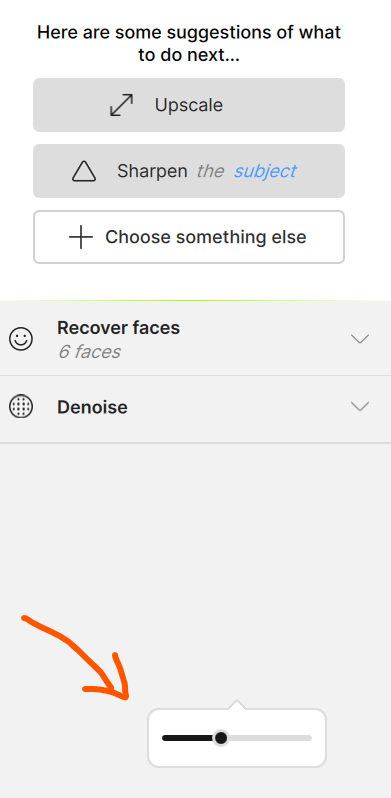
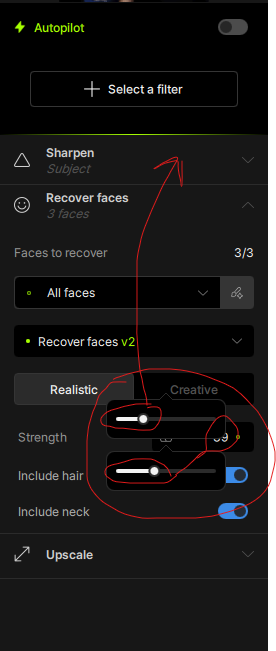
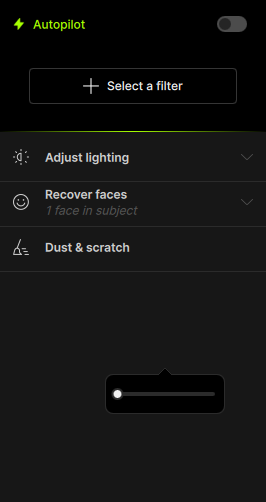
ADJUSTMENT SLIDER BUGS | Topaz Photo v1.0.1 adjustment slider remains visible after use


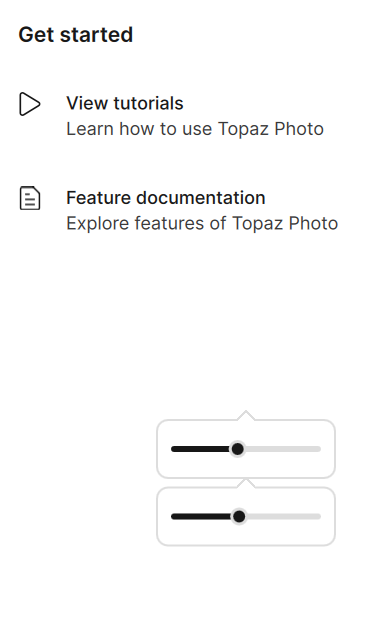
After v1.0.1 upgrade, when adjusting a setting with the slider control (for example the face recovery level) one or more adjustment sliders may remain on-screen even after another adjustment is selected or the photo being edited is closed. The slider, or rather the image of the slider (sprite?) may prevent the use of another adjustment that is now hidden behind.

This happens with the face recovery adjustment but has also happened with other adjustment like denoise strength, etc.

Here are some examples after closing a photo (1) and trying to edit a new photo (2)
1 Like

I’m not able to reproduce this on my system.

Thank you, we are able to replicate this and we were already tracking this as an issue. We will update here once we release a fix for this.

1 Like

Erased my own post by mistake… wanted to add my system info:

Probably slightly above average but has no known issues

No overclocking, etc.

Operating System: Windows 11 Pro 64-bit 25H2 (2600.6899)
CPU: Intel Core i9 13900K Raptor Lake 10nm Technology
RAM: 128 Go GSkill DDR5
Motherboard: Gigabyte Technology Z790M AORUS ELITE AX ICE (U3E1)
Graphics: NVIDIA GeForce RTX 4070 Ti SUPER 16G (Gigabyte)

Please fix this - It’s a waste of time and energy.

The upper bar is from sharpen - to me without the sliders it was better - but people like it with the sliders - i know.

This is under investigation and not related to your computer specifically. We will write here once we have a fix for this.

1 Like