Is that On Mac? Please install this Mac build and let me know if you continue to run into it.
Hi - just for some further clarification on this, the extra tools in the image apps (Sharpen in DeNoise, DeNoise in Sharpen and Sharpen & DeNoise in Gigapixel) are minor editors and don’t use the same robust AI models that the main apps have, but where minor adjustments in another program may prove useful without disrupting the user’s workflow with two separate programs. We’re working on Topaz Photo AI to combine all the three together 
2 Likes
Thanks, Pascal. I appreciate your response. We’ll run tests on this.
Hi - just to clarify, the issue persists even with the build I sent you earlier?
https://downloads.topazlabs.com/deploy/TopazVideoAIAlpha/3.0.0.43s0/TopazVideoAIALPHA-3.0.0.43s0.dmg
Thanks for the confirmation!
Thanks for your response. We’re working on this. Seeking issues are one of the most complicated to fix and lots of changes affect the way it works. Most of these issues currently happen when dragging the playhead and there are others that happen in other scenarios. Some are also video-specific (seen frequently with VOB files for example). This has been an ongoing task and we’re continuing to work on it.
The Max Memory Usage is indeed the same in both apps and the memory usage (VRAM vs RAM) depends on what AI processor is being used. We may still tweak some of the app titles before the release. For the graphics card usage, we haven’t worked on the optimization or on maxing up the memory usage yet but it’s definitely something we’ll be doing. The priority right now is to get the app and main functions as stable as possible.
2 Likes
It never had a problem in any other version of VEAI until the 3.x series though.
The entire app has been rebuilt from scratch hence there are issues not present in VEAI v2 but we’re working on addressing all these issues as soon as possible.
1 Like
Considering that the models themselves have separate 1x, 2x, and 3x versions, this is EXTREMELY BAD if true.
Attached here.
1 Like
Hi - Apollo won’t change the playback speed unless the Slow Motion filter is enabled. Does the playback speed change for you even even without using Slow Motion?
I have a few questions. Some are related to the latest Beta, and some are related to Hybrid.
In Customise Output/Bitrate, if I want to put in a specific figure, which one do people recommend for an upscale to 1080p at 50fps? With the current official version we had Constant Rate Factor, with lower values being higher quality, but it seems with Bitrate it’s the other way around.
When using Constant Rate Factor I felt I was able to judge a decent size I wanted for my videos while keeping the quality up, but I get a bit confused with the new setting and sometimes have to use another program to compress even more to get a decent size.
What exactly is the benefit of the Auto Bitrate setting? I have seen talk above about it doing something with each frame individually, but when I tried it previously out of curiosity it resulted in a much more compressed video. Does anyone here actually use it?
Proteus also has an Auto setting, but when on a frame it always reads Zero for everything, which leads me to believe it may not actually change any of the settings. has anyone used Auto in Proteus and does it do anything?
It would be nice to bring back the little question marks we hovered over to get explanations on what the various settings do.
Some have said about the bells and whistles that we don’t need in this program, such as Deinterlacing and doubling the frame rate, and have said other free software does a better job. When I use Preview in VEAI with these settings in particular I see a vast improvement, as well as with the final results!
I have tried Hybrid using settings such as these and found that the various suggestions in that program’s forums for doing things such as those I have just mentioned in many cases resulted in a poorer result. The explanations on how to use Hybrid are mostly scattered throughout the program’s forum pages, making it difficult to figure out exactly how it should be used.
On top of that, we don’t really know how it will look in the end until it has gone through all its processes.
So, maybe those of you who get better results with (for example) deinterlacing or smooth playback when doubling fps could give us a straightforward explanation on how to use Hybrid for the things VEAI isn’t so good at doing?
1 Like
Proteus showing zeros is by design and has been addressed in these threads by a dev previously. It does do what it is designed to do.
@suraj @yazi.saradest I uploaded Files Program is not Writing Main10 Files According to Media Info.
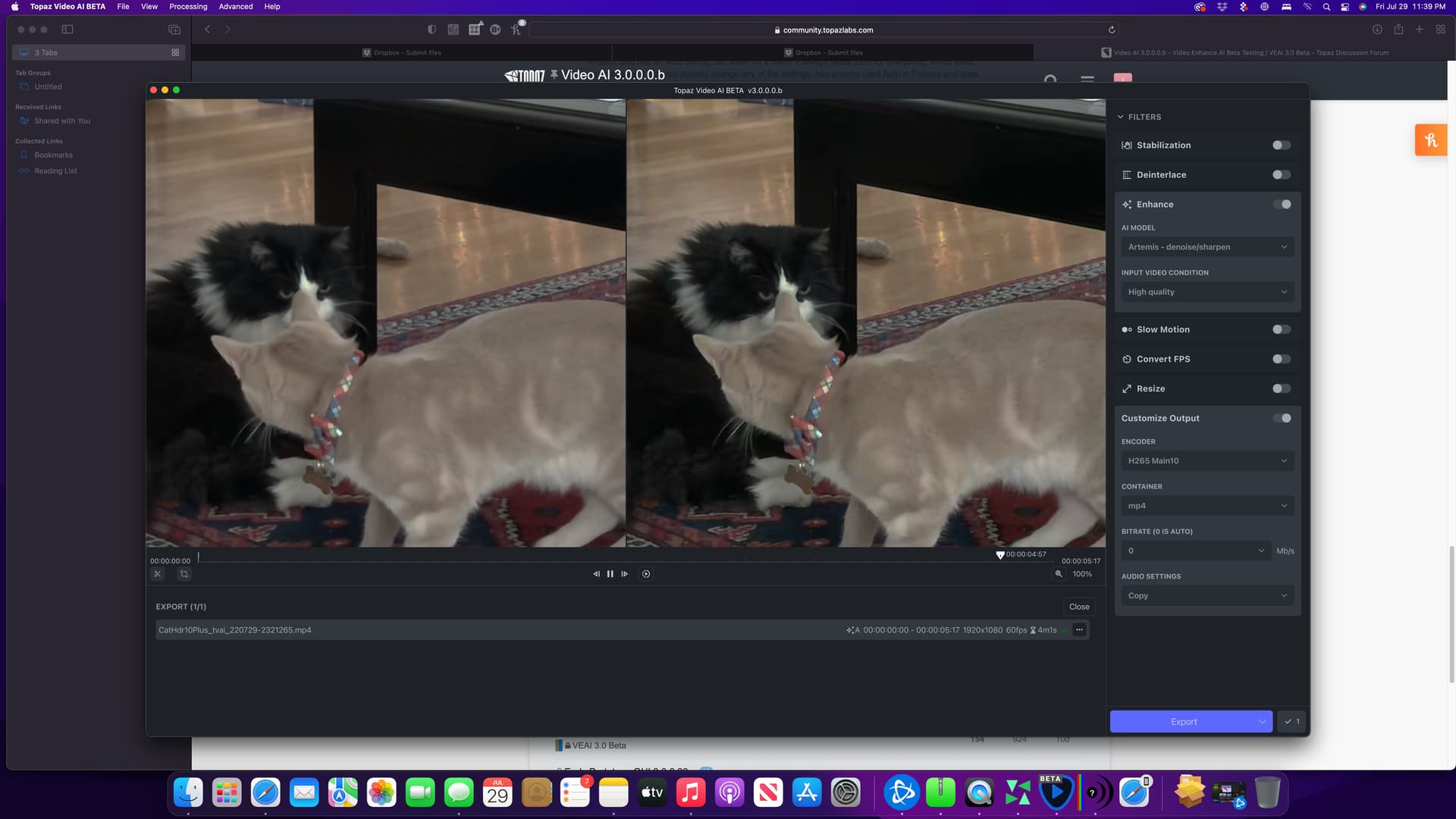
2022-07-29-23-17-45-Main.tzlog (7.2 KB)
2022-07-29-23-18-56-Main.tzlog (268.8 KB)
1 Like
You Could Make a Program to Clean installs.
After so much criticism, espacially on the GUI, I just wanted to say that I really like VEAI 3 and its new features so far. One can really tell how much time went into it and in my opinion it is a huge improvement. Of course the GUI could maybe be better, but it does the job and I personally like it.
2 Likes
Atm i enjoy the look of PhotoAI with its green switches and borders.
2 Likes

so , it will be the replacement for Studio ?
I have found a new problem that is related to my GPU. I have Nvidia RTX 3070. I have tried to do an upscale of a 90-minute SD to FullHD. Using Beta takes over 20 hours, yet the current official one is doing the exact same settings in half the time.
I’ve used in Preferences both the specific card as well as All GPUs, but makes no difference?
1 Like
They say they’ll work on speed for a later beta.
