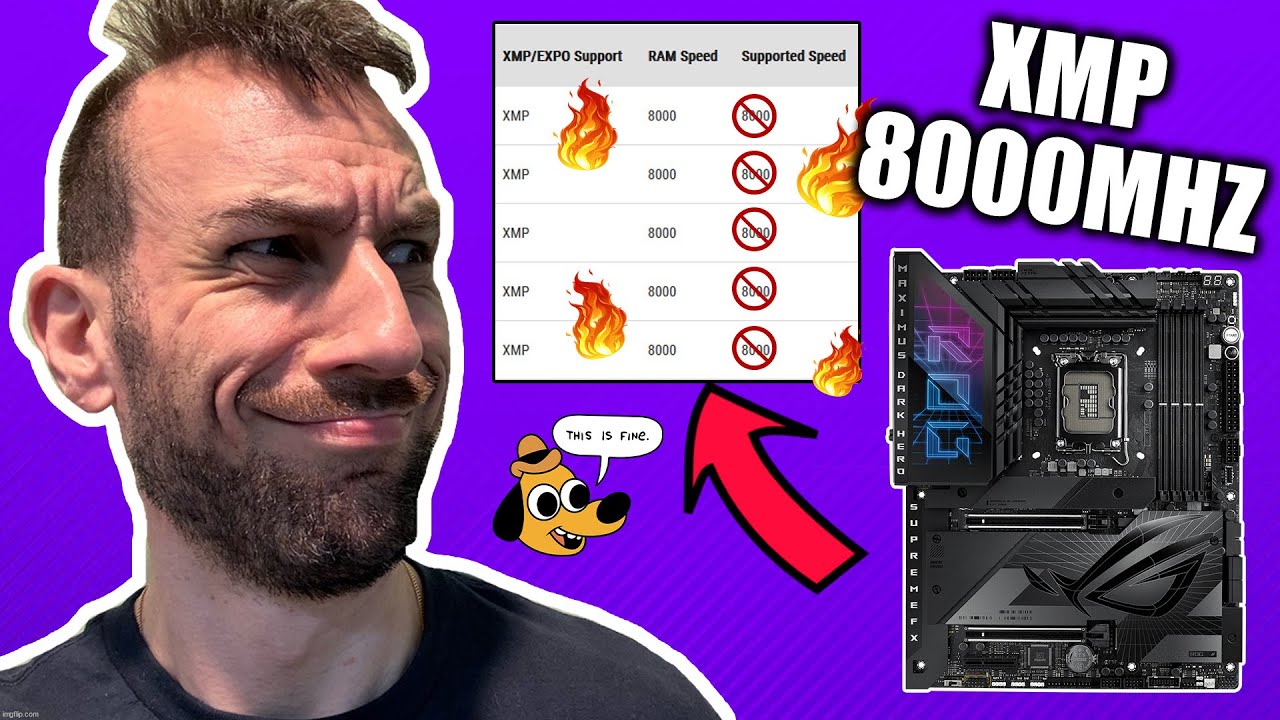
8000 xmp I / xmp II both cause my mobo to go in safe mode.
Given that this is all SK Hynix, I tried 7800 but it was unstable.
I then tried the 7600 setting (with the timings on the site, given that mine is probably more than capable of running them) mirroring the 24GB ram chip listing and it has been pretty stable now.
Current setting: 7600mhz / 38-48-48-121 / 1.35v
This has thrown off my custom overlock settings so I am just using the “AI overclocking” settings for now. I am only seeing about 5-5.6ghz when rendering.
I did update the bios which might have hurt performance. folks in the asus rog forums are complaining of stability and overlocking issues with high-speed memory (different boards but some of it mirrors my experiences)
I had also updated my nvidia drivers which tanked performance. reverted.
throughout my overlocking / stability adventure I was seeing as high as 10fps but alas, my machine was crashing due to all sort of memory errors. Additionally I had VBS / memory isolation etc turned off to use hwinfo, etc. Now that things have stabilized and security is back on I am still getting a stable high of 9.3fps.
At least in some initial testing, the low-end of the fps has definitely improved.
Since this overall seems within the fluctuatios of the benchmark accuracy (at least on the Mac there are at least such differences from one run to another without changing anything) I guess doing a longer real encode and comparing times of that would be better.
Also, it might be that the higher RAM speed could help with things that are not measured by the benchmark (e.g. encoding process of the resulting video and the like)
And after all, this is what counts: real-life performance and not a Benchmark result.
That’s where I expect to see any real benefits as well.
I have a few test clips that take about 8hrs each - we’ll see how it goes
I also have a lot of tuning to do due to the potential memory incompatibility so my results are subject to change - I just had to adjust my timings again due to crashes
I tested different memory operating modes on my server. Increase of a fraction of a percent.
An increase in gaia of more than 50% can be obtained by adding a second video card.
Summary
I was finally able to achieve at least basic stability with 7600mhz (XMPII) / custom timing / increased voltages using 8000mhz sticks.
[NEW] Cinebench short-run results are stable at 39K even after consecutive runs. 10min tests crash.
[NEW] Highest TVAI FPS during a short custom workload test is 9.7fps (vs 9.3fps - correction)
[NEW] Lowest TVAI FPS during a short custom workload test is 7.1fps (vs 6.1fps - correction)
[NEW] Render jobs seem to be working well. Never goes below 7.0fps.
[NEW] TVAI Benchmarks aren’t that much faster but are much MORE CONSISTENT, even after back to back runs.
Drama (in case you’re interested)
So after both the QVL fiasco and some research, I purchased some DDR5 7600mhz memory. To my dismay I still had quite a bit of instability. Running Cinebench R23 twice or TVAI once (?!) would force a reboot. I thought the QVL took care of both timings and voltages but it isn’t enough. You need multiple voltage increases to achieve stability.
The following link proved very helpful. Using these settings I was able to get the 7600mhz ram stable. I then figured I’d try it with the 8000mhz sticks. Same result - so I stuck with the 8000mhz sticks for extra potential stability / headroom if that’s how it works. Haven’t tried overclocking the CPU or increasing the GPU overlock to see if it stays stable / makes a difference. How do I max Hero z790 + 8000mhz Memory + 14900k i… - Republic of Gamers Forum - 965774 (asus.com)
stats when I was momentarily back@ 6000mhz on my 6000mhz sticks
Some low level memory benchmarks would be interesting (e.g. AIDA64). If your (sub)-timings go up too much, there might not be a lot of difference between 7600 and 6000 mhz frequency. When overclocking RAM for max performance, timings are often as-important as frequency, which is why it’s sometimes worth running lower frequency but tighter timings.
thanks for the links! I’m rendering right now but will try to get some AIDA64 MT stats for you all at one point.
I too was concerned about timings but read a lot about how DDR5 timings were difficult to decipher.
What’s good is that my performance is up (currently running at 9.8fps) but I will definitely review those links - and maybe explore some tighter timings
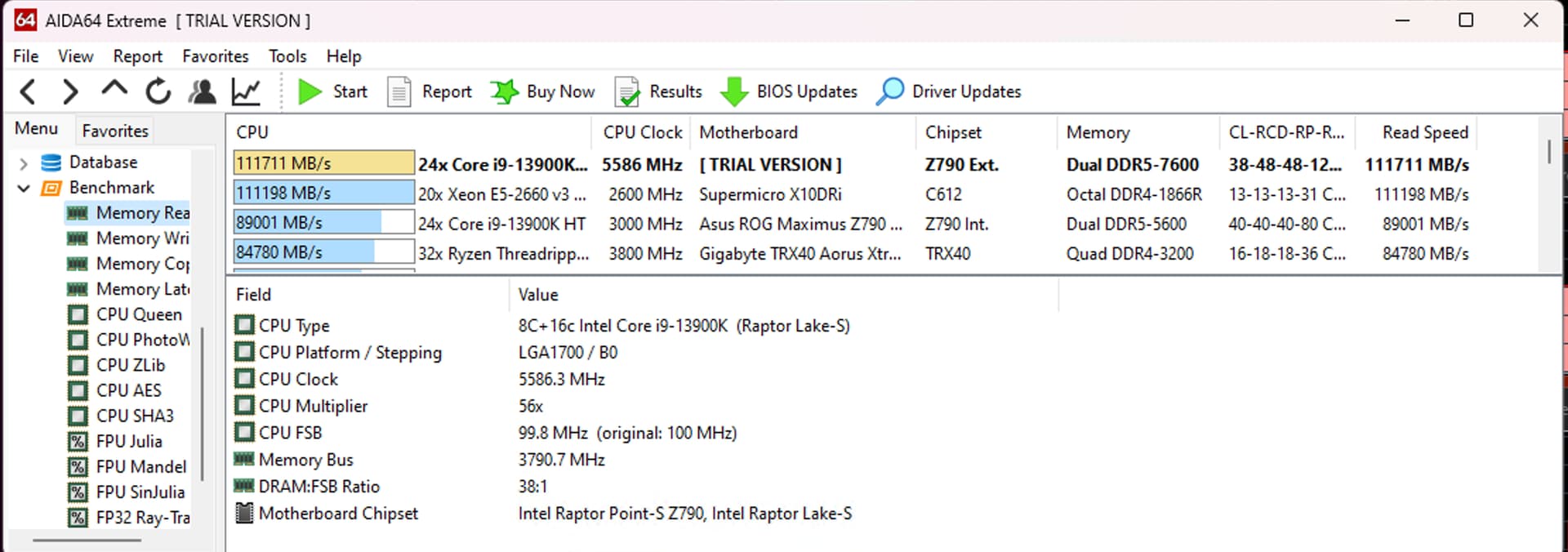
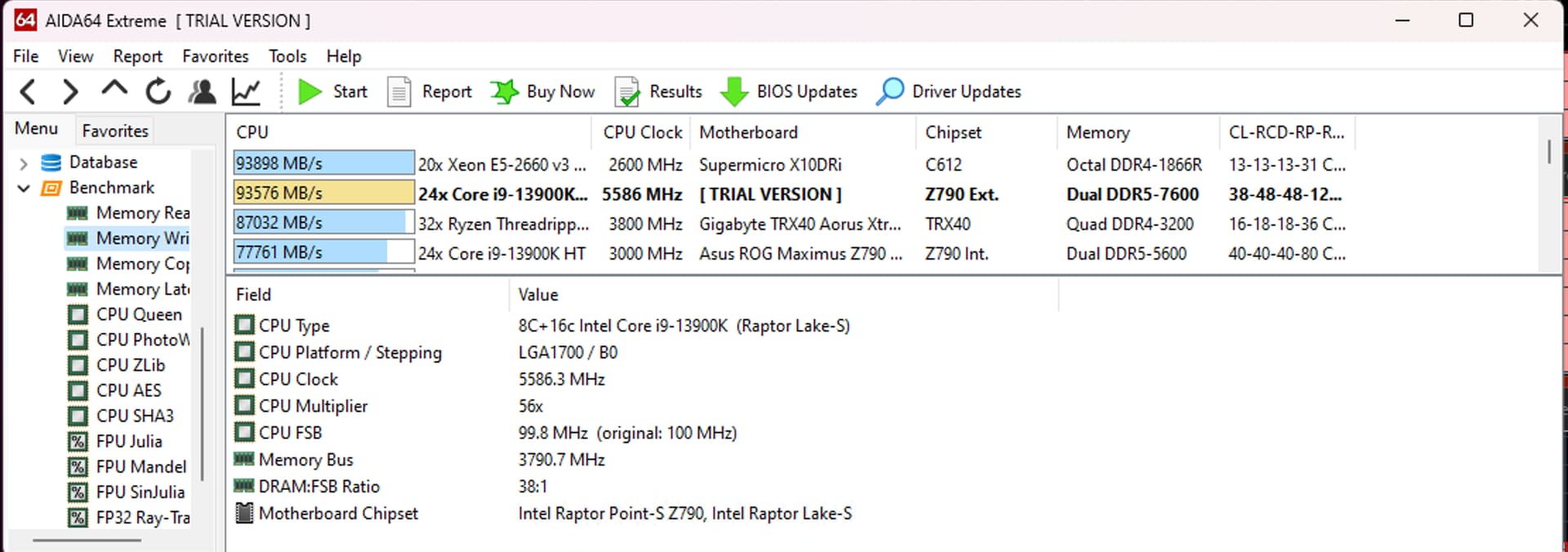
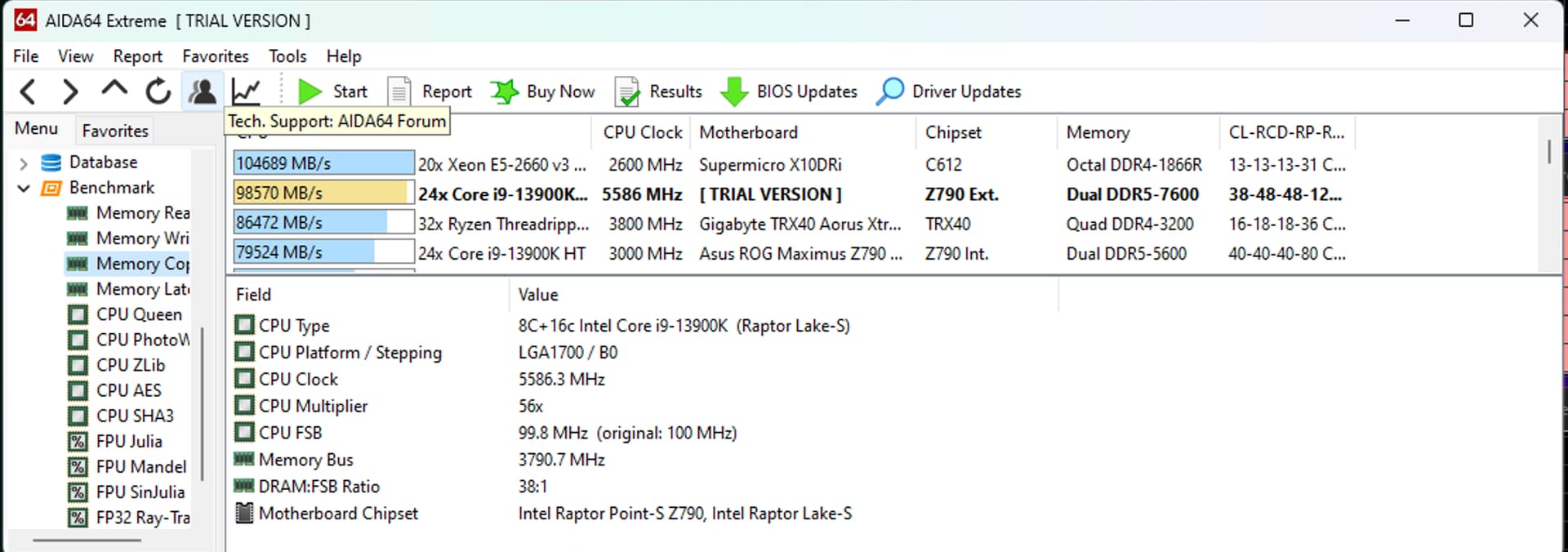
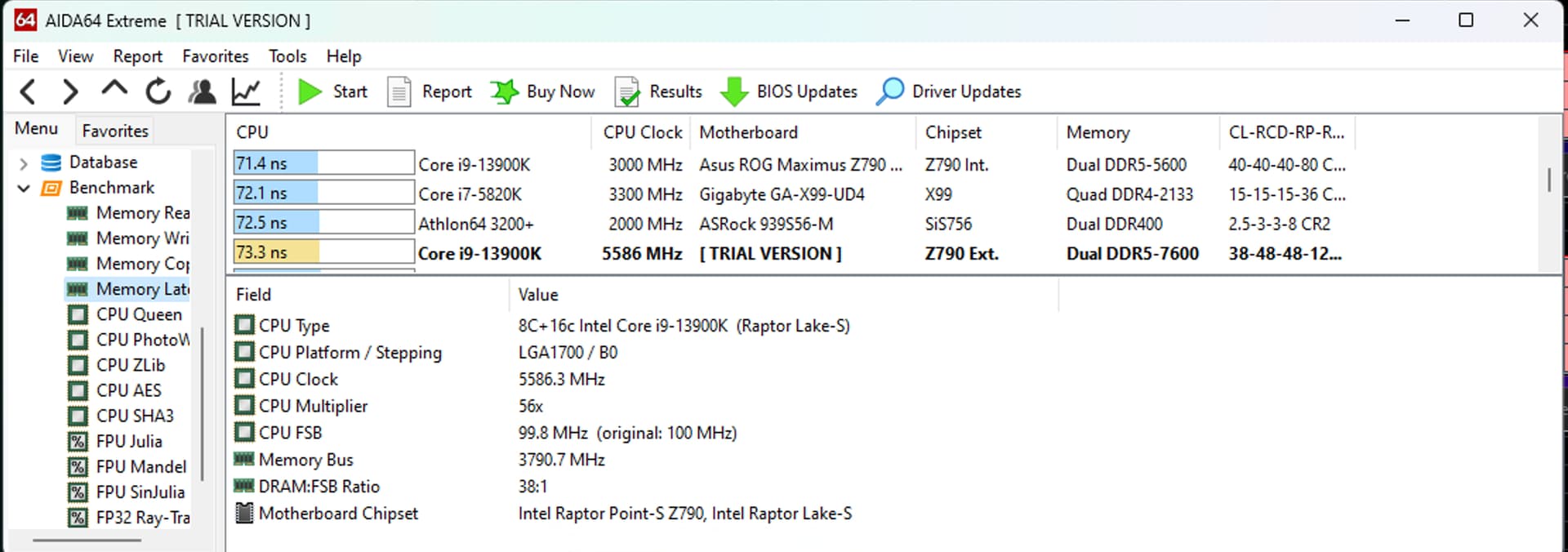
As promised…AIDA64 Results. I haven’t had time to fully overclock so this is using Intel XT Speed Optimizer settings. Highest temp the memory reached was 44C
It’s been awhile since I’ve looked at memory transfer speeds. Is this anything to write home about?
These can be considered ‘best case’ results which are not really achievable without a lot of OC experience and select hardware components.
The one area which might be relatively easy for u to improve through timings, is latency. For this, u should look at tRFC and tREFI settings. Although my guess would be that it’s not so important for TVAI. Sequential Read is probably most important and in that area your performance is already within 10% of those ‘high-end’ results.
And for long workloads, stability is the most important aspect in the end anyway.
Thanks for the info and the recommendation to focus on latency.
One apparent source of instability has been heat. Accordingly to some of the forums linked here, you apparently have to keep ddr5 very cool at high frequencies. Folks have mentioned 44/45C.
I have pretty good case airflow but I have noticed that the memory temps have reached 50c and higher on long benchmarks, leading to errors. I am revisiting how I cool my ram before spending too much more time on it.
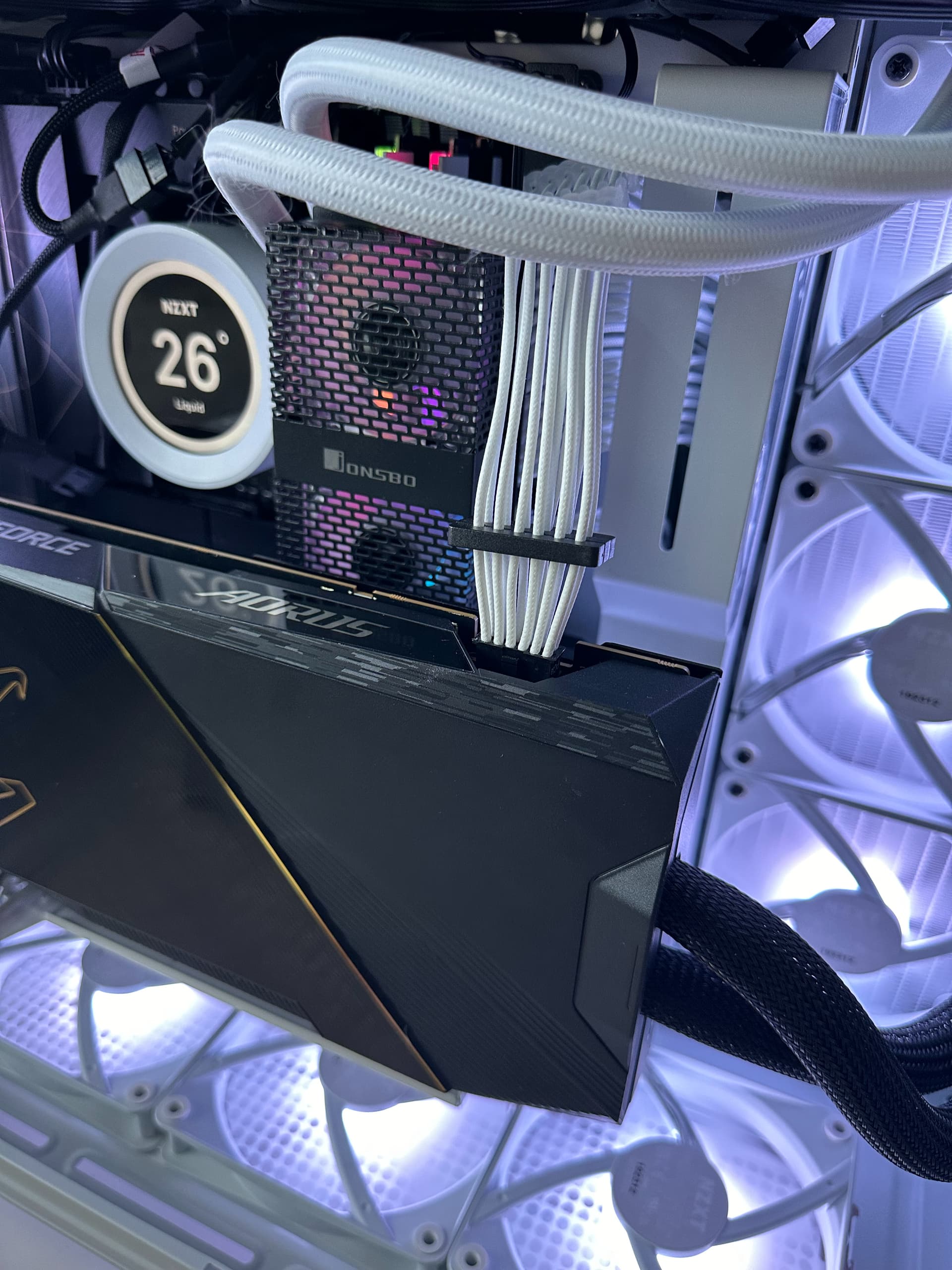
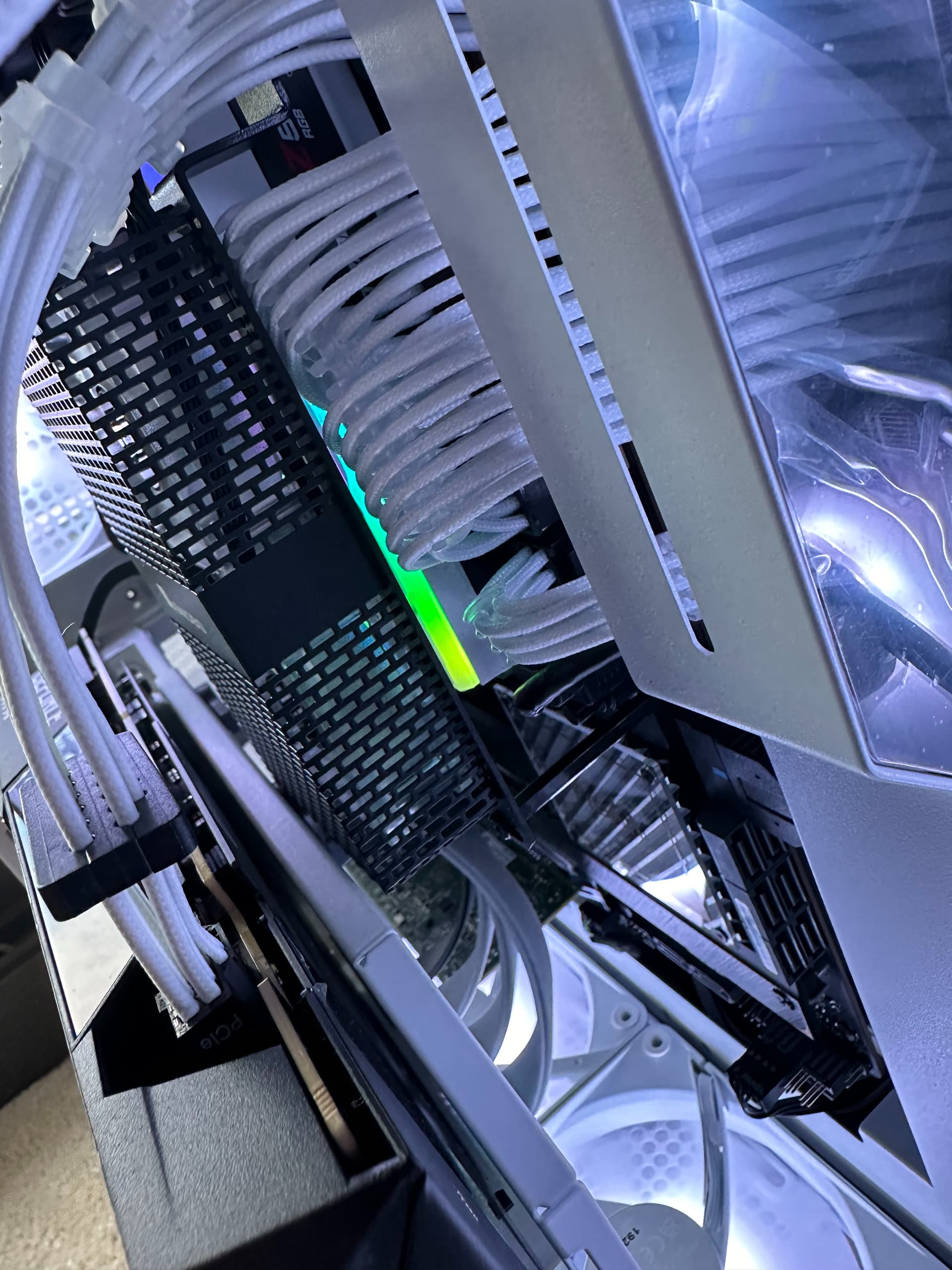
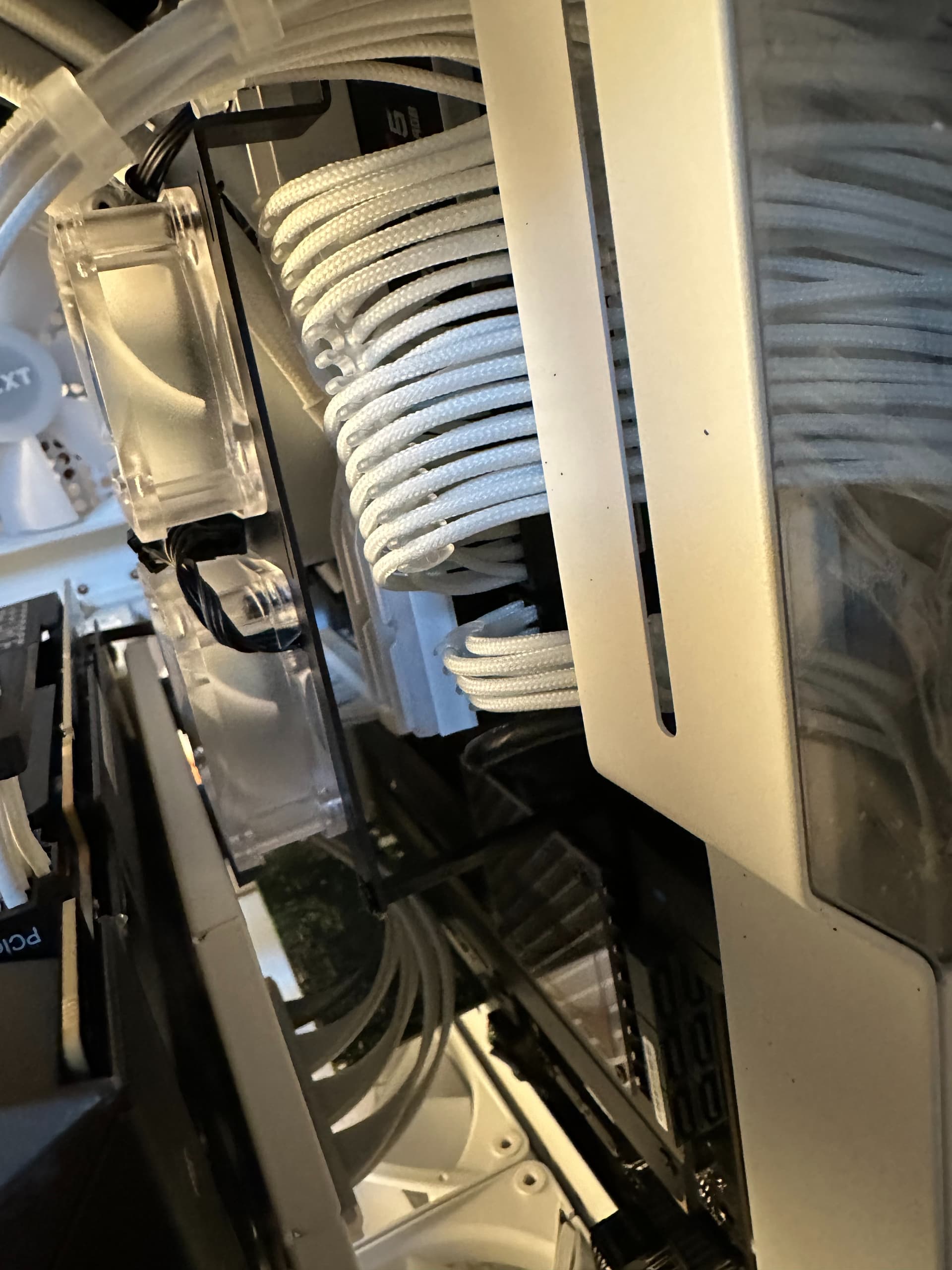
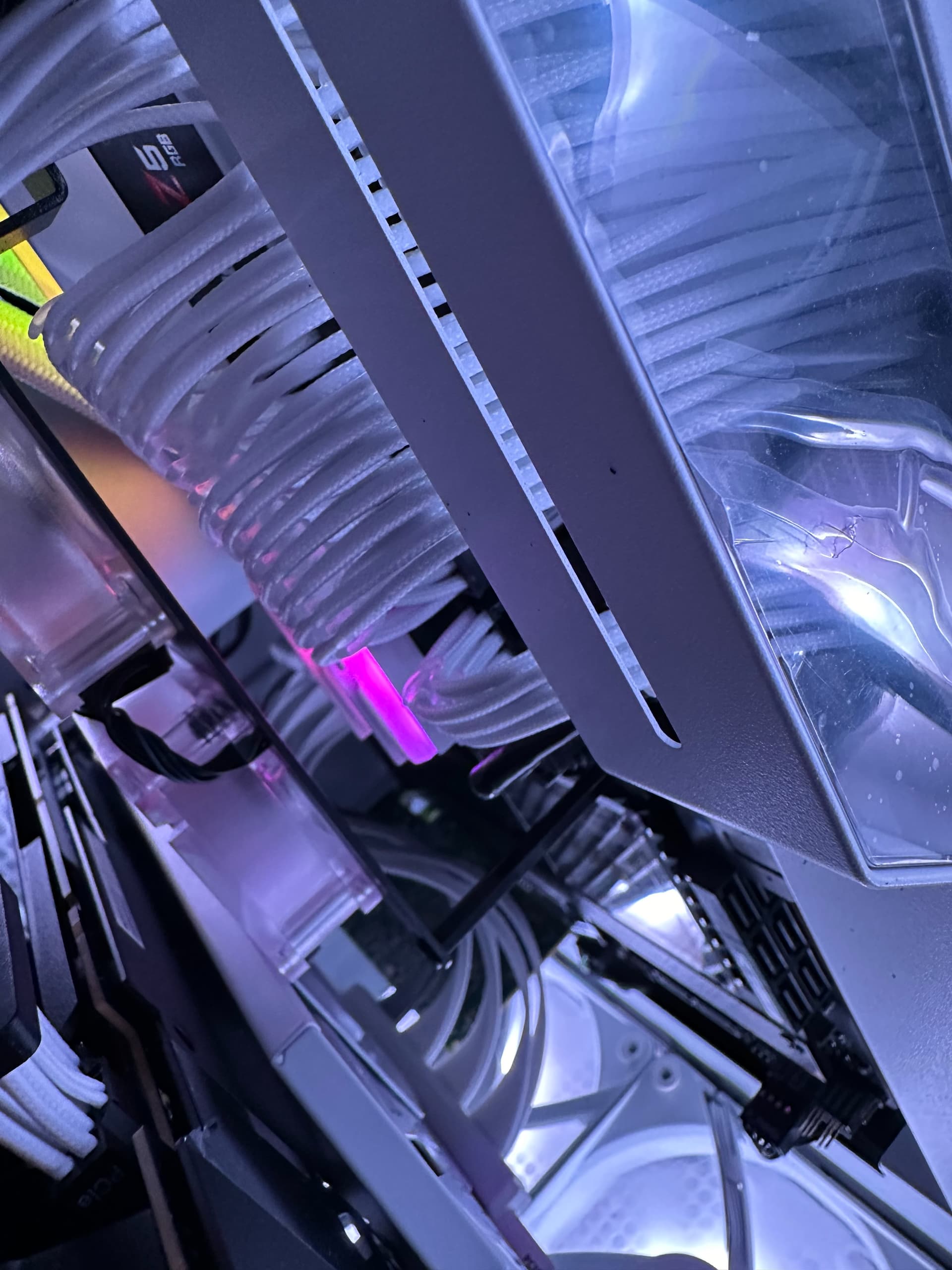
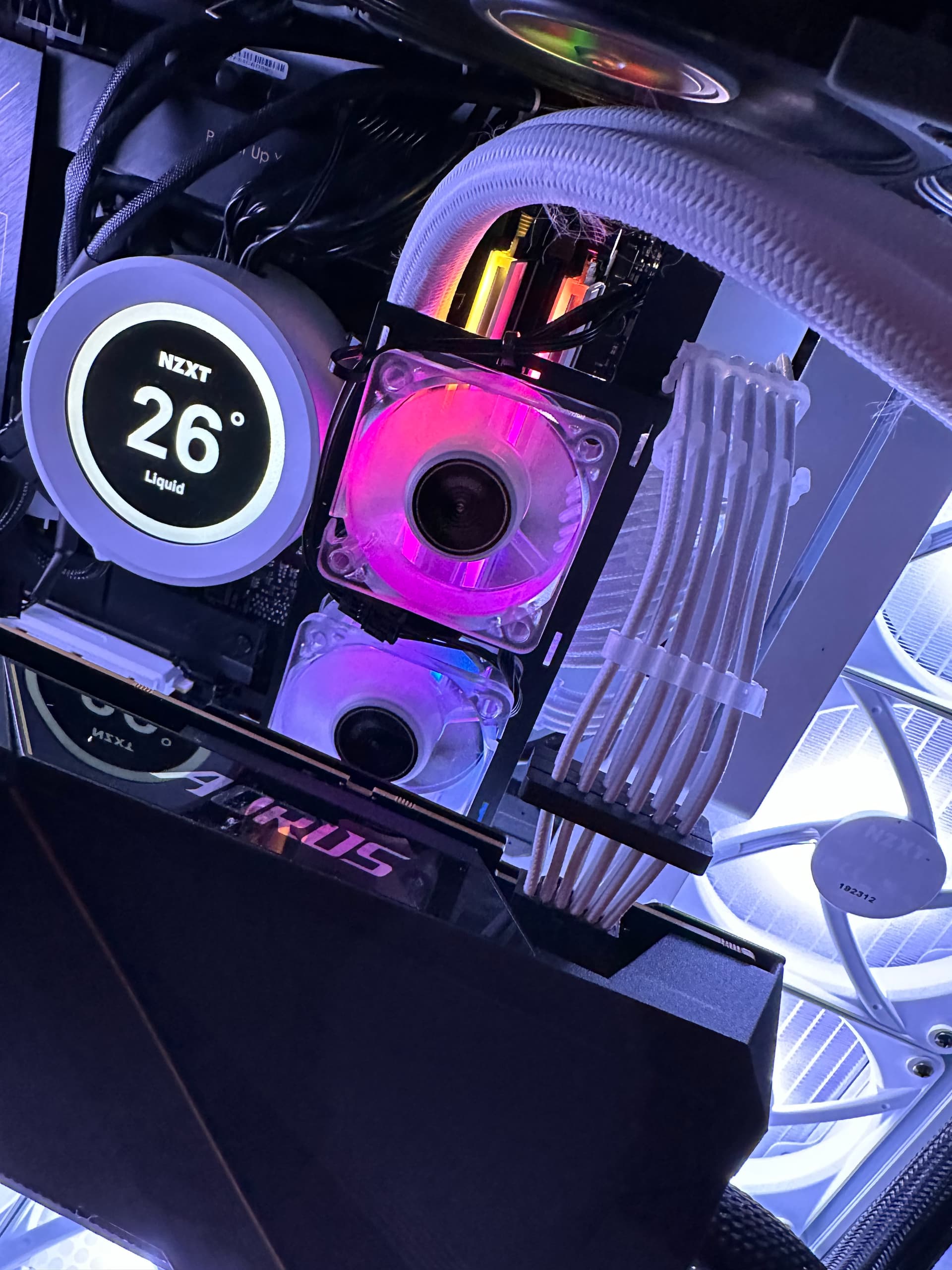
This is a silly looking contraption but it might hopefully prevent me from having to run my case fans @100% to cool the ram and might even do a better job
I installed this silly thing (haven’t messed with timings / voltages again just yet). I have the little fans running at 100%.
To see if it actually improves cooling, I tried OCT Memory test. It used to take 50 seconds to get to 50C. Now it takes 10 minutes. Also, the ram stays cool during both Cinebench and TVAI.
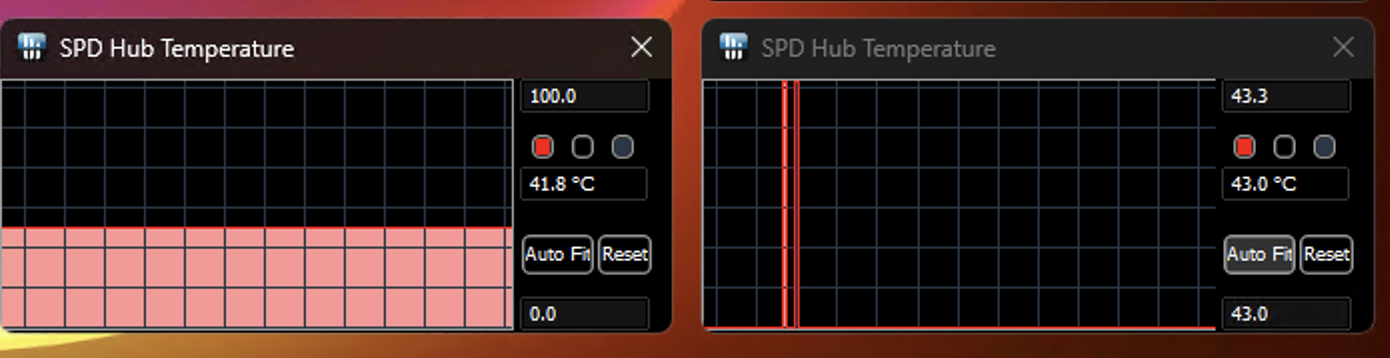
TVAI running @ 9.8fps results in max temps of 41.8C/43C after 3-4hrs
I tested a longer 7hr job and the pc rebooted so I’ll have to move onto voltage / timing testing since the cause doesn’t seem to be temperature related anymore.
note on the different temps: the cooler isn’t centered due to lack of space so one ram stick gets better cooling right now and the temp readouts are different.
Additionally, these mini fans are in pull mode. I wonder if Push (blowing onto the ram) would make a difference.
One final observation is that I have my pc connected through a UPS and the wattage consumption is MUCH more stable now. Right now it’s hovering at 830watts (+/- 10 watts) during my TVAI jobs. It jumps to maybe 750/850 maybe once a minute or two. Before, it was jumping all over the place all the time. Anecdotal, but the only thing I’ve changed is improved the cooling of the RAM.
Nice setup!
I would try push mode because the volume of air sucked from below in pull mode will probably be lower due to the more restricted inlet on the side of the RAM. And since u run water cooling on the GPU, there is also no worry to blow hot GPU exhaust air onto the RAM.
Regarding power consumption, for TVAI, I run my 4090 @ 2115Mhz @ 880mv undervolted, which uses about 250W max. When maxing it out, it will consume twice as much but performance is only maybe 10% better (but that also depends on how limiting CPU + RAM are, my 7950 + DDR 6200 CL30 RAM is about 10% slower than your setup).
This is also my gaming pc so I was only pulling back a little on the 4090 overlock when running TVAI because higher core clocks reduced TVAI performance. Unfortunately some of these jobs take 7hrs+ so a small performance bump adds up. I haven’t revisited my overlocks in awhile for TVAI so maybe it’s time to take a look again.
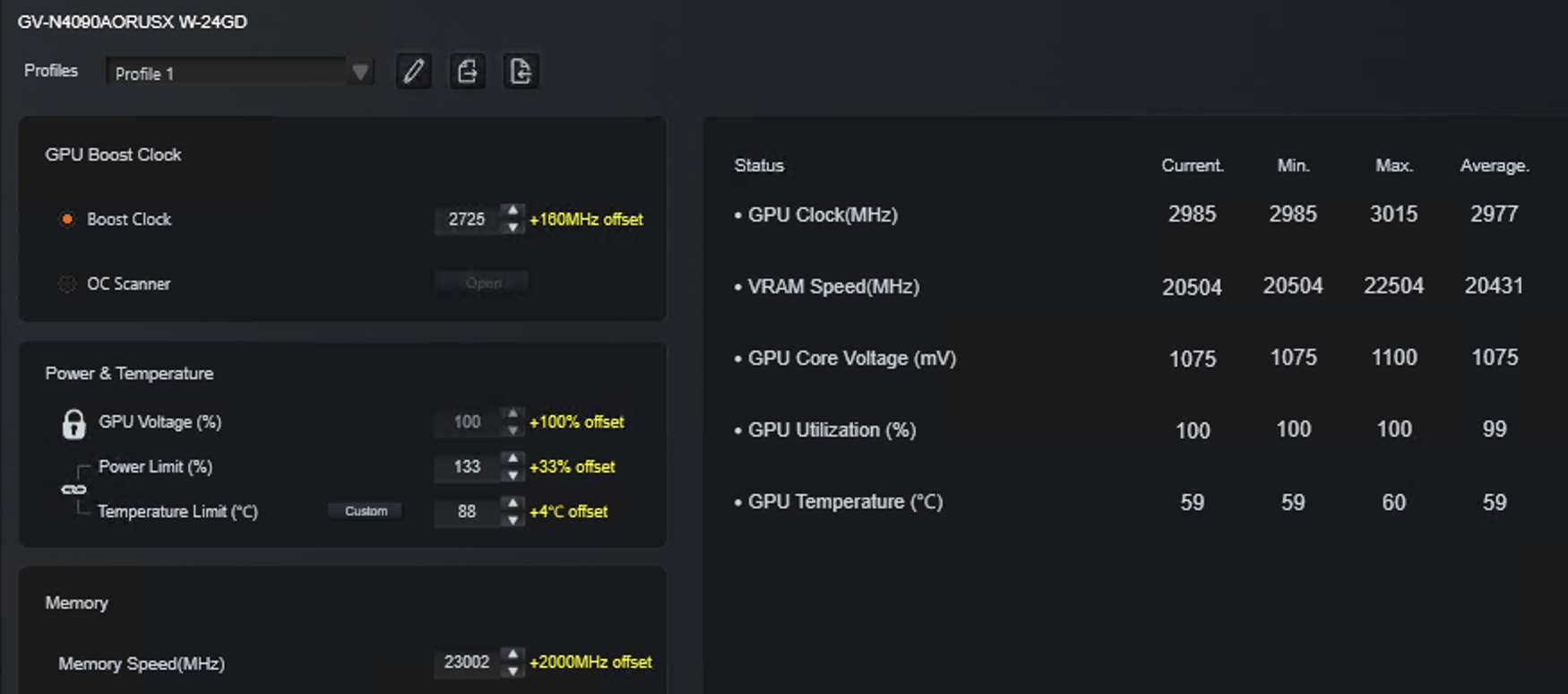
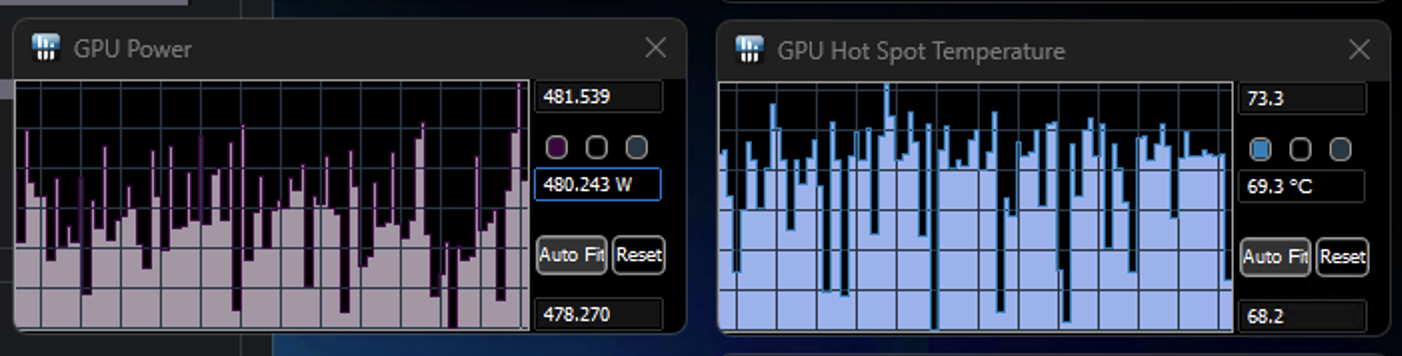
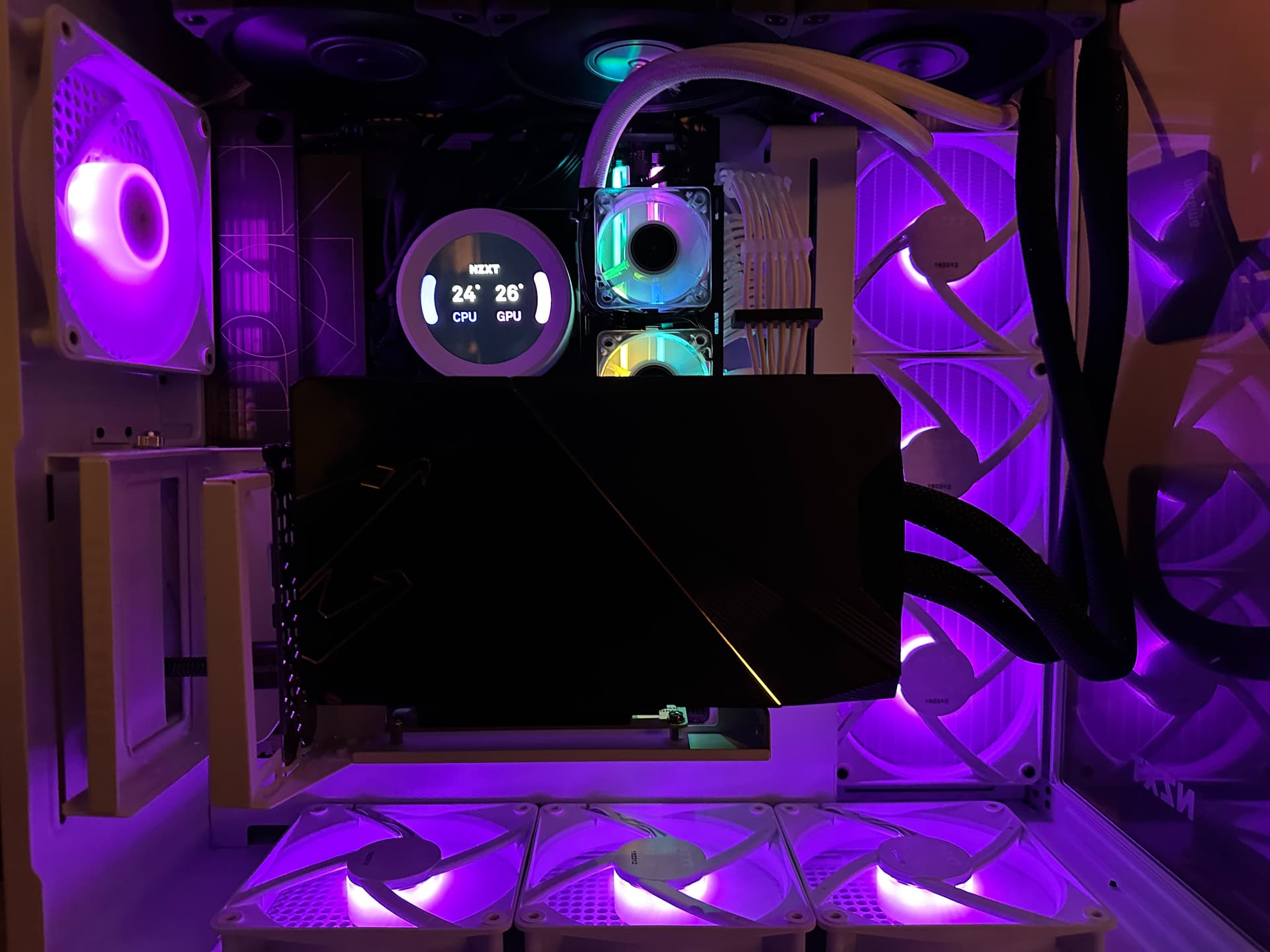
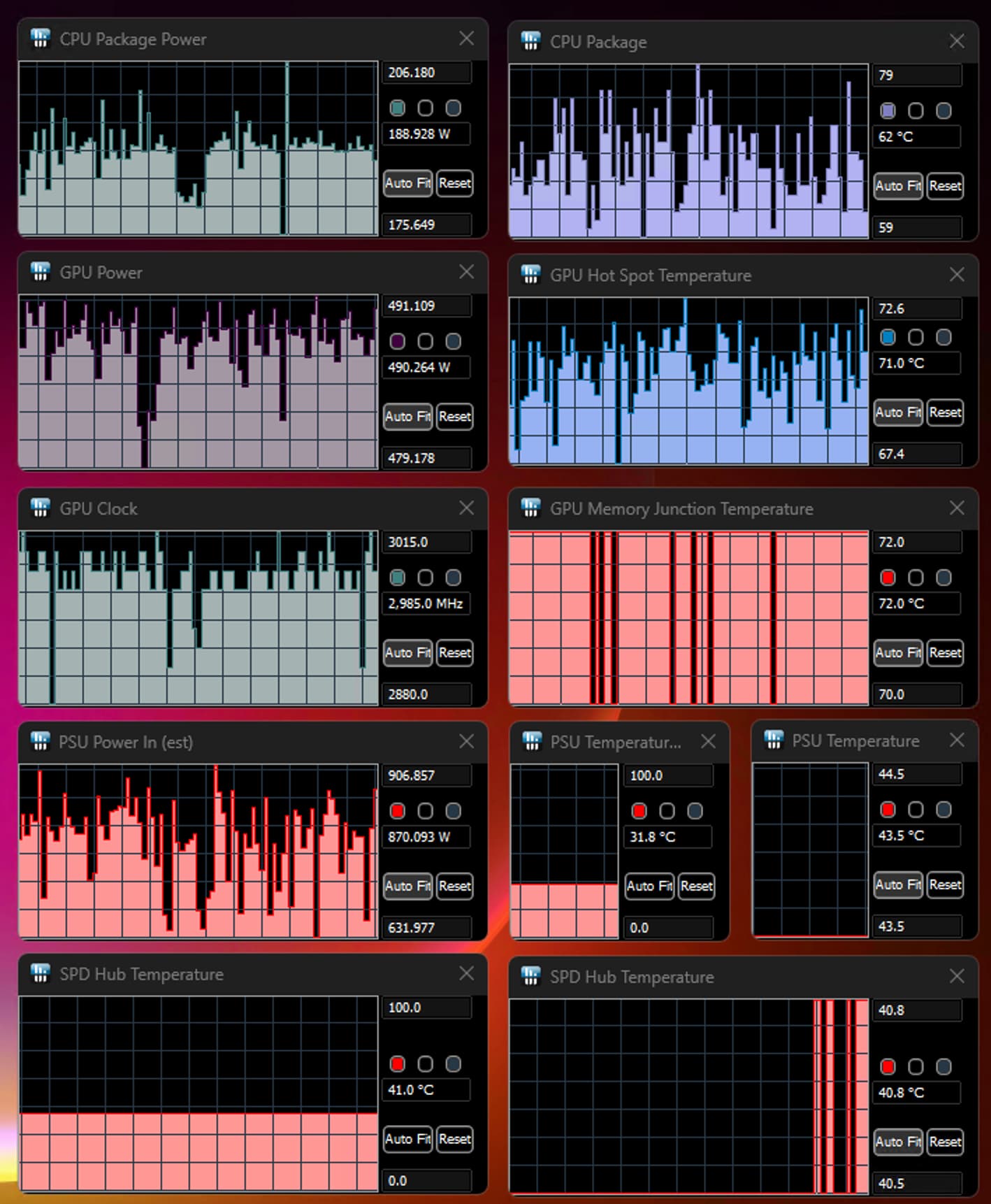
This is my overlock when running TVAI. You gotta love water cooling - even with an AIO. Running the gpu at nearly 3ghz (~up to 3100 when gaming), pulling down 480+ watts, and my hotspot temp is only as high as 72C.
Once again the radiator exhaust at the top of the case is an absolute furnace though!
Update IV - Last update - This will be the last time I tinker with it for a while
Conclusion
Increased memory bandwidth beyond 6000mhz for this workload helps even out performance for this demanding chronos/gaia workload but doesn’t improve overall speed by much.
You have to have a special motherboard and get lucky on the RAM vendor / binning and CPU IMC lottery to achieve stability in the high 7x000mhz range or beyond.
Was it worth it now that I already had 6000mhz RAM - not really.
My FOMO is your gain.
I couldn’t get the 8000mhz memory (removed from the QVL) to be stable above 7200mhz and even then it wasn’t perfectly stable after a few hours.
The 7600mhz memory, while on the QVL, was not stable using XMP II. I had to update the voltage past 1.4v to achieve stability.
The above is contingent on keeping RAM temperature low. I removed the shroud from the NF-1 fan and raised it a little higher from the motherboard. This, paired with running my case fans a tad higher, helped me achieve stable RAM temps of between 40C-41C.
My latency is about 72ns at the defaults and I’m fine with that for now
It’s been running jobs for about 24hrs and hasn’t blinked.
It would be great if someone else who uses DDR5 with two DIMMs at the full rated memory speed could log their DRAM bandwidth utilization stats as well.