Topaz Video AI Performance Alpha 3.2.0.3.a

“Completely Auto Proteus” was first introduced in V3.0. It is the most important & useful feature in V3.
It analyse the video frame by frame and adjust the parameter automatically. That is why the parameter value keep changing.

This also explains why many users complained that Proteus in V3.0 is slower than V2.64. Becasue they were comparing “Auto Proteus” in V3 vs “Manual (fix parameter) Proteus” in V2.64.

4 Likes

That’s probably why the devs decided, that parameters of Proteus Auto and semi-Auto would be calculated by a model (small prap-v3-fp32-ov.tz file) working most likely on a CPU in a multithreaded manner, so its performance is also important.

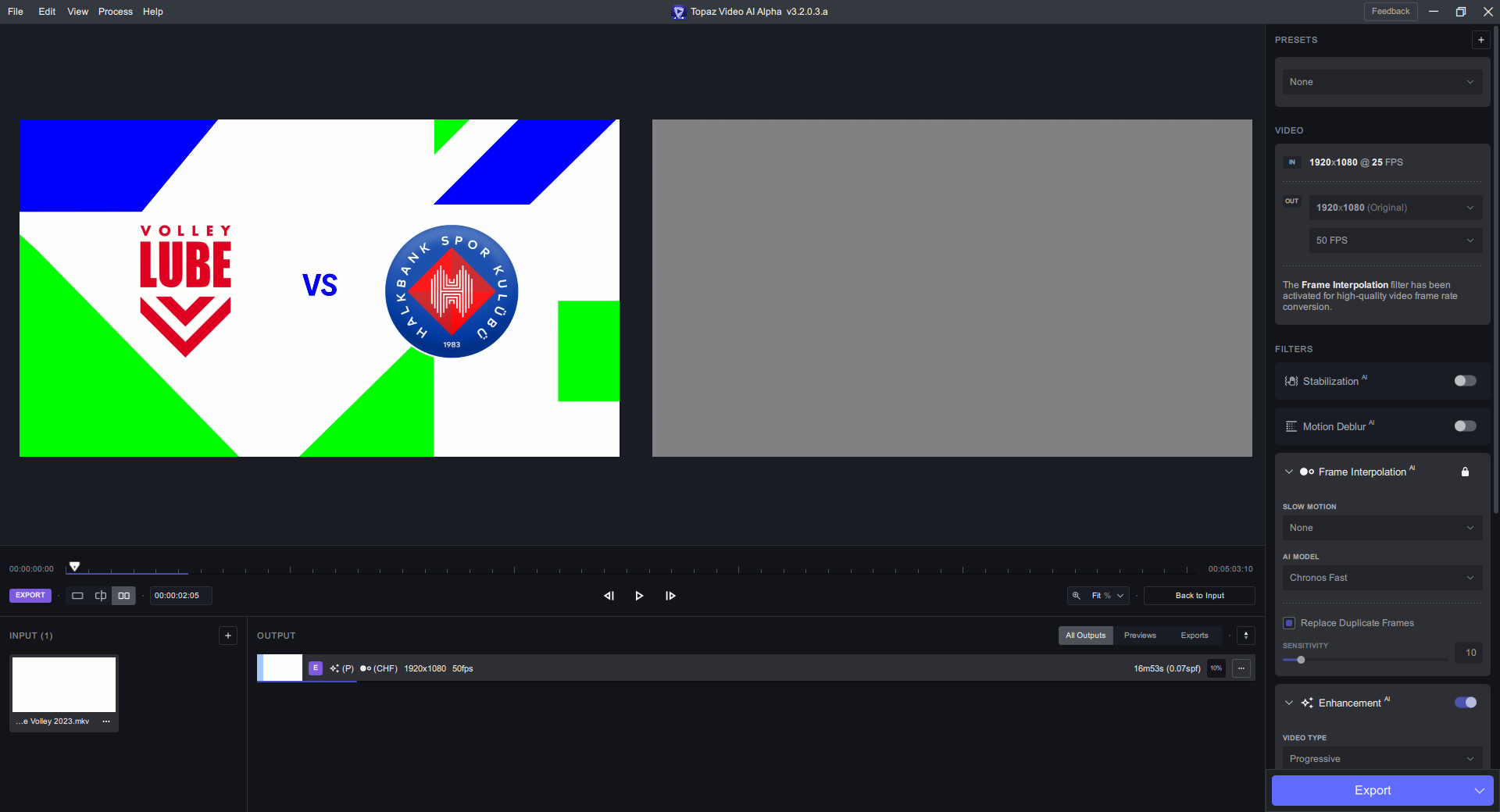
I get a good performance bump in this over v3.1.9. Hope the ‘grey interpolated frames’ issue can be fixed soon and we can get these performance improvements into the general release!

image

3.1.9:

image

set vram to 100% for more accurate comparison

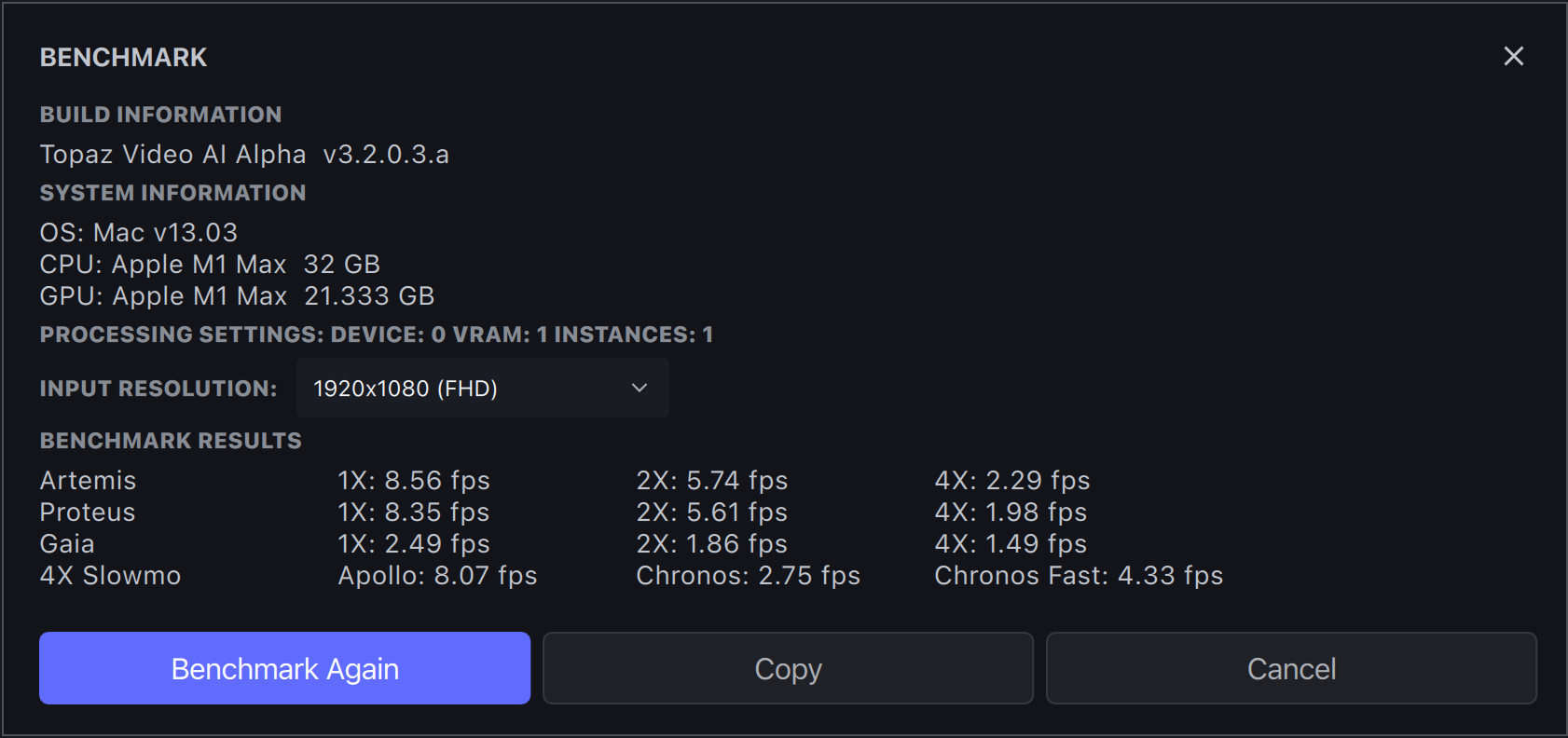
Where would I do that on the Mac version? Am I staring straight through it‽!

Topaz Video AI Alpha  v3.2.0.3.a
System Information
OS: Windows v11.2009
CPU: Intel(R) Core(TM) i7-7820X CPU @ 3.60GHz  63.693 GB
GPU: NVIDIA Quadro RTX 5000  14.795 GB
Processing Settings: device: 0 vram: 1 instances: 0
Input Resolution: 1920x1080
Benchmark Results
Artemis		1X: 10.83 fps 	2X: 6.47 fps 	4X: 2.06 fps 	
Proteus		1X: 9.88 fps 	2X: 6.11 fps 	4X: 1.99 fps 	
Gaia		1X: 3.61 fps 	2X: 2.42 fps 	4X: 1.5 fps 	
4X Slowmo		Apollo: 10.01 fps 	Chronos: 4.01 fps 	Chronos Fast: 12.81 fps 	

Its in Preferences

2 Likes

Have you uploaded the video that causes the problem already?

ok, so I set the Max Memory use (which I thought as RAM not VRAM!!) and it’s now… worse than it was for my first set of benchmarking results!!!

Topaz Video AI Alpha  v3.2.0.3.a
System Information
OS: Mac v13.0201
CPU: Apple M1 Ultra  64 GB
GPU: Apple M1 Ultra  48 GB
Processing Settings: device: -2 vram: 1 instances: 1
Input Resolution: 1920x1080
Benchmark Results
Artemis		1X: 10.79 fps 	2X: 6.73 fps 	4X: 2.5 fps 	
Proteus		1X: 10.45 fps 	2X: 5.87 fps 	4X: 2.24 fps 	
Gaia		1X: 4.74 fps 	2X: 2.93 fps 	4X: 2.26 fps 	
4X Slowmo		Apollo: 7.47 fps 	Chronos: 4.08 fps 	Chronos Fast: 4.56 fps 	

I haven’t uploded anything because it’s happened on everything I’ve tried so far.

Extremely disappointed to see that the latest alpha still crashes hard my Mac Pro 2019…

I completely lost all the confidence I’ve had in the software back in the 2.6.X when i could left my Mac running all night knowing that my video long video would be finish in the morning without any problem.

Now im no able to render even a 1 minute clip before everything crashes…

We are looking into the issue, it is a very critical issue. Apple is looking into it as well. Expect alphas targeting the crashes/failures next week.
Are you able to use 2.6.4 on your machine without issues?

Can you just upload one of the videos exhibiting the issue. Also what GPU are you running it on.

Interesting, can you try not using the auto. Also were you running something else while benchmarking?

RTX 4090. I’ll upload something that it’s reproducible on (should be everything though based on my experience so far).

Ok I just picked a random video and sure enough it has grey interpolated frames, it really appears to be a global issue not related to the source. I will upload after posting this screenshot:
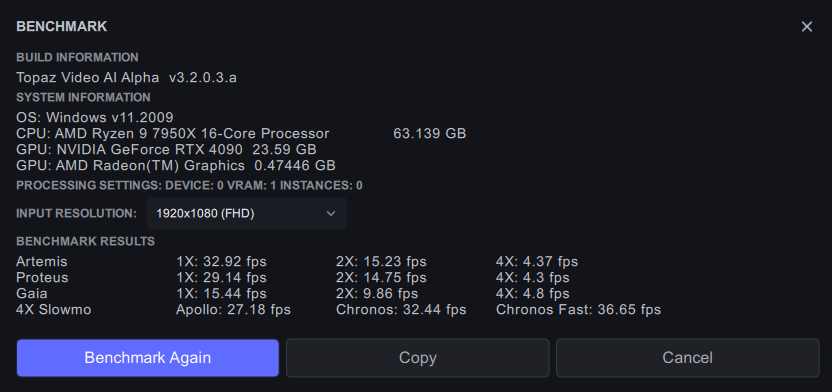
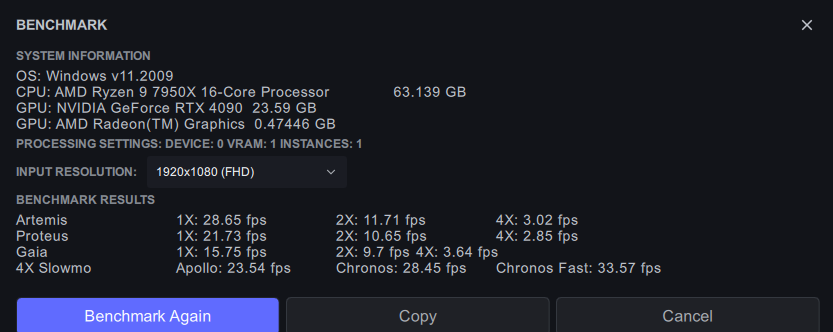
Media uploaded, also note it occurs on Chronos Fast, Chronos, and all combinations of frame rates I’ve tried so far.

yes, i just rendered a video successfully with v2.6.4

Thank you, are these problems happening since 3.0?