Thanks anyway, really appreciated, 

But that was the first thing I tried, and unfortunately, I still need to calculate the correct width, and height as you need to know both in order to set the resolution, otherwise, it just resets to either the height or width upon ticking the lock aspect ratio.
This is before I input anything.
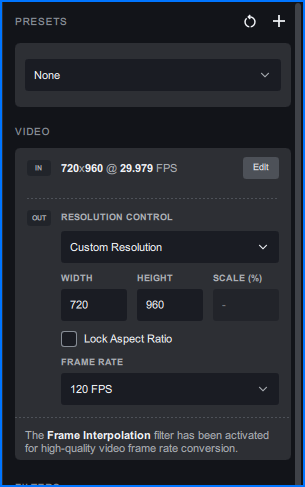
Here I put in my desired 2560 for the height, and the width SHOULD automatically set to 1440 once I tick the “lock aspect ratio” option…
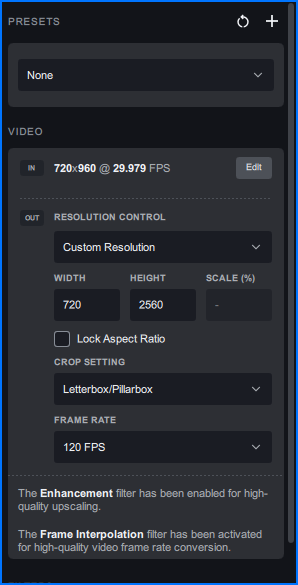
Nope, it resets back to the input resolution, or rather, the originally cropped input resolution…
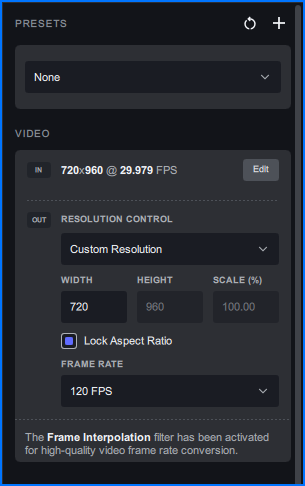
So I still end up using the calculator to figure out both width and height, and for some odd resolutions can get pretty tricky, and very irritating as it’s completely unnecessary as it is an issue caused by overwriting the perfect solution that was already in place, which is baffling to say the least.
EDIT: I’ll have to input the width, as it seems that with the lock aspect ratio checked, you have to input the width only, then and only then can you get an accurate resolution.
EDIT2: On top of the crippled resolution setting, they completely disabled manual frame rate input, meaning, you cannot input any frame rate, you have to pick from the list… 
Why do they keep doing this? 
