Quite odd! No issues on my end with ProRes or H265 with Frame Interpolation, Iris (same settings), and upscaling all enabled.
The logs you shared are empty, can you post your Dxdiag? Or SPX?
Quite odd! No issues on my end with ProRes or H265 with Frame Interpolation, Iris (same settings), and upscaling all enabled.
The logs you shared are empty, can you post your Dxdiag? Or SPX?
Another issue found, when setting audio output to ‘none’ export fails at the end of processing with an error.
Logs show this:
Thread: 28264 Info OUT: 2 e[48;5;0me[38;5;0mStream map '0:a' matches no streams.

To ignore this, add a trailing '?' to the map.
What GPU is on your test system?
Uploaded dxdiag to dropbox link
I also have to add that since the Video AI v3 inception, including the ‘pre-alpha’ releases, I’ve never had an issue with playback on VLC until this beta. So there is definitely something wrong here.
Update:
Running the ‘broken’ output from this beta through the 3.2.9 production release, with no active filters, fixes the file - it can be played back on VLC!
So, the question is, what is this beta writing to the file headers/streams that is breaking them on VLC?
Tested, and I can’t even get a video exported without it error-ing out, so yeah this beta is unusable for exporting video, but does fine with image sequence exports, specifically, PNG.
EDIT: Uploaded the logs…
I’m also curious, what does this setting do in Iris?
Thanks for testing!
Any time!
For the playback issue, this is the code I would be looking at first if I were a Topaz dev 
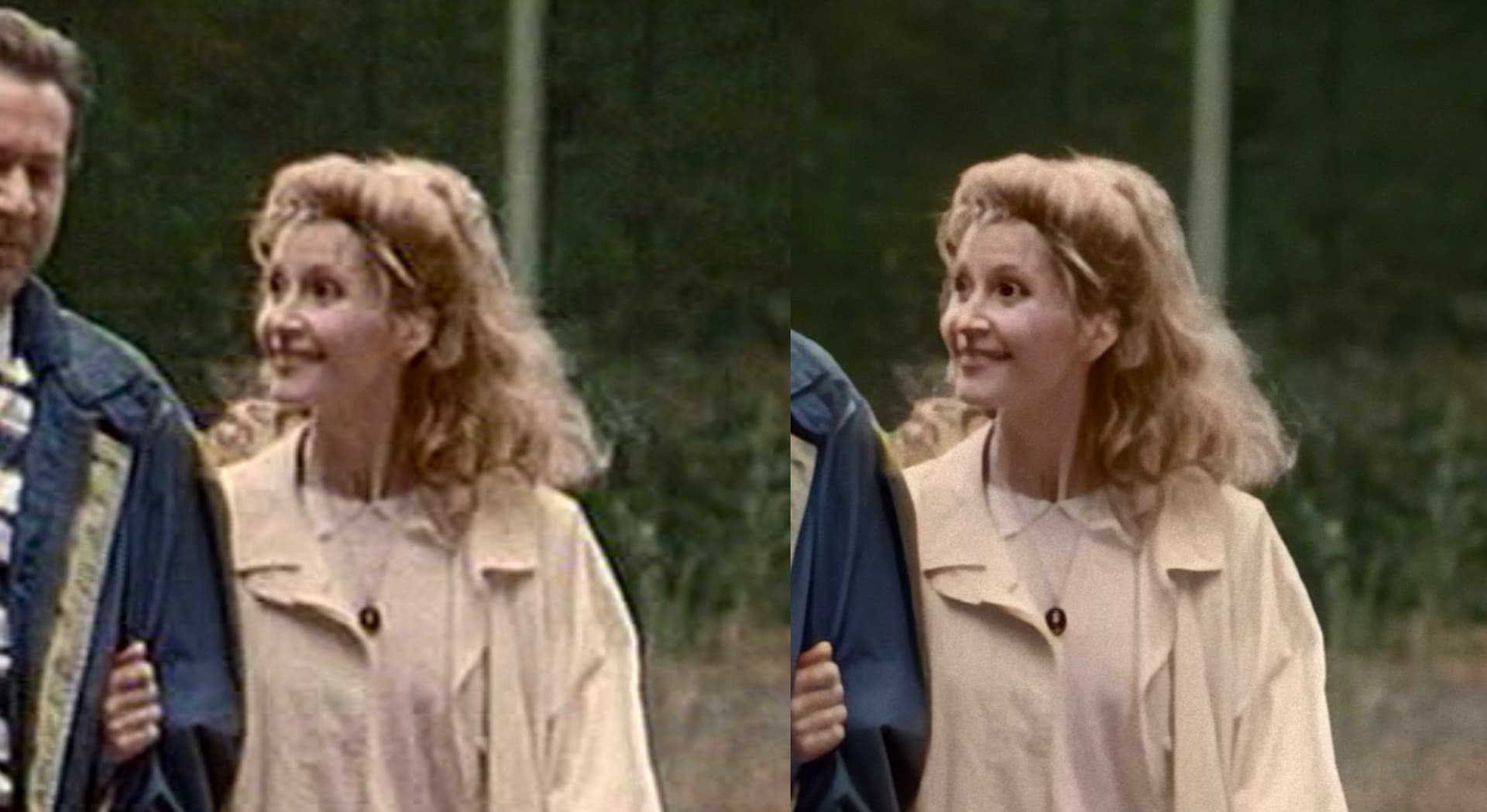
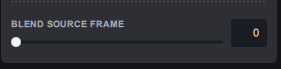
I’ve just tried a 344 x 288 LQ VHS source out to 1280 x 720 in v3.2.10.b using Iris auto and it completed and plays in VLC as normal. On preview I was getting the issue I mentioned previously where some faces looked plastic/artificial, so I used the new ‘blend source frame’ slider set at 25 and it fixes it! Its like its adding a basic layer of the original and that helps to stabilize the model and makes the faces look more realistic. Loving it but will post if I come across any bugs.
Can you please post your benchmark here so we can see your system specs? Might help narrowing down the VLC issue.
Sorry David I haven’t been a beta tester very long so still getting used it, here is my benchmark for 640 x 480:
Topaz Video AI Beta v3.2.9.0.b
System Information
OS: Windows v10.2009
CPU: 12th Gen Intel(R) Core™ i9-12900KF 63.797 GB
GPU: NVIDIA GeForce RTX 3090 23.77 GB
Processing Settings
device: -2 vram: 1 instances: 0
Input Resolution: 640x480
Benchmark Results
Artemis 1X: 125.15 fps 2X: 62.52 fps 4X: 19.99 fps
Proteus 1X: 112.87 fps 2X: 57.55 fps 4X: 19.43 fps
Gaia 1X: 43.50 fps 2X: 32.18 fps 4X: 21.88 fps
4X Slowmo Apollo: 122.38 fps APFast: 275.31 fps Chronos: 93.65 fps
Thanks, so different OS and GPU (I am on W11 and 4090 GPU).
Same error here with no audio export
Realised that was my benchmark for v3.2.9.0.b, this is v3.2.10.b:
Topaz Video AI Beta  v3.2.10.0.b
System Information
OS: Windows v10.22
CPU: 12th Gen Intel(R) Core(TM) i9-12900KF  63.797 GB
GPU: NVIDIA GeForce RTX 3090  23.77 GB
Processing Settings
device: -2 vram: 1 instances: 0
Input Resolution: 480x360
Benchmark Results
Artemis		1X: 	146.65 fps 	2X: 	82.00 fps 	4X: 	27.61 fps
Proteus		1X: 	118.95 fps 	2X: 	73.54 fps 	4X: 	26.32 fps
Gaia		1X: 	71.98 fps 	2X: 	49.60 fps 	4X: 	28.85 fps
4X Slowmo		Apollo: 	148.62 fps 	APFast: 	311.20 fps 	Chronos: 	131.56 fps 	CHFast: 	152.78 fps
Yes I have a Dell Alienware Aurora R13 RTX 3090 running Win 10 as I had a weird sound glitch in Win 11 so rolled back to 10 and it works fine.
Let me know if you need any more info.
@suraj @nipun.nath @jacob.muchow @ida.topazlabs
Ok update to the VLC playback issue,
I ran VLC with logging set at debug level and played both a known good file from v3.2.9 and then from this beta. The VLC log is full of errors for the beta file, most of them of this type:
main warning: early picture skipped
main error: Timestamp conversion failed (delay 1000000, buffering 0, bound 9000000)
main error: Could not convert timestamp 66433812416 for FFmpeg
So I think I have provided enough info for this to be looked into and resolved but let me know if you want anything else!
Edit: VLC logs uploaded!
Error with iris and stabilization.
The “Iris” Modell is really getting better and better 

And now it’s even possible to use manual Settings for Interlaced-Footage
A Problem I still have is sometimes the Faces are still looking artificial, specially if they are a little further away. Could you train the Model better that it use some more Frames to analyze or even to provide a Sample-Picture from a Person, that the Face-Reconstruction is working better?
I noticed the blend source frame in 3.2.10b what is it intended for can someone expplain