Another bug: after encoding a (longer) video, the app becomes very unresponsive, taking seconds after mouse clicks to react, sometimes even totally hanging with the need of a forced shut down.
EDIT: I only saw now that there’s a 3.4.0.1.a (as the App didn’t show an update available and it’s not even clearly mentioned in the first post - just when you look at the threads title you get an idea that there might be an update.
So all posts above are for the 3.4.0.0.a. I’ve yet to test the 3.4.0.1.a. But then, looking at the change log there weren’t any fixes for the Mac version anyways?
Mac Studio M1 Ultra 64GB RAM Ventura 13.5 - I’m seeing zero difference in rendering speed with this Alpha via the Iris model compared to the released 3.39 version, always around 10.4fps. I’m using a 1080p source, no upscale, just Iris Auto, noise = 1, Recover Original Detail = 25.
I’ve even tried the trick I used on previous betas (yes I know this is an Alpha!) which was to clean all the crud away using good old trusty Onyx, but it didn’t make a difference this time.
Thought I’d let you know @suraj as Iris speed improvement on Ventura was one of the items to test.
Do you happen to know the version that this started occurring for you? We are working on the preview experience, this is a large project and we do not have a release date at this time.
I posted that on the 3.3.6.0b thread. I never saw a 3.3.5, so I was on 3.3.4 until that (.6). Here’s what I said, and a link. BTW: It’s still happening on 3.4.0.1 alpha. Thanks for looking into it.
When getting to the 2nd to last frame in the preview, the cursor stays there and there is a > 30second wait for that last frame and the preview to start playing.
I do not want to blame your hardware, however, I am wondering if this is a combination of the hardware and the size of the video or the filter used, etc, I cannot reproduce this issue on an M1 Mac or on a 3060 RTX.
I get this when previewing. It’s done processing, but the preview is stuck at generating preview. ( it only happened one time, but thought I’d let you know )
It’s happening on 720x486 ProRes source. And anything else I use on it.
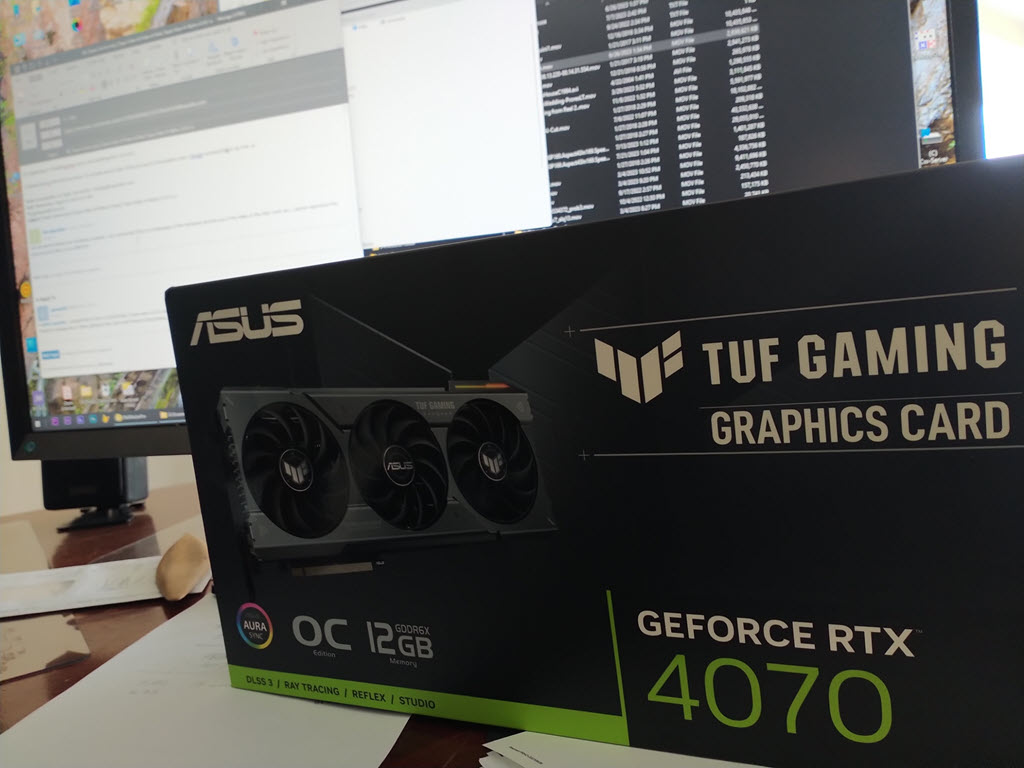
I included the HW info to let you know. It’s actually almost state of the art save for the graphics card. I thought there could be some part of that, so I got tired of putting it off, and now have this RTX 4070, just delivered 10 minutes ago from FedEx. I have some other things to do first but should have this up and tested by tomorrow.
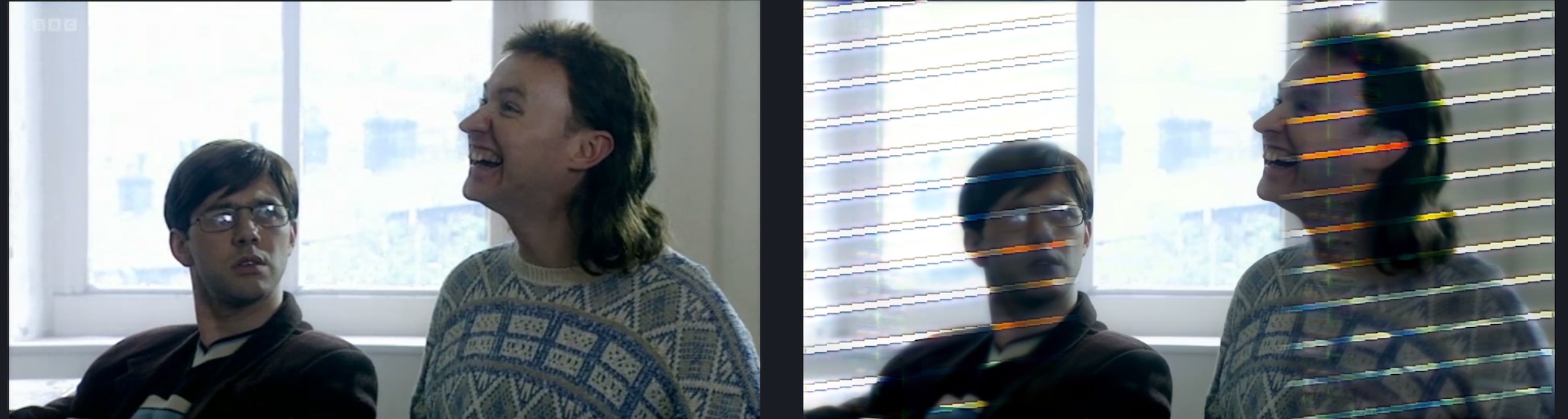
Hi @suraj & @ida.topazlabs - One thing I have noticed on this Alpha (Mac Studio Ultra 64GB macOS 13.5) is that no matter what I throw at it, TVAI produces these weird lines on the output, see attached screenshot. It doesn’t produce these lines using exactly the same video with exactly the same settings via the latest official 3.3.10 release. Doesn’t matter what the input resolution video is nor the output resolutions, I’ve tried all resolutions just to check… same thing. This is via the Iris model. So you know!
So, after some more time with the 3.4.0.1.a, all on the Mac Studio M2 Ultra 24c/60c with 64GB RAM running MacOS 13.4:
-the fill up all RAM bug at RAM setting of 100% has been resolved
-speed is considerably up on SD and 2x upscales with Iris on AppleSilicon at least with a high GPU core count.
-Unfortunately, speed has also drastically decreased for 4x upscales
-Previews seem to work fine and also quite immediately for both Preview and actual Encoding tasks
-there still is a mismatch of the preview time point that differs a few frames from the source. See example image:
To be further examined:
-after longer encodes the 3.4.0.0a tended to become unresponsive, taking several seconds after mouse clicks to respond and often even has to be forced shut down - have to see if it is the same with 3.4.0.1.a
I’ve sent you a private message as per your request for a clip of the source file I’m using.
Have you noticed the following? If I set my Max Memory to 10% all is well. If I set it to anything else, 40%, 100% whatever, then it slows down the processing by exactly half! Maybe it’s just my setup but I thought I’d ask as yours isn’t too far off mine you know?!